Compare commits
384 Commits
release/sd
...
release/v0
| Author | SHA1 | Date | |
|---|---|---|---|

|
4cd3372b9f | ||

|
a92be72e88 | ||
|
|
52cd1da4a7 | ||
|
|
c5c556a326 | ||
|
|
a8a863581b | ||
|
|
e4468cfcbc | ||
|
|
3bf30ead67 | ||

|
a786f61e49 | ||

|
fa7d857945 | ||
|
|
90489933fd | ||
|
|
3354b56a05 | ||
|
|
d40447cee4 | ||
|
|
ba87cf63f6 | ||
|
|
00a8c6a924 | ||
|
|
156134d3d4 | ||
|
|
b720209888 | ||
|
|
dfe667c364 | ||

|
1386fba278 | ||
|
|
d942250905 | ||
|
|
ec32a24508 | ||
|
|
c2b59038ae | ||
|
|
27bf42b4f5 | ||
|
|
d07ae35c90 | ||
|
|
cb59b5a9dc | ||
|
|
01e62a2120 | ||

|
d464f61b72 | ||
|
|
f866f7f071 | ||
|
|
7eabf543b4 | ||
|
|
8106a6b0f4 | ||

|
c0839dceac | ||

|
12f84fb730 | ||

|
f9a1ee2442 | ||
|
|
f824004f99 | ||
|
|
e274b4469a | ||
|
|
a4e3d764d3 | ||
|
|
0a39c91264 | ||
|
|
8fd7490d8f | ||
|
|
4f1766e19a | ||
|
|
bf52c6db0f | ||
|
|
9267677d38 | ||
|
|
fb8412a96a | ||
|
|
2837aa6b7c | ||
|
|
49b3e0dc92 | ||
|
|
25d9c4f1a7 | ||
|
|
d1a6b3207e | ||
|
|
1c62499977 | ||
|
|
4b8b4e2fe8 | ||
|
|
9942b2b877 | ||
|
|
850c52dc79 | ||
|
|
61e378644e | ||
|
|
bd3bdd82ea | ||
|
|
fc58291c5c | ||
|
|
633148b257 | ||
|
|
f9da1b819e | ||
|
|
36fb6b8291 | ||
|
|
f47c762620 | ||

|
573c33f68a | ||
|
|
8130020277 | ||
|
|
9f18f53294 | ||
|
|
32c085cf7d | ||
|
|
725843f9b3 | ||
|
|
07fb6faf5f | ||
|
|
1956507d90 | ||
|
|
54fd63f04b | ||
|
|
cf3c020e5b | ||
|
|
3691ee7038 | ||
|
|
91505233f0 | ||
|
|
52faa0da5c | ||
|
|
e4fd304b08 | ||
|
|
87f1dd9061 | ||
|
|
59c3d3d0f9 | ||
|
|
68a0567bf2 | ||
|
|
53486b7fd3 | ||
|
|
5742a69d8a | ||
|
|
d4a0e84508 | ||
|
|
1806390421 | ||
|
|
5c6ed070de | ||
|
|
e5a3670ed3 | ||
|
|
5b16cd5945 | ||
|
|
5d94763581 | ||
|
|
5bd1822b7d | ||
|
|
65392a057d | ||
|
|
3b9d38a325 | ||
|
|
883c6d878c | ||
|
|
b9a2cc7bdf | ||
|
|
6d31510e58 | ||
|
|
60211b8180 | ||
|
|
4cbb57a793 | ||
|
|
9280739a85 | ||
|
|
b6128ef2d2 | ||
|
|
f7ef720e3b | ||
|
|
0e6ebe85e4 | ||
|
|
3138aa1fe3 | ||
|
|
0f2f1faee5 | ||
|
|
641dd03689 | ||
|
|
44fef93399 | ||
|
|
b073b2db79 | ||
|
|
ccc6192164 | ||
|
|
4930a24d07 | ||
|
|
a5f8c66c35 | ||
|
|
c8d18591b0 | ||
|
|
e9036daa8d | ||
|
|
7a97fcd5f1 | ||
|
|
8e29cc88f9 | ||
|
|
61ce586117 | ||
|
|
4504c7a0ac | ||
|
|
56a62bcb2a | ||
|
|
1098c23b26 | ||
|
|
e76f47512c | ||
|
|
f5c868702b | ||
|
|
0d40cf2213 | ||
|
|
12877ac849 | ||
|
|
2de50ae436 | ||
|
|
a761be80a5 | ||
|
|
6c77303172 | ||
|
|
90fc4c33f0 | ||
|
|
389d8dd9c4 | ||
|
|
4590138a1e | ||
|
|
0ac191e2db | ||
|
|
9e392b3035 | ||
|
|
65796e2799 | ||
|
|
8fdcd53f53 | ||
|
|
693a58d517 | ||
|
|
c7f4c462f4 | ||
|
|
c94708e448 | ||
|
|
0b854e494f | ||
|
|
f6f4b24356 | ||
|
|
bc5dd87eb4 | ||
|
|
f8aeb06823 | ||
|
|
bca288e742 | ||
|
|
5841370b1a | ||
|
|
0d90d5c118 | ||
|
|
cc0d688c8b | ||
|
|
4eb7aa5448 | ||
|
|
9978fe107b | ||
|
|
b95bb2cd95 | ||
|
|
e895c49f5c | ||
|
|
3191cf73b3 | ||
|
|
f5306339f6 | ||

|
026fd468b1 | ||
|
|
d25af87eaf | ||
|
|
a5039d15bf | ||
|
|
3ff916a5f1 | ||
|
|
7bb9bc1e5e | ||
|
|
57df439f43 | ||
|
|
f417ace1b0 | ||
|
|
6e9d4f1e3e | ||
|
|
8b29dd130e | ||
|
|
d0be8b43d7 | ||
|
|
3095442eb3 | ||
|
|
2ceecab503 | ||
|
|
e5ed0334ab | ||
|
|
ad9e286806 | ||
|
|
6655afafc7 | ||
|
|
4f2b2d0a3e | ||

|
2b62b1e8bc | ||
|
|
89be6edb5e | ||
|
|
d812c9dcf2 | ||
|
|
d754767e73 | ||
|
|
bb8447edd7 | ||
|
|
44794121a8 | ||
|
|
b626e0be89 | ||
|
|
779ed2cda4 | ||
|
|
02234f5434 | ||
|
|
25261ab88d | ||

|
60a58ad8e5 | ||
|
|
c20df192a8 | ||
|
|
b34894c8ea | ||
|
|
9fd4f58c16 | ||
|
|
4d4e9a7b3d | ||
|
|
4fbc329361 | ||
|
|
ba3b576906 | ||
|
|
b67ee32481 | ||
|
|
5b8ce440ea | ||
|
|
692d6e227e | ||
|
|
bf905dcc17 | ||
|
|
95d3e5b744 | ||
|
|
6d3cf4cd98 | ||
|
|
68295d0bbf | ||
|
|
903113d749 | ||
|
|
bd3327db8c | ||
|
|
0ae3a2247d | ||
|
|
84cccfe99a | ||
|
|
b6a3ab11e0 | ||
|
|
58d3a9c253 | ||

|
d06a6d7ef9 | ||
|
|
ae9753a326 | ||
|
|
56beeb6989 | ||
|
|
d5fc8e390b | ||
|
|
a39b68a44f | ||
|
|
a02c4b2765 | ||
|
|
0055399cba | ||
|
|
5f78909040 | ||
|
|
5ef3d32f16 | ||
|
|
49c032492a | ||
|
|
4345b9370e | ||
|
|
d2e2a07327 | ||
|
|
5b74422be6 | ||
|
|
06c398a015 | ||
|
|
aec5d6463a | ||
|
|
29032d2c6a | ||
|
|
e12a80b24e | ||
|
|
e91ea3ac1a | ||
|
|
f2a74c74b6 | ||
|
|
21651410c8 | ||
|
|
09cefbcf67 | ||
|
|
70b5aee381 | ||
|
|
5fddcd509c | ||
|
|
d7b9466516 | ||
|
|
fcd4bb9c03 | ||
|
|
828b760820 | ||
|
|
ef3d7b92d0 | ||
|
|
58b9e477bc | ||
|
|
f4edcc5cd2 | ||
|
|
7adb9ed7ff | ||
|
|
f146f062cb | ||
|
|
111234eb24 | ||
|
|
dd7f9ed489 | ||
|
|
5fa87e6fbb | ||
|
|
f7b94f9b63 | ||
|
|
a6a572336c | ||
|
|
96cd685b1b | ||
|
|
e8b4ee111c | ||
|
|
ac0d5206ba | ||
|
|
e5e1e6a3da | ||
|
|
6269415e7b | ||
|
|
efccd44cb4 | ||
|
|
0a8281f2dd | ||
|
|
efbf50554d | ||
|
|
63e4794633 | ||
|
|
be71976a1f | ||
|
|
e47263f7c9 | ||
|
|
51b4de0c23 | ||
|
|
67eee14ca9 | ||
|
|
ed44520e51 | ||
|
|
7cd26f728d | ||
|
|
ad79b9bcab | ||
|
|
ad301963a6 | ||
|
|
e538a3d1bf | ||
|
|
413c143004 | ||
|
|
b4be2c6c7f | ||
|
|
8b5b8d2b90 | ||
|
|
6e826b815e | ||
|
|
86b166bb1d | ||
|
|
57a684ad97 | ||
|
|
bf6abf7752 | ||
|
|
541d0b22e5 | ||
|
|
96b275a756 | ||
|
|
be44e7af56 | ||
|
|
ac9cb3a6d3 | ||
|
|
13aa4b03c7 | ||
|
|
75fd2a5dcc | ||
|
|
811b332bc3 | ||
|
|
bf4673b00b | ||
|
|
645a5b181a | ||
|
|
2957058521 | ||
|
|
e7b92622ce | ||
|
|
82f97fe56d | ||
|
|
2c1a836f18 | ||
|
|
3a7b1159ae | ||
|
|
c6f5a4585e | ||
|
|
b1a439e38f | ||
|
|
a6467e7f9b | ||
|
|
5ed60348d6 | ||

|
d2ed3e73f4 | ||
|
|
0851ab572d | ||
|
|
bfe8133ea3 | ||
|
|
8203f6582f | ||
|
|
2d844d11df | ||
|
|
17785c418d | ||
|
|
4145f45c7c | ||
|
|
d56923b657 | ||
|
|
32258f2f04 | ||
|
|
5dec3e653c | ||
|
|
3053e6c41f | ||
|
|
86cd06ef43 | ||
|
|
7270983821 | ||
|
|
b1901f103f | ||
|
|
5701a3c897 | ||
|
|
2145b28f8b | ||
|
|
e3c456a430 | ||
|
|
35f98723ca | ||
|
|
b9b3b6d62e | ||
|
|
cec6b8691a | ||
|
|
05f5189bb4 | ||
|
|
c6299bf135 | ||
|
|
2e449f4d45 | ||
|
|
90fc53a9df | ||
|
|
ed0d5f67db | ||
|
|
1b37d729cb | ||
|
|
1acc24bc17 | ||
|
|
b1e74e5732 | ||
|
|
82205034cc | ||
|
|
c038745897 | ||
|
|
6885138cf0 | ||
|
|
9ae45c01a6 | ||
|
|
5ce40085d5 | ||
|
|
627f5fb43a | ||
|
|
9cc48f12da | ||
|
|
dc340daf8b | ||
|
|
f78b1eff93 | ||
|
|
8bc9bea5a1 | ||
|
|
b986692f94 | ||
|
|
4f63d92bb1 | ||
|
|
3c09ad46ca | ||
|
|
d5ede56e62 | ||
|
|
530039c517 | ||
|
|
0cbf95d6b3 | ||
|
|
579772197a | ||
|
|
934365c41f | ||
|
|
f623bfbb34 | ||
|
|
f503eb2520 | ||
|
|
3cf22c065f | ||
|
|
a1ec1227cc | ||
|
|
36af718616 | ||
|
|
795e7fa2c5 | ||
|
|
b6914c6b33 | ||
|
|
f11d054a47 | ||
|
|
4ad377b0d8 | ||
|
|
b7f9acf0ff | ||
|
|
4dfbdcddca | ||
|
|
826516581b | ||
|
|
4f964b5281 | ||
|
|
de8ea0678d | ||
|
|
c4bcd178a4 | ||
|
|
e5729b0420 | ||
|
|
aceb857436 | ||
|
|
e15dd2f5c9 | ||
|
|
8ac38aad92 | ||
|
|
38fd303b07 | ||
|
|
9899d872a2 | ||
|
|
36a96a7b5c | ||
|
|
951f6b2829 | ||
|
|
eff01819a8 | ||
|
|
31f8ca07b6 | ||
|
|
39adaaff11 | ||
|
|
fd2e5b0933 | ||
|
|
49a2be195d | ||
|
|
ce07fb2b3f | ||
|
|
e2beecb9c4 | ||
|
|
ecc6e22002 | ||
|
|
99f93b457c | ||
|
|
748ad8f4dd | ||
|
|
a33187ed7a | ||
|
|
088c766c22 | ||
|
|
b82ef5b73f | ||
|
|
328924f578 | ||
|
|
1eedd36542 | ||
|
|
9ba99177b9 | ||
|
|
7d2411e72f | ||
|
|
5a9f5e3432 | ||
|
|
95b67bbebd | ||
|
|
492c56a780 | ||
|
|
06a8580361 | ||
|
|
dcc10eb0a9 | ||
|
|
805e5f92c1 | ||
|
|
8cb7ea0d3d | ||
|
|
b534bd2b18 | ||
|
|
6286b8b6e8 | ||
|
|
e81255e589 | ||
|
|
018990b7f6 | ||
|
|
bc2b503e8d | ||
|
|
454cbfdde4 | ||
|
|
04dfad7ab5 | ||
|
|
e02866d06f | ||
|
|
9fcdd3fa77 | ||
|
|
754ae30939 | ||
|
|
0577fe6f36 | ||
|
|
732220e651 | ||
|
|
729a3d0ab3 | ||
|
|
0e3759fbd2 | ||
|
|
f8db157a5d | ||
|
|
f827aadd76 | ||
|
|
39426be9a1 | ||
|
|
f95f6e63bb | ||
|
|
91af599823 | ||
|
|
ad8d7aae8a | ||
|
|
d22d07a840 | ||
|
|
28892996b3 | ||
|
|
eeeb1d490a | ||
|
|
247c237647 | ||
|
|
c423e12aa7 | ||
|
|
dc40995e70 | ||

|
1123b9f0fc |
12
.github/workflows/release-sdk.yml
vendored
@@ -121,6 +121,11 @@ jobs:
|
||||
IS_PREVIEW: '${{ steps.vars.outputs.is_preview }}'
|
||||
MANUAL_VERSION: '${{ inputs.version }}'
|
||||
|
||||
- name: 'Build CLI Bundle'
|
||||
run: |
|
||||
npm run build
|
||||
npm run bundle
|
||||
|
||||
- name: 'Run Tests'
|
||||
if: |-
|
||||
${{ github.event.inputs.force_skip_tests != 'true' }}
|
||||
@@ -132,13 +137,6 @@ jobs:
|
||||
OPENAI_BASE_URL: '${{ secrets.OPENAI_BASE_URL }}'
|
||||
OPENAI_MODEL: '${{ secrets.OPENAI_MODEL }}'
|
||||
|
||||
- name: 'Build CLI for Integration Tests'
|
||||
if: |-
|
||||
${{ github.event.inputs.force_skip_tests != 'true' }}
|
||||
run: |
|
||||
npm run build
|
||||
npm run bundle
|
||||
|
||||
- name: 'Run SDK Integration Tests'
|
||||
if: |-
|
||||
${{ github.event.inputs.force_skip_tests != 'true' }}
|
||||
|
||||
4
.github/workflows/release.yml
vendored
@@ -133,8 +133,8 @@ jobs:
|
||||
${{ github.event.inputs.force_skip_tests != 'true' }}
|
||||
run: |
|
||||
npm run preflight
|
||||
npm run test:integration:sandbox:none
|
||||
npm run test:integration:sandbox:docker
|
||||
npm run test:integration:cli:sandbox:none
|
||||
npm run test:integration:cli:sandbox:docker
|
||||
env:
|
||||
OPENAI_API_KEY: '${{ secrets.OPENAI_API_KEY }}'
|
||||
OPENAI_BASE_URL: '${{ secrets.OPENAI_BASE_URL }}'
|
||||
|
||||
5
.gitignore
vendored
@@ -57,3 +57,8 @@ gha-creds-*.json
|
||||
|
||||
# Log files
|
||||
patch_output.log
|
||||
|
||||
# docs build
|
||||
docs-site/.next
|
||||
# content is a symlink to ../docs
|
||||
docs-site/content
|
||||
|
||||
2
.vscode/launch.json
vendored
@@ -27,7 +27,7 @@
|
||||
"outFiles": [
|
||||
"${workspaceFolder}/packages/vscode-ide-companion/dist/**/*.js"
|
||||
],
|
||||
"preLaunchTask": "npm: build: vscode-ide-companion"
|
||||
"preLaunchTask": "launch: vscode-ide-companion (copy+build)"
|
||||
},
|
||||
{
|
||||
"name": "Attach",
|
||||
|
||||
16
.vscode/tasks.json
vendored
@@ -20,6 +20,22 @@
|
||||
"problemMatcher": [],
|
||||
"label": "npm: build: vscode-ide-companion",
|
||||
"detail": "npm run build -w packages/vscode-ide-companion"
|
||||
},
|
||||
{
|
||||
"label": "copy: bundled-cli (dev)",
|
||||
"type": "shell",
|
||||
"command": "node",
|
||||
"args": ["packages/vscode-ide-companion/scripts/copy-bundled-cli.js"],
|
||||
"problemMatcher": []
|
||||
},
|
||||
{
|
||||
"label": "launch: vscode-ide-companion (copy+build)",
|
||||
"dependsOrder": "sequence",
|
||||
"dependsOn": [
|
||||
"copy: bundled-cli (dev)",
|
||||
"npm: build: vscode-ide-companion"
|
||||
],
|
||||
"problemMatcher": []
|
||||
}
|
||||
]
|
||||
}
|
||||
|
||||
@@ -88,6 +88,12 @@ npm install -g .
|
||||
brew install qwen-code
|
||||
```
|
||||
|
||||
## VS Code Extension
|
||||
|
||||
In addition to the CLI tool, Qwen Code also provides a **VS Code extension** that brings AI-powered coding assistance directly into your editor with features like file system operations, native diffing, interactive chat, and more.
|
||||
|
||||
> 📦 The extension is currently in development. For installation, features, and development guide, see the [VS Code Extension README](./packages/vscode-ide-companion/README.md).
|
||||
|
||||
## Quick Start
|
||||
|
||||
```bash
|
||||
|
||||
54
docs-site/README.md
Normal file
@@ -0,0 +1,54 @@
|
||||
# Qwen Code Docs Site
|
||||
|
||||
A documentation website for Qwen Code built with [Next.js](https://nextjs.org/) and [Nextra](https://nextra.site/).
|
||||
|
||||
## Getting Started
|
||||
|
||||
### Prerequisites
|
||||
|
||||
- Node.js 18+
|
||||
- npm or yarn
|
||||
|
||||
### Installation
|
||||
|
||||
```bash
|
||||
npm install
|
||||
```
|
||||
|
||||
### Setup Content
|
||||
|
||||
Link the documentation content from the parent `docs` directory:
|
||||
|
||||
```bash
|
||||
npm run link
|
||||
```
|
||||
|
||||
This creates a symbolic link from `../docs` to `content` in the project.
|
||||
|
||||
### Development
|
||||
|
||||
Start the development server:
|
||||
|
||||
```bash
|
||||
npm run dev
|
||||
```
|
||||
|
||||
Open [http://localhost:3000](http://localhost:3000) in your browser to see the documentation site.
|
||||
|
||||
## Project Structure
|
||||
|
||||
```
|
||||
docs-site/
|
||||
├── src/
|
||||
│ └── app/
|
||||
│ ├── [[...mdxPath]]/ # Dynamic routing for MDX pages
|
||||
│ │ └── page.jsx
|
||||
│ └── layout.jsx # Root layout with navbar and footer
|
||||
├── mdx-components.js # MDX component configuration
|
||||
├── next.config.mjs # Next.js configuration
|
||||
└── package.json
|
||||
```
|
||||
|
||||
## License
|
||||
|
||||
MIT © Qwen Team
|
||||
12
docs-site/mdx-components.js
Normal file
@@ -0,0 +1,12 @@
|
||||
import { useMDXComponents as getThemeComponents } from 'nextra-theme-docs'; // nextra-theme-blog or your custom theme
|
||||
|
||||
// Get the default MDX components
|
||||
const themeComponents = getThemeComponents();
|
||||
|
||||
// Merge components
|
||||
export function useMDXComponents(components) {
|
||||
return {
|
||||
...themeComponents,
|
||||
...components,
|
||||
};
|
||||
}
|
||||
6
docs-site/next-env.d.ts
vendored
Normal file
@@ -0,0 +1,6 @@
|
||||
/// <reference types="next" />
|
||||
/// <reference types="next/image-types/global" />
|
||||
import './.next/dev/types/routes.d.ts';
|
||||
|
||||
// NOTE: This file should not be edited
|
||||
// see https://nextjs.org/docs/app/api-reference/config/typescript for more information.
|
||||
5
docs-site/next.config.mjs
Normal file
@@ -0,0 +1,5 @@
|
||||
import nextra from 'nextra';
|
||||
|
||||
const withNextra = nextra({});
|
||||
|
||||
export default withNextra({});
|
||||
22
docs-site/package.json
Normal file
@@ -0,0 +1,22 @@
|
||||
{
|
||||
"name": "docs-site",
|
||||
"version": "1.0.0",
|
||||
"description": "",
|
||||
"license": "ISC",
|
||||
"author": "",
|
||||
"type": "module",
|
||||
"main": "index.js",
|
||||
"scripts": {
|
||||
"link": "ln -s ../docs content",
|
||||
"clean": "rm -rf .next",
|
||||
"dev": "npm run clean && next --turbopack",
|
||||
"test": "echo \"Error: no test specified\" && exit 1"
|
||||
},
|
||||
"dependencies": {
|
||||
"next": "^16.0.8",
|
||||
"nextra": "^4.6.1",
|
||||
"nextra-theme-docs": "^4.6.1",
|
||||
"react": "^19.2.1",
|
||||
"react-dom": "^19.2.1"
|
||||
}
|
||||
}
|
||||
27
docs-site/src/app/[[...mdxPath]]/page.jsx
Normal file
@@ -0,0 +1,27 @@
|
||||
import { generateStaticParamsFor, importPage } from 'nextra/pages';
|
||||
import { useMDXComponents as getMDXComponents } from '../../../mdx-components';
|
||||
|
||||
export const generateStaticParams = generateStaticParamsFor('mdxPath');
|
||||
|
||||
export async function generateMetadata(props) {
|
||||
const params = await props.params;
|
||||
const { metadata } = await importPage(params.mdxPath);
|
||||
return metadata;
|
||||
}
|
||||
|
||||
const Wrapper = getMDXComponents().wrapper;
|
||||
|
||||
export default async function Page(props) {
|
||||
const params = await props.params;
|
||||
const {
|
||||
default: MDXContent,
|
||||
toc,
|
||||
metadata,
|
||||
sourceCode,
|
||||
} = await importPage(params.mdxPath);
|
||||
return (
|
||||
<Wrapper toc={toc} metadata={metadata} sourceCode={sourceCode}>
|
||||
<MDXContent {...props} params={params} />
|
||||
</Wrapper>
|
||||
);
|
||||
}
|
||||
55
docs-site/src/app/layout.jsx
Normal file
@@ -0,0 +1,55 @@
|
||||
import { Footer, Layout, Navbar } from 'nextra-theme-docs';
|
||||
import { Banner, Head } from 'nextra/components';
|
||||
import { getPageMap } from 'nextra/page-map';
|
||||
import 'nextra-theme-docs/style.css';
|
||||
|
||||
export const metadata = {
|
||||
// Define your metadata here
|
||||
// For more information on metadata API, see: https://nextjs.org/docs/app/building-your-application/optimizing/metadata
|
||||
};
|
||||
|
||||
const banner = (
|
||||
<Banner storageKey="some-key">Qwen Code 0.5.0 is released 🎉</Banner>
|
||||
);
|
||||
const navbar = (
|
||||
<Navbar
|
||||
logo={<b>Qwen Code</b>}
|
||||
// ... Your additional navbar options
|
||||
/>
|
||||
);
|
||||
const footer = <Footer>MIT {new Date().getFullYear()} © Qwen Team.</Footer>;
|
||||
|
||||
export default async function RootLayout({ children }) {
|
||||
return (
|
||||
<html
|
||||
// Not required, but good for SEO
|
||||
lang="en"
|
||||
// Required to be set
|
||||
dir="ltr"
|
||||
// Suggested by `next-themes` package https://github.com/pacocoursey/next-themes#with-app
|
||||
suppressHydrationWarning
|
||||
>
|
||||
<Head
|
||||
// ... Your additional head options
|
||||
>
|
||||
{/* Your additional tags should be passed as `children` of `<Head>` element */}
|
||||
</Head>
|
||||
<body>
|
||||
<Layout
|
||||
banner={banner}
|
||||
navbar={navbar}
|
||||
pageMap={await getPageMap()}
|
||||
docsRepositoryBase="https://github.com/QwenLM/qwen-code/docs"
|
||||
// Use a very large finite integer to expand all folders by default.
|
||||
// (Some schema validators reject `Infinity`.)
|
||||
sidebar={{ defaultMenuCollapseLevel: 9999 }}
|
||||
footer={footer}
|
||||
search={false}
|
||||
// ... Your additional layout options
|
||||
>
|
||||
{children}
|
||||
</Layout>
|
||||
</body>
|
||||
</html>
|
||||
);
|
||||
}
|
||||
@@ -1,10 +1,14 @@
|
||||
export default {
|
||||
index: 'Welcome to Qwen Code',
|
||||
cli: 'CLI',
|
||||
core: 'Core',
|
||||
tools: 'Tools',
|
||||
features: 'Features',
|
||||
'ide-integration': 'IDE Integration',
|
||||
development: 'Development',
|
||||
support: 'Support',
|
||||
index: {
|
||||
type: 'page',
|
||||
display: 'hidden',
|
||||
},
|
||||
users: {
|
||||
type: 'page',
|
||||
title: 'User Guide',
|
||||
},
|
||||
developers: {
|
||||
type: 'page',
|
||||
title: 'Developer Guide',
|
||||
},
|
||||
};
|
||||
|
||||

|
Before Width: | Height: | Size: 119 KiB |

|
Before Width: | Height: | Size: 350 KiB |

|
Before Width: | Height: | Size: 1.5 MiB |

|
Before Width: | Height: | Size: 381 KiB |

|
Before Width: | Height: | Size: 126 KiB |

|
Before Width: | Height: | Size: 127 KiB |

|
Before Width: | Height: | Size: 128 KiB |

|
Before Width: | Height: | Size: 126 KiB |

|
Before Width: | Height: | Size: 128 KiB |

|
Before Width: | Height: | Size: 259 KiB |

|
Before Width: | Height: | Size: 125 KiB |

|
Before Width: | Height: | Size: 127 KiB |

|
Before Width: | Height: | Size: 128 KiB |

|
Before Width: | Height: | Size: 126 KiB |

|
Before Width: | Height: | Size: 128 KiB |

|
Before Width: | Height: | Size: 126 KiB |

|
Before Width: | Height: | Size: 125 KiB |
@@ -1,35 +0,0 @@
|
||||
export default {
|
||||
index: 'Introduction',
|
||||
authentication: 'Authentication',
|
||||
'openai-auth': 'OpenAI Authentication',
|
||||
commands: 'Commands',
|
||||
configuration: 'Configuration',
|
||||
'configuration-v1': 'Configuration (v1)',
|
||||
themes: 'Themes',
|
||||
tutorials: 'Tutorials',
|
||||
'keyboard-shortcuts': 'Keyboard Shortcuts',
|
||||
'trusted-folders': 'Trusted Folders',
|
||||
'qwen-ignore': 'Ignoring Files',
|
||||
Uninstall: 'Uninstall',
|
||||
};
|
||||
|
||||
/**
|
||||
*
|
||||
* { "label": "Introduction", "slug": "docs/cli" },
|
||||
{ "label": "Authentication", "slug": "docs/cli/authentication" },
|
||||
{ "label": "Commands", "slug": "docs/cli/commands" },
|
||||
{ "label": "Configuration", "slug": "docs/cli/configuration" },
|
||||
{ "label": "Checkpointing", "slug": "docs/checkpointing" },
|
||||
{ "label": "Extensions", "slug": "docs/extension" },
|
||||
{ "label": "Headless Mode", "slug": "docs/headless" },
|
||||
{ "label": "IDE Integration", "slug": "docs/ide-integration" },
|
||||
{
|
||||
"label": "IDE Companion Spec",
|
||||
"slug": "docs/ide-companion-spec"
|
||||
},
|
||||
{ "label": "Telemetry", "slug": "docs/telemetry" },
|
||||
{ "label": "Themes", "slug": "docs/cli/themes" },
|
||||
{ "label": "Token Caching", "slug": "docs/cli/token-caching" },
|
||||
{ "label": "Trusted Folders", "slug": "docs/trusted-folders" },
|
||||
{ "label": "Tutorials", "slug": "docs/cli/tutorials" }
|
||||
*/
|
||||
@@ -1,137 +0,0 @@
|
||||
# Authentication Setup
|
||||
|
||||
Qwen Code supports two main authentication methods to access AI models. Choose the method that best fits your use case:
|
||||
|
||||
1. **Qwen OAuth (Recommended):**
|
||||
- Use this option to log in with your qwen.ai account.
|
||||
- During initial startup, Qwen Code will direct you to the qwen.ai authentication page. Once authenticated, your credentials will be cached locally so the web login can be skipped on subsequent runs.
|
||||
- **Requirements:**
|
||||
- Valid qwen.ai account
|
||||
- Internet connection for initial authentication
|
||||
- **Benefits:**
|
||||
- Seamless access to Qwen models
|
||||
- Automatic credential refresh
|
||||
- No manual API key management required
|
||||
|
||||
**Getting Started:**
|
||||
|
||||
```bash
|
||||
# Start Qwen Code and follow the OAuth flow
|
||||
qwen
|
||||
```
|
||||
|
||||
The CLI will automatically open your browser and guide you through the authentication process.
|
||||
|
||||
**For users who authenticate using their qwen.ai account:**
|
||||
|
||||
**Quota:**
|
||||
- 60 requests per minute
|
||||
- 2,000 requests per day
|
||||
- Token usage is not applicable
|
||||
|
||||
**Cost:** Free
|
||||
|
||||
**Notes:** A specific quota for different models is not specified; model fallback may occur to preserve shared experience quality.
|
||||
|
||||
2. **<a id="openai-api"></a>OpenAI-Compatible API:**
|
||||
- Use API keys for OpenAI or other compatible providers.
|
||||
- This method allows you to use various AI models through API keys.
|
||||
|
||||
**Configuration Methods:**
|
||||
|
||||
a) **Environment Variables:**
|
||||
|
||||
```bash
|
||||
export OPENAI_API_KEY="your_api_key_here"
|
||||
export OPENAI_BASE_URL="your_api_endpoint" # Optional
|
||||
export OPENAI_MODEL="your_model_choice" # Optional
|
||||
```
|
||||
|
||||
b) **Project `.env` File:**
|
||||
Create a `.env` file in your project root:
|
||||
|
||||
```env
|
||||
OPENAI_API_KEY=your_api_key_here
|
||||
OPENAI_BASE_URL=your_api_endpoint
|
||||
OPENAI_MODEL=your_model_choice
|
||||
```
|
||||
|
||||
**Supported Providers:**
|
||||
- OpenAI (https://platform.openai.com/api-keys)
|
||||
- Alibaba Cloud Bailian
|
||||
- ModelScope
|
||||
- OpenRouter
|
||||
- Azure OpenAI
|
||||
- Any OpenAI-compatible API
|
||||
|
||||
## Switching Authentication Methods
|
||||
|
||||
To switch between authentication methods during a session, use the `/auth` command in the CLI interface:
|
||||
|
||||
```bash
|
||||
# Within the CLI, type:
|
||||
/auth
|
||||
```
|
||||
|
||||
This will allow you to reconfigure your authentication method without restarting the application.
|
||||
|
||||
### Persisting Environment Variables with `.env` Files
|
||||
|
||||
You can create a **`.qwen/.env`** file in your project directory or in your home directory. Creating a plain **`.env`** file also works, but `.qwen/.env` is recommended to keep Qwen Code variables isolated from other tools.
|
||||
|
||||
**Important:** Some environment variables (like `DEBUG` and `DEBUG_MODE`) are automatically excluded from project `.env` files to prevent interference with qwen-code behavior. Use `.qwen/.env` files for qwen-code specific variables.
|
||||
|
||||
Qwen Code automatically loads environment variables from the **first** `.env` file it finds, using the following search order:
|
||||
|
||||
1. Starting in the **current directory** and moving upward toward `/`, for each directory it checks:
|
||||
1. `.qwen/.env`
|
||||
2. `.env`
|
||||
2. If no file is found, it falls back to your **home directory**:
|
||||
- `~/.qwen/.env`
|
||||
- `~/.env`
|
||||
|
||||
> **Important:** The search stops at the **first** file encountered—variables are **not merged** across multiple files.
|
||||
|
||||
#### Examples
|
||||
|
||||
**Project-specific overrides** (take precedence when you are inside the project):
|
||||
|
||||
```bash
|
||||
mkdir -p .qwen
|
||||
cat >> .qwen/.env <<'EOF'
|
||||
OPENAI_API_KEY="your-api-key"
|
||||
OPENAI_BASE_URL="https://api-inference.modelscope.cn/v1"
|
||||
OPENAI_MODEL="Qwen/Qwen3-Coder-480B-A35B-Instruct"
|
||||
EOF
|
||||
```
|
||||
|
||||
**User-wide settings** (available in every directory):
|
||||
|
||||
```bash
|
||||
mkdir -p ~/.qwen
|
||||
cat >> ~/.qwen/.env <<'EOF'
|
||||
OPENAI_API_KEY="your-api-key"
|
||||
OPENAI_BASE_URL="https://dashscope.aliyuncs.com/compatible-mode/v1"
|
||||
OPENAI_MODEL="qwen3-coder-plus"
|
||||
EOF
|
||||
```
|
||||
|
||||
## Non-Interactive Mode / Headless Environments
|
||||
|
||||
When running Qwen Code in a non-interactive environment, you cannot use the OAuth login flow.
|
||||
Instead, you must configure authentication using environment variables.
|
||||
|
||||
The CLI will automatically detect if it is running in a non-interactive terminal and will use the
|
||||
OpenAI-compatible API method if configured:
|
||||
|
||||
1. **OpenAI-Compatible API:**
|
||||
- Set the `OPENAI_API_KEY` environment variable.
|
||||
- Optionally set `OPENAI_BASE_URL` and `OPENAI_MODEL` for custom endpoints.
|
||||
- The CLI will use these credentials to authenticate with the API provider.
|
||||
|
||||
**Example for headless environments:**
|
||||
|
||||
If none of these environment variables are set in a non-interactive session, the CLI will exit with an error.
|
||||
|
||||
For comprehensive guidance on using Qwen COde programmatically and in
|
||||
automation workflows, see the [Headless Mode Guide](../headless.md).
|
||||
@@ -1,475 +0,0 @@
|
||||
# CLI Commands
|
||||
|
||||
Qwen Code supports several built-in commands to help you manage your session, customize the interface, and control its behavior. These commands are prefixed with a forward slash (`/`), an at symbol (`@`), or an exclamation mark (`!`).
|
||||
|
||||
## Slash commands (`/`)
|
||||
|
||||
Slash commands provide meta-level control over the CLI itself.
|
||||
|
||||
### Built-in Commands
|
||||
|
||||
- **`/bug`**
|
||||
- **Description:** File an issue about Qwen Code. By default, the issue is filed within the GitHub repository for Qwen Code. The string you enter after `/bug` will become the headline for the bug being filed. The default `/bug` behavior can be modified using the `advanced.bugCommand` setting in your `.qwen/settings.json` files.
|
||||
|
||||
- **`/clear`** (aliases: `reset`, `new`)
|
||||
- **Description:** Clear conversation history and free up context by starting a fresh session. Also clears the terminal output and scrollback within the CLI.
|
||||
- **Keyboard shortcut:** Press **Ctrl+L** at any time to perform a clear action.
|
||||
|
||||
- **`/summary`**
|
||||
- **Description:** Generate a comprehensive project summary from the current conversation history and save it to `.qwen/PROJECT_SUMMARY.md`. This summary includes the overall goal, key knowledge, recent actions, and current plan, making it perfect for resuming work in future sessions.
|
||||
- **Usage:** `/summary`
|
||||
- **Features:**
|
||||
- Analyzes the entire conversation history to extract important context
|
||||
- Creates a structured markdown summary with sections for goals, knowledge, actions, and plans
|
||||
- Automatically saves to `.qwen/PROJECT_SUMMARY.md` in your project root
|
||||
- Shows progress indicators during generation and saving
|
||||
- Integrates with the Welcome Back feature for seamless session resumption
|
||||
- **Note:** This command requires an active conversation with at least 2 messages to generate a meaningful summary.
|
||||
|
||||
- **`/compress`**
|
||||
- **Description:** Replace the entire chat context with a summary. This saves on tokens used for future tasks while retaining a high level summary of what has happened.
|
||||
|
||||
- **`/copy`**
|
||||
- **Description:** Copies the last output produced by Qwen Code to your clipboard, for easy sharing or reuse.
|
||||
|
||||
- **`/directory`** (or **`/dir`**)
|
||||
- **Description:** Manage workspace directories for multi-directory support.
|
||||
- **Sub-commands:**
|
||||
- **`add`**:
|
||||
- **Description:** Add a directory to the workspace. The path can be absolute or relative to the current working directory. Moreover, the reference from home directory is supported as well.
|
||||
- **Usage:** `/directory add <path1>,<path2>`
|
||||
- **Note:** Disabled in restrictive sandbox profiles. If you're using that, use `--include-directories` when starting the session instead.
|
||||
- **`show`**:
|
||||
- **Description:** Display all directories added by `/directory add` and `--include-directories`.
|
||||
- **Usage:** `/directory show`
|
||||
|
||||
- **`/editor`**
|
||||
- **Description:** Open a dialog for selecting supported editors.
|
||||
|
||||
- **`/extensions`**
|
||||
- **Description:** Lists all active extensions in the current Qwen Code session. See [Qwen Code Extensions](../extension.md).
|
||||
|
||||
- **`/help`** (or **`/?`**)
|
||||
- **Description:** Display help information about the Qwen Code, including available commands and their usage.
|
||||
|
||||
- **`/mcp`**
|
||||
- **Description:** List configured Model Context Protocol (MCP) servers, their connection status, server details, and available tools.
|
||||
- **Sub-commands:**
|
||||
- **`desc`** or **`descriptions`**:
|
||||
- **Description:** Show detailed descriptions for MCP servers and tools.
|
||||
- **`nodesc`** or **`nodescriptions`**:
|
||||
- **Description:** Hide tool descriptions, showing only the tool names.
|
||||
- **`schema`**:
|
||||
- **Description:** Show the full JSON schema for the tool's configured parameters.
|
||||
- **Keyboard Shortcut:** Press **Ctrl+T** at any time to toggle between showing and hiding tool descriptions.
|
||||
|
||||
- **`/memory`**
|
||||
- **Description:** Manage the AI's instructional context (hierarchical memory loaded from `QWEN.md` files by default; configurable via `contextFileName`).
|
||||
- **Sub-commands:**
|
||||
- **`add`**:
|
||||
- **Description:** Adds the following text to the AI's memory. Usage: `/memory add <text to remember>`
|
||||
- **`show`**:
|
||||
- **Description:** Display the full, concatenated content of the current hierarchical memory that has been loaded from all context files (e.g., `QWEN.md`). This lets you inspect the instructional context being provided to the model.
|
||||
- **`refresh`**:
|
||||
- **Description:** Reload the hierarchical instructional memory from all context files (default: `QWEN.md`) found in the configured locations (global, project/ancestors, and sub-directories). This updates the model with the latest context content.
|
||||
- **Note:** For more details on how context files contribute to hierarchical memory, see the [CLI Configuration documentation](./configuration.md#context-files-hierarchical-instructional-context).
|
||||
|
||||
- **`/model`**
|
||||
- **Description:** Switch the model for the current session. Opens a dialog to select from available models based on your authentication type.
|
||||
- **Usage:** `/model`
|
||||
- **Features:**
|
||||
- Shows a dialog with all available models for your current authentication type
|
||||
- Displays model descriptions and capabilities (e.g., vision support)
|
||||
- Changes the model for the current session only
|
||||
- Supports both Qwen models (via OAuth) and OpenAI models (via API key)
|
||||
- **Available Models:**
|
||||
- **Qwen Coder:** The latest Qwen Coder model from Alibaba Cloud ModelStudio (version: qwen3-coder-plus-2025-09-23)
|
||||
- **Qwen Vision:** The latest Qwen Vision model from Alibaba Cloud ModelStudio (version: qwen3-vl-plus-2025-09-23) - supports image analysis
|
||||
- **OpenAI Models:** Available when using OpenAI authentication (configured via `OPENAI_MODEL` environment variable)
|
||||
- **Note:** Model selection is session-specific and does not persist across different Qwen Code sessions. To set a default model, use the `model.name` setting in your configuration.
|
||||
|
||||
- **`/restore`**
|
||||
- **Description:** Restores the project files to the state they were in just before a tool was executed. This is particularly useful for undoing file edits made by a tool. If run without a tool call ID, it will list available checkpoints to restore from.
|
||||
- **Usage:** `/restore [tool_call_id]`
|
||||
- **Note:** Only available if the CLI is invoked with the `--checkpointing` option or configured via [settings](./configuration.md). See [Checkpointing documentation](../checkpointing.md) for more details.
|
||||
|
||||
- **`/settings`**
|
||||
- **Description:** Open the settings editor to view and modify Qwen Code settings.
|
||||
- **Details:** This command provides a user-friendly interface for changing settings that control the behavior and appearance of Qwen Code. It is equivalent to manually editing the `.qwen/settings.json` file, but with validation and guidance to prevent errors.
|
||||
- **Usage:** Simply run `/settings` and the editor will open. You can then browse or search for specific settings, view their current values, and modify them as desired. Changes to some settings are applied immediately, while others require a restart.
|
||||
|
||||
- **`/stats`**
|
||||
- **Description:** Display detailed statistics for the current Qwen Code session, including token usage, cached token savings (when available), and session duration. Note: Cached token information is only displayed when cached tokens are being used, which occurs with API key authentication but not with OAuth authentication at this time.
|
||||
|
||||
- [**`/theme`**](./themes.md)
|
||||
- **Description:** Open a dialog that lets you change the visual theme of Qwen Code.
|
||||
|
||||
- **`/auth`**
|
||||
- **Description:** Open a dialog that lets you change the authentication method.
|
||||
|
||||
- **`/approval-mode`**
|
||||
- **Description:** Change the approval mode for tool usage.
|
||||
- **Usage:** `/approval-mode [mode] [--session|--project|--user]`
|
||||
- **Available Modes:**
|
||||
- **`plan`**: Analyze only; do not modify files or execute commands
|
||||
- **`default`**: Require approval for file edits or shell commands
|
||||
- **`auto-edit`**: Automatically approve file edits
|
||||
- **`yolo`**: Automatically approve all tools
|
||||
- **Examples:**
|
||||
- `/approval-mode plan --project` (persist plan mode for this project)
|
||||
- `/approval-mode yolo --user` (persist YOLO mode for this user across projects)
|
||||
|
||||
- **`/about`**
|
||||
- **Description:** Show version info. Please share this information when filing issues.
|
||||
|
||||
- **`/agents`**
|
||||
- **Description:** Manage specialized AI subagents for focused tasks. Subagents are independent AI assistants configured with specific expertise and tool access.
|
||||
- **Sub-commands:**
|
||||
- **`create`**:
|
||||
- **Description:** Launch an interactive wizard to create a new subagent. The wizard guides you through location selection, AI-powered prompt generation, tool selection, and visual customization.
|
||||
- **Usage:** `/agents create`
|
||||
- **`manage`**:
|
||||
- **Description:** Open an interactive management dialog to view, edit, and delete existing subagents. Shows both project-level and user-level agents.
|
||||
- **Usage:** `/agents manage`
|
||||
- **Storage Locations:**
|
||||
- **Project-level:** `.qwen/agents/` (shared with team, takes precedence)
|
||||
- **User-level:** `~/.qwen/agents/` (personal agents, available across projects)
|
||||
- **Note:** For detailed information on creating and managing subagents, see the [Subagents documentation](../subagents.md).
|
||||
|
||||
- [**`/tools`**](../tools/index.md)
|
||||
- **Description:** Display a list of tools that are currently available within Qwen Code.
|
||||
- **Usage:** `/tools [desc]`
|
||||
- **Sub-commands:**
|
||||
- **`desc`** or **`descriptions`**:
|
||||
- **Description:** Show detailed descriptions of each tool, including each tool's name with its full description as provided to the model.
|
||||
- **`nodesc`** or **`nodescriptions`**:
|
||||
- **Description:** Hide tool descriptions, showing only the tool names.
|
||||
|
||||
- **`/quit`** (or **`/exit`**)
|
||||
- **Description:** Exit Qwen Code immediately without any confirmation dialog.
|
||||
|
||||
- **`/vim`**
|
||||
- **Description:** Toggle vim mode on or off. When vim mode is enabled, the input area supports vim-style navigation and editing commands in both NORMAL and INSERT modes.
|
||||
- **Features:**
|
||||
- **NORMAL mode:** Navigate with `h`, `j`, `k`, `l`; jump by words with `w`, `b`, `e`; go to line start/end with `0`, `$`, `^`; go to specific lines with `G` (or `gg` for first line)
|
||||
- **INSERT mode:** Standard text input with escape to return to NORMAL mode
|
||||
- **Editing commands:** Delete with `x`, change with `c`, insert with `i`, `a`, `o`, `O`; complex operations like `dd`, `cc`, `dw`, `cw`
|
||||
- **Count support:** Prefix commands with numbers (e.g., `3h`, `5w`, `10G`)
|
||||
- **Repeat last command:** Use `.` to repeat the last editing operation
|
||||
- **Persistent setting:** Vim mode preference is saved to `~/.qwen/settings.json` and restored between sessions
|
||||
- **Status indicator:** When enabled, shows `[NORMAL]` or `[INSERT]` in the footer
|
||||
|
||||
- **`/init`**
|
||||
- **Description:** Analyzes the current directory and creates a `QWEN.md` context file by default (or the filename specified by `contextFileName`). If a non-empty file already exists, no changes are made. The command seeds an empty file and prompts the model to populate it with project-specific instructions.
|
||||
|
||||
- [**`/language`**](./language.md)
|
||||
- **Description:** View or change the language setting for both UI and LLM output.
|
||||
- **Sub-commands:**
|
||||
- **`ui`**: Set the UI language (zh-CN or en-US)
|
||||
- **`output`**: Set the LLM output language
|
||||
- **Usage:** `/language [ui|output] [language]`
|
||||
- **Examples:**
|
||||
- `/language ui zh-CN` (set UI language to Simplified Chinese)
|
||||
- `/language output English` (set LLM output language to English)
|
||||
|
||||
### Custom Commands
|
||||
|
||||
For a quick start, see the [example](#example-a-pure-function-refactoring-command) below.
|
||||
|
||||
Custom commands allow you to save and reuse your favorite or most frequently used prompts as personal shortcuts within Qwen Code. You can create commands that are specific to a single project or commands that are available globally across all your projects, streamlining your workflow and ensuring consistency.
|
||||
|
||||
#### File Locations & Precedence
|
||||
|
||||
Qwen Code discovers commands from two locations, loaded in a specific order:
|
||||
|
||||
1. **User Commands (Global):** Located in `~/.qwen/commands/`. These commands are available in any project you are working on.
|
||||
2. **Project Commands (Local):** Located in `<your-project-root>/.qwen/commands/`. These commands are specific to the current project and can be checked into version control to be shared with your team.
|
||||
|
||||
If a command in the project directory has the same name as a command in the user directory, the **project command will always be used.** This allows projects to override global commands with project-specific versions.
|
||||
|
||||
#### Naming and Namespacing
|
||||
|
||||
The name of a command is determined by its file path relative to its `commands` directory. Subdirectories are used to create namespaced commands, with the path separator (`/` or `\`) being converted to a colon (`:`).
|
||||
|
||||
- A file at `~/.qwen/commands/test.toml` becomes the command `/test`.
|
||||
- A file at `<project>/.qwen/commands/git/commit.toml` becomes the namespaced command `/git:commit`.
|
||||
|
||||
#### TOML File Format (v1)
|
||||
|
||||
Your command definition files must be written in the TOML format and use the `.toml` file extension.
|
||||
|
||||
##### Required Fields
|
||||
|
||||
- `prompt` (String): The prompt that will be sent to the model when the command is executed. This can be a single-line or multi-line string.
|
||||
|
||||
##### Optional Fields
|
||||
|
||||
- `description` (String): A brief, one-line description of what the command does. This text will be displayed next to your command in the `/help` menu. **If you omit this field, a generic description will be generated from the filename.**
|
||||
|
||||
#### Handling Arguments
|
||||
|
||||
Custom commands support two powerful methods for handling arguments. The CLI automatically chooses the correct method based on the content of your command's `prompt`.
|
||||
|
||||
##### 1. Context-Aware Injection with `{{args}}`
|
||||
|
||||
If your `prompt` contains the special placeholder `{{args}}`, the CLI will replace that placeholder with the text the user typed after the command name.
|
||||
|
||||
The behavior of this injection depends on where it is used:
|
||||
|
||||
**A. Raw Injection (Outside Shell Commands)**
|
||||
|
||||
When used in the main body of the prompt, the arguments are injected exactly as the user typed them.
|
||||
|
||||
**Example (`git/fix.toml`):**
|
||||
|
||||
```toml
|
||||
# Invoked via: /git:fix "Button is misaligned"
|
||||
|
||||
description = "Generates a fix for a given issue."
|
||||
prompt = "Please provide a code fix for the issue described here: {{args}}."
|
||||
```
|
||||
|
||||
The model receives: `Please provide a code fix for the issue described here: "Button is misaligned".`
|
||||
|
||||
**B. Using Arguments in Shell Commands (Inside `!{...}` Blocks)**
|
||||
|
||||
When you use `{{args}}` inside a shell injection block (`!{...}`), the arguments are automatically **shell-escaped** before replacement. This allows you to safely pass arguments to shell commands, ensuring the resulting command is syntactically correct and secure while preventing command injection vulnerabilities.
|
||||
|
||||
**Example (`/grep-code.toml`):**
|
||||
|
||||
```toml
|
||||
prompt = """
|
||||
Please summarize the findings for the pattern `{{args}}`.
|
||||
|
||||
Search Results:
|
||||
!{grep -r {{args}} .}
|
||||
"""
|
||||
```
|
||||
|
||||
When you run `/grep-code It's complicated`:
|
||||
|
||||
1. The CLI sees `{{args}}` used both outside and inside `!{...}`.
|
||||
2. Outside: The first `{{args}}` is replaced raw with `It's complicated`.
|
||||
3. Inside: The second `{{args}}` is replaced with the escaped version (e.g., on Linux: `"It's complicated"`).
|
||||
4. The command executed is `grep -r "It's complicated" .`.
|
||||
5. The CLI prompts you to confirm this exact, secure command before execution.
|
||||
6. The final prompt is sent.
|
||||
|
||||
##### 2. Default Argument Handling
|
||||
|
||||
If your `prompt` does **not** contain the special placeholder `{{args}}`, the CLI uses a default behavior for handling arguments.
|
||||
|
||||
If you provide arguments to the command (e.g., `/mycommand arg1`), the CLI will append the full command you typed to the end of the prompt, separated by two newlines. This allows the model to see both the original instructions and the specific arguments you just provided.
|
||||
|
||||
If you do **not** provide any arguments (e.g., `/mycommand`), the prompt is sent to the model exactly as it is, with nothing appended.
|
||||
|
||||
**Example (`changelog.toml`):**
|
||||
|
||||
This example shows how to create a robust command by defining a role for the model, explaining where to find the user's input, and specifying the expected format and behavior.
|
||||
|
||||
```toml
|
||||
# In: <project>/.qwen/commands/changelog.toml
|
||||
# Invoked via: /changelog 1.2.0 added "Support for default argument parsing."
|
||||
|
||||
description = "Adds a new entry to the project's CHANGELOG.md file."
|
||||
prompt = """
|
||||
# Task: Update Changelog
|
||||
|
||||
You are an expert maintainer of this software project. A user has invoked a command to add a new entry to the changelog.
|
||||
|
||||
**The user's raw command is appended below your instructions.**
|
||||
|
||||
Your task is to parse the `<version>`, `<change_type>`, and `<message>` from their input and use the `write_file` tool to correctly update the `CHANGELOG.md` file.
|
||||
|
||||
## Expected Format
|
||||
The command follows this format: `/changelog <version> <type> <message>`
|
||||
- `<type>` must be one of: "added", "changed", "fixed", "removed".
|
||||
|
||||
## Behavior
|
||||
1. Read the `CHANGELOG.md` file.
|
||||
2. Find the section for the specified `<version>`.
|
||||
3. Add the `<message>` under the correct `<type>` heading.
|
||||
4. If the version or type section doesn't exist, create it.
|
||||
5. Adhere strictly to the "Keep a Changelog" format.
|
||||
"""
|
||||
```
|
||||
|
||||
When you run `/changelog 1.2.0 added "New feature"`, the final text sent to the model will be the original prompt followed by two newlines and the command you typed.
|
||||
|
||||
##### 3. Executing Shell Commands with `!{...}`
|
||||
|
||||
You can make your commands dynamic by executing shell commands directly within your `prompt` and injecting their output. This is ideal for gathering context from your local environment, like reading file content or checking the status of Git.
|
||||
|
||||
When a custom command attempts to execute a shell command, Qwen Code will now prompt you for confirmation before proceeding. This is a security measure to ensure that only intended commands can be run.
|
||||
|
||||
**How It Works:**
|
||||
|
||||
1. **Inject Commands:** Use the `!{...}` syntax.
|
||||
2. **Argument Substitution:** If `{{args}}` is present inside the block, it is automatically shell-escaped (see [Context-Aware Injection](#1-context-aware-injection-with-args) above).
|
||||
3. **Robust Parsing:** The parser correctly handles complex shell commands that include nested braces, such as JSON payloads. **Note:** The content inside `!{...}` must have balanced braces (`{` and `}`). If you need to execute a command containing unbalanced braces, consider wrapping it in an external script file and calling the script within the `!{...}` block.
|
||||
4. **Security Check and Confirmation:** The CLI performs a security check on the final, resolved command (after arguments are escaped and substituted). A dialog will appear showing the exact command(s) to be executed.
|
||||
5. **Execution and Error Reporting:** The command is executed. If the command fails, the output injected into the prompt will include the error messages (stderr) followed by a status line, e.g., `[Shell command exited with code 1]`. This helps the model understand the context of the failure.
|
||||
|
||||
**Example (`git/commit.toml`):**
|
||||
|
||||
This command gets the staged git diff and uses it to ask the model to write a commit message.
|
||||
|
||||
````toml
|
||||
# In: <project>/.qwen/commands/git/commit.toml
|
||||
# Invoked via: /git:commit
|
||||
|
||||
description = "Generates a Git commit message based on staged changes."
|
||||
|
||||
# The prompt uses !{...} to execute the command and inject its output.
|
||||
prompt = """
|
||||
Please generate a Conventional Commit message based on the following git diff:
|
||||
|
||||
```diff
|
||||
!{git diff --staged}
|
||||
```
|
||||
|
||||
"""
|
||||
|
||||
````
|
||||
|
||||
When you run `/git:commit`, the CLI first executes `git diff --staged`, then replaces `!{git diff --staged}` with the output of that command before sending the final, complete prompt to the model.
|
||||
|
||||
##### 4. Injecting File Content with `@{...}`
|
||||
|
||||
You can directly embed the content of a file or a directory listing into your prompt using the `@{...}` syntax. This is useful for creating commands that operate on specific files.
|
||||
|
||||
**How It Works:**
|
||||
|
||||
- **File Injection**: `@{path/to/file.txt}` is replaced by the content of `file.txt`.
|
||||
- **Multimodal Support**: If the path points to a supported image (e.g., PNG, JPEG), PDF, audio, or video file, it will be correctly encoded and injected as multimodal input. Other binary files are handled gracefully and skipped.
|
||||
- **Directory Listing**: `@{path/to/dir}` is traversed and each file present within the directory and all subdirectories are inserted into the prompt. This respects `.gitignore` and `.qwenignore` if enabled.
|
||||
- **Workspace-Aware**: The command searches for the path in the current directory and any other workspace directories. Absolute paths are allowed if they are within the workspace.
|
||||
- **Processing Order**: File content injection with `@{...}` is processed _before_ shell commands (`!{...}`) and argument substitution (`{{args}}`).
|
||||
- **Parsing**: The parser requires the content inside `@{...}` (the path) to have balanced braces (`{` and `}`).
|
||||
|
||||
**Example (`review.toml`):**
|
||||
|
||||
This command injects the content of a _fixed_ best practices file (`docs/best-practices.md`) and uses the user's arguments to provide context for the review.
|
||||
|
||||
```toml
|
||||
# In: <project>/.qwen/commands/review.toml
|
||||
# Invoked via: /review FileCommandLoader.ts
|
||||
|
||||
description = "Reviews the provided context using a best practice guide."
|
||||
prompt = """
|
||||
You are an expert code reviewer.
|
||||
|
||||
Your task is to review {{args}}.
|
||||
|
||||
Use the following best practices when providing your review:
|
||||
|
||||
@{docs/best-practices.md}
|
||||
"""
|
||||
```
|
||||
|
||||
When you run `/review FileCommandLoader.ts`, the `@{docs/best-practices.md}` placeholder is replaced by the content of that file, and `{{args}}` is replaced by the text you provided, before the final prompt is sent to the model.
|
||||
|
||||
---
|
||||
|
||||
#### Example: A "Pure Function" Refactoring Command
|
||||
|
||||
Let's create a global command that asks the model to refactor a piece of code.
|
||||
|
||||
**1. Create the file and directories:**
|
||||
|
||||
First, ensure the user commands directory exists, then create a `refactor` subdirectory for organization and the final TOML file.
|
||||
|
||||
```bash
|
||||
mkdir -p ~/.qwen/commands/refactor
|
||||
touch ~/.qwen/commands/refactor/pure.toml
|
||||
```
|
||||
|
||||
**2. Add the content to the file:**
|
||||
|
||||
Open `~/.qwen/commands/refactor/pure.toml` in your editor and add the following content. We are including the optional `description` for best practice.
|
||||
|
||||
```toml
|
||||
# In: ~/.qwen/commands/refactor/pure.toml
|
||||
# This command will be invoked via: /refactor:pure
|
||||
|
||||
description = "Asks the model to refactor the current context into a pure function."
|
||||
|
||||
prompt = """
|
||||
Please analyze the code I've provided in the current context.
|
||||
Refactor it into a pure function.
|
||||
|
||||
Your response should include:
|
||||
1. The refactored, pure function code block.
|
||||
2. A brief explanation of the key changes you made and why they contribute to purity.
|
||||
"""
|
||||
```
|
||||
|
||||
**3. Run the Command:**
|
||||
|
||||
That's it! You can now run your command in the CLI. First, you might add a file to the context, and then invoke your command:
|
||||
|
||||
```
|
||||
> @my-messy-function.js
|
||||
> /refactor:pure
|
||||
```
|
||||
|
||||
Qwen Code will then execute the multi-line prompt defined in your TOML file.
|
||||
|
||||
## Input Prompt Shortcuts
|
||||
|
||||
These shortcuts apply directly to the input prompt for text manipulation.
|
||||
|
||||
- **Undo:**
|
||||
- **Keyboard shortcut:** Press **Ctrl+z** to undo the last action in the input prompt.
|
||||
|
||||
- **Redo:**
|
||||
- **Keyboard shortcut:** Press **Ctrl+Shift+Z** to redo the last undone action in the input prompt.
|
||||
|
||||
## At commands (`@`)
|
||||
|
||||
At commands are used to include the content of files or directories as part of your prompt to the model. These commands include git-aware filtering.
|
||||
|
||||
- **`@<path_to_file_or_directory>`**
|
||||
- **Description:** Inject the content of the specified file or files into your current prompt. This is useful for asking questions about specific code, text, or collections of files.
|
||||
- **Examples:**
|
||||
- `@path/to/your/file.txt Explain this text.`
|
||||
- `@src/my_project/ Summarize the code in this directory.`
|
||||
- `What is this file about? @README.md`
|
||||
- **Details:**
|
||||
- If a path to a single file is provided, the content of that file is read.
|
||||
- If a path to a directory is provided, the command attempts to read the content of files within that directory and any subdirectories.
|
||||
- Spaces in paths should be escaped with a backslash (e.g., `@My\ Documents/file.txt`).
|
||||
- The command uses the `read_many_files` tool internally. The content is fetched and then inserted into your query before being sent to the model.
|
||||
- **Git-aware filtering:** By default, git-ignored files (like `node_modules/`, `dist/`, `.env`, `.git/`) are excluded. This behavior can be changed via the `context.fileFiltering` settings.
|
||||
- **File types:** The command is intended for text-based files. While it might attempt to read any file, binary files or very large files might be skipped or truncated by the underlying `read_many_files` tool to ensure performance and relevance. The tool indicates if files were skipped.
|
||||
- **Output:** The CLI will show a tool call message indicating that `read_many_files` was used, along with a message detailing the status and the path(s) that were processed.
|
||||
|
||||
- **`@` (Lone at symbol)**
|
||||
- **Description:** If you type a lone `@` symbol without a path, the query is passed as-is to the model. This might be useful if you are specifically talking _about_ the `@` symbol in your prompt.
|
||||
|
||||
### Error handling for `@` commands
|
||||
|
||||
- If the path specified after `@` is not found or is invalid, an error message will be displayed, and the query might not be sent to the model, or it will be sent without the file content.
|
||||
- If the `read_many_files` tool encounters an error (e.g., permission issues), this will also be reported.
|
||||
|
||||
## Shell mode & passthrough commands (`!`)
|
||||
|
||||
The `!` prefix lets you interact with your system's shell directly from within Qwen Code.
|
||||
|
||||
- **`!<shell_command>`**
|
||||
- **Description:** Execute the given `<shell_command>` using `bash` on Linux/macOS or `cmd.exe` on Windows. Any output or errors from the command are displayed in the terminal.
|
||||
- **Examples:**
|
||||
- `!ls -la` (executes `ls -la` and returns to Qwen Code)
|
||||
- `!git status` (executes `git status` and returns to Qwen Code)
|
||||
|
||||
- **`!` (Toggle shell mode)**
|
||||
- **Description:** Typing `!` on its own toggles shell mode.
|
||||
- **Entering shell mode:**
|
||||
- When active, shell mode uses a different coloring and a "Shell Mode Indicator".
|
||||
- While in shell mode, text you type is interpreted directly as a shell command.
|
||||
- **Exiting shell mode:**
|
||||
- When exited, the UI reverts to its standard appearance and normal Qwen Code behavior resumes.
|
||||
|
||||
- **Caution for all `!` usage:** Commands you execute in shell mode have the same permissions and impact as if you ran them directly in your terminal.
|
||||
|
||||
- **Environment Variable:** When a command is executed via `!` or in shell mode, the `QWEN_CODE=1` environment variable is set in the subprocess's environment. This allows scripts or tools to detect if they are being run from within the CLI.
|
||||
@@ -1,674 +0,0 @@
|
||||
# Qwen Code Configuration
|
||||
|
||||
Qwen Code offers several ways to configure its behavior, including environment variables, command-line arguments, and settings files. This document outlines the different configuration methods and available settings.
|
||||
|
||||
## Configuration layers
|
||||
|
||||
Configuration is applied in the following order of precedence (lower numbers are overridden by higher numbers):
|
||||
|
||||
1. **Default values:** Hardcoded defaults within the application.
|
||||
2. **System defaults file:** System-wide default settings that can be overridden by other settings files.
|
||||
3. **User settings file:** Global settings for the current user.
|
||||
4. **Project settings file:** Project-specific settings.
|
||||
5. **System settings file:** System-wide settings that override all other settings files.
|
||||
6. **Environment variables:** System-wide or session-specific variables, potentially loaded from `.env` files.
|
||||
7. **Command-line arguments:** Values passed when launching the CLI.
|
||||
|
||||
## Settings files
|
||||
|
||||
Qwen Code uses JSON settings files for persistent configuration. There are four locations for these files:
|
||||
|
||||
- **System defaults file:**
|
||||
- **Location:** `/etc/qwen-code/system-defaults.json` (Linux), `C:\ProgramData\qwen-code\system-defaults.json` (Windows) or `/Library/Application Support/QwenCode/system-defaults.json` (macOS). The path can be overridden using the `QWEN_CODE_SYSTEM_DEFAULTS_PATH` environment variable.
|
||||
- **Scope:** Provides a base layer of system-wide default settings. These settings have the lowest precedence and are intended to be overridden by user, project, or system override settings.
|
||||
- **User settings file:**
|
||||
- **Location:** `~/.qwen/settings.json` (where `~` is your home directory).
|
||||
- **Scope:** Applies to all Qwen Code sessions for the current user.
|
||||
- **Project settings file:**
|
||||
- **Location:** `.qwen/settings.json` within your project's root directory.
|
||||
- **Scope:** Applies only when running Qwen Code from that specific project. Project settings override user settings.
|
||||
|
||||
- **System settings file:**
|
||||
- **Location:** `/etc/qwen-code/settings.json` (Linux), `C:\ProgramData\qwen-code\settings.json` (Windows) or `/Library/Application Support/QwenCode/settings.json` (macOS). The path can be overridden using the `QWEN_CODE_SYSTEM_SETTINGS_PATH` environment variable.
|
||||
- **Scope:** Applies to all Qwen Code sessions on the system, for all users. System settings override user and project settings. May be useful for system administrators at enterprises to have controls over users' Qwen Code setups.
|
||||
|
||||
**Note on environment variables in settings:** String values within your `settings.json` files can reference environment variables using either `$VAR_NAME` or `${VAR_NAME}` syntax. These variables will be automatically resolved when the settings are loaded. For example, if you have an environment variable `MY_API_TOKEN`, you could use it in `settings.json` like this: `"apiKey": "$MY_API_TOKEN"`.
|
||||
|
||||
### The `.qwen` directory in your project
|
||||
|
||||
In addition to a project settings file, a project's `.qwen` directory can contain other project-specific files related to Qwen Code's operation, such as:
|
||||
|
||||
- [Custom sandbox profiles](#sandboxing) (e.g., `.qwen/sandbox-macos-custom.sb`, `.qwen/sandbox.Dockerfile`).
|
||||
|
||||
### Available settings in `settings.json`:
|
||||
|
||||
- **`contextFileName`** (string or array of strings):
|
||||
- **Description:** Specifies the filename for context files (e.g., `QWEN.md`, `AGENTS.md`). Can be a single filename or a list of accepted filenames.
|
||||
- **Default:** `QWEN.md`
|
||||
- **Example:** `"contextFileName": "AGENTS.md"`
|
||||
|
||||
- **`bugCommand`** (object):
|
||||
- **Description:** Overrides the default URL for the `/bug` command.
|
||||
- **Default:** `"urlTemplate": "https://github.com/QwenLM/qwen-code/issues/new?template=bug_report.yml&title={title}&info={info}"`
|
||||
- **Properties:**
|
||||
- **`urlTemplate`** (string): A URL that can contain `{title}` and `{info}` placeholders.
|
||||
- **Example:**
|
||||
```json
|
||||
"bugCommand": {
|
||||
"urlTemplate": "https://bug.example.com/new?title={title}&info={info}"
|
||||
}
|
||||
```
|
||||
|
||||
- **`fileFiltering`** (object):
|
||||
- **Description:** Controls git-aware file filtering behavior for @ commands and file discovery tools.
|
||||
- **Default:** `"respectGitIgnore": true, "enableRecursiveFileSearch": true`
|
||||
- **Properties:**
|
||||
- **`respectGitIgnore`** (boolean): Whether to respect .gitignore patterns when discovering files. When set to `true`, git-ignored files (like `node_modules/`, `dist/`, `.env`) are automatically excluded from @ commands and file listing operations.
|
||||
- **`enableRecursiveFileSearch`** (boolean): Whether to enable searching recursively for filenames under the current tree when completing @ prefixes in the prompt.
|
||||
- **`disableFuzzySearch`** (boolean): When `true`, disables the fuzzy search capabilities when searching for files, which can improve performance on projects with a large number of files.
|
||||
- **Example:**
|
||||
```json
|
||||
"fileFiltering": {
|
||||
"respectGitIgnore": true,
|
||||
"enableRecursiveFileSearch": false,
|
||||
"disableFuzzySearch": true
|
||||
}
|
||||
```
|
||||
|
||||
### Troubleshooting File Search Performance
|
||||
|
||||
If you are experiencing performance issues with file searching (e.g., with `@` completions), especially in projects with a very large number of files, here are a few things you can try in order of recommendation:
|
||||
|
||||
1. **Use `.qwenignore`:** Create a `.qwenignore` file in your project root to exclude directories that contain a large number of files that you don't need to reference (e.g., build artifacts, logs, `node_modules`). Reducing the total number of files crawled is the most effective way to improve performance.
|
||||
|
||||
2. **Disable Fuzzy Search:** If ignoring files is not enough, you can disable fuzzy search by setting `disableFuzzySearch` to `true` in your `settings.json` file. This will use a simpler, non-fuzzy matching algorithm, which can be faster.
|
||||
|
||||
3. **Disable Recursive File Search:** As a last resort, you can disable recursive file search entirely by setting `enableRecursiveFileSearch` to `false`. This will be the fastest option as it avoids a recursive crawl of your project. However, it means you will need to type the full path to files when using `@` completions.
|
||||
|
||||
- **`coreTools`** (array of strings):
|
||||
- **Description:** Allows you to specify a list of core tool names that should be made available to the model. This can be used to restrict the set of built-in tools. See [Built-in Tools](../core/tools-api.md#built-in-tools) for a list of core tools. You can also specify command-specific restrictions for tools that support it, like the `ShellTool`. For example, `"coreTools": ["ShellTool(ls -l)"]` will only allow the `ls -l` command to be executed.
|
||||
- **Default:** All tools available for use by the model.
|
||||
- **Example:** `"coreTools": ["ReadFileTool", "GlobTool", "ShellTool(ls)"]`.
|
||||
|
||||
- **`allowedTools`** (array of strings):
|
||||
- **Default:** `undefined`
|
||||
- **Description:** A list of tool names that will bypass the confirmation dialog. This is useful for tools that you trust and use frequently. The match semantics are the same as `coreTools`.
|
||||
- **Example:** `"allowedTools": ["ShellTool(git status)"]`.
|
||||
|
||||
- **`excludeTools`** (array of strings):
|
||||
- **Description:** Allows you to specify a list of core tool names that should be excluded from the model. A tool listed in both `excludeTools` and `coreTools` is excluded. You can also specify command-specific restrictions for tools that support it, like the `ShellTool`. For example, `"excludeTools": ["ShellTool(rm -rf)"]` will block the `rm -rf` command.
|
||||
- **Default**: No tools excluded.
|
||||
- **Example:** `"excludeTools": ["run_shell_command", "findFiles"]`.
|
||||
- **Security Note:** Command-specific restrictions in
|
||||
`excludeTools` for `run_shell_command` are based on simple string matching and can be easily bypassed. This feature is **not a security mechanism** and should not be relied upon to safely execute untrusted code. It is recommended to use `coreTools` to explicitly select commands
|
||||
that can be executed.
|
||||
|
||||
- **`allowMCPServers`** (array of strings):
|
||||
- **Description:** Allows you to specify a list of MCP server names that should be made available to the model. This can be used to restrict the set of MCP servers to connect to. Note that this will be ignored if `--allowed-mcp-server-names` is set.
|
||||
- **Default:** All MCP servers are available for use by the model.
|
||||
- **Example:** `"allowMCPServers": ["myPythonServer"]`.
|
||||
- **Security Note:** This uses simple string matching on MCP server names, which can be modified. If you're a system administrator looking to prevent users from bypassing this, consider configuring the `mcpServers` at the system settings level such that the user will not be able to configure any MCP servers of their own. This should not be used as an airtight security mechanism.
|
||||
|
||||
- **`excludeMCPServers`** (array of strings):
|
||||
- **Description:** Allows you to specify a list of MCP server names that should be excluded from the model. A server listed in both `excludeMCPServers` and `allowMCPServers` is excluded. Note that this will be ignored if `--allowed-mcp-server-names` is set.
|
||||
- **Default**: No MCP servers excluded.
|
||||
- **Example:** `"excludeMCPServers": ["myNodeServer"]`.
|
||||
- **Security Note:** This uses simple string matching on MCP server names, which can be modified. If you're a system administrator looking to prevent users from bypassing this, consider configuring the `mcpServers` at the system settings level such that the user will not be able to configure any MCP servers of their own. This should not be used as an airtight security mechanism.
|
||||
|
||||
- **`autoAccept`** (boolean):
|
||||
- **Description:** Controls whether the CLI automatically accepts and executes tool calls that are considered safe (e.g., read-only operations) without explicit user confirmation. If set to `true`, the CLI will bypass the confirmation prompt for tools deemed safe.
|
||||
- **Default:** `false`
|
||||
- **Example:** `"autoAccept": true`
|
||||
|
||||
- **`theme`** (string):
|
||||
- **Description:** Sets the visual [theme](./themes.md) for Qwen Code.
|
||||
- **Default:** `"Default"`
|
||||
- **Example:** `"theme": "GitHub"`
|
||||
|
||||
- **`vimMode`** (boolean):
|
||||
- **Description:** Enables or disables vim mode for input editing. When enabled, the input area supports vim-style navigation and editing commands with NORMAL and INSERT modes. The vim mode status is displayed in the footer and persists between sessions.
|
||||
- **Default:** `false`
|
||||
- **Example:** `"vimMode": true`
|
||||
|
||||
- **`sandbox`** (boolean or string):
|
||||
- **Description:** Controls whether and how to use sandboxing for tool execution. If set to `true`, Qwen Code uses a pre-built `qwen-code-sandbox` Docker image. For more information, see [Sandboxing](#sandboxing).
|
||||
- **Default:** `false`
|
||||
- **Example:** `"sandbox": "docker"`
|
||||
|
||||
- **`toolDiscoveryCommand`** (string):
|
||||
- **Description:** **Align with Gemini CLI.** Defines a custom shell command for discovering tools from your project. The shell command must return on `stdout` a JSON array of [function declarations](https://ai.google.dev/gemini-api/docs/function-calling#function-declarations). Tool wrappers are optional.
|
||||
- **Default:** Empty
|
||||
- **Example:** `"toolDiscoveryCommand": "bin/get_tools"`
|
||||
|
||||
- **`toolCallCommand`** (string):
|
||||
- **Description:** **Align with Gemini CLI.** Defines a custom shell command for calling a specific tool that was discovered using `toolDiscoveryCommand`. The shell command must meet the following criteria:
|
||||
- It must take function `name` (exactly as in [function declaration](https://ai.google.dev/gemini-api/docs/function-calling#function-declarations)) as first command line argument.
|
||||
- It must read function arguments as JSON on `stdin`, analogous to [`functionCall.args`](https://cloud.google.com/vertex-ai/generative-ai/docs/model-reference/inference#functioncall).
|
||||
- It must return function output as JSON on `stdout`, analogous to [`functionResponse.response.content`](https://cloud.google.com/vertex-ai/generative-ai/docs/model-reference/inference#functionresponse).
|
||||
- **Default:** Empty
|
||||
- **Example:** `"toolCallCommand": "bin/call_tool"`
|
||||
|
||||
- **`mcpServers`** (object):
|
||||
- **Description:** Configures connections to one or more Model-Context Protocol (MCP) servers for discovering and using custom tools. Qwen Code attempts to connect to each configured MCP server to discover available tools. If multiple MCP servers expose a tool with the same name, the tool names will be prefixed with the server alias you defined in the configuration (e.g., `serverAlias__actualToolName`) to avoid conflicts. Note that the system might strip certain schema properties from MCP tool definitions for compatibility. At least one of `command`, `url`, or `httpUrl` must be provided. If multiple are specified, the order of precedence is `httpUrl`, then `url`, then `command`.
|
||||
- **Default:** Empty
|
||||
- **Properties:**
|
||||
- **`<SERVER_NAME>`** (object): The server parameters for the named server.
|
||||
- `command` (string, optional): The command to execute to start the MCP server via standard I/O.
|
||||
- `args` (array of strings, optional): Arguments to pass to the command.
|
||||
- `env` (object, optional): Environment variables to set for the server process.
|
||||
- `cwd` (string, optional): The working directory in which to start the server.
|
||||
- `url` (string, optional): The URL of an MCP server that uses Server-Sent Events (SSE) for communication.
|
||||
- `httpUrl` (string, optional): The URL of an MCP server that uses streamable HTTP for communication.
|
||||
- `headers` (object, optional): A map of HTTP headers to send with requests to `url` or `httpUrl`.
|
||||
- `timeout` (number, optional): Timeout in milliseconds for requests to this MCP server.
|
||||
- `trust` (boolean, optional): Trust this server and bypass all tool call confirmations.
|
||||
- `description` (string, optional): A brief description of the server, which may be used for display purposes.
|
||||
- `includeTools` (array of strings, optional): List of tool names to include from this MCP server. When specified, only the tools listed here will be available from this server (whitelist behavior). If not specified, all tools from the server are enabled by default.
|
||||
- `excludeTools` (array of strings, optional): List of tool names to exclude from this MCP server. Tools listed here will not be available to the model, even if they are exposed by the server. **Note:** `excludeTools` takes precedence over `includeTools` - if a tool is in both lists, it will be excluded.
|
||||
- **Example:**
|
||||
```json
|
||||
"mcpServers": {
|
||||
"myPythonServer": {
|
||||
"command": "python",
|
||||
"args": ["mcp_server.py", "--port", "8080"],
|
||||
"cwd": "./mcp_tools/python",
|
||||
"timeout": 5000,
|
||||
"includeTools": ["safe_tool", "file_reader"],
|
||||
},
|
||||
"myNodeServer": {
|
||||
"command": "node",
|
||||
"args": ["mcp_server.js"],
|
||||
"cwd": "./mcp_tools/node",
|
||||
"excludeTools": ["dangerous_tool", "file_deleter"]
|
||||
},
|
||||
"myDockerServer": {
|
||||
"command": "docker",
|
||||
"args": ["run", "-i", "--rm", "-e", "API_KEY", "ghcr.io/foo/bar"],
|
||||
"env": {
|
||||
"API_KEY": "$MY_API_TOKEN"
|
||||
}
|
||||
},
|
||||
"mySseServer": {
|
||||
"url": "http://localhost:8081/events",
|
||||
"headers": {
|
||||
"Authorization": "Bearer $MY_SSE_TOKEN"
|
||||
},
|
||||
"description": "An example SSE-based MCP server."
|
||||
},
|
||||
"myStreamableHttpServer": {
|
||||
"httpUrl": "http://localhost:8082/stream",
|
||||
"headers": {
|
||||
"X-API-Key": "$MY_HTTP_API_KEY"
|
||||
},
|
||||
"description": "An example Streamable HTTP-based MCP server."
|
||||
}
|
||||
}
|
||||
```
|
||||
|
||||
- **`checkpointing`** (object):
|
||||
- **Description:** Configures the checkpointing feature, which allows you to save and restore conversation and file states. See the [Checkpointing documentation](../checkpointing.md) for more details.
|
||||
- **Default:** `{"enabled": false}`
|
||||
- **Properties:**
|
||||
- **`enabled`** (boolean): When `true`, the `/restore` command is available.
|
||||
|
||||
- **`preferredEditor`** (string):
|
||||
- **Description:** Specifies the preferred editor to use for viewing diffs.
|
||||
- **Default:** `vscode`
|
||||
- **Example:** `"preferredEditor": "vscode"`
|
||||
|
||||
- **`telemetry`** (object)
|
||||
- **Description:** Configures logging and metrics collection for Qwen Code. For more information, see [Telemetry](../telemetry.md).
|
||||
- **Default:** `{"enabled": false, "target": "local", "otlpEndpoint": "http://localhost:4317", "logPrompts": true}`
|
||||
- **Properties:**
|
||||
- **`enabled`** (boolean): Whether or not telemetry is enabled.
|
||||
- **`target`** (string): The destination for collected telemetry. Supported values are `local` and `gcp`.
|
||||
- **`otlpEndpoint`** (string): The endpoint for the OTLP Exporter.
|
||||
- **`logPrompts`** (boolean): Whether or not to include the content of user prompts in the logs.
|
||||
- **Example:**
|
||||
```json
|
||||
"telemetry": {
|
||||
"enabled": true,
|
||||
"target": "local",
|
||||
"otlpEndpoint": "http://localhost:16686",
|
||||
"logPrompts": false
|
||||
}
|
||||
```
|
||||
- **`usageStatisticsEnabled`** (boolean):
|
||||
- **Description:** Enables or disables the collection of usage statistics. See [Usage Statistics](#usage-statistics) for more information.
|
||||
- **Default:** `true`
|
||||
- **Example:**
|
||||
```json
|
||||
"usageStatisticsEnabled": false
|
||||
```
|
||||
|
||||
- **`hideTips`** (boolean):
|
||||
- **Description:** Enables or disables helpful tips in the CLI interface.
|
||||
- **Default:** `false`
|
||||
- **Example:**
|
||||
|
||||
```json
|
||||
"hideTips": true
|
||||
```
|
||||
|
||||
- **`hideBanner`** (boolean):
|
||||
- **Description:** Enables or disables the startup banner (ASCII art logo) in the CLI interface.
|
||||
- **Default:** `false`
|
||||
- **Example:**
|
||||
|
||||
```json
|
||||
"hideBanner": true
|
||||
```
|
||||
|
||||
- **`maxSessionTurns`** (number):
|
||||
- **Description:** Sets the maximum number of turns for a session. If the session exceeds this limit, the CLI will stop processing and start a new chat.
|
||||
- **Default:** `-1` (unlimited)
|
||||
- **Example:**
|
||||
```json
|
||||
"maxSessionTurns": 10
|
||||
```
|
||||
|
||||
- **`summarizeToolOutput`** (object):
|
||||
- **Description:** Enables or disables the summarization of tool output. You can specify the token budget for the summarization using the `tokenBudget` setting.
|
||||
- Note: Currently only the `run_shell_command` tool is supported.
|
||||
- **Default:** `{}` (Disabled by default)
|
||||
- **Example:**
|
||||
```json
|
||||
"summarizeToolOutput": {
|
||||
"run_shell_command": {
|
||||
"tokenBudget": 2000
|
||||
}
|
||||
}
|
||||
```
|
||||
|
||||
- **`excludedProjectEnvVars`** (array of strings):
|
||||
- **Description:** Specifies environment variables that should be excluded from being loaded from project `.env` files. This prevents project-specific environment variables (like `DEBUG=true`) from interfering with the CLI behavior. Variables from `.qwen/.env` files are never excluded.
|
||||
- **Default:** `["DEBUG", "DEBUG_MODE"]`
|
||||
- **Example:**
|
||||
```json
|
||||
"excludedProjectEnvVars": ["DEBUG", "DEBUG_MODE", "NODE_ENV"]
|
||||
```
|
||||
|
||||
- **`includeDirectories`** (array of strings):
|
||||
- **Description:** Specifies an array of additional absolute or relative paths to include in the workspace context. Missing directories will be skipped with a warning by default. Paths can use `~` to refer to the user's home directory. This setting can be combined with the `--include-directories` command-line flag.
|
||||
- **Default:** `[]`
|
||||
- **Example:**
|
||||
```json
|
||||
"includeDirectories": [
|
||||
"/path/to/another/project",
|
||||
"../shared-library",
|
||||
"~/common-utils"
|
||||
]
|
||||
```
|
||||
|
||||
- **`loadMemoryFromIncludeDirectories`** (boolean):
|
||||
- **Description:** Controls the behavior of the `/memory refresh` command. If set to `true`, `QWEN.md` files should be loaded from all directories that are added. If set to `false`, `QWEN.md` should only be loaded from the current directory.
|
||||
- **Default:** `false`
|
||||
- **Example:**
|
||||
```json
|
||||
"loadMemoryFromIncludeDirectories": true
|
||||
```
|
||||
|
||||
- **`tavilyApiKey`** (string):
|
||||
- **Description:** API key for Tavily web search service. Used to enable the `web_search` tool functionality.
|
||||
- **Note:** This is a legacy configuration format. For Qwen OAuth users, DashScope provider is automatically available without any configuration. For other authentication types, configure Tavily or Google providers using the new `webSearch` configuration format.
|
||||
- **Default:** `undefined` (web search disabled)
|
||||
- **Example:** `"tavilyApiKey": "tvly-your-api-key-here"`
|
||||
- **`chatCompression`** (object):
|
||||
- **Description:** Controls the settings for chat history compression, both automatic and
|
||||
when manually invoked through the /compress command.
|
||||
- **Properties:**
|
||||
- **`contextPercentageThreshold`** (number): A value between 0 and 1 that specifies the token threshold for compression as a percentage of the model's total token limit. For example, a value of `0.6` will trigger compression when the chat history exceeds 60% of the token limit.
|
||||
- **Example:**
|
||||
```json
|
||||
"chatCompression": {
|
||||
"contextPercentageThreshold": 0.6
|
||||
}
|
||||
```
|
||||
|
||||
- **`showLineNumbers`** (boolean):
|
||||
- **Description:** Controls whether line numbers are displayed in code blocks in the CLI output.
|
||||
- **Default:** `true`
|
||||
- **Example:**
|
||||
```json
|
||||
"showLineNumbers": false
|
||||
```
|
||||
|
||||
- **`accessibility`** (object):
|
||||
- **Description:** Configures accessibility features for the CLI.
|
||||
- **Properties:**
|
||||
- **`screenReader`** (boolean): Enables screen reader mode, which adjusts the TUI for better compatibility with screen readers. This can also be enabled with the `--screen-reader` command-line flag, which will take precedence over the setting.
|
||||
- **`disableLoadingPhrases`** (boolean): Disables the display of loading phrases during operations.
|
||||
- **Default:** `{"screenReader": false, "disableLoadingPhrases": false}`
|
||||
- **Example:**
|
||||
```json
|
||||
"accessibility": {
|
||||
"screenReader": true,
|
||||
"disableLoadingPhrases": true
|
||||
}
|
||||
```
|
||||
|
||||
- **`skipNextSpeakerCheck`** (boolean):
|
||||
- **Description:** Skips the next speaker check after text responses. When enabled, the system bypasses analyzing whether the AI should continue speaking.
|
||||
- **Default:** `false`
|
||||
- **Example:**
|
||||
```json
|
||||
"skipNextSpeakerCheck": true
|
||||
```
|
||||
|
||||
- **`skipLoopDetection`** (boolean):
|
||||
- **Description:** Disables all loop detection checks (streaming and LLM-based). Loop detection prevents infinite loops in AI responses but can generate false positives that interrupt legitimate workflows. Enable this option if you experience frequent false positive loop detection interruptions.
|
||||
- **Default:** `false`
|
||||
- **Example:**
|
||||
```json
|
||||
"skipLoopDetection": true
|
||||
```
|
||||
|
||||
- **`approvalMode`** (string):
|
||||
- **Description:** Sets the default approval mode for tool usage. Accepted values are:
|
||||
- `plan`: Analyze only, do not modify files or execute commands.
|
||||
- `default`: Require approval before file edits or shell commands run.
|
||||
- `auto-edit`: Automatically approve file edits.
|
||||
- `yolo`: Automatically approve all tool calls.
|
||||
- **Default:** `"default"`
|
||||
- **Example:**
|
||||
```json
|
||||
"approvalMode": "plan"
|
||||
```
|
||||
|
||||
### Example `settings.json`:
|
||||
|
||||
```json
|
||||
{
|
||||
"theme": "GitHub",
|
||||
"sandbox": "docker",
|
||||
"toolDiscoveryCommand": "bin/get_tools",
|
||||
"toolCallCommand": "bin/call_tool",
|
||||
"tavilyApiKey": "$TAVILY_API_KEY",
|
||||
"mcpServers": {
|
||||
"mainServer": {
|
||||
"command": "bin/mcp_server.py"
|
||||
},
|
||||
"anotherServer": {
|
||||
"command": "node",
|
||||
"args": ["mcp_server.js", "--verbose"]
|
||||
}
|
||||
},
|
||||
"telemetry": {
|
||||
"enabled": true,
|
||||
"target": "local",
|
||||
"otlpEndpoint": "http://localhost:4317",
|
||||
"logPrompts": true
|
||||
},
|
||||
"usageStatisticsEnabled": true,
|
||||
"hideTips": false,
|
||||
"hideBanner": false,
|
||||
"skipNextSpeakerCheck": false,
|
||||
"skipLoopDetection": false,
|
||||
"maxSessionTurns": 10,
|
||||
"summarizeToolOutput": {
|
||||
"run_shell_command": {
|
||||
"tokenBudget": 100
|
||||
}
|
||||
},
|
||||
"excludedProjectEnvVars": ["DEBUG", "DEBUG_MODE", "NODE_ENV"],
|
||||
"includeDirectories": ["path/to/dir1", "~/path/to/dir2", "../path/to/dir3"],
|
||||
"loadMemoryFromIncludeDirectories": true
|
||||
}
|
||||
```
|
||||
|
||||
## Shell History
|
||||
|
||||
The CLI keeps a history of shell commands you run. To avoid conflicts between different projects, this history is stored in a project-specific directory within your user's home folder.
|
||||
|
||||
- **Location:** `~/.qwen/tmp/<project_hash>/shell_history`
|
||||
- `<project_hash>` is a unique identifier generated from your project's root path.
|
||||
- The history is stored in a file named `shell_history`.
|
||||
|
||||
## Environment Variables & `.env` Files
|
||||
|
||||
Environment variables are a common way to configure applications, especially for sensitive information like API keys or for settings that might change between environments. For authentication setup, see the [Authentication documentation](./authentication.md) which covers all available authentication methods.
|
||||
|
||||
The CLI automatically loads environment variables from an `.env` file. The loading order is:
|
||||
|
||||
1. `.env` file in the current working directory.
|
||||
2. If not found, it searches upwards in parent directories until it finds an `.env` file or reaches the project root (identified by a `.git` folder) or the home directory.
|
||||
3. If still not found, it looks for `~/.env` (in the user's home directory).
|
||||
|
||||
**Environment Variable Exclusion:** Some environment variables (like `DEBUG` and `DEBUG_MODE`) are automatically excluded from project `.env` files by default to prevent interference with the CLI behavior. Variables from `.qwen/.env` files are never excluded. You can customize this behavior using the `excludedProjectEnvVars` setting in your `settings.json` file.
|
||||
|
||||
- **`OPENAI_API_KEY`**:
|
||||
- One of several available [authentication methods](./authentication.md).
|
||||
- Set this in your shell profile (e.g., `~/.bashrc`, `~/.zshrc`) or an `.env` file.
|
||||
- **`OPENAI_BASE_URL`**:
|
||||
- One of several available [authentication methods](./authentication.md).
|
||||
- Set this in your shell profile (e.g., `~/.bashrc`, `~/.zshrc`) or an `.env` file.
|
||||
- **`OPENAI_MODEL`**:
|
||||
- Specifies the default OPENAI model to use.
|
||||
- Overrides the hardcoded default
|
||||
- Example: `export OPENAI_MODEL="qwen3-coder-plus"`
|
||||
- **`GEMINI_SANDBOX`**:
|
||||
- Alternative to the `sandbox` setting in `settings.json`.
|
||||
- Accepts `true`, `false`, `docker`, `podman`, or a custom command string.
|
||||
- **`SEATBELT_PROFILE`** (macOS specific):
|
||||
- Switches the Seatbelt (`sandbox-exec`) profile on macOS.
|
||||
- `permissive-open`: (Default) Restricts writes to the project folder (and a few other folders, see `packages/cli/src/utils/sandbox-macos-permissive-open.sb`) but allows other operations.
|
||||
- `strict`: Uses a strict profile that declines operations by default.
|
||||
- `<profile_name>`: Uses a custom profile. To define a custom profile, create a file named `sandbox-macos-<profile_name>.sb` in your project's `.qwen/` directory (e.g., `my-project/.qwen/sandbox-macos-custom.sb`).
|
||||
- **`DEBUG` or `DEBUG_MODE`** (often used by underlying libraries or the CLI itself):
|
||||
- Set to `true` or `1` to enable verbose debug logging, which can be helpful for troubleshooting.
|
||||
- **Note:** These variables are automatically excluded from project `.env` files by default to prevent interference with the CLI behavior. Use `.qwen/.env` files if you need to set these for Qwen Code specifically.
|
||||
- **`NO_COLOR`**:
|
||||
- Set to any value to disable all color output in the CLI.
|
||||
- **`CLI_TITLE`**:
|
||||
- Set to a string to customize the title of the CLI.
|
||||
- **`CODE_ASSIST_ENDPOINT`**:
|
||||
- Specifies the endpoint for the code assist server.
|
||||
- This is useful for development and testing.
|
||||
- **`TAVILY_API_KEY`**:
|
||||
- Your API key for the Tavily web search service.
|
||||
- Used to enable the `web_search` tool functionality.
|
||||
- **Note:** For Qwen OAuth users, DashScope provider is automatically available without any configuration. For other authentication types, configure Tavily or Google providers to enable web search.
|
||||
- Example: `export TAVILY_API_KEY="tvly-your-api-key-here"`
|
||||
|
||||
## Command-Line Arguments
|
||||
|
||||
Arguments passed directly when running the CLI can override other configurations for that specific session.
|
||||
|
||||
- **`--model <model_name>`** (**`-m <model_name>`**):
|
||||
- Specifies the Qwen model to use for this session.
|
||||
- Example: `npm start -- --model qwen3-coder-plus`
|
||||
- **`--prompt <your_prompt>`** (**`-p <your_prompt>`**):
|
||||
- Used to pass a prompt directly to the command. This invokes Qwen Code in a non-interactive mode.
|
||||
- **`--prompt-interactive <your_prompt>`** (**`-i <your_prompt>`**):
|
||||
- Starts an interactive session with the provided prompt as the initial input.
|
||||
- The prompt is processed within the interactive session, not before it.
|
||||
- Cannot be used when piping input from stdin.
|
||||
- Example: `qwen -i "explain this code"`
|
||||
- **`--sandbox`** (**`-s`**):
|
||||
- Enables sandbox mode for this session.
|
||||
- **`--sandbox-image`**:
|
||||
- Sets the sandbox image URI.
|
||||
- **`--debug`** (**`-d`**):
|
||||
- Enables debug mode for this session, providing more verbose output.
|
||||
- **`--all-files`** (**`-a`**):
|
||||
- If set, recursively includes all files within the current directory as context for the prompt.
|
||||
- **`--help`** (or **`-h`**):
|
||||
- Displays help information about command-line arguments.
|
||||
- **`--show-memory-usage`**:
|
||||
- Displays the current memory usage.
|
||||
- **`--yolo`**:
|
||||
- Enables YOLO mode, which automatically approves all tool calls.
|
||||
- **`--approval-mode <mode>`**:
|
||||
- Sets the approval mode for tool calls. Supported modes:
|
||||
- `plan`: Analyze only—do not modify files or execute commands.
|
||||
- `default`: Require approval for file edits or shell commands (default behavior).
|
||||
- `auto-edit`: Automatically approve edit tools (edit, write_file) while prompting for others.
|
||||
- `yolo`: Automatically approve all tool calls (equivalent to `--yolo`).
|
||||
- Cannot be used together with `--yolo`. Use `--approval-mode=yolo` instead of `--yolo` for the new unified approach.
|
||||
- Example: `qwen --approval-mode auto-edit`
|
||||
- **`--allowed-tools <tool1,tool2,...>`**:
|
||||
- A comma-separated list of tool names that will bypass the confirmation dialog.
|
||||
- Example: `qwen --allowed-tools "ShellTool(git status)"`
|
||||
- **`--telemetry`**:
|
||||
- Enables [telemetry](../telemetry.md).
|
||||
- **`--telemetry-target`**:
|
||||
- Sets the telemetry target. See [telemetry](../telemetry.md) for more information.
|
||||
- **`--telemetry-otlp-endpoint`**:
|
||||
- Sets the OTLP endpoint for telemetry. See [telemetry](../telemetry.md) for more information.
|
||||
- **`--telemetry-otlp-protocol`**:
|
||||
- Sets the OTLP protocol for telemetry (`grpc` or `http`). Defaults to `grpc`. See [telemetry](../telemetry.md) for more information.
|
||||
- **`--telemetry-log-prompts`**:
|
||||
- Enables logging of prompts for telemetry. See [telemetry](../telemetry.md) for more information.
|
||||
- **`--checkpointing`**:
|
||||
- Enables [checkpointing](../checkpointing.md).
|
||||
- **`--extensions <extension_name ...>`** (**`-e <extension_name ...>`**):
|
||||
- Specifies a list of extensions to use for the session. If not provided, all available extensions are used.
|
||||
- Use the special term `qwen -e none` to disable all extensions.
|
||||
- Example: `qwen -e my-extension -e my-other-extension`
|
||||
- **`--list-extensions`** (**`-l`**):
|
||||
- Lists all available extensions and exits.
|
||||
- **`--proxy`**:
|
||||
- Sets the proxy for the CLI.
|
||||
- Example: `--proxy http://localhost:7890`.
|
||||
- **`--include-directories <dir1,dir2,...>`**:
|
||||
- Includes additional directories in the workspace for multi-directory support.
|
||||
- Can be specified multiple times or as comma-separated values.
|
||||
- 5 directories can be added at maximum.
|
||||
- Example: `--include-directories /path/to/project1,/path/to/project2` or `--include-directories /path/to/project1 --include-directories /path/to/project2`
|
||||
- **`--screen-reader`**:
|
||||
- Enables screen reader mode for accessibility.
|
||||
- **`--version`**:
|
||||
- Displays the version of the CLI.
|
||||
- **`--openai-logging`**:
|
||||
- Enables logging of OpenAI API calls for debugging and analysis. This flag overrides the `enableOpenAILogging` setting in `settings.json`.
|
||||
- **`--openai-logging-dir <directory>`**:
|
||||
- Sets a custom directory path for OpenAI API logs. This flag overrides the `openAILoggingDir` setting in `settings.json`. Supports absolute paths, relative paths, and `~` expansion.
|
||||
- **Example:** `qwen --openai-logging-dir "~/qwen-logs" --openai-logging`
|
||||
- **`--tavily-api-key <api_key>`**:
|
||||
- Sets the Tavily API key for web search functionality for this session.
|
||||
- Example: `qwen --tavily-api-key tvly-your-api-key-here`
|
||||
|
||||
## Context Files (Hierarchical Instructional Context)
|
||||
|
||||
While not strictly configuration for the CLI's _behavior_, context files (defaulting to `QWEN.md` but configurable via the `contextFileName` setting) are crucial for configuring the _instructional context_ (also referred to as "memory"). This powerful feature allows you to give project-specific instructions, coding style guides, or any relevant background information to the AI, making its responses more tailored and accurate to your needs. The CLI includes UI elements, such as an indicator in the footer showing the number of loaded context files, to keep you informed about the active context.
|
||||
|
||||
- **Purpose:** These Markdown files contain instructions, guidelines, or context that you want the Qwen model to be aware of during your interactions. The system is designed to manage this instructional context hierarchically.
|
||||
|
||||
### Example Context File Content (e.g., `QWEN.md`)
|
||||
|
||||
Here's a conceptual example of what a context file at the root of a TypeScript project might contain:
|
||||
|
||||
```markdown
|
||||
# Project: My Awesome TypeScript Library
|
||||
|
||||
## General Instructions:
|
||||
|
||||
- When generating new TypeScript code, please follow the existing coding style.
|
||||
- Ensure all new functions and classes have JSDoc comments.
|
||||
- Prefer functional programming paradigms where appropriate.
|
||||
- All code should be compatible with TypeScript 5.0 and Node.js 20+.
|
||||
|
||||
## Coding Style:
|
||||
|
||||
- Use 2 spaces for indentation.
|
||||
- Interface names should be prefixed with `I` (e.g., `IUserService`).
|
||||
- Private class members should be prefixed with an underscore (`_`).
|
||||
- Always use strict equality (`===` and `!==`).
|
||||
|
||||
## Specific Component: `src/api/client.ts`
|
||||
|
||||
- This file handles all outbound API requests.
|
||||
- When adding new API call functions, ensure they include robust error handling and logging.
|
||||
- Use the existing `fetchWithRetry` utility for all GET requests.
|
||||
|
||||
## Regarding Dependencies:
|
||||
|
||||
- Avoid introducing new external dependencies unless absolutely necessary.
|
||||
- If a new dependency is required, please state the reason.
|
||||
```
|
||||
|
||||
This example demonstrates how you can provide general project context, specific coding conventions, and even notes about particular files or components. The more relevant and precise your context files are, the better the AI can assist you. Project-specific context files are highly encouraged to establish conventions and context.
|
||||
|
||||
- **Hierarchical Loading and Precedence:** The CLI implements a sophisticated hierarchical memory system by loading context files (e.g., `QWEN.md`) from several locations. Content from files lower in this list (more specific) typically overrides or supplements content from files higher up (more general). The exact concatenation order and final context can be inspected using the `/memory show` command. The typical loading order is:
|
||||
1. **Global Context File:**
|
||||
- Location: `~/.qwen/<contextFileName>` (e.g., `~/.qwen/QWEN.md` in your user home directory).
|
||||
- Scope: Provides default instructions for all your projects.
|
||||
2. **Project Root & Ancestors Context Files:**
|
||||
- Location: The CLI searches for the configured context file in the current working directory and then in each parent directory up to either the project root (identified by a `.git` folder) or your home directory.
|
||||
- Scope: Provides context relevant to the entire project or a significant portion of it.
|
||||
3. **Sub-directory Context Files (Contextual/Local):**
|
||||
- Location: The CLI also scans for the configured context file in subdirectories _below_ the current working directory (respecting common ignore patterns like `node_modules`, `.git`, etc.). The breadth of this search is limited to 200 directories by default, but can be configured with a `memoryDiscoveryMaxDirs` field in your `settings.json` file.
|
||||
- Scope: Allows for highly specific instructions relevant to a particular component, module, or subsection of your project.
|
||||
- **Concatenation & UI Indication:** The contents of all found context files are concatenated (with separators indicating their origin and path) and provided as part of the system prompt. The CLI footer displays the count of loaded context files, giving you a quick visual cue about the active instructional context.
|
||||
- **Importing Content:** You can modularize your context files by importing other Markdown files using the `@path/to/file.md` syntax. For more details, see the [Memory Import Processor documentation](../core/memport.md).
|
||||
- **Commands for Memory Management:**
|
||||
- Use `/memory refresh` to force a re-scan and reload of all context files from all configured locations. This updates the AI's instructional context.
|
||||
- Use `/memory show` to display the combined instructional context currently loaded, allowing you to verify the hierarchy and content being used by the AI.
|
||||
- See the [Commands documentation](./commands.md#memory) for full details on the `/memory` command and its sub-commands (`show` and `refresh`).
|
||||
|
||||
By understanding and utilizing these configuration layers and the hierarchical nature of context files, you can effectively manage the AI's memory and tailor Qwen Code's responses to your specific needs and projects.
|
||||
|
||||
## Sandboxing
|
||||
|
||||
Qwen Code can execute potentially unsafe operations (like shell commands and file modifications) within a sandboxed environment to protect your system.
|
||||
|
||||
Sandboxing is disabled by default, but you can enable it in a few ways:
|
||||
|
||||
- Using `--sandbox` or `-s` flag.
|
||||
- Setting `GEMINI_SANDBOX` environment variable.
|
||||
- Sandbox is enabled when using `--yolo` or `--approval-mode=yolo` by default.
|
||||
|
||||
By default, it uses a pre-built `qwen-code-sandbox` Docker image.
|
||||
|
||||
For project-specific sandboxing needs, you can create a custom Dockerfile at `.qwen/sandbox.Dockerfile` in your project's root directory. This Dockerfile can be based on the base sandbox image:
|
||||
|
||||
```dockerfile
|
||||
FROM qwen-code-sandbox
|
||||
|
||||
# Add your custom dependencies or configurations here
|
||||
# For example:
|
||||
# RUN apt-get update && apt-get install -y some-package
|
||||
# COPY ./my-config /app/my-config
|
||||
```
|
||||
|
||||
When `.qwen/sandbox.Dockerfile` exists, you can use `BUILD_SANDBOX` environment variable when running Qwen Code to automatically build the custom sandbox image:
|
||||
|
||||
```bash
|
||||
BUILD_SANDBOX=1 qwen -s
|
||||
```
|
||||
|
||||
## Usage Statistics
|
||||
|
||||
To help us improve Qwen Code, we collect anonymized usage statistics. This data helps us understand how the CLI is used, identify common issues, and prioritize new features.
|
||||
|
||||
**What we collect:**
|
||||
|
||||
- **Tool Calls:** We log the names of the tools that are called, whether they succeed or fail, and how long they take to execute. We do not collect the arguments passed to the tools or any data returned by them.
|
||||
- **API Requests:** We log the model used for each request, the duration of the request, and whether it was successful. We do not collect the content of the prompts or responses.
|
||||
- **Session Information:** We collect information about the configuration of the CLI, such as the enabled tools and the approval mode.
|
||||
|
||||
**What we DON'T collect:**
|
||||
|
||||
- **Personally Identifiable Information (PII):** We do not collect any personal information, such as your name, email address, or API keys.
|
||||
- **Prompt and Response Content:** We do not log the content of your prompts or the responses from the model.
|
||||
- **File Content:** We do not log the content of any files that are read or written by the CLI.
|
||||
|
||||
**How to opt out:**
|
||||
|
||||
You can opt out of usage statistics collection at any time by setting the `usageStatisticsEnabled` property to `false` in your `settings.json` file:
|
||||
|
||||
```json
|
||||
{
|
||||
"usageStatisticsEnabled": false
|
||||
}
|
||||
```
|
||||
|
||||
Note: When usage statistics are enabled, events are sent to an Alibaba Cloud RUM collection endpoint.
|
||||
|
||||
- **`enableWelcomeBack`** (boolean):
|
||||
- **Description:** Show welcome back dialog when returning to a project with conversation history.
|
||||
- **Default:** `true`
|
||||
- **Category:** UI
|
||||
- **Requires Restart:** No
|
||||
- **Example:** `"enableWelcomeBack": false`
|
||||
- **Details:** When enabled, Qwen Code will automatically detect if you're returning to a project with a previously generated project summary (`.qwen/PROJECT_SUMMARY.md`) and show a dialog allowing you to continue your previous conversation or start fresh. This feature integrates with the `/summary` command. See the [Welcome Back documentation](./welcome-back.md) for more details.
|
||||
@@ -1,757 +0,0 @@
|
||||
# Qwen Code Configuration
|
||||
|
||||
**Note on New Configuration Format**
|
||||
|
||||
The format of the `settings.json` file has been updated to a new, more organized structure. The old format will be migrated automatically.
|
||||
|
||||
For details on the previous format, please see the [v1 Configuration documentation](./configuration-v1.md).
|
||||
|
||||
Qwen Code offers several ways to configure its behavior, including environment variables, command-line arguments, and settings files. This document outlines the different configuration methods and available settings.
|
||||
|
||||
## Configuration layers
|
||||
|
||||
Configuration is applied in the following order of precedence (lower numbers are overridden by higher numbers):
|
||||
|
||||
1. **Default values:** Hardcoded defaults within the application.
|
||||
2. **System defaults file:** System-wide default settings that can be overridden by other settings files.
|
||||
3. **User settings file:** Global settings for the current user.
|
||||
4. **Project settings file:** Project-specific settings.
|
||||
5. **System settings file:** System-wide settings that override all other settings files.
|
||||
6. **Environment variables:** System-wide or session-specific variables, potentially loaded from `.env` files.
|
||||
7. **Command-line arguments:** Values passed when launching the CLI.
|
||||
|
||||
## Settings files
|
||||
|
||||
Qwen Code uses JSON settings files for persistent configuration. There are four locations for these files:
|
||||
|
||||
- **System defaults file:**
|
||||
- **Location:** `/etc/qwen-code/system-defaults.json` (Linux), `C:\ProgramData\qwen-code\system-defaults.json` (Windows) or `/Library/Application Support/QwenCode/system-defaults.json` (macOS). The path can be overridden using the `QWEN_CODE_SYSTEM_DEFAULTS_PATH` environment variable.
|
||||
- **Scope:** Provides a base layer of system-wide default settings. These settings have the lowest precedence and are intended to be overridden by user, project, or system override settings.
|
||||
- **User settings file:**
|
||||
- **Location:** `~/.qwen/settings.json` (where `~` is your home directory).
|
||||
- **Scope:** Applies to all Qwen Code sessions for the current user.
|
||||
- **Project settings file:**
|
||||
- **Location:** `.qwen/settings.json` within your project's root directory.
|
||||
- **Scope:** Applies only when running Qwen Code from that specific project. Project settings override user settings.
|
||||
|
||||
- **System settings file:**
|
||||
- **Location:** `/etc/qwen-code/settings.json` (Linux), `C:\ProgramData\qwen-code\settings.json` (Windows) or `/Library/Application Support/QwenCode/settings.json` (macOS). The path can be overridden using the `QWEN_CODE_SYSTEM_SETTINGS_PATH` environment variable.
|
||||
- **Scope:** Applies to all Qwen Code sessions on the system, for all users. System settings override user and project settings. May be useful for system administrators at enterprises to have controls over users' Qwen Code setups.
|
||||
|
||||
**Note on environment variables in settings:** String values within your `settings.json` files can reference environment variables using either `$VAR_NAME` or `${VAR_NAME}` syntax. These variables will be automatically resolved when the settings are loaded. For example, if you have an environment variable `MY_API_TOKEN`, you could use it in `settings.json` like this: `"apiKey": "$MY_API_TOKEN"`.
|
||||
|
||||
### The `.qwen` directory in your project
|
||||
|
||||
In addition to a project settings file, a project's `.qwen` directory can contain other project-specific files related to Qwen Code's operation, such as:
|
||||
|
||||
- [Custom sandbox profiles](#sandboxing) (e.g., `.qwen/sandbox-macos-custom.sb`, `.qwen/sandbox.Dockerfile`).
|
||||
|
||||
### Available settings in `settings.json`
|
||||
|
||||
Settings are organized into categories. All settings should be placed within their corresponding top-level category object in your `settings.json` file.
|
||||
|
||||
#### `general`
|
||||
|
||||
- **`general.preferredEditor`** (string):
|
||||
- **Description:** The preferred editor to open files in.
|
||||
- **Default:** `undefined`
|
||||
|
||||
- **`general.vimMode`** (boolean):
|
||||
- **Description:** Enable Vim keybindings.
|
||||
- **Default:** `false`
|
||||
|
||||
- **`general.disableAutoUpdate`** (boolean):
|
||||
- **Description:** Disable automatic updates.
|
||||
- **Default:** `false`
|
||||
|
||||
- **`general.disableUpdateNag`** (boolean):
|
||||
- **Description:** Disable update notification prompts.
|
||||
- **Default:** `false`
|
||||
|
||||
- **`general.checkpointing.enabled`** (boolean):
|
||||
- **Description:** Enable session checkpointing for recovery.
|
||||
- **Default:** `false`
|
||||
|
||||
#### `output`
|
||||
|
||||
- **`output.format`** (string):
|
||||
- **Description:** The format of the CLI output.
|
||||
- **Default:** `"text"`
|
||||
- **Values:** `"text"`, `"json"`
|
||||
|
||||
#### `ui`
|
||||
|
||||
- **`ui.theme`** (string):
|
||||
- **Description:** The color theme for the UI. See [Themes](./themes.md) for available options.
|
||||
- **Default:** `undefined`
|
||||
|
||||
- **`ui.customThemes`** (object):
|
||||
- **Description:** Custom theme definitions.
|
||||
- **Default:** `{}`
|
||||
|
||||
- **`ui.hideWindowTitle`** (boolean):
|
||||
- **Description:** Hide the window title bar.
|
||||
- **Default:** `false`
|
||||
|
||||
- **`ui.hideTips`** (boolean):
|
||||
- **Description:** Hide helpful tips in the UI.
|
||||
- **Default:** `false`
|
||||
|
||||
- **`ui.hideBanner`** (boolean):
|
||||
- **Description:** Hide the application banner.
|
||||
- **Default:** `false`
|
||||
|
||||
- **`ui.hideFooter`** (boolean):
|
||||
- **Description:** Hide the footer from the UI.
|
||||
- **Default:** `false`
|
||||
|
||||
- **`ui.showMemoryUsage`** (boolean):
|
||||
- **Description:** Display memory usage information in the UI.
|
||||
- **Default:** `false`
|
||||
|
||||
- **`ui.showLineNumbers`** (boolean):
|
||||
- **Description:** Show line numbers in the chat.
|
||||
- **Default:** `false`
|
||||
|
||||
- **`ui.showCitations`** (boolean):
|
||||
- **Description:** Show citations for generated text in the chat.
|
||||
- **Default:** `true`
|
||||
|
||||
- **`enableWelcomeBack`** (boolean):
|
||||
- **Description:** Show welcome back dialog when returning to a project with conversation history.
|
||||
- **Default:** `true`
|
||||
|
||||
- **`ui.accessibility.disableLoadingPhrases`** (boolean):
|
||||
- **Description:** Disable loading phrases for accessibility.
|
||||
- **Default:** `false`
|
||||
|
||||
- **`ui.customWittyPhrases`** (array of strings):
|
||||
- **Description:** A list of custom phrases to display during loading states. When provided, the CLI will cycle through these phrases instead of the default ones.
|
||||
- **Default:** `[]`
|
||||
|
||||
#### `ide`
|
||||
|
||||
- **`ide.enabled`** (boolean):
|
||||
- **Description:** Enable IDE integration mode.
|
||||
- **Default:** `false`
|
||||
|
||||
- **`ide.hasSeenNudge`** (boolean):
|
||||
- **Description:** Whether the user has seen the IDE integration nudge.
|
||||
- **Default:** `false`
|
||||
|
||||
#### `privacy`
|
||||
|
||||
- **`privacy.usageStatisticsEnabled`** (boolean):
|
||||
- **Description:** Enable collection of usage statistics.
|
||||
- **Default:** `true`
|
||||
|
||||
#### `model`
|
||||
|
||||
- **`model.name`** (string):
|
||||
- **Description:** The Qwen model to use for conversations.
|
||||
- **Default:** `undefined`
|
||||
|
||||
- **`model.maxSessionTurns`** (number):
|
||||
- **Description:** Maximum number of user/model/tool turns to keep in a session. -1 means unlimited.
|
||||
- **Default:** `-1`
|
||||
|
||||
- **`model.summarizeToolOutput`** (object):
|
||||
- **Description:** Enables or disables the summarization of tool output. You can specify the token budget for the summarization using the `tokenBudget` setting. Note: Currently only the `run_shell_command` tool is supported. For example `{"run_shell_command": {"tokenBudget": 2000}}`
|
||||
- **Default:** `undefined`
|
||||
|
||||
- **`model.chatCompression.contextPercentageThreshold`** (number):
|
||||
- **Description:** Sets the threshold for chat history compression as a percentage of the model's total token limit. This is a value between 0 and 1 that applies to both automatic compression and the manual `/compress` command. For example, a value of `0.6` will trigger compression when the chat history exceeds 60% of the token limit. Use `0` to disable compression entirely.
|
||||
- **Default:** `0.7`
|
||||
|
||||
- **`model.generationConfig`** (object):
|
||||
- **Description:** Advanced overrides passed to the underlying content generator. Supports request controls such as `timeout`, `maxRetries`, and `disableCacheControl`, along with fine-tuning knobs under `samplingParams` (for example `temperature`, `top_p`, `max_tokens`). Leave unset to rely on provider defaults.
|
||||
- **Default:** `undefined`
|
||||
- **Example:**
|
||||
|
||||
```json
|
||||
{
|
||||
"model": {
|
||||
"generationConfig": {
|
||||
"timeout": 60000,
|
||||
"disableCacheControl": false,
|
||||
"samplingParams": {
|
||||
"temperature": 0.2,
|
||||
"top_p": 0.8,
|
||||
"max_tokens": 1024
|
||||
}
|
||||
}
|
||||
}
|
||||
}
|
||||
```
|
||||
|
||||
- **`model.skipNextSpeakerCheck`** (boolean):
|
||||
- **Description:** Skip the next speaker check.
|
||||
- **Default:** `false`
|
||||
|
||||
- **`model.skipLoopDetection`**(boolean):
|
||||
- **Description:** Disables loop detection checks. Loop detection prevents infinite loops in AI responses but can generate false positives that interrupt legitimate workflows. Enable this option if you experience frequent false positive loop detection interruptions.
|
||||
- **Default:** `false`
|
||||
|
||||
- **`model.skipStartupContext`** (boolean):
|
||||
- **Description:** Skips sending the startup workspace context (environment summary and acknowledgement) at the beginning of each session. Enable this if you prefer to provide context manually or want to save tokens on startup.
|
||||
- **Default:** `false`
|
||||
|
||||
- **`model.enableOpenAILogging`** (boolean):
|
||||
- **Description:** Enables logging of OpenAI API calls for debugging and analysis. When enabled, API requests and responses are logged to JSON files.
|
||||
- **Default:** `false`
|
||||
|
||||
- **`model.openAILoggingDir`** (string):
|
||||
- **Description:** Custom directory path for OpenAI API logs. If not specified, defaults to `logs/openai` in the current working directory. Supports absolute paths, relative paths (resolved from current working directory), and `~` expansion (home directory).
|
||||
- **Default:** `undefined`
|
||||
- **Examples:**
|
||||
- `"~/qwen-logs"` - Logs to `~/qwen-logs` directory
|
||||
- `"./custom-logs"` - Logs to `./custom-logs` relative to current directory
|
||||
- `"/tmp/openai-logs"` - Logs to absolute path `/tmp/openai-logs`
|
||||
|
||||
#### `context`
|
||||
|
||||
- **`context.fileName`** (string or array of strings):
|
||||
- **Description:** The name of the context file(s).
|
||||
- **Default:** `undefined`
|
||||
|
||||
- **`context.importFormat`** (string):
|
||||
- **Description:** The format to use when importing memory.
|
||||
- **Default:** `undefined`
|
||||
|
||||
- **`context.discoveryMaxDirs`** (number):
|
||||
- **Description:** Maximum number of directories to search for memory.
|
||||
- **Default:** `200`
|
||||
|
||||
- **`context.includeDirectories`** (array):
|
||||
- **Description:** Additional directories to include in the workspace context. Missing directories will be skipped with a warning.
|
||||
- **Default:** `[]`
|
||||
|
||||
- **`context.loadFromIncludeDirectories`** (boolean):
|
||||
- **Description:** Controls the behavior of the `/memory refresh` command. If set to `true`, `QWEN.md` files should be loaded from all directories that are added. If set to `false`, `QWEN.md` should only be loaded from the current directory.
|
||||
- **Default:** `false`
|
||||
|
||||
- **`context.fileFiltering.respectGitIgnore`** (boolean):
|
||||
- **Description:** Respect .gitignore files when searching.
|
||||
- **Default:** `true`
|
||||
|
||||
- **`context.fileFiltering.respectQwenIgnore`** (boolean):
|
||||
- **Description:** Respect .qwenignore files when searching.
|
||||
- **Default:** `true`
|
||||
|
||||
- **`context.fileFiltering.enableRecursiveFileSearch`** (boolean):
|
||||
- **Description:** Whether to enable searching recursively for filenames under the current tree when completing `@` prefixes in the prompt.
|
||||
- **Default:** `true`
|
||||
|
||||
#### `tools`
|
||||
|
||||
- **`tools.sandbox`** (boolean or string):
|
||||
- **Description:** Sandbox execution environment (can be a boolean or a path string).
|
||||
- **Default:** `undefined`
|
||||
|
||||
- **`tools.shell.enableInteractiveShell`** (boolean):
|
||||
|
||||
Use `node-pty` for an interactive shell experience. Fallback to `child_process` still applies. Defaults to `false`.
|
||||
|
||||
- **`tools.core`** (array of strings):
|
||||
- **Description:** This can be used to restrict the set of built-in tools [with an allowlist](./enterprise.md#restricting-tool-access). See [Built-in Tools](../core/tools-api.md#built-in-tools) for a list of core tools. The match semantics are the same as `tools.allowed`.
|
||||
- **Default:** `undefined`
|
||||
|
||||
- **`tools.exclude`** (array of strings):
|
||||
- **Description:** Tool names to exclude from discovery.
|
||||
- **Default:** `undefined`
|
||||
|
||||
- **`tools.allowed`** (array of strings):
|
||||
- **Description:** A list of tool names that will bypass the confirmation dialog. This is useful for tools that you trust and use frequently. For example, `["run_shell_command(git)", "run_shell_command(npm test)"]` will skip the confirmation dialog to run any `git` and `npm test` commands. See [Shell Tool command restrictions](../tools/shell.md#command-restrictions) for details on prefix matching, command chaining, etc.
|
||||
- **Default:** `undefined`
|
||||
|
||||
- **`tools.approvalMode`** (string):
|
||||
- **Description:** Sets the default approval mode for tool usage. Accepted values are:
|
||||
- `plan`: Analyze only, do not modify files or execute commands.
|
||||
- `default`: Require approval before file edits or shell commands run.
|
||||
- `auto-edit`: Automatically approve file edits.
|
||||
- `yolo`: Automatically approve all tool calls.
|
||||
- **Default:** `default`
|
||||
|
||||
- **`tools.discoveryCommand`** (string):
|
||||
- **Description:** Command to run for tool discovery.
|
||||
- **Default:** `undefined`
|
||||
|
||||
- **`tools.callCommand`** (string):
|
||||
- **Description:** Defines a custom shell command for calling a specific tool that was discovered using `tools.discoveryCommand`. The shell command must meet the following criteria:
|
||||
- It must take function `name` (exactly as in [function declaration](https://ai.google.dev/gemini-api/docs/function-calling#function-declarations)) as first command line argument.
|
||||
- It must read function arguments as JSON on `stdin`, analogous to [`functionCall.args`](https://cloud.google.com/vertex-ai/generative-ai/docs/model-reference/inference#functioncall).
|
||||
- It must return function output as JSON on `stdout`, analogous to [`functionResponse.response.content`](https://cloud.google.com/vertex-ai/generative-ai/docs/model-reference/inference#functionresponse).
|
||||
- **Default:** `undefined`
|
||||
|
||||
- **`tools.useRipgrep`** (boolean):
|
||||
- **Description:** Use ripgrep for file content search instead of the fallback implementation. Provides faster search performance.
|
||||
- **Default:** `true`
|
||||
|
||||
- **`tools.useBuiltinRipgrep`** (boolean):
|
||||
- **Description:** Use the bundled ripgrep binary. When set to `false`, the system-level `rg` command will be used instead. This setting is only effective when `tools.useRipgrep` is `true`.
|
||||
- **Default:** `true`
|
||||
|
||||
- **`tools.enableToolOutputTruncation`** (boolean):
|
||||
- **Description:** Enable truncation of large tool outputs.
|
||||
- **Default:** `true`
|
||||
- **Requires restart:** Yes
|
||||
|
||||
- **`tools.truncateToolOutputThreshold`** (number):
|
||||
- **Description:** Truncate tool output if it is larger than this many characters. Applies to Shell, Grep, Glob, ReadFile and ReadManyFiles tools.
|
||||
- **Default:** `25000`
|
||||
- **Requires restart:** Yes
|
||||
|
||||
- **`tools.truncateToolOutputLines`** (number):
|
||||
- **Description:** Maximum lines or entries kept when truncating tool output. Applies to Shell, Grep, Glob, ReadFile and ReadManyFiles tools.
|
||||
- **Default:** `1000`
|
||||
- **Requires restart:** Yes
|
||||
|
||||
#### `mcp`
|
||||
|
||||
- **`mcp.serverCommand`** (string):
|
||||
- **Description:** Command to start an MCP server.
|
||||
- **Default:** `undefined`
|
||||
|
||||
- **`mcp.allowed`** (array of strings):
|
||||
- **Description:** An allowlist of MCP servers to allow.
|
||||
- **Default:** `undefined`
|
||||
|
||||
- **`mcp.excluded`** (array of strings):
|
||||
- **Description:** A denylist of MCP servers to exclude.
|
||||
- **Default:** `undefined`
|
||||
|
||||
#### `security`
|
||||
|
||||
- **`security.folderTrust.enabled`** (boolean):
|
||||
- **Description:** Setting to track whether Folder trust is enabled.
|
||||
- **Default:** `false`
|
||||
|
||||
- **`security.auth.selectedType`** (string):
|
||||
- **Description:** The currently selected authentication type.
|
||||
- **Default:** `undefined`
|
||||
|
||||
- **`security.auth.enforcedType`** (string):
|
||||
- **Description:** The required auth type (useful for enterprises).
|
||||
- **Default:** `undefined`
|
||||
|
||||
- **`security.auth.useExternal`** (boolean):
|
||||
- **Description:** Whether to use an external authentication flow.
|
||||
- **Default:** `undefined`
|
||||
|
||||
#### `advanced`
|
||||
|
||||
- **`advanced.autoConfigureMemory`** (boolean):
|
||||
- **Description:** Automatically configure Node.js memory limits.
|
||||
- **Default:** `false`
|
||||
|
||||
- **`advanced.dnsResolutionOrder`** (string):
|
||||
- **Description:** The DNS resolution order.
|
||||
- **Default:** `undefined`
|
||||
|
||||
- **`advanced.excludedEnvVars`** (array of strings):
|
||||
- **Description:** Environment variables to exclude from project context.
|
||||
- **Default:** `["DEBUG","DEBUG_MODE"]`
|
||||
|
||||
- **`advanced.bugCommand`** (object):
|
||||
- **Description:** Configuration for the bug report command.
|
||||
- **Default:** `undefined`
|
||||
|
||||
- **`advanced.tavilyApiKey`** (string):
|
||||
- **Description:** API key for Tavily web search service. Used to enable the `web_search` tool functionality.
|
||||
- **Note:** This is a legacy configuration format. For Qwen OAuth users, DashScope provider is automatically available without any configuration. For other authentication types, configure Tavily or Google providers using the new `webSearch` configuration format.
|
||||
- **Default:** `undefined`
|
||||
|
||||
#### `mcpServers`
|
||||
|
||||
Configures connections to one or more Model-Context Protocol (MCP) servers for discovering and using custom tools. Qwen Code attempts to connect to each configured MCP server to discover available tools. If multiple MCP servers expose a tool with the same name, the tool names will be prefixed with the server alias you defined in the configuration (e.g., `serverAlias__actualToolName`) to avoid conflicts. Note that the system might strip certain schema properties from MCP tool definitions for compatibility. At least one of `command`, `url`, or `httpUrl` must be provided. If multiple are specified, the order of precedence is `httpUrl`, then `url`, then `command`.
|
||||
|
||||
- **`mcpServers.<SERVER_NAME>`** (object): The server parameters for the named server.
|
||||
- `command` (string, optional): The command to execute to start the MCP server via standard I/O.
|
||||
- `args` (array of strings, optional): Arguments to pass to the command.
|
||||
- `env` (object, optional): Environment variables to set for the server process.
|
||||
- `cwd` (string, optional): The working directory in which to start the server.
|
||||
- `url` (string, optional): The URL of an MCP server that uses Server-Sent Events (SSE) for communication.
|
||||
- `httpUrl` (string, optional): The URL of an MCP server that uses streamable HTTP for communication.
|
||||
- `headers` (object, optional): A map of HTTP headers to send with requests to `url` or `httpUrl`.
|
||||
- `timeout` (number, optional): Timeout in milliseconds for requests to this MCP server.
|
||||
- `trust` (boolean, optional): Trust this server and bypass all tool call confirmations.
|
||||
- `description` (string, optional): A brief description of the server, which may be used for display purposes.
|
||||
- `includeTools` (array of strings, optional): List of tool names to include from this MCP server. When specified, only the tools listed here will be available from this server (allowlist behavior). If not specified, all tools from the server are enabled by default.
|
||||
- `excludeTools` (array of strings, optional): List of tool names to exclude from this MCP server. Tools listed here will not be available to the model, even if they are exposed by the server. **Note:** `excludeTools` takes precedence over `includeTools` - if a tool is in both lists, it will be excluded.
|
||||
|
||||
#### `telemetry`
|
||||
|
||||
Configures logging and metrics collection for Qwen Code. For more information, see [Telemetry](../telemetry.md).
|
||||
|
||||
- **Properties:**
|
||||
- **`enabled`** (boolean): Whether or not telemetry is enabled.
|
||||
- **`target`** (string): The destination for collected telemetry. Supported values are `local` and `gcp`.
|
||||
- **`otlpEndpoint`** (string): The endpoint for the OTLP Exporter.
|
||||
- **`otlpProtocol`** (string): The protocol for the OTLP Exporter (`grpc` or `http`).
|
||||
- **`logPrompts`** (boolean): Whether or not to include the content of user prompts in the logs.
|
||||
- **`outfile`** (string): The file to write telemetry to when `target` is `local`.
|
||||
- **`useCollector`** (boolean): Whether to use an external OTLP collector.
|
||||
|
||||
### Example `settings.json`
|
||||
|
||||
Here is an example of a `settings.json` file with the nested structure, new as of v0.3.0:
|
||||
|
||||
```json
|
||||
{
|
||||
"general": {
|
||||
"vimMode": true,
|
||||
"preferredEditor": "code"
|
||||
},
|
||||
"ui": {
|
||||
"theme": "GitHub",
|
||||
"hideBanner": true,
|
||||
"hideTips": false,
|
||||
"customWittyPhrases": [
|
||||
"You forget a thousand things every day. Make sure this is one of ’em",
|
||||
"Connecting to AGI"
|
||||
]
|
||||
},
|
||||
"tools": {
|
||||
"approvalMode": "yolo",
|
||||
"sandbox": "docker",
|
||||
"discoveryCommand": "bin/get_tools",
|
||||
"callCommand": "bin/call_tool",
|
||||
"exclude": ["write_file"]
|
||||
},
|
||||
"mcpServers": {
|
||||
"mainServer": {
|
||||
"command": "bin/mcp_server.py"
|
||||
},
|
||||
"anotherServer": {
|
||||
"command": "node",
|
||||
"args": ["mcp_server.js", "--verbose"]
|
||||
}
|
||||
},
|
||||
"telemetry": {
|
||||
"enabled": true,
|
||||
"target": "local",
|
||||
"otlpEndpoint": "http://localhost:4317",
|
||||
"logPrompts": true
|
||||
},
|
||||
"privacy": {
|
||||
"usageStatisticsEnabled": true
|
||||
},
|
||||
"model": {
|
||||
"name": "qwen3-coder-plus",
|
||||
"maxSessionTurns": 10,
|
||||
"enableOpenAILogging": false,
|
||||
"openAILoggingDir": "~/qwen-logs",
|
||||
"summarizeToolOutput": {
|
||||
"run_shell_command": {
|
||||
"tokenBudget": 100
|
||||
}
|
||||
}
|
||||
},
|
||||
"context": {
|
||||
"fileName": ["CONTEXT.md", "QWEN.md"],
|
||||
"includeDirectories": ["path/to/dir1", "~/path/to/dir2", "../path/to/dir3"],
|
||||
"loadFromIncludeDirectories": true,
|
||||
"fileFiltering": {
|
||||
"respectGitIgnore": false
|
||||
}
|
||||
},
|
||||
"advanced": {
|
||||
"excludedEnvVars": ["DEBUG", "DEBUG_MODE", "NODE_ENV"]
|
||||
}
|
||||
}
|
||||
```
|
||||
|
||||
## Shell History
|
||||
|
||||
The CLI keeps a history of shell commands you run. To avoid conflicts between different projects, this history is stored in a project-specific directory within your user's home folder.
|
||||
|
||||
- **Location:** `~/.qwen/tmp/<project_hash>/shell_history`
|
||||
- `<project_hash>` is a unique identifier generated from your project's root path.
|
||||
- The history is stored in a file named `shell_history`.
|
||||
|
||||
## Environment Variables & `.env` Files
|
||||
|
||||
Environment variables are a common way to configure applications, especially for sensitive information like API keys or for settings that might change between environments. For authentication setup, see the [Authentication documentation](./authentication.md) which covers all available authentication methods.
|
||||
|
||||
The CLI automatically loads environment variables from an `.env` file. The loading order is:
|
||||
|
||||
1. `.env` file in the current working directory.
|
||||
2. If not found, it searches upwards in parent directories until it finds an `.env` file or reaches the project root (identified by a `.git` folder) or the home directory.
|
||||
3. If still not found, it looks for `~/.env` (in the user's home directory).
|
||||
|
||||
**Environment Variable Exclusion:** Some environment variables (like `DEBUG` and `DEBUG_MODE`) are automatically excluded from project `.env` files by default to prevent interference with the CLI behavior. Variables from `.qwen/.env` files are never excluded. You can customize this behavior using the `advanced.excludedEnvVars` setting in your `settings.json` file.
|
||||
|
||||
- **`OPENAI_API_KEY`**:
|
||||
- One of several available [authentication methods](./authentication.md).
|
||||
- Set this in your shell profile (e.g., `~/.bashrc`, `~/.zshrc`) or an `.env` file.
|
||||
- **`OPENAI_BASE_URL`**:
|
||||
- One of several available [authentication methods](./authentication.md).
|
||||
- Set this in your shell profile (e.g., `~/.bashrc`, `~/.zshrc`) or an `.env` file.
|
||||
- **`OPENAI_MODEL`**:
|
||||
- Specifies the default OPENAI model to use.
|
||||
- Overrides the hardcoded default
|
||||
- Example: `export OPENAI_MODEL="qwen3-coder-plus"`
|
||||
- **`GEMINI_TELEMETRY_ENABLED`**:
|
||||
- Set to `true` or `1` to enable telemetry. Any other value is treated as disabling it.
|
||||
- Overrides the `telemetry.enabled` setting.
|
||||
- **`GEMINI_TELEMETRY_TARGET`**:
|
||||
- Sets the telemetry target (`local` or `gcp`).
|
||||
- Overrides the `telemetry.target` setting.
|
||||
- **`GEMINI_TELEMETRY_OTLP_ENDPOINT`**:
|
||||
- Sets the OTLP endpoint for telemetry.
|
||||
- Overrides the `telemetry.otlpEndpoint` setting.
|
||||
- **`GEMINI_TELEMETRY_OTLP_PROTOCOL`**:
|
||||
- Sets the OTLP protocol (`grpc` or `http`).
|
||||
- Overrides the `telemetry.otlpProtocol` setting.
|
||||
- **`GEMINI_TELEMETRY_LOG_PROMPTS`**:
|
||||
- Set to `true` or `1` to enable or disable logging of user prompts. Any other value is treated as disabling it.
|
||||
- Overrides the `telemetry.logPrompts` setting.
|
||||
- **`GEMINI_TELEMETRY_OUTFILE`**:
|
||||
- Sets the file path to write telemetry to when the target is `local`.
|
||||
- Overrides the `telemetry.outfile` setting.
|
||||
- **`GEMINI_TELEMETRY_USE_COLLECTOR`**:
|
||||
- Set to `true` or `1` to enable or disable using an external OTLP collector. Any other value is treated as disabling it.
|
||||
- Overrides the `telemetry.useCollector` setting.
|
||||
- **`GEMINI_SANDBOX`**:
|
||||
- Alternative to the `sandbox` setting in `settings.json`.
|
||||
- Accepts `true`, `false`, `docker`, `podman`, or a custom command string.
|
||||
- **`SEATBELT_PROFILE`** (macOS specific):
|
||||
- Switches the Seatbelt (`sandbox-exec`) profile on macOS.
|
||||
- `permissive-open`: (Default) Restricts writes to the project folder (and a few other folders, see `packages/cli/src/utils/sandbox-macos-permissive-open.sb`) but allows other operations.
|
||||
- `strict`: Uses a strict profile that declines operations by default.
|
||||
- `<profile_name>`: Uses a custom profile. To define a custom profile, create a file named `sandbox-macos-<profile_name>.sb` in your project's `.qwen/` directory (e.g., `my-project/.qwen/sandbox-macos-custom.sb`).
|
||||
- **`DEBUG` or `DEBUG_MODE`** (often used by underlying libraries or the CLI itself):
|
||||
- Set to `true` or `1` to enable verbose debug logging, which can be helpful for troubleshooting.
|
||||
- **Note:** These variables are automatically excluded from project `.env` files by default to prevent interference with the CLI behavior. Use `.qwen/.env` files if you need to set these for Qwen Code specifically.
|
||||
- **`NO_COLOR`**:
|
||||
- Set to any value to disable all color output in the CLI.
|
||||
- **`CLI_TITLE`**:
|
||||
- Set to a string to customize the title of the CLI.
|
||||
- **`TAVILY_API_KEY`**:
|
||||
- Your API key for the Tavily web search service.
|
||||
- Used to enable the `web_search` tool functionality.
|
||||
- **Note:** For Qwen OAuth users, DashScope provider is automatically available without any configuration. For other authentication types, configure Tavily or Google providers to enable web search.
|
||||
- Example: `export TAVILY_API_KEY="tvly-your-api-key-here"`
|
||||
|
||||
## Command-Line Arguments
|
||||
|
||||
Arguments passed directly when running the CLI can override other configurations for that specific session.
|
||||
|
||||
- **`--model <model_name>`** (**`-m <model_name>`**):
|
||||
- Specifies the Qwen model to use for this session.
|
||||
- Example: `npm start -- --model qwen3-coder-plus`
|
||||
- **`--prompt <your_prompt>`** (**`-p <your_prompt>`**):
|
||||
- Used to pass a prompt directly to the command. This invokes Qwen Code in a non-interactive mode.
|
||||
- For scripting examples, use the `--output-format json` flag to get structured output.
|
||||
- **`--prompt-interactive <your_prompt>`** (**`-i <your_prompt>`**):
|
||||
- Starts an interactive session with the provided prompt as the initial input.
|
||||
- The prompt is processed within the interactive session, not before it.
|
||||
- Cannot be used when piping input from stdin.
|
||||
- Example: `qwen -i "explain this code"`
|
||||
- **`--continue`**:
|
||||
- Resume the most recent session for the current project (current working directory).
|
||||
- Works in interactive and headless modes (e.g., `qwen --continue -p "Keep going"`).
|
||||
- **`--resume [sessionId]`**:
|
||||
- Resume a specific session for the current project. When called without an ID, an interactive picker lists only this project's sessions with prompt preview, timestamps, message count, and optional git branch.
|
||||
- If an ID is provided and not found for this project, the CLI exits with an error.
|
||||
- **`--output-format <format>`** (**`-o <format>`**):
|
||||
- **Description:** Specifies the format of the CLI output for non-interactive mode.
|
||||
- **Values:**
|
||||
- `text`: (Default) The standard human-readable output.
|
||||
- `json`: A machine-readable JSON output emitted at the end of execution.
|
||||
- `stream-json`: Streaming JSON messages emitted as they occur during execution.
|
||||
- **Note:** For structured output and scripting, use the `--output-format json` or `--output-format stream-json` flag. See [Headless Mode](../features/headless.md) for detailed information.
|
||||
- **`--input-format <format>`**:
|
||||
- **Description:** Specifies the format consumed from standard input.
|
||||
- **Values:**
|
||||
- `text`: (Default) Standard text input from stdin or command-line arguments.
|
||||
- `stream-json`: JSON message protocol via stdin for bidirectional communication.
|
||||
- **Requirement:** `--input-format stream-json` requires `--output-format stream-json` to be set.
|
||||
- **Note:** When using `stream-json`, stdin is reserved for protocol messages. See [Headless Mode](../features/headless.md) for detailed information.
|
||||
- **`--include-partial-messages`**:
|
||||
- **Description:** Include partial assistant messages when using `stream-json` output format. When enabled, emits stream events (message_start, content_block_delta, etc.) as they occur during streaming.
|
||||
- **Default:** `false`
|
||||
- **Requirement:** Requires `--output-format stream-json` to be set.
|
||||
- **Note:** See [Headless Mode](../features/headless.md) for detailed information about stream events.
|
||||
- **`--sandbox`** (**`-s`**):
|
||||
- Enables sandbox mode for this session.
|
||||
- **`--sandbox-image`**:
|
||||
- Sets the sandbox image URI.
|
||||
- **`--debug`** (**`-d`**):
|
||||
- Enables debug mode for this session, providing more verbose output.
|
||||
- **`--all-files`** (**`-a`**):
|
||||
- If set, recursively includes all files within the current directory as context for the prompt.
|
||||
- **`--help`** (or **`-h`**):
|
||||
- Displays help information about command-line arguments.
|
||||
- **`--show-memory-usage`**:
|
||||
- Displays the current memory usage.
|
||||
- **`--yolo`**:
|
||||
- Enables YOLO mode, which automatically approves all tool calls.
|
||||
- **`--approval-mode <mode>`**:
|
||||
- Sets the approval mode for tool calls. Supported modes:
|
||||
- `plan`: Analyze only—do not modify files or execute commands.
|
||||
- `default`: Require approval for file edits or shell commands (default behavior).
|
||||
- `auto-edit`: Automatically approve edit tools (edit, write_file) while prompting for others.
|
||||
- `yolo`: Automatically approve all tool calls (equivalent to `--yolo`).
|
||||
- Cannot be used together with `--yolo`. Use `--approval-mode=yolo` instead of `--yolo` for the new unified approach.
|
||||
- Example: `qwen --approval-mode auto-edit`
|
||||
- **`--allowed-tools <tool1,tool2,...>`**:
|
||||
- A comma-separated list of tool names that will bypass the confirmation dialog.
|
||||
- Example: `qwen --allowed-tools "Shell(git status)"`
|
||||
- **`--telemetry`**:
|
||||
- Enables [telemetry](../telemetry.md).
|
||||
- **`--telemetry-target`**:
|
||||
- Sets the telemetry target. See [telemetry](../telemetry.md) for more information.
|
||||
- **`--telemetry-otlp-endpoint`**:
|
||||
- Sets the OTLP endpoint for telemetry. See [telemetry](../telemetry.md) for more information.
|
||||
- **`--telemetry-otlp-protocol`**:
|
||||
- Sets the OTLP protocol for telemetry (`grpc` or `http`). Defaults to `grpc`. See [telemetry](../telemetry.md) for more information.
|
||||
- **`--telemetry-log-prompts`**:
|
||||
- Enables logging of prompts for telemetry. See [telemetry](../telemetry.md) for more information.
|
||||
- **`--checkpointing`**:
|
||||
- Enables [checkpointing](../checkpointing.md).
|
||||
- **`--extensions <extension_name ...>`** (**`-e <extension_name ...>`**):
|
||||
- Specifies a list of extensions to use for the session. If not provided, all available extensions are used.
|
||||
- Use the special term `qwen -e none` to disable all extensions.
|
||||
- Example: `qwen -e my-extension -e my-other-extension`
|
||||
- **`--list-extensions`** (**`-l`**):
|
||||
- Lists all available extensions and exits.
|
||||
- **`--proxy`**:
|
||||
- Sets the proxy for the CLI.
|
||||
- Example: `--proxy http://localhost:7890`.
|
||||
- **`--include-directories <dir1,dir2,...>`**:
|
||||
- Includes additional directories in the workspace for multi-directory support.
|
||||
- Can be specified multiple times or as comma-separated values.
|
||||
- 5 directories can be added at maximum.
|
||||
- Example: `--include-directories /path/to/project1,/path/to/project2` or `--include-directories /path/to/project1 --include-directories /path/to/project2`
|
||||
- **`--screen-reader`**:
|
||||
- Enables screen reader mode, which adjusts the TUI for better compatibility with screen readers.
|
||||
- **`--version`**:
|
||||
- Displays the version of the CLI.
|
||||
- **`--openai-logging`**:
|
||||
- Enables logging of OpenAI API calls for debugging and analysis. This flag overrides the `enableOpenAILogging` setting in `settings.json`.
|
||||
- **`--openai-logging-dir <directory>`**:
|
||||
- Sets a custom directory path for OpenAI API logs. This flag overrides the `openAILoggingDir` setting in `settings.json`. Supports absolute paths, relative paths, and `~` expansion.
|
||||
- **Example:** `qwen --openai-logging-dir "~/qwen-logs" --openai-logging`
|
||||
- **`--tavily-api-key <api_key>`**:
|
||||
- Sets the Tavily API key for web search functionality for this session.
|
||||
- Example: `qwen --tavily-api-key tvly-your-api-key-here`
|
||||
|
||||
## Context Files (Hierarchical Instructional Context)
|
||||
|
||||
While not strictly configuration for the CLI's _behavior_, context files (defaulting to `QWEN.md` but configurable via the `context.fileName` setting) are crucial for configuring the _instructional context_ (also referred to as "memory"). This powerful feature allows you to give project-specific instructions, coding style guides, or any relevant background information to the AI, making its responses more tailored and accurate to your needs. The CLI includes UI elements, such as an indicator in the footer showing the number of loaded context files, to keep you informed about the active context.
|
||||
|
||||
- **Purpose:** These Markdown files contain instructions, guidelines, or context that you want the Qwen model to be aware of during your interactions. The system is designed to manage this instructional context hierarchically.
|
||||
|
||||
### Example Context File Content (e.g., `QWEN.md`)
|
||||
|
||||
Here's a conceptual example of what a context file at the root of a TypeScript project might contain:
|
||||
|
||||
```markdown
|
||||
# Project: My Awesome TypeScript Library
|
||||
|
||||
## General Instructions:
|
||||
|
||||
- When generating new TypeScript code, please follow the existing coding style.
|
||||
- Ensure all new functions and classes have JSDoc comments.
|
||||
- Prefer functional programming paradigms where appropriate.
|
||||
- All code should be compatible with TypeScript 5.0 and Node.js 20+.
|
||||
|
||||
## Coding Style:
|
||||
|
||||
- Use 2 spaces for indentation.
|
||||
- Interface names should be prefixed with `I` (e.g., `IUserService`).
|
||||
- Private class members should be prefixed with an underscore (`_`).
|
||||
- Always use strict equality (`===` and `!==`).
|
||||
|
||||
## Specific Component: `src/api/client.ts`
|
||||
|
||||
- This file handles all outbound API requests.
|
||||
- When adding new API call functions, ensure they include robust error handling and logging.
|
||||
- Use the existing `fetchWithRetry` utility for all GET requests.
|
||||
|
||||
## Regarding Dependencies:
|
||||
|
||||
- Avoid introducing new external dependencies unless absolutely necessary.
|
||||
- If a new dependency is required, please state the reason.
|
||||
```
|
||||
|
||||
This example demonstrates how you can provide general project context, specific coding conventions, and even notes about particular files or components. The more relevant and precise your context files are, the better the AI can assist you. Project-specific context files are highly encouraged to establish conventions and context.
|
||||
|
||||
- **Hierarchical Loading and Precedence:** The CLI implements a sophisticated hierarchical memory system by loading context files (e.g., `QWEN.md`) from several locations. Content from files lower in this list (more specific) typically overrides or supplements content from files higher up (more general). The exact concatenation order and final context can be inspected using the `/memory show` command. The typical loading order is:
|
||||
1. **Global Context File:**
|
||||
- Location: `~/.qwen/<configured-context-filename>` (e.g., `~/.qwen/QWEN.md` in your user home directory).
|
||||
- Scope: Provides default instructions for all your projects.
|
||||
2. **Project Root & Ancestors Context Files:**
|
||||
- Location: The CLI searches for the configured context file in the current working directory and then in each parent directory up to either the project root (identified by a `.git` folder) or your home directory.
|
||||
- Scope: Provides context relevant to the entire project or a significant portion of it.
|
||||
3. **Sub-directory Context Files (Contextual/Local):**
|
||||
- Location: The CLI also scans for the configured context file in subdirectories _below_ the current working directory (respecting common ignore patterns like `node_modules`, `.git`, etc.). The breadth of this search is limited to 200 directories by default, but can be configured with the `context.discoveryMaxDirs` setting in your `settings.json` file.
|
||||
- Scope: Allows for highly specific instructions relevant to a particular component, module, or subsection of your project.
|
||||
- **Concatenation & UI Indication:** The contents of all found context files are concatenated (with separators indicating their origin and path) and provided as part of the system prompt. The CLI footer displays the count of loaded context files, giving you a quick visual cue about the active instructional context.
|
||||
- **Importing Content:** You can modularize your context files by importing other Markdown files using the `@path/to/file.md` syntax. For more details, see the [Memory Import Processor documentation](../core/memport.md).
|
||||
- **Commands for Memory Management:**
|
||||
- Use `/memory refresh` to force a re-scan and reload of all context files from all configured locations. This updates the AI's instructional context.
|
||||
- Use `/memory show` to display the combined instructional context currently loaded, allowing you to verify the hierarchy and content being used by the AI.
|
||||
- See the [Commands documentation](./commands.md#memory) for full details on the `/memory` command and its sub-commands (`show` and `refresh`).
|
||||
|
||||
By understanding and utilizing these configuration layers and the hierarchical nature of context files, you can effectively manage the AI's memory and tailor Qwen Code's responses to your specific needs and projects.
|
||||
|
||||
## Sandboxing
|
||||
|
||||
Qwen Code can execute potentially unsafe operations (like shell commands and file modifications) within a sandboxed environment to protect your system.
|
||||
|
||||
Sandboxing is disabled by default, but you can enable it in a few ways:
|
||||
|
||||
- Using `--sandbox` or `-s` flag.
|
||||
- Setting `GEMINI_SANDBOX` environment variable.
|
||||
- Sandbox is enabled when using `--yolo` or `--approval-mode=yolo` by default.
|
||||
|
||||
By default, it uses a pre-built `qwen-code-sandbox` Docker image.
|
||||
|
||||
For project-specific sandboxing needs, you can create a custom Dockerfile at `.qwen/sandbox.Dockerfile` in your project's root directory. This Dockerfile can be based on the base sandbox image:
|
||||
|
||||
```dockerfile
|
||||
FROM qwen-code-sandbox
|
||||
|
||||
# Add your custom dependencies or configurations here
|
||||
# For example:
|
||||
# RUN apt-get update && apt-get install -y some-package
|
||||
# COPY ./my-config /app/my-config
|
||||
```
|
||||
|
||||
When `.qwen/sandbox.Dockerfile` exists, you can use `BUILD_SANDBOX` environment variable when running Qwen Code to automatically build the custom sandbox image:
|
||||
|
||||
```bash
|
||||
BUILD_SANDBOX=1 qwen -s
|
||||
```
|
||||
|
||||
## Usage Statistics
|
||||
|
||||
To help us improve Qwen Code, we collect anonymized usage statistics. This data helps us understand how the CLI is used, identify common issues, and prioritize new features.
|
||||
|
||||
**What we collect:**
|
||||
|
||||
- **Tool Calls:** We log the names of the tools that are called, whether they succeed or fail, and how long they take to execute. We do not collect the arguments passed to the tools or any data returned by them.
|
||||
- **API Requests:** We log the model used for each request, the duration of the request, and whether it was successful. We do not collect the content of the prompts or responses.
|
||||
- **Session Information:** We collect information about the configuration of the CLI, such as the enabled tools and the approval mode.
|
||||
|
||||
**What we DON'T collect:**
|
||||
|
||||
- **Personally Identifiable Information (PII):** We do not collect any personal information, such as your name, email address, or API keys.
|
||||
- **Prompt and Response Content:** We do not log the content of your prompts or the responses from the model.
|
||||
- **File Content:** We do not log the content of any files that are read or written by the CLI.
|
||||
|
||||
**How to opt out:**
|
||||
|
||||
You can opt out of usage statistics collection at any time by setting the `usageStatisticsEnabled` property to `false` under the `privacy` category in your `settings.json` file:
|
||||
|
||||
```json
|
||||
{
|
||||
"privacy": {
|
||||
"usageStatisticsEnabled": false
|
||||
}
|
||||
}
|
||||
```
|
||||
|
||||
Note: When usage statistics are enabled, events are sent to an Alibaba Cloud RUM collection endpoint.
|
||||
@@ -1,29 +0,0 @@
|
||||
# Qwen Code CLI
|
||||
|
||||
Within Qwen Code, `packages/cli` is the frontend for users to send and receive prompts with Qwen and other AI models and their associated tools. For a general overview of Qwen Code
|
||||
|
||||
## Navigating this section
|
||||
|
||||
- **[Authentication](./authentication.md):** A guide to setting up authentication with Qwen OAuth and OpenAI-compatible providers.
|
||||
- **[Commands](./commands.md):** A reference for Qwen Code CLI commands (e.g., `/help`, `/tools`, `/theme`).
|
||||
- **[Configuration](./configuration.md):** A guide to tailoring Qwen Code CLI behavior using configuration files.
|
||||
- **[Themes](./themes.md)**: A guide to customizing the CLI's appearance with different themes.
|
||||
- **[Tutorials](tutorials.md)**: A tutorial showing how to use Qwen Code to automate a development task.
|
||||
|
||||
## Non-interactive mode
|
||||
|
||||
Qwen Code can be run in a non-interactive mode, which is useful for scripting and automation. In this mode, you pipe input to the CLI, it executes the command, and then it exits.
|
||||
|
||||
The following example pipes a command to Qwen Code from your terminal:
|
||||
|
||||
```bash
|
||||
echo "What is fine tuning?" | qwen
|
||||
```
|
||||
|
||||
You can also use the `--prompt` or `-p` flag:
|
||||
|
||||
```bash
|
||||
qwen -p "What is fine tuning?"
|
||||
```
|
||||
|
||||
For comprehensive documentation on headless usage, scripting, automation, and advanced examples, see the **[Headless Mode](../headless.md)** guide.
|
||||
@@ -1,71 +0,0 @@
|
||||
# Language Command
|
||||
|
||||
The `/language` command allows you to customize the language settings for both the Qwen Code user interface (UI) and the language model's output. This command supports two distinct functionalities:
|
||||
|
||||
1. Setting the UI language for the Qwen Code interface
|
||||
2. Setting the output language for the language model (LLM)
|
||||
|
||||
## UI Language Settings
|
||||
|
||||
To change the UI language of Qwen Code, use the `ui` subcommand:
|
||||
|
||||
```
|
||||
/language ui [zh-CN|en-US]
|
||||
```
|
||||
|
||||
### Available UI Languages
|
||||
|
||||
- **zh-CN**: Simplified Chinese (简体中文)
|
||||
- **en-US**: English
|
||||
|
||||
### Examples
|
||||
|
||||
```
|
||||
/language ui zh-CN # Set UI language to Simplified Chinese
|
||||
/language ui en-US # Set UI language to English
|
||||
```
|
||||
|
||||
### UI Language Subcommands
|
||||
|
||||
You can also use direct subcommands for convenience:
|
||||
|
||||
- `/language ui zh-CN` or `/language ui zh` or `/language ui 中文`
|
||||
- `/language ui en-US` or `/language ui en` or `/language ui english`
|
||||
|
||||
## LLM Output Language Settings
|
||||
|
||||
To set the language for the language model's responses, use the `output` subcommand:
|
||||
|
||||
```
|
||||
/language output <language>
|
||||
```
|
||||
|
||||
This command generates a language rule file that instructs the LLM to respond in the specified language. The rule file is saved to `~/.qwen/output-language.md`.
|
||||
|
||||
### Examples
|
||||
|
||||
```
|
||||
/language output 中文 # Set LLM output language to Chinese
|
||||
/language output English # Set LLM output language to English
|
||||
/language output 日本語 # Set LLM output language to Japanese
|
||||
```
|
||||
|
||||
## Viewing Current Settings
|
||||
|
||||
When used without arguments, the `/language` command displays the current language settings:
|
||||
|
||||
```
|
||||
/language
|
||||
```
|
||||
|
||||
This will show:
|
||||
|
||||
- Current UI language
|
||||
- Current LLM output language (if set)
|
||||
- Available subcommands
|
||||
|
||||
## Notes
|
||||
|
||||
- UI language changes take effect immediately and reload all command descriptions
|
||||
- LLM output language settings are persisted in a rule file that is automatically included in the model's context
|
||||
- To request additional UI language packs, please open an issue on GitHub
|
||||
@@ -1,76 +0,0 @@
|
||||
# OpenAI Authentication
|
||||
|
||||
Qwen Code CLI supports OpenAI authentication for users who want to use OpenAI models instead of Google's Gemini models.
|
||||
|
||||
## Authentication Methods
|
||||
|
||||
### 1. Interactive Authentication (Recommended)
|
||||
|
||||
When you first run the CLI and select OpenAI as your authentication method, you'll be prompted to enter:
|
||||
|
||||
- **API Key**: Your OpenAI API key from [https://platform.openai.com/api-keys](https://platform.openai.com/api-keys)
|
||||
- **Base URL**: The base URL for OpenAI API (defaults to `https://api.openai.com/v1`)
|
||||
- **Model**: The OpenAI model to use (defaults to `gpt-4o`)
|
||||
|
||||
The CLI will guide you through each field:
|
||||
|
||||
1. Enter your API key and press Enter
|
||||
2. Review/modify the base URL and press Enter
|
||||
3. Review/modify the model name and press Enter
|
||||
|
||||
**Note**: You can paste your API key directly - the CLI supports paste functionality and will display the full key for verification.
|
||||
|
||||
### 2. Command Line Arguments
|
||||
|
||||
You can also provide the OpenAI credentials via command line arguments:
|
||||
|
||||
```bash
|
||||
# Basic usage with API key
|
||||
qwen-code --openai-api-key "your-api-key-here"
|
||||
|
||||
# With custom base URL
|
||||
qwen-code --openai-api-key "your-api-key-here" --openai-base-url "https://your-custom-endpoint.com/v1"
|
||||
|
||||
# With custom model
|
||||
qwen-code --openai-api-key "your-api-key-here" --model "gpt-4-turbo"
|
||||
```
|
||||
|
||||
### 3. Environment Variables
|
||||
|
||||
Set the following environment variables in your shell or `.env` file:
|
||||
|
||||
```bash
|
||||
export OPENAI_API_KEY="your-api-key-here"
|
||||
export OPENAI_BASE_URL="https://api.openai.com/v1" # Optional, defaults to this value
|
||||
export OPENAI_MODEL="gpt-4o" # Optional, defaults to gpt-4o
|
||||
```
|
||||
|
||||
## Supported Models
|
||||
|
||||
The CLI supports all OpenAI models that are available through the OpenAI API, including:
|
||||
|
||||
- `gpt-4o` (default)
|
||||
- `gpt-4o-mini`
|
||||
- `gpt-4-turbo`
|
||||
- `gpt-4`
|
||||
- `gpt-3.5-turbo`
|
||||
- And other available models
|
||||
|
||||
## Custom Endpoints
|
||||
|
||||
You can use custom endpoints by setting the `OPENAI_BASE_URL` environment variable or using the `--openai-base-url` command line argument. This is useful for:
|
||||
|
||||
- Using Azure OpenAI
|
||||
- Using other OpenAI-compatible APIs
|
||||
- Using local OpenAI-compatible servers
|
||||
|
||||
## Switching Authentication Methods
|
||||
|
||||
To switch between authentication methods, use the `/auth` command in the CLI interface.
|
||||
|
||||
## Security Notes
|
||||
|
||||
- API keys are stored in memory during the session
|
||||
- For persistent storage, use environment variables or `.env` files
|
||||
- Never commit API keys to version control
|
||||
- The CLI displays API keys in plain text for verification - ensure your terminal is secure
|
||||
@@ -1,69 +0,0 @@
|
||||
# Tutorials
|
||||
|
||||
This page contains tutorials for interacting with Qwen Code.
|
||||
|
||||
## Setting up a Model Context Protocol (MCP) server
|
||||
|
||||
> [!CAUTION]
|
||||
> Before using a third-party MCP server, ensure you trust its source and understand the tools it provides. Your use of third-party servers is at your own risk.
|
||||
|
||||
This tutorial demonstrates how to set up a MCP server, using the [GitHub MCP server](https://github.com/github/github-mcp-server) as an example. The GitHub MCP server provides tools for interacting with GitHub repositories, such as creating issues and commenting on pull requests.
|
||||
|
||||
### Prerequisites
|
||||
|
||||
Before you begin, ensure you have the following installed and configured:
|
||||
|
||||
- **Docker:** Install and run [Docker].
|
||||
- **GitHub Personal Access Token (PAT):** Create a new [classic] or [fine-grained] PAT with the necessary scopes.
|
||||
|
||||
[Docker]: https://www.docker.com/
|
||||
[classic]: https://github.com/settings/tokens/new
|
||||
[fine-grained]: https://github.com/settings/personal-access-tokens/new
|
||||
|
||||
### Guide
|
||||
|
||||
#### Configure the MCP server in `settings.json`
|
||||
|
||||
In your project's root directory, create or open the [`.qwen/settings.json` file](./configuration.md). Within the file, add the `mcpServers` configuration block, which provides instructions for how to launch the GitHub MCP server.
|
||||
|
||||
```json
|
||||
{
|
||||
"mcpServers": {
|
||||
"github": {
|
||||
"command": "docker",
|
||||
"args": [
|
||||
"run",
|
||||
"-i",
|
||||
"--rm",
|
||||
"-e",
|
||||
"GITHUB_PERSONAL_ACCESS_TOKEN",
|
||||
"ghcr.io/github/github-mcp-server"
|
||||
],
|
||||
"env": {
|
||||
"GITHUB_PERSONAL_ACCESS_TOKEN": "${GITHUB_PERSONAL_ACCESS_TOKEN}"
|
||||
}
|
||||
}
|
||||
}
|
||||
}
|
||||
```
|
||||
|
||||
#### Set your GitHub token
|
||||
|
||||
> [!CAUTION]
|
||||
> Using a broadly scoped personal access token that has access to personal and private repositories can lead to information from the private repository being leaked into the public repository. We recommend using a fine-grained access token that doesn't share access to both public and private repositories.
|
||||
|
||||
Use an environment variable to store your GitHub PAT:
|
||||
|
||||
```bash
|
||||
GITHUB_PERSONAL_ACCESS_TOKEN="pat_YourActualGitHubTokenHere"
|
||||
```
|
||||
|
||||
Qwen Code uses this value in the `mcpServers` configuration that you defined in the `settings.json` file.
|
||||
|
||||
#### Launch Qwen Code and verify the connection
|
||||
|
||||
When you launch Qwen Code, it automatically reads your configuration and launches the GitHub MCP server in the background. You can then use natural language prompts to ask Qwen Code to perform GitHub actions. For example:
|
||||
|
||||
```bash
|
||||
"get all open issues assigned to me in the 'foo/bar' repo and prioritize them"
|
||||
```
|
||||
@@ -1,55 +0,0 @@
|
||||
# Qwen Code Core
|
||||
|
||||
Qwen Code's core package (`packages/core`) is the backend portion of Qwen Code, handling communication with model APIs, managing tools, and processing requests sent from `packages/cli`. For a general overview of Qwen Code, see the [main documentation page](../index.md).
|
||||
|
||||
## Navigating this section
|
||||
|
||||
- **[Core tools API](./tools-api.md):** Information on how tools are defined, registered, and used by the core.
|
||||
- **[Memory Import Processor](./memport.md):** Documentation for the modular QWEN.md import feature using @file.md syntax.
|
||||
|
||||
## Role of the core
|
||||
|
||||
While the `packages/cli` portion of Qwen Code provides the user interface, `packages/core` is responsible for:
|
||||
|
||||
- **Model API interaction:** Securely communicating with the configured model provider, sending user prompts, and receiving model responses.
|
||||
- **Prompt engineering:** Constructing effective prompts for the model, potentially incorporating conversation history, tool definitions, and instructional context from context files (e.g., `QWEN.md`).
|
||||
- **Tool management & orchestration:**
|
||||
- Registering available tools (e.g., file system tools, shell command execution).
|
||||
- Interpreting tool use requests from the model.
|
||||
- Executing the requested tools with the provided arguments.
|
||||
- Returning tool execution results to the model for further processing.
|
||||
- **Session and state management:** Keeping track of the conversation state, including history and any relevant context required for coherent interactions.
|
||||
- **Configuration:** Managing core-specific configurations, such as API key access, model selection, and tool settings.
|
||||
|
||||
## Security considerations
|
||||
|
||||
The core plays a vital role in security:
|
||||
|
||||
- **API key management:** It handles provider credentials and ensures they're used securely when communicating with APIs.
|
||||
- **Tool execution:** When tools interact with the local system (e.g., `run_shell_command`), the core (and its underlying tool implementations) must do so with appropriate caution, often involving sandboxing mechanisms to prevent unintended modifications.
|
||||
|
||||
## Chat history compression
|
||||
|
||||
To ensure that long conversations don't exceed the token limits of the selected model, the core includes a chat history compression feature.
|
||||
|
||||
When a conversation approaches the token limit for the configured model, the core automatically compresses the conversation history before sending it to the model. This compression is designed to be lossless in terms of the information conveyed, but it reduces the overall number of tokens used.
|
||||
|
||||
You can find token limits for each provider's models in their documentation.
|
||||
|
||||
## Model fallback
|
||||
|
||||
Qwen Code includes a model fallback mechanism to ensure that you can continue to use the CLI even if the default model is rate-limited.
|
||||
|
||||
If you are using the default "pro" model and the CLI detects that you are being rate-limited, it automatically switches to the "flash" model for the current session. This allows you to continue working without interruption.
|
||||
|
||||
## File discovery service
|
||||
|
||||
The file discovery service is responsible for finding files in the project that are relevant to the current context. It is used by the `@` command and other tools that need to access files.
|
||||
|
||||
## Memory discovery service
|
||||
|
||||
The memory discovery service is responsible for finding and loading the context files (default: `QWEN.md`) that provide context to the model. It searches for these files in a hierarchical manner, starting from the current working directory and moving up to the project root and the user's home directory. It also searches in subdirectories.
|
||||
|
||||
This allows you to have global, project-level, and component-level context files, which are all combined to provide the model with the most relevant information.
|
||||
|
||||
You can use the [`/memory` command](../cli/commands.md) to `show`, `add`, and `refresh` the content of loaded context files.
|
||||
@@ -1,215 +0,0 @@
|
||||
# Memory Import Processor
|
||||
|
||||
The Memory Import Processor is a feature that allows you to modularize your context files (e.g., `QWEN.md`) by importing content from other files using the `@file.md` syntax.
|
||||
|
||||
## Overview
|
||||
|
||||
This feature enables you to break down large context files (e.g., `QWEN.md`) into smaller, more manageable components that can be reused across different contexts. The import processor supports both relative and absolute paths, with built-in safety features to prevent circular imports and ensure file access security.
|
||||
|
||||
## Syntax
|
||||
|
||||
Use the `@` symbol followed by the path to the file you want to import:
|
||||
|
||||
```markdown
|
||||
# Main QWEN.md file
|
||||
|
||||
This is the main content.
|
||||
|
||||
@./components/instructions.md
|
||||
|
||||
More content here.
|
||||
|
||||
@./shared/configuration.md
|
||||
```
|
||||
|
||||
## Supported Path Formats
|
||||
|
||||
### Relative Paths
|
||||
|
||||
- `@./file.md` - Import from the same directory
|
||||
- `@../file.md` - Import from parent directory
|
||||
- `@./components/file.md` - Import from subdirectory
|
||||
|
||||
### Absolute Paths
|
||||
|
||||
- `@/absolute/path/to/file.md` - Import using absolute path
|
||||
|
||||
## Examples
|
||||
|
||||
### Basic Import
|
||||
|
||||
```markdown
|
||||
# My QWEN.md
|
||||
|
||||
Welcome to my project!
|
||||
|
||||
@./getting-started.md
|
||||
|
||||
## Features
|
||||
|
||||
@./features/overview.md
|
||||
```
|
||||
|
||||
### Nested Imports
|
||||
|
||||
The imported files can themselves contain imports, creating a nested structure:
|
||||
|
||||
```markdown
|
||||
# main.md
|
||||
|
||||
@./header.md
|
||||
@./content.md
|
||||
@./footer.md
|
||||
```
|
||||
|
||||
```markdown
|
||||
# header.md
|
||||
|
||||
# Project Header
|
||||
|
||||
@./shared/title.md
|
||||
```
|
||||
|
||||
## Safety Features
|
||||
|
||||
### Circular Import Detection
|
||||
|
||||
The processor automatically detects and prevents circular imports:
|
||||
|
||||
```markdown
|
||||
# file-a.md
|
||||
|
||||
@./file-b.md
|
||||
|
||||
# file-b.md
|
||||
|
||||
@./file-a.md <!-- This will be detected and prevented -->
|
||||
```
|
||||
|
||||
### File Access Security
|
||||
|
||||
The `validateImportPath` function ensures that imports are only allowed from specified directories, preventing access to sensitive files outside the allowed scope.
|
||||
|
||||
### Maximum Import Depth
|
||||
|
||||
To prevent infinite recursion, there's a configurable maximum import depth (default: 5 levels).
|
||||
|
||||
## Error Handling
|
||||
|
||||
### Missing Files
|
||||
|
||||
If a referenced file doesn't exist, the import will fail gracefully with an error comment in the output.
|
||||
|
||||
### File Access Errors
|
||||
|
||||
Permission issues or other file system errors are handled gracefully with appropriate error messages.
|
||||
|
||||
## Code Region Detection
|
||||
|
||||
The import processor uses the `marked` library to detect code blocks and inline code spans, ensuring that `@` imports inside these regions are properly ignored. This provides robust handling of nested code blocks and complex Markdown structures.
|
||||
|
||||
## Import Tree Structure
|
||||
|
||||
The processor returns an import tree that shows the hierarchy of imported files. This helps users debug problems with their context files by showing which files were read and their import relationships.
|
||||
|
||||
Example tree structure:
|
||||
|
||||
```
|
||||
Memory Files
|
||||
L project: QWEN.md
|
||||
L a.md
|
||||
L b.md
|
||||
L c.md
|
||||
L d.md
|
||||
L e.md
|
||||
L f.md
|
||||
L included.md
|
||||
```
|
||||
|
||||
The tree preserves the order that files were imported and shows the complete import chain for debugging purposes.
|
||||
|
||||
## Comparison to Claude Code's `/memory` (`claude.md`) Approach
|
||||
|
||||
Claude Code's `/memory` feature (as seen in `claude.md`) produces a flat, linear document by concatenating all included files, always marking file boundaries with clear comments and path names. It does not explicitly present the import hierarchy, but the LLM receives all file contents and paths, which is sufficient for reconstructing the hierarchy if needed.
|
||||
|
||||
Note: The import tree is mainly for clarity during development and has limited relevance to LLM consumption.
|
||||
|
||||
## API Reference
|
||||
|
||||
### `processImports(content, basePath, debugMode?, importState?)`
|
||||
|
||||
Processes import statements in context file content.
|
||||
|
||||
**Parameters:**
|
||||
|
||||
- `content` (string): The content to process for imports
|
||||
- `basePath` (string): The directory path where the current file is located
|
||||
- `debugMode` (boolean, optional): Whether to enable debug logging (default: false)
|
||||
- `importState` (ImportState, optional): State tracking for circular import prevention
|
||||
|
||||
**Returns:** Promise<ProcessImportsResult> - Object containing processed content and import tree
|
||||
|
||||
### `ProcessImportsResult`
|
||||
|
||||
```typescript
|
||||
interface ProcessImportsResult {
|
||||
content: string; // The processed content with imports resolved
|
||||
importTree: MemoryFile; // Tree structure showing the import hierarchy
|
||||
}
|
||||
```
|
||||
|
||||
### `MemoryFile`
|
||||
|
||||
```typescript
|
||||
interface MemoryFile {
|
||||
path: string; // The file path
|
||||
imports?: MemoryFile[]; // Direct imports, in the order they were imported
|
||||
}
|
||||
```
|
||||
|
||||
### `validateImportPath(importPath, basePath, allowedDirectories)`
|
||||
|
||||
Validates import paths to ensure they are safe and within allowed directories.
|
||||
|
||||
**Parameters:**
|
||||
|
||||
- `importPath` (string): The import path to validate
|
||||
- `basePath` (string): The base directory for resolving relative paths
|
||||
- `allowedDirectories` (string[]): Array of allowed directory paths
|
||||
|
||||
**Returns:** boolean - Whether the import path is valid
|
||||
|
||||
### `findProjectRoot(startDir)`
|
||||
|
||||
Finds the project root by searching for a `.git` directory upwards from the given start directory. Implemented as an **async** function using non-blocking file system APIs to avoid blocking the Node.js event loop.
|
||||
|
||||
**Parameters:**
|
||||
|
||||
- `startDir` (string): The directory to start searching from
|
||||
|
||||
**Returns:** Promise<string> - The project root directory (or the start directory if no `.git` is found)
|
||||
|
||||
## Best Practices
|
||||
|
||||
1. **Use descriptive file names** for imported components
|
||||
2. **Keep imports shallow** - avoid deeply nested import chains
|
||||
3. **Document your structure** - maintain a clear hierarchy of imported files
|
||||
4. **Test your imports** - ensure all referenced files exist and are accessible
|
||||
5. **Use relative paths** when possible for better portability
|
||||
|
||||
## Troubleshooting
|
||||
|
||||
### Common Issues
|
||||
|
||||
1. **Import not working**: Check that the file exists and the path is correct
|
||||
2. **Circular import warnings**: Review your import structure for circular references
|
||||
3. **Permission errors**: Ensure the files are readable and within allowed directories
|
||||
4. **Path resolution issues**: Use absolute paths if relative paths aren't resolving correctly
|
||||
|
||||
### Debug Mode
|
||||
|
||||
Enable debug mode to see detailed logging of the import process:
|
||||
|
||||
```typescript
|
||||
const result = await processImports(content, basePath, true);
|
||||
```
|
||||
@@ -1,79 +0,0 @@
|
||||
# Qwen Code Core: Tools API
|
||||
|
||||
The Qwen Code core (`packages/core`) features a robust system for defining, registering, and executing tools. These tools extend the capabilities of the model, allowing it to interact with the local environment, fetch web content, and perform various actions beyond simple text generation.
|
||||
|
||||
## Core Concepts
|
||||
|
||||
- **Tool (`tools.ts`):** An interface and base class (`BaseTool`) that defines the contract for all tools. Each tool must have:
|
||||
- `name`: A unique internal name (used in API calls to the model).
|
||||
- `displayName`: A user-friendly name.
|
||||
- `description`: A clear explanation of what the tool does, which is provided to the model.
|
||||
- `parameterSchema`: A JSON schema defining the parameters that the tool accepts. This is crucial for the model to understand how to call the tool correctly.
|
||||
- `validateToolParams()`: A method to validate incoming parameters.
|
||||
- `getDescription()`: A method to provide a human-readable description of what the tool will do with specific parameters before execution.
|
||||
- `shouldConfirmExecute()`: A method to determine if user confirmation is required before execution (e.g., for potentially destructive operations).
|
||||
- `execute()`: The core method that performs the tool's action and returns a `ToolResult`.
|
||||
|
||||
- **`ToolResult` (`tools.ts`):** An interface defining the structure of a tool's execution outcome:
|
||||
- `llmContent`: The factual content to be included in the history sent back to the LLM for context. This can be a simple string or a `PartListUnion` (an array of `Part` objects and strings) for rich content.
|
||||
- `returnDisplay`: A user-friendly string (often Markdown) or a special object (like `FileDiff`) for display in the CLI.
|
||||
|
||||
- **Returning Rich Content:** Tools are not limited to returning simple text. The `llmContent` can be a `PartListUnion`, which is an array that can contain a mix of `Part` objects (for images, audio, etc.) and `string`s. This allows a single tool execution to return multiple pieces of rich content.
|
||||
|
||||
- **Tool Registry (`tool-registry.ts`):** A class (`ToolRegistry`) responsible for:
|
||||
- **Registering Tools:** Holding a collection of all available built-in tools (e.g., `ListFiles`, `ReadFile`).
|
||||
- **Discovering Tools:** It can also discover tools dynamically:
|
||||
- **Command-based Discovery:** If `tools.toolDiscoveryCommand` is configured in settings, this command is executed. It's expected to output JSON describing custom tools, which are then registered as `DiscoveredTool` instances.
|
||||
- **MCP-based Discovery:** If `mcp.mcpServerCommand` is configured, the registry can connect to a Model Context Protocol (MCP) server to list and register tools (`DiscoveredMCPTool`).
|
||||
- **Providing Schemas:** Exposing the `FunctionDeclaration` schemas of all registered tools to the model, so it knows what tools are available and how to use them.
|
||||
- **Retrieving Tools:** Allowing the core to get a specific tool by name for execution.
|
||||
|
||||
## Built-in Tools
|
||||
|
||||
The core comes with a suite of pre-defined tools, typically found in `packages/core/src/tools/`. These include:
|
||||
|
||||
- **File System Tools:**
|
||||
- `ListFiles` (`ls.ts`): Lists directory contents.
|
||||
- `ReadFile` (`read-file.ts`): Reads the content of a single file. It takes an `absolute_path` parameter, which must be an absolute path.
|
||||
- `WriteFile` (`write-file.ts`): Writes content to a file.
|
||||
- `ReadManyFiles` (`read-many-files.ts`): Reads and concatenates content from multiple files or glob patterns (used by the `@` command in CLI).
|
||||
- `Grep` (`grep.ts`): Searches for patterns in files.
|
||||
- `Glob` (`glob.ts`): Finds files matching glob patterns.
|
||||
- `Edit` (`edit.ts`): Performs in-place modifications to files (often requiring confirmation).
|
||||
- **Execution Tools:**
|
||||
- `Shell` (`shell.ts`): Executes arbitrary shell commands (requires careful sandboxing and user confirmation).
|
||||
- **Web Tools:**
|
||||
- `WebFetch` (`web-fetch.ts`): Fetches content from a URL.
|
||||
- `WebSearch` (`web-search.ts`): Performs a web search.
|
||||
- **Memory Tools:**
|
||||
- `SaveMemory` (`memoryTool.ts`): Interacts with the AI's memory.
|
||||
- **Planning Tools:**
|
||||
- `Task` (`task.ts`): Delegates tasks to specialized subagents.
|
||||
- `TodoWrite` (`todoWrite.ts`): Creates and manages a structured task list.
|
||||
- `ExitPlanMode` (`exitPlanMode.ts`): Exits plan mode and returns to normal operation.
|
||||
|
||||
Each of these tools extends `BaseTool` and implements the required methods for its specific functionality.
|
||||
|
||||
## Tool Execution Flow
|
||||
|
||||
1. **Model Request:** The model, based on the user's prompt and the provided tool schemas, decides to use a tool and returns a `FunctionCall` part in its response, specifying the tool name and arguments.
|
||||
2. **Core Receives Request:** The core parses this `FunctionCall`.
|
||||
3. **Tool Retrieval:** It looks up the requested tool in the `ToolRegistry`.
|
||||
4. **Parameter Validation:** The tool's `validateToolParams()` method is called.
|
||||
5. **Confirmation (if needed):**
|
||||
- The tool's `shouldConfirmExecute()` method is called.
|
||||
- If it returns details for confirmation, the core communicates this back to the CLI, which prompts the user.
|
||||
- The user's decision (e.g., proceed, cancel) is sent back to the core.
|
||||
6. **Execution:** If validated and confirmed (or if no confirmation is needed), the core calls the tool's `execute()` method with the provided arguments and an `AbortSignal` (for potential cancellation).
|
||||
7. **Result Processing:** The `ToolResult` from `execute()` is received by the core.
|
||||
8. **Response to Model:** The `llmContent` from the `ToolResult` is packaged as a `FunctionResponse` and sent back to the model so it can continue generating a user-facing response.
|
||||
9. **Display to User:** The `returnDisplay` from the `ToolResult` is sent to the CLI to show the user what the tool did.
|
||||
|
||||
## Extending with Custom Tools
|
||||
|
||||
While direct programmatic registration of new tools by users isn't explicitly detailed as a primary workflow in the provided files for typical end-users, the architecture supports extension through:
|
||||
|
||||
- **Command-based Discovery:** Advanced users or project administrators can define a `tools.toolDiscoveryCommand` in `settings.json`. This command, when run by the core, should output a JSON array of `FunctionDeclaration` objects. The core will then make these available as `DiscoveredTool` instances. The corresponding `tools.toolCallCommand` would then be responsible for actually executing these custom tools.
|
||||
- **MCP Server(s):** For more complex scenarios, one or more MCP servers can be set up and configured via the `mcpServers` setting in `settings.json`. The core can then discover and use tools exposed by these servers. As mentioned, if you have multiple MCP servers, the tool names will be prefixed with the server name from your configuration (e.g., `serverAlias__actualToolName`).
|
||||
|
||||
This tool system provides a flexible and powerful way to augment the model's capabilities, making Qwen Code a versatile assistant for a wide range of tasks.
|
||||
27
docs/developers/_meta.ts
Normal file
@@ -0,0 +1,27 @@
|
||||
export default {
|
||||
'Contribute to Qwen Code': {
|
||||
title: 'Contribute to Qwen Code',
|
||||
type: 'separator',
|
||||
},
|
||||
architecture: 'Architecture',
|
||||
roadmap: 'Roadmap',
|
||||
contributing: 'Contributing Guide',
|
||||
'Qwen Code SDK': {
|
||||
title: 'Agent SDK',
|
||||
type: 'separator',
|
||||
},
|
||||
'sdk-typescript': 'Typescript SDK',
|
||||
'Dive Into Qwen Code': {
|
||||
title: 'Dive Into Qwen Code',
|
||||
type: 'separator',
|
||||
},
|
||||
|
||||
tools: 'Tools',
|
||||
|
||||
extensions: {
|
||||
display: 'hidden',
|
||||
},
|
||||
examples: {
|
||||
display: 'hidden',
|
||||
},
|
||||
};
|
||||
95
docs/developers/architecture.md
Normal file
@@ -0,0 +1,95 @@
|
||||
# Qwen Code Architecture Overview
|
||||
|
||||
This document provides a high-level overview of Qwen Code's architecture.
|
||||
|
||||
## Core Components
|
||||
|
||||
Qwen Code is primarily composed of two main packages, along with a suite of tools that can be used by the system in the course of handling command-line input:
|
||||
|
||||
### 1. CLI Package (`packages/cli`)
|
||||
|
||||
**Purpose:** This contains the user-facing portion of Qwen Code, such as handling the initial user input, presenting the final output, and managing the overall user experience.
|
||||
|
||||
**Key Functions:**
|
||||
|
||||
- **Input Processing:** Handles user input through various methods including direct text entry, slash commands (e.g., `/help`, `/clear`, `/model`), at commands (`@file` for including file content), and exclamation mark commands (`!command` for shell execution).
|
||||
- **History Management:** Maintains conversation history and enables features like session resumption.
|
||||
- **Display Rendering:** Formats and presents responses to the user in the terminal with syntax highlighting and proper formatting.
|
||||
- **Theme and UI Customization:** Supports customizable themes and UI elements for a personalized experience.
|
||||
- **Configuration Settings:** Manages various configuration options through JSON settings files, environment variables, and command-line arguments.
|
||||
|
||||
### 2. Core Package (`packages/core`)
|
||||
|
||||
**Purpose:** This acts as the backend for Qwen Code. It receives requests sent from `packages/cli`, orchestrates interactions with the configured model API, and manages the execution of available tools.
|
||||
|
||||
**Key Functions:**
|
||||
|
||||
- **API Client:** Communicates with the Qwen model API to send prompts and receive responses.
|
||||
- **Prompt Construction:** Builds appropriate prompts for the model, incorporating conversation history and available tool definitions.
|
||||
- **Tool Registration and Execution:** Manages the registration of available tools and executes them based on model requests.
|
||||
- **State Management:** Maintains conversation and session state information.
|
||||
- **Server-side Configuration:** Handles server-side configuration and settings.
|
||||
|
||||
### 3. Tools (`packages/core/src/tools/`)
|
||||
|
||||
**Purpose:** These are individual modules that extend the capabilities of the Qwen model, allowing it to interact with the local environment (e.g., file system, shell commands, web fetching).
|
||||
|
||||
**Interaction:** `packages/core` invokes these tools based on requests from the Qwen model.
|
||||
|
||||
**Common Tools Include:**
|
||||
|
||||
- **File Operations:** Reading, writing, and editing files
|
||||
- **Shell Commands:** Executing system commands with user approval for potentially dangerous operations
|
||||
- **Search Tools:** Finding files and searching content within the project
|
||||
- **Web Tools:** Fetching content from the web
|
||||
- **MCP Integration:** Connecting to Model Context Protocol servers for extended capabilities
|
||||
|
||||
## Interaction Flow
|
||||
|
||||
A typical interaction with Qwen Code follows this flow:
|
||||
|
||||
1. **User Input:** The user types a prompt or command into the terminal, which is managed by `packages/cli`.
|
||||
2. **Request to Core:** `packages/cli` sends the user's input to `packages/core`.
|
||||
3. **Request Processing:** The core package:
|
||||
- Constructs an appropriate prompt for the configured model API, possibly including conversation history and available tool definitions.
|
||||
- Sends the prompt to the model API.
|
||||
4. **Model API Response:** The model API processes the prompt and returns a response. This response might be a direct answer or a request to use one of the available tools.
|
||||
5. **Tool Execution (if applicable):**
|
||||
- When the model API requests a tool, the core package prepares to execute it.
|
||||
- If the requested tool can modify the file system or execute shell commands, the user is first given details of the tool and its arguments, and the user must approve the execution.
|
||||
- Read-only operations, such as reading files, might not require explicit user confirmation to proceed.
|
||||
- Once confirmed, or if confirmation is not required, the core package executes the relevant action within the relevant tool, and the result is sent back to the model API by the core package.
|
||||
- The model API processes the tool result and generates a final response.
|
||||
6. **Response to CLI:** The core package sends the final response back to the CLI package.
|
||||
7. **Display to User:** The CLI package formats and displays the response to the user in the terminal.
|
||||
|
||||
## Configuration Options
|
||||
|
||||
Qwen Code offers multiple ways to configure its behavior:
|
||||
|
||||
### Configuration Layers (in order of precedence)
|
||||
|
||||
1. Command-line arguments
|
||||
2. Environment variables
|
||||
3. Project settings file (`.qwen/settings.json`)
|
||||
4. User settings file (`~/.qwen/settings.json`)
|
||||
5. System settings files
|
||||
6. Default values
|
||||
|
||||
### Key Configuration Categories
|
||||
|
||||
- **General Settings:** vim mode, preferred editor, auto-update preferences
|
||||
- **UI Settings:** Theme customization, banner visibility, footer display
|
||||
- **Model Settings:** Model selection, session turn limits, compression settings
|
||||
- **Context Settings:** Context file names, directory inclusion, file filtering
|
||||
- **Tool Settings:** Approval modes, sandboxing, tool restrictions
|
||||
- **Privacy Settings:** Usage statistics collection
|
||||
- **Advanced Settings:** Debug options, custom bug reporting commands
|
||||
|
||||
## Key Design Principles
|
||||
|
||||
- **Modularity:** Separating the CLI (frontend) from the Core (backend) allows for independent development and potential future extensions (e.g., different frontends for the same backend).
|
||||
- **Extensibility:** The tool system is designed to be extensible, allowing new capabilities to be added through custom tools or MCP server integration.
|
||||
- **User Experience:** The CLI focuses on providing a rich and interactive terminal experience with features like syntax highlighting, customizable themes, and intuitive command structures.
|
||||
- **Security:** Implements approval mechanisms for potentially dangerous operations and sandboxing options to protect the user's system.
|
||||
- **Flexibility:** Supports multiple configuration methods and can adapt to different workflows and environments.
|
||||
303
docs/developers/contributing.md
Normal file
@@ -0,0 +1,303 @@
|
||||
# How to Contribute
|
||||
|
||||
We would love to accept your patches and contributions to this project.
|
||||
|
||||
## Contribution Process
|
||||
|
||||
### Code Reviews
|
||||
|
||||
All submissions, including submissions by project members, require review. We
|
||||
use [GitHub pull requests](https://docs.github.com/articles/about-pull-requests)
|
||||
for this purpose.
|
||||
|
||||
### Pull Request Guidelines
|
||||
|
||||
To help us review and merge your PRs quickly, please follow these guidelines. PRs that do not meet these standards may be closed.
|
||||
|
||||
#### 1. Link to an Existing Issue
|
||||
|
||||
All PRs should be linked to an existing issue in our tracker. This ensures that every change has been discussed and is aligned with the project's goals before any code is written.
|
||||
|
||||
- **For bug fixes:** The PR should be linked to the bug report issue.
|
||||
- **For features:** The PR should be linked to the feature request or proposal issue that has been approved by a maintainer.
|
||||
|
||||
If an issue for your change doesn't exist, please **open one first** and wait for feedback before you start coding.
|
||||
|
||||
#### 2. Keep It Small and Focused
|
||||
|
||||
We favor small, atomic PRs that address a single issue or add a single, self-contained feature.
|
||||
|
||||
- **Do:** Create a PR that fixes one specific bug or adds one specific feature.
|
||||
- **Don't:** Bundle multiple unrelated changes (e.g., a bug fix, a new feature, and a refactor) into a single PR.
|
||||
|
||||
Large changes should be broken down into a series of smaller, logical PRs that can be reviewed and merged independently.
|
||||
|
||||
#### 3. Use Draft PRs for Work in Progress
|
||||
|
||||
If you'd like to get early feedback on your work, please use GitHub's **Draft Pull Request** feature. This signals to the maintainers that the PR is not yet ready for a formal review but is open for discussion and initial feedback.
|
||||
|
||||
#### 4. Ensure All Checks Pass
|
||||
|
||||
Before submitting your PR, ensure that all automated checks are passing by running `npm run preflight`. This command runs all tests, linting, and other style checks.
|
||||
|
||||
#### 5. Update Documentation
|
||||
|
||||
If your PR introduces a user-facing change (e.g., a new command, a modified flag, or a change in behavior), you must also update the relevant documentation in the `/docs` directory.
|
||||
|
||||
#### 6. Write Clear Commit Messages and a Good PR Description
|
||||
|
||||
Your PR should have a clear, descriptive title and a detailed description of the changes. Follow the [Conventional Commits](https://www.conventionalcommits.org/) standard for your commit messages.
|
||||
|
||||
- **Good PR Title:** `feat(cli): Add --json flag to 'config get' command`
|
||||
- **Bad PR Title:** `Made some changes`
|
||||
|
||||
In the PR description, explain the "why" behind your changes and link to the relevant issue (e.g., `Fixes #123`).
|
||||
|
||||
## Development Setup and Workflow
|
||||
|
||||
This section guides contributors on how to build, modify, and understand the development setup of this project.
|
||||
|
||||
### Setting Up the Development Environment
|
||||
|
||||
**Prerequisites:**
|
||||
|
||||
1. **Node.js**:
|
||||
- **Development:** Please use Node.js `~20.19.0`. This specific version is required due to an upstream development dependency issue. You can use a tool like [nvm](https://github.com/nvm-sh/nvm) to manage Node.js versions.
|
||||
- **Production:** For running the CLI in a production environment, any version of Node.js `>=20` is acceptable.
|
||||
2. **Git**
|
||||
|
||||
### Build Process
|
||||
|
||||
To clone the repository:
|
||||
|
||||
```bash
|
||||
git clone https://github.com/QwenLM/qwen-code.git # Or your fork's URL
|
||||
cd qwen-code
|
||||
```
|
||||
|
||||
To install dependencies defined in `package.json` as well as root dependencies:
|
||||
|
||||
```bash
|
||||
npm install
|
||||
```
|
||||
|
||||
To build the entire project (all packages):
|
||||
|
||||
```bash
|
||||
npm run build
|
||||
```
|
||||
|
||||
This command typically compiles TypeScript to JavaScript, bundles assets, and prepares the packages for execution. Refer to `scripts/build.js` and `package.json` scripts for more details on what happens during the build.
|
||||
|
||||
### Enabling Sandboxing
|
||||
|
||||
[Sandboxing](#sandboxing) is highly recommended and requires, at a minimum, setting `QWEN_SANDBOX=true` in your `~/.env` and ensuring a sandboxing provider (e.g. `macOS Seatbelt`, `docker`, or `podman`) is available. See [Sandboxing](#sandboxing) for details.
|
||||
|
||||
To build both the `qwen-code` CLI utility and the sandbox container, run `build:all` from the root directory:
|
||||
|
||||
```bash
|
||||
npm run build:all
|
||||
```
|
||||
|
||||
To skip building the sandbox container, you can use `npm run build` instead.
|
||||
|
||||
### Running
|
||||
|
||||
To start the Qwen Code application from the source code (after building), run the following command from the root directory:
|
||||
|
||||
```bash
|
||||
npm start
|
||||
```
|
||||
|
||||
If you'd like to run the source build outside of the qwen-code folder, you can utilize `npm link path/to/qwen-code/packages/cli` (see: [docs](https://docs.npmjs.com/cli/v9/commands/npm-link)) to run with `qwen-code`
|
||||
|
||||
### Running Tests
|
||||
|
||||
This project contains two types of tests: unit tests and integration tests.
|
||||
|
||||
#### Unit Tests
|
||||
|
||||
To execute the unit test suite for the project:
|
||||
|
||||
```bash
|
||||
npm run test
|
||||
```
|
||||
|
||||
This will run tests located in the `packages/core` and `packages/cli` directories. Ensure tests pass before submitting any changes. For a more comprehensive check, it is recommended to run `npm run preflight`.
|
||||
|
||||
#### Integration Tests
|
||||
|
||||
The integration tests are designed to validate the end-to-end functionality of Qwen Code. They are not run as part of the default `npm run test` command.
|
||||
|
||||
To run the integration tests, use the following command:
|
||||
|
||||
```bash
|
||||
npm run test:e2e
|
||||
```
|
||||
|
||||
For more detailed information on the integration testing framework, please see the [Integration Tests documentation](./docs/integration-tests.md).
|
||||
|
||||
### Linting and Preflight Checks
|
||||
|
||||
To ensure code quality and formatting consistency, run the preflight check:
|
||||
|
||||
```bash
|
||||
npm run preflight
|
||||
```
|
||||
|
||||
This command will run ESLint, Prettier, all tests, and other checks as defined in the project's `package.json`.
|
||||
|
||||
_ProTip_
|
||||
|
||||
after cloning create a git precommit hook file to ensure your commits are always clean.
|
||||
|
||||
```bash
|
||||
echo "
|
||||
# Run npm build and check for errors
|
||||
if ! npm run preflight; then
|
||||
echo "npm build failed. Commit aborted."
|
||||
exit 1
|
||||
fi
|
||||
" > .git/hooks/pre-commit && chmod +x .git/hooks/pre-commit
|
||||
```
|
||||
|
||||
#### Formatting
|
||||
|
||||
To separately format the code in this project by running the following command from the root directory:
|
||||
|
||||
```bash
|
||||
npm run format
|
||||
```
|
||||
|
||||
This command uses Prettier to format the code according to the project's style guidelines.
|
||||
|
||||
#### Linting
|
||||
|
||||
To separately lint the code in this project, run the following command from the root directory:
|
||||
|
||||
```bash
|
||||
npm run lint
|
||||
```
|
||||
|
||||
### Coding Conventions
|
||||
|
||||
- Please adhere to the coding style, patterns, and conventions used throughout the existing codebase.
|
||||
- **Imports:** Pay special attention to import paths. The project uses ESLint to enforce restrictions on relative imports between packages.
|
||||
|
||||
### Project Structure
|
||||
|
||||
- `packages/`: Contains the individual sub-packages of the project.
|
||||
- `cli/`: The command-line interface.
|
||||
- `core/`: The core backend logic for Qwen Code.
|
||||
- `docs/`: Contains all project documentation.
|
||||
- `scripts/`: Utility scripts for building, testing, and development tasks.
|
||||
|
||||
For more detailed architecture, see `docs/architecture.md`.
|
||||
|
||||
## Documentation Development
|
||||
|
||||
This section describes how to develop and preview the documentation locally.
|
||||
|
||||
### Prerequisites
|
||||
|
||||
1. Ensure you have Node.js (version 18+) installed
|
||||
2. Have npm or yarn available
|
||||
|
||||
### Setup Documentation Site Locally
|
||||
|
||||
To work on the documentation and preview changes locally:
|
||||
|
||||
1. Navigate to the `docs-site` directory:
|
||||
|
||||
```bash
|
||||
cd docs-site
|
||||
```
|
||||
|
||||
2. Install dependencies:
|
||||
|
||||
```bash
|
||||
npm install
|
||||
```
|
||||
|
||||
3. Link the documentation content from the main `docs` directory:
|
||||
|
||||
```bash
|
||||
npm run link
|
||||
```
|
||||
|
||||
This creates a symbolic link from `../docs` to `content` in the docs-site project, allowing the documentation content to be served by the Next.js site.
|
||||
|
||||
4. Start the development server:
|
||||
|
||||
```bash
|
||||
npm run dev
|
||||
```
|
||||
|
||||
5. Open [http://localhost:3000](http://localhost:3000) in your browser to see the documentation site with live updates as you make changes.
|
||||
|
||||
Any changes made to the documentation files in the main `docs` directory will be reflected immediately in the documentation site.
|
||||
|
||||
## Debugging
|
||||
|
||||
### VS Code:
|
||||
|
||||
0. Run the CLI to interactively debug in VS Code with `F5`
|
||||
1. Start the CLI in debug mode from the root directory:
|
||||
```bash
|
||||
npm run debug
|
||||
```
|
||||
This command runs `node --inspect-brk dist/index.js` within the `packages/cli` directory, pausing execution until a debugger attaches. You can then open `chrome://inspect` in your Chrome browser to connect to the debugger.
|
||||
2. In VS Code, use the "Attach" launch configuration (found in `.vscode/launch.json`).
|
||||
|
||||
Alternatively, you can use the "Launch Program" configuration in VS Code if you prefer to launch the currently open file directly, but 'F5' is generally recommended.
|
||||
|
||||
To hit a breakpoint inside the sandbox container run:
|
||||
|
||||
```bash
|
||||
DEBUG=1 qwen-code
|
||||
```
|
||||
|
||||
**Note:** If you have `DEBUG=true` in a project's `.env` file, it won't affect qwen-code due to automatic exclusion. Use `.qwen-code/.env` files for qwen-code specific debug settings.
|
||||
|
||||
### React DevTools
|
||||
|
||||
To debug the CLI's React-based UI, you can use React DevTools. Ink, the library used for the CLI's interface, is compatible with React DevTools version 4.x.
|
||||
|
||||
1. **Start the Qwen Code application in development mode:**
|
||||
|
||||
```bash
|
||||
DEV=true npm start
|
||||
```
|
||||
|
||||
2. **Install and run React DevTools version 4.28.5 (or the latest compatible 4.x version):**
|
||||
|
||||
You can either install it globally:
|
||||
|
||||
```bash
|
||||
npm install -g react-devtools@4.28.5
|
||||
react-devtools
|
||||
```
|
||||
|
||||
Or run it directly using npx:
|
||||
|
||||
```bash
|
||||
npx react-devtools@4.28.5
|
||||
```
|
||||
|
||||
Your running CLI application should then connect to React DevTools.
|
||||
|
||||
## Sandboxing
|
||||
|
||||
> TBD
|
||||
|
||||
## Manual Publish
|
||||
|
||||
We publish an artifact for each commit to our internal registry. But if you need to manually cut a local build, then run the following commands:
|
||||
|
||||
```
|
||||
npm run clean
|
||||
npm install
|
||||
npm run auth
|
||||
npm run prerelease:dev
|
||||
npm publish --workspaces
|
||||
```
|
||||
@@ -1,8 +1,9 @@
|
||||
export default {
|
||||
architecture: 'Architecture',
|
||||
npm: 'NPM',
|
||||
deployment: 'Deployment',
|
||||
telemetry: 'Telemetry',
|
||||
'integration-tests': 'Integration Tests',
|
||||
'issue-and-pr-automation': 'Issue and PR Automation',
|
||||
deployment: {
|
||||
display: 'hidden',
|
||||
},
|
||||
};
|
||||
@@ -31,42 +31,57 @@ Releases are managed through the [release.yml](https://github.com/QwenLM/qwen-co
|
||||
- **Dry Run**: Leave as `true` to test the workflow without publishing, or set to `false` to perform a live release.
|
||||
5. Click **Run workflow**.
|
||||
|
||||
## Nightly Releases
|
||||
## Release Types
|
||||
|
||||
In addition to manual releases, this project has an automated nightly release process to provide the latest "bleeding edge" version for testing and development.
|
||||
The project supports multiple types of releases:
|
||||
|
||||
### Process
|
||||
### Stable Releases
|
||||
|
||||
Every night at midnight UTC, the [Release workflow](https://github.com/QwenLM/qwen-code/actions/workflows/release.yml) runs automatically on a schedule. It performs the following steps:
|
||||
Regular stable releases for production use.
|
||||
|
||||
1. Checks out the latest code from the `main` branch.
|
||||
2. Installs all dependencies.
|
||||
3. Runs the full suite of `preflight` checks and integration tests.
|
||||
4. If all tests succeed, it calculates the next nightly version number (e.g., `v0.2.1-nightly.20230101`).
|
||||
5. It then builds and publishes the packages to npm with the `nightly` dist-tag.
|
||||
6. Finally, it creates a GitHub Release for the nightly version.
|
||||
### Preview Releases
|
||||
|
||||
### Failure Handling
|
||||
Weekly preview releases every Tuesday at 23:59 UTC for early access to upcoming features.
|
||||
|
||||
If any step in the nightly workflow fails, it will automatically create a new issue in the repository with the labels `bug` and `nightly-failure`. The issue will contain a link to the failed workflow run for easy debugging.
|
||||
### Nightly Releases
|
||||
|
||||
### How to Use the Nightly Build
|
||||
Daily nightly releases at midnight UTC for bleeding-edge development testing.
|
||||
|
||||
To install the latest nightly build, use the `@nightly` tag:
|
||||
## Automated Release Schedule
|
||||
|
||||
- **Nightly**: Every day at midnight UTC
|
||||
- **Preview**: Every Tuesday at 23:59 UTC
|
||||
- **Stable**: Manual releases triggered by maintainers
|
||||
|
||||
### How to Use Different Release Types
|
||||
|
||||
To install the latest version of each type:
|
||||
|
||||
```bash
|
||||
# Stable (default)
|
||||
npm install -g @qwen-code/qwen-code
|
||||
|
||||
# Preview
|
||||
npm install -g @qwen-code/qwen-code@preview
|
||||
|
||||
# Nightly
|
||||
npm install -g @qwen-code/qwen-code@nightly
|
||||
```
|
||||
|
||||
We also run a Google cloud build called [release-docker.yml](../.gcp/release-docker.yml). Which publishes the sandbox docker to match your release. This will also be moved to GH and combined with the main release file once service account permissions are sorted out.
|
||||
### Release Process Details
|
||||
|
||||
### After the Release
|
||||
Every scheduled or manual release follows these steps:
|
||||
|
||||
After the workflow has successfully completed, you can monitor its progress in the [GitHub Actions tab](https://github.com/QwenLM/qwen-code/actions/workflows/release.yml). Once complete, you should:
|
||||
1. Checks out the specified code (latest from `main` branch or specific commit).
|
||||
2. Installs all dependencies.
|
||||
3. Runs the full suite of `preflight` checks and integration tests.
|
||||
4. If all tests succeed, it calculates the appropriate version number based on release type.
|
||||
5. Builds and publishes the packages to npm with the appropriate dist-tag.
|
||||
6. Creates a GitHub Release for the version.
|
||||
|
||||
1. Go to the [pull requests page](https://github.com/QwenLM/qwen-code/pulls) of the repository.
|
||||
2. Create a new pull request from the `release/vX.Y.Z` branch to `main`.
|
||||
3. Review the pull request (it should only contain version updates in `package.json` files) and merge it. This keeps the version in `main` up-to-date.
|
||||
### Failure Handling
|
||||
|
||||
If any step in the release workflow fails, it will automatically create a new issue in the repository with the labels `bug` and a type-specific failure label (e.g., `nightly-failure`, `preview-failure`). The issue will contain a link to the failed workflow run for easy debugging.
|
||||
|
||||
## Release Validation
|
||||
|
||||
@@ -155,7 +170,7 @@ By performing a dry run, you can be confident that your changes to the packaging
|
||||
## Release Deep Dive
|
||||
|
||||
The main goal of the release process is to take the source code from the packages/ directory, build it, and assemble a
|
||||
clean, self-contained package in a temporary `bundle` directory at the root of the project. This `bundle` directory is what
|
||||
clean, self-contained package in a temporary `dist` directory at the root of the project. This `dist` directory is what
|
||||
actually gets published to NPM.
|
||||
|
||||
Here are the key stages:
|
||||
@@ -177,83 +192,46 @@ Stage 2: Building the Source Code
|
||||
- Why: The TypeScript code written during development needs to be converted into plain JavaScript that can be run by
|
||||
Node.js. The core package is built first as the cli package depends on it.
|
||||
|
||||
Stage 3: Assembling the Final Publishable Package
|
||||
Stage 3: Bundling and Assembling the Final Publishable Package
|
||||
|
||||
This is the most critical stage where files are moved and transformed into their final state for publishing. A temporary
|
||||
`bundle` folder is created at the project root to house the final package contents.
|
||||
This is the most critical stage where files are moved and transformed into their final state for publishing. The process uses modern bundling techniques to create the final package.
|
||||
|
||||
1. The `package.json` is Transformed:
|
||||
- What happens: The package.json from packages/cli/ is read, modified, and written into the root `bundle`/ directory.
|
||||
- File movement: packages/cli/package.json -> (in-memory transformation) -> `bundle`/package.json
|
||||
- Why: The final package.json must be different from the one used in development. Key changes include:
|
||||
- Removing devDependencies.
|
||||
- Removing workspace-specific "dependencies": { "@qwen-code/core": "workspace:\*" } and ensuring the core code is
|
||||
bundled directly into the final JavaScript file.
|
||||
- Ensuring the bin, main, and files fields point to the correct locations within the final package structure.
|
||||
1. Bundle Creation:
|
||||
- What happens: The prepare-package.js script creates a clean distribution package in the `dist` directory.
|
||||
- Key transformations:
|
||||
- Copies README.md and LICENSE to dist/
|
||||
- Copies locales folder for internationalization
|
||||
- Creates a clean package.json for distribution with only necessary dependencies
|
||||
- Includes runtime dependencies like tiktoken
|
||||
- Maintains optional dependencies for node-pty
|
||||
|
||||
2. The JavaScript Bundle is Created:
|
||||
- What happens: The built JavaScript from both packages/core/dist and packages/cli/dist are bundled into a single,
|
||||
executable JavaScript file.
|
||||
- File movement: packages/cli/dist/index.js + packages/core/dist/index.js -> (bundled by esbuild) -> `bundle`/gemini.js (or a
|
||||
similar name).
|
||||
executable JavaScript file using esbuild.
|
||||
- File location: dist/cli.js
|
||||
- Why: This creates a single, optimized file that contains all the necessary application code. It simplifies the package
|
||||
by removing the need for the core package to be a separate dependency on NPM, as its code is now included directly.
|
||||
by removing the need for complex dependency resolution at install time.
|
||||
|
||||
3. Static and Supporting Files are Copied:
|
||||
- What happens: Essential files that are not part of the source code but are required for the package to work correctly
|
||||
or be well-described are copied into the `bundle` directory.
|
||||
or be well-described are copied into the `dist` directory.
|
||||
- File movement:
|
||||
- README.md -> `bundle`/README.md
|
||||
- LICENSE -> `bundle`/LICENSE
|
||||
- packages/cli/src/utils/\*.sb (sandbox profiles) -> `bundle`/
|
||||
- README.md -> dist/README.md
|
||||
- LICENSE -> dist/LICENSE
|
||||
- locales/ -> dist/locales/
|
||||
- Vendor files -> dist/vendor/
|
||||
- Why:
|
||||
- The README.md and LICENSE are standard files that should be included in any NPM package.
|
||||
- The sandbox profiles (.sb files) are critical runtime assets required for the CLI's sandboxing feature to
|
||||
function. They must be located next to the final executable.
|
||||
- Locales support internationalization features
|
||||
- Vendor files contain necessary runtime dependencies
|
||||
|
||||
Stage 4: Publishing to NPM
|
||||
|
||||
- What happens: The npm publish command is run from inside the root `bundle` directory.
|
||||
- Why: By running npm publish from within the `bundle` directory, only the files we carefully assembled in Stage 3 are uploaded
|
||||
- What happens: The npm publish command is run from inside the root `dist` directory.
|
||||
- Why: By running npm publish from within the `dist` directory, only the files we carefully assembled in Stage 3 are uploaded
|
||||
to the NPM registry. This prevents any source code, test files, or development configurations from being accidentally
|
||||
published, resulting in a clean and minimal package for users.
|
||||
|
||||
Summary of File Flow
|
||||
|
||||
```mermaid
|
||||
graph TD
|
||||
subgraph "Source Files"
|
||||
A["packages/core/src/*.ts<br/>packages/cli/src/*.ts"]
|
||||
B["packages/cli/package.json"]
|
||||
C["README.md<br/>LICENSE<br/>packages/cli/src/utils/*.sb"]
|
||||
end
|
||||
|
||||
subgraph "Process"
|
||||
D(Build)
|
||||
E(Transform)
|
||||
F(Assemble)
|
||||
G(Publish)
|
||||
end
|
||||
|
||||
subgraph "Artifacts"
|
||||
H["Bundled JS"]
|
||||
I["Final package.json"]
|
||||
J["bundle/"]
|
||||
end
|
||||
|
||||
subgraph "Destination"
|
||||
K["NPM Registry"]
|
||||
end
|
||||
|
||||
A --> D --> H
|
||||
B --> E --> I
|
||||
C --> F
|
||||
H --> F
|
||||
I --> F
|
||||
F --> J
|
||||
J --> G --> K
|
||||
```
|
||||
|
||||
This process ensures that the final published artifact is a purpose-built, clean, and efficient representation of the
|
||||
project, rather than a direct copy of the development workspace.
|
||||
|
||||
@@ -6,13 +6,12 @@ Learn how to enable and setup OpenTelemetry for Qwen Code.
|
||||
- [Key Benefits](#key-benefits)
|
||||
- [OpenTelemetry Integration](#opentelemetry-integration)
|
||||
- [Configuration](#configuration)
|
||||
- [Google Cloud Telemetry](#google-cloud-telemetry)
|
||||
- [Aliyun Telemetry](#aliyun-telemetry)
|
||||
- [Prerequisites](#prerequisites)
|
||||
- [Direct Export (Recommended)](#direct-export-recommended)
|
||||
- [Collector-Based Export (Advanced)](#collector-based-export-advanced)
|
||||
- [Local Telemetry](#local-telemetry)
|
||||
- [File-based Output (Recommended)](#file-based-output-recommended)
|
||||
- [Collector-Based Export (Advanced)](#collector-based-export-advanced-1)
|
||||
- [Collector-Based Export (Advanced)](#collector-based-export-advanced)
|
||||
- [Logs and Metrics](#logs-and-metrics)
|
||||
- [Logs](#logs)
|
||||
- [Metrics](#metrics)
|
||||
@@ -35,8 +34,8 @@ Learn how to enable and setup OpenTelemetry for Qwen Code.
|
||||
Built on **[OpenTelemetry]** — the vendor-neutral, industry-standard
|
||||
observability framework — Qwen Code's observability system provides:
|
||||
|
||||
- **Universal Compatibility**: Export to any OpenTelemetry backend (Google
|
||||
Cloud, Jaeger, Prometheus, Datadog, etc.)
|
||||
- **Universal Compatibility**: Export to any OpenTelemetry backend (Aliyun,
|
||||
Jaeger, Prometheus, Datadog, etc.)
|
||||
- **Standardized Data**: Use consistent formats and collection methods across
|
||||
your toolchain
|
||||
- **Future-Proof Integration**: Connect with existing and future observability
|
||||
@@ -48,18 +47,22 @@ observability framework — Qwen Code's observability system provides:
|
||||
|
||||
## Configuration
|
||||
|
||||
> [!note]
|
||||
>
|
||||
> **⚠️ Special Note: This feature requires corresponding code changes. This documentation is provided in advance; please refer to future code updates for actual functionality.**
|
||||
|
||||
All telemetry behavior is controlled through your `.qwen/settings.json` file.
|
||||
These settings can be overridden by environment variables or CLI flags.
|
||||
|
||||
| Setting | Environment Variable | CLI Flag | Description | Values | Default |
|
||||
| -------------- | -------------------------------- | -------------------------------------------------------- | ------------------------------------------------- | ----------------- | ----------------------- |
|
||||
| `enabled` | `GEMINI_TELEMETRY_ENABLED` | `--telemetry` / `--no-telemetry` | Enable or disable telemetry | `true`/`false` | `false` |
|
||||
| `target` | `GEMINI_TELEMETRY_TARGET` | `--telemetry-target <local\|gcp>` | Where to send telemetry data | `"gcp"`/`"local"` | `"local"` |
|
||||
| `otlpEndpoint` | `GEMINI_TELEMETRY_OTLP_ENDPOINT` | `--telemetry-otlp-endpoint <URL>` | OTLP collector endpoint | URL string | `http://localhost:4317` |
|
||||
| `otlpProtocol` | `GEMINI_TELEMETRY_OTLP_PROTOCOL` | `--telemetry-otlp-protocol <grpc\|http>` | OTLP transport protocol | `"grpc"`/`"http"` | `"grpc"` |
|
||||
| `outfile` | `GEMINI_TELEMETRY_OUTFILE` | `--telemetry-outfile <path>` | Save telemetry to file (overrides `otlpEndpoint`) | file path | - |
|
||||
| `logPrompts` | `GEMINI_TELEMETRY_LOG_PROMPTS` | `--telemetry-log-prompts` / `--no-telemetry-log-prompts` | Include prompts in telemetry logs | `true`/`false` | `true` |
|
||||
| `useCollector` | `GEMINI_TELEMETRY_USE_COLLECTOR` | - | Use external OTLP collector (advanced) | `true`/`false` | `false` |
|
||||
| Setting | Environment Variable | CLI Flag | Description | Values | Default |
|
||||
| -------------- | ------------------------------ | -------------------------------------------------------- | ------------------------------------------------- | ------------------ | ----------------------- |
|
||||
| `enabled` | `QWEN_TELEMETRY_ENABLED` | `--telemetry` / `--no-telemetry` | Enable or disable telemetry | `true`/`false` | `false` |
|
||||
| `target` | `QWEN_TELEMETRY_TARGET` | `--telemetry-target <local\|qwen>` | Where to send telemetry data | `"qwen"`/`"local"` | `"local"` |
|
||||
| `otlpEndpoint` | `QWEN_TELEMETRY_OTLP_ENDPOINT` | `--telemetry-otlp-endpoint <URL>` | OTLP collector endpoint | URL string | `http://localhost:4317` |
|
||||
| `otlpProtocol` | `QWEN_TELEMETRY_OTLP_PROTOCOL` | `--telemetry-otlp-protocol <grpc\|http>` | OTLP transport protocol | `"grpc"`/`"http"` | `"grpc"` |
|
||||
| `outfile` | `QWEN_TELEMETRY_OUTFILE` | `--telemetry-outfile <path>` | Save telemetry to file (overrides `otlpEndpoint`) | file path | - |
|
||||
| `logPrompts` | `QWEN_TELEMETRY_LOG_PROMPTS` | `--telemetry-log-prompts` / `--no-telemetry-log-prompts` | Include prompts in telemetry logs | `true`/`false` | `true` |
|
||||
| `useCollector` | `QWEN_TELEMETRY_USE_COLLECTOR` | - | Use external OTLP collector (advanced) | `true`/`false` | `false` |
|
||||
|
||||
**Note on boolean environment variables:** For the boolean settings (`enabled`,
|
||||
`logPrompts`, `useCollector`), setting the corresponding environment variable to
|
||||
@@ -68,98 +71,23 @@ These settings can be overridden by environment variables or CLI flags.
|
||||
For detailed information about all configuration options, see the
|
||||
[Configuration Guide](./cli/configuration.md).
|
||||
|
||||
## Google Cloud Telemetry
|
||||
|
||||
### Prerequisites
|
||||
|
||||
Before using either method below, complete these steps:
|
||||
|
||||
1. Set your Google Cloud project ID:
|
||||
- For telemetry in a separate project from inference:
|
||||
```bash
|
||||
export OTLP_GOOGLE_CLOUD_PROJECT="your-telemetry-project-id"
|
||||
```
|
||||
- For telemetry in the same project as inference:
|
||||
```bash
|
||||
export GOOGLE_CLOUD_PROJECT="your-project-id"
|
||||
```
|
||||
|
||||
2. Authenticate with Google Cloud:
|
||||
- If using a user account:
|
||||
```bash
|
||||
gcloud auth application-default login
|
||||
```
|
||||
- If using a service account:
|
||||
```bash
|
||||
export GOOGLE_APPLICATION_CREDENTIALS="/path/to/your/service-account.json"
|
||||
```
|
||||
3. Make sure your account or service account has these IAM roles:
|
||||
- Cloud Trace Agent
|
||||
- Monitoring Metric Writer
|
||||
- Logs Writer
|
||||
|
||||
4. Enable the required Google Cloud APIs (if not already enabled):
|
||||
```bash
|
||||
gcloud services enable \
|
||||
cloudtrace.googleapis.com \
|
||||
monitoring.googleapis.com \
|
||||
logging.googleapis.com \
|
||||
--project="$OTLP_GOOGLE_CLOUD_PROJECT"
|
||||
```
|
||||
## Aliyun Telemetry
|
||||
|
||||
### Direct Export (Recommended)
|
||||
|
||||
Sends telemetry directly to Google Cloud services. No collector needed.
|
||||
Sends telemetry directly to Aliyun services. No collector needed.
|
||||
|
||||
1. Enable telemetry in your `.qwen/settings.json`:
|
||||
```json
|
||||
{
|
||||
"telemetry": {
|
||||
"enabled": true,
|
||||
"target": "gcp"
|
||||
"target": "qwen"
|
||||
}
|
||||
}
|
||||
```
|
||||
2. Run Qwen Code and send prompts.
|
||||
3. View logs and metrics:
|
||||
- Open the Google Cloud Console in your browser after sending prompts:
|
||||
- Logs: https://console.cloud.google.com/logs/
|
||||
- Metrics: https://console.cloud.google.com/monitoring/metrics-explorer
|
||||
- Traces: https://console.cloud.google.com/traces/list
|
||||
|
||||
### Collector-Based Export (Advanced)
|
||||
|
||||
For custom processing, filtering, or routing, use an OpenTelemetry collector to
|
||||
forward data to Google Cloud.
|
||||
|
||||
1. Configure your `.qwen/settings.json`:
|
||||
```json
|
||||
{
|
||||
"telemetry": {
|
||||
"enabled": true,
|
||||
"target": "gcp",
|
||||
"useCollector": true
|
||||
}
|
||||
}
|
||||
```
|
||||
2. Run the automation script:
|
||||
```bash
|
||||
npm run telemetry -- --target=gcp
|
||||
```
|
||||
This will:
|
||||
- Start a local OTEL collector that forwards to Google Cloud
|
||||
- Configure your workspace
|
||||
- Provide links to view traces, metrics, and logs in Google Cloud Console
|
||||
- Save collector logs to `~/.qwen/tmp/<projectHash>/otel/collector-gcp.log`
|
||||
- Stop collector on exit (e.g. `Ctrl+C`)
|
||||
3. Run Qwen Code and send prompts.
|
||||
4. View logs and metrics:
|
||||
- Open the Google Cloud Console in your browser after sending prompts:
|
||||
- Logs: https://console.cloud.google.com/logs/
|
||||
- Metrics: https://console.cloud.google.com/monitoring/metrics-explorer
|
||||
- Traces: https://console.cloud.google.com/traces/list
|
||||
- Open `~/.qwen/tmp/<projectHash>/otel/collector-gcp.log` to view local
|
||||
collector logs.
|
||||
3. View logs and metrics in the Aliyun Console.
|
||||
|
||||
## Local Telemetry
|
||||
|
||||
74
docs/developers/roadmap.md
Normal file
@@ -0,0 +1,74 @@
|
||||
# Qwen Code RoadMap
|
||||
|
||||
> **Objective**: Catch up with Claude Code's product functionality, continuously refine details, and enhance user experience.
|
||||
|
||||
| Category | Phase 1 | Phase 2 |
|
||||
| ------------------------------- | ---------------------------------------------------------------------------------------------------------------------------------------------------------------------------------- | ------------------------------------------------------------------------------------------------- |
|
||||
| User Experience | ✅ Terminal UI<br>✅ Support OpenAI Protocol<br>✅ Settings<br>✅ OAuth<br>✅ Cache Control<br>✅ Memory<br>✅ Compress<br>✅ Theme | Better UI<br>OnBoarding<br>LogView<br>✅ Session<br>Permission<br>🔄 Cross-platform Compatibility |
|
||||
| Coding Workflow | ✅ Slash Commands<br>✅ MCP<br>✅ PlanMode<br>✅ TodoWrite<br>✅ SubAgent<br>✅ Multi Model<br>✅ Chat Management<br>✅ Tools (WebFetch, Bash, TextSearch, FileReadFile, EditFile) | 🔄 Hooks<br>SubAgent (enhanced)<br>✅ Skill<br>✅ Headless Mode<br>✅ Tools (WebSearch) |
|
||||
| Building Open Capabilities | ✅ Custom Commands | ✅ QwenCode SDK<br> Extension |
|
||||
| Integrating Community Ecosystem | | ✅ VSCode Plugin<br>🔄 ACP/Zed<br>✅ GHA |
|
||||
| Administrative Capabilities | ✅ Stats<br>✅ Feedback | Costs<br>Dashboard |
|
||||
|
||||
> For more details, please see the list below.
|
||||
|
||||
## Features
|
||||
|
||||
#### Completed Features
|
||||
|
||||
| Feature | Version | Description | Category |
|
||||
| ----------------------- | --------- | ------------------------------------------------------- | ------------------------------- |
|
||||
| Skill | `V0.6.0` | Extensible custom AI skills | Coding Workflow |
|
||||
| Github Actions | `V0.5.0` | qwen-code-action and automation | Integrating Community Ecosystem |
|
||||
| VSCode Plugin | `V0.5.0` | VSCode extension plugin | Integrating Community Ecosystem |
|
||||
| QwenCode SDK | `V0.4.0` | Open SDK for third-party integration | Building Open Capabilities |
|
||||
| Session | `V0.4.0` | Enhanced session management | User Experience |
|
||||
| i18n | `V0.3.0` | Internationalization and multilingual support | User Experience |
|
||||
| Headless Mode | `V0.3.0` | Headless mode (non-interactive) | Coding Workflow |
|
||||
| ACP/Zed | `V0.2.0` | ACP and Zed editor integration | Integrating Community Ecosystem |
|
||||
| Terminal UI | `V0.1.0+` | Interactive terminal user interface | User Experience |
|
||||
| Settings | `V0.1.0+` | Configuration management system | User Experience |
|
||||
| Theme | `V0.1.0+` | Multi-theme support | User Experience |
|
||||
| Support OpenAI Protocol | `V0.1.0+` | Support for OpenAI API protocol | User Experience |
|
||||
| Chat Management | `V0.1.0+` | Session management (save, restore, browse) | Coding Workflow |
|
||||
| MCP | `V0.1.0+` | Model Context Protocol integration | Coding Workflow |
|
||||
| Multi Model | `V0.1.0+` | Multi-model support and switching | Coding Workflow |
|
||||
| Slash Commands | `V0.1.0+` | Slash command system | Coding Workflow |
|
||||
| Tool: Bash | `V0.1.0+` | Shell command execution tool (with is_background param) | Coding Workflow |
|
||||
| Tool: FileRead/EditFile | `V0.1.0+` | File read/write and edit tools | Coding Workflow |
|
||||
| Custom Commands | `V0.1.0+` | Custom command loading | Building Open Capabilities |
|
||||
| Feedback | `V0.1.0+` | Feedback mechanism (/bug command) | Administrative Capabilities |
|
||||
| Stats | `V0.1.0+` | Usage statistics and quota display | Administrative Capabilities |
|
||||
| Memory | `V0.0.9+` | Project-level and global memory management | User Experience |
|
||||
| Cache Control | `V0.0.9+` | DashScope cache control | User Experience |
|
||||
| PlanMode | `V0.0.14` | Task planning mode | Coding Workflow |
|
||||
| Compress | `V0.0.11` | Chat compression mechanism | User Experience |
|
||||
| SubAgent | `V0.0.11` | Dedicated sub-agent system | Coding Workflow |
|
||||
| TodoWrite | `V0.0.10` | Task management and progress tracking | Coding Workflow |
|
||||
| Tool: TextSearch | `V0.0.8+` | Text search tool (grep, supports .qwenignore) | Coding Workflow |
|
||||
| Tool: WebFetch | `V0.0.7+` | Web content fetching tool | Coding Workflow |
|
||||
| Tool: WebSearch | `V0.0.7+` | Web search tool (using Tavily API) | Coding Workflow |
|
||||
| OAuth | `V0.0.5+` | OAuth login authentication (Qwen OAuth) | User Experience |
|
||||
|
||||
#### Features to Develop
|
||||
|
||||
| Feature | Priority | Status | Description | Category |
|
||||
| ---------------------------- | -------- | ----------- | --------------------------------- | --------------------------- |
|
||||
| Better UI | P1 | Planned | Optimized terminal UI interaction | User Experience |
|
||||
| OnBoarding | P1 | Planned | New user onboarding flow | User Experience |
|
||||
| Permission | P1 | Planned | Permission system optimization | User Experience |
|
||||
| Cross-platform Compatibility | P1 | In Progress | Windows/Linux/macOS compatibility | User Experience |
|
||||
| LogView | P2 | Planned | Log viewing and debugging feature | User Experience |
|
||||
| Hooks | P2 | In Progress | Extension hooks system | Coding Workflow |
|
||||
| Extension | P2 | Planned | Extension system | Building Open Capabilities |
|
||||
| Costs | P2 | Planned | Cost tracking and analysis | Administrative Capabilities |
|
||||
| Dashboard | P2 | Planned | Management dashboard | Administrative Capabilities |
|
||||
|
||||
#### Distinctive Features to Discuss
|
||||
|
||||
| Feature | Status | Description |
|
||||
| ---------------- | -------- | ----------------------------------------------------- |
|
||||
| Home Spotlight | Research | Project discovery and quick launch |
|
||||
| Competitive Mode | Research | Competitive mode |
|
||||
| Pulse | Research | User activity pulse analysis (OpenAI Pulse reference) |
|
||||
| Code Wiki | Research | Project codebase wiki/documentation system |
|
||||
375
docs/developers/sdk-typescript.md
Normal file
@@ -0,0 +1,375 @@
|
||||
# Typescript SDK
|
||||
|
||||
## @qwen-code/sdk
|
||||
|
||||
A minimum experimental TypeScript SDK for programmatic access to Qwen Code.
|
||||
|
||||
Feel free to submit a feature request/issue/PR.
|
||||
|
||||
## Installation
|
||||
|
||||
```bash
|
||||
npm install @qwen-code/sdk
|
||||
```
|
||||
|
||||
## Requirements
|
||||
|
||||
- Node.js >= 20.0.0
|
||||
- [Qwen Code](https://github.com/QwenLM/qwen-code) >= 0.4.0 (stable) installed and accessible in PATH
|
||||
|
||||
> **Note for nvm users**: If you use nvm to manage Node.js versions, the SDK may not be able to auto-detect the Qwen Code executable. You should explicitly set the `pathToQwenExecutable` option to the full path of the `qwen` binary.
|
||||
|
||||
## Quick Start
|
||||
|
||||
```typescript
|
||||
import { query } from '@qwen-code/sdk';
|
||||
|
||||
// Single-turn query
|
||||
const result = query({
|
||||
prompt: 'What files are in the current directory?',
|
||||
options: {
|
||||
cwd: '/path/to/project',
|
||||
},
|
||||
});
|
||||
|
||||
// Iterate over messages
|
||||
for await (const message of result) {
|
||||
if (message.type === 'assistant') {
|
||||
console.log('Assistant:', message.message.content);
|
||||
} else if (message.type === 'result') {
|
||||
console.log('Result:', message.result);
|
||||
}
|
||||
}
|
||||
```
|
||||
|
||||
## API Reference
|
||||
|
||||
### `query(config)`
|
||||
|
||||
Creates a new query session with the Qwen Code.
|
||||
|
||||
#### Parameters
|
||||
|
||||
- `prompt`: `string | AsyncIterable<SDKUserMessage>` - The prompt to send. Use a string for single-turn queries or an async iterable for multi-turn conversations.
|
||||
- `options`: `QueryOptions` - Configuration options for the query session.
|
||||
|
||||
#### QueryOptions
|
||||
|
||||
| Option | Type | Default | Description |
|
||||
| ------------------------ | ---------------------------------------------- | ---------------- | ------------------------------------------------------------------------------------------------------------------------------------------------------------------------------------------------------------------------------------------------------------------------------------------------------------------------------------------------------------------------------------------------------------------------------------------------------------------------------------- |
|
||||
| `cwd` | `string` | `process.cwd()` | The working directory for the query session. Determines the context in which file operations and commands are executed. |
|
||||
| `model` | `string` | - | The AI model to use (e.g., `'qwen-max'`, `'qwen-plus'`, `'qwen-turbo'`). Takes precedence over `OPENAI_MODEL` and `QWEN_MODEL` environment variables. |
|
||||
| `pathToQwenExecutable` | `string` | Auto-detected | Path to the Qwen Code executable. Supports multiple formats: `'qwen'` (native binary from PATH), `'/path/to/qwen'` (explicit path), `'/path/to/cli.js'` (Node.js bundle), `'node:/path/to/cli.js'` (force Node.js runtime), `'bun:/path/to/cli.js'` (force Bun runtime). If not provided, auto-detects from: `QWEN_CODE_CLI_PATH` env var, `~/.volta/bin/qwen`, `~/.npm-global/bin/qwen`, `/usr/local/bin/qwen`, `~/.local/bin/qwen`, `~/node_modules/.bin/qwen`, `~/.yarn/bin/qwen`. |
|
||||
| `permissionMode` | `'default' \| 'plan' \| 'auto-edit' \| 'yolo'` | `'default'` | Permission mode controlling tool execution approval. See [Permission Modes](#permission-modes) for details. |
|
||||
| `canUseTool` | `CanUseTool` | - | Custom permission handler for tool execution approval. Invoked when a tool requires confirmation. Must respond within 60 seconds or the request will be auto-denied. See [Custom Permission Handler](#custom-permission-handler). |
|
||||
| `env` | `Record<string, string>` | - | Environment variables to pass to the Qwen Code process. Merged with the current process environment. |
|
||||
| `mcpServers` | `Record<string, McpServerConfig>` | - | MCP (Model Context Protocol) servers to connect. Supports external servers (stdio/SSE/HTTP) and SDK-embedded servers. External servers are configured with transport options like `command`, `args`, `url`, `httpUrl`, etc. SDK servers use `{ type: 'sdk', name: string, instance: Server }`. |
|
||||
| `abortController` | `AbortController` | - | Controller to cancel the query session. Call `abortController.abort()` to terminate the session and cleanup resources. |
|
||||
| `debug` | `boolean` | `false` | Enable debug mode for verbose logging from the CLI process. |
|
||||
| `maxSessionTurns` | `number` | `-1` (unlimited) | Maximum number of conversation turns before the session automatically terminates. A turn consists of a user message and an assistant response. |
|
||||
| `coreTools` | `string[]` | - | Equivalent to `tool.core` in settings.json. If specified, only these tools will be available to the AI. Example: `['read_file', 'write_file', 'run_terminal_cmd']`. |
|
||||
| `excludeTools` | `string[]` | - | Equivalent to `tool.exclude` in settings.json. Excluded tools return a permission error immediately. Takes highest priority over all other permission settings. Supports pattern matching: tool name (`'write_file'`), tool class (`'ShellTool'`), or shell command prefix (`'ShellTool(rm )'`). |
|
||||
| `allowedTools` | `string[]` | - | Equivalent to `tool.allowed` in settings.json. Matching tools bypass `canUseTool` callback and execute automatically. Only applies when tool requires confirmation. Supports same pattern matching as `excludeTools`. |
|
||||
| `authType` | `'openai' \| 'qwen-oauth'` | `'openai'` | Authentication type for the AI service. Using `'qwen-oauth'` in SDK is not recommended as credentials are stored in `~/.qwen` and may need periodic refresh. |
|
||||
| `agents` | `SubagentConfig[]` | - | Configuration for subagents that can be invoked during the session. Subagents are specialized AI agents for specific tasks or domains. |
|
||||
| `includePartialMessages` | `boolean` | `false` | When `true`, the SDK emits incomplete messages as they are being generated, allowing real-time streaming of the AI's response. |
|
||||
|
||||
### Timeouts
|
||||
|
||||
The SDK enforces the following default timeouts:
|
||||
|
||||
| Timeout | Default | Description |
|
||||
| ---------------- | -------- | ---------------------------------------------------------------------------------------------------------------------------- |
|
||||
| `canUseTool` | 1 minute | Maximum time for `canUseTool` callback to respond. If exceeded, the tool request is auto-denied. |
|
||||
| `mcpRequest` | 1 minute | Maximum time for SDK MCP tool calls to complete. |
|
||||
| `controlRequest` | 1 minute | Maximum time for control operations like `initialize()`, `setModel()`, `setPermissionMode()`, and `interrupt()` to complete. |
|
||||
| `streamClose` | 1 minute | Maximum time to wait for initialization to complete before closing CLI stdin in multi-turn mode with SDK MCP servers. |
|
||||
|
||||
You can customize these timeouts via the `timeout` option:
|
||||
|
||||
```typescript
|
||||
const query = qwen.query('Your prompt', {
|
||||
timeout: {
|
||||
canUseTool: 60000, // 60 seconds for permission callback
|
||||
mcpRequest: 600000, // 10 minutes for MCP tool calls
|
||||
controlRequest: 60000, // 60 seconds for control requests
|
||||
streamClose: 15000, // 15 seconds for stream close wait
|
||||
},
|
||||
});
|
||||
```
|
||||
|
||||
### Message Types
|
||||
|
||||
The SDK provides type guards to identify different message types:
|
||||
|
||||
```typescript
|
||||
import {
|
||||
isSDKUserMessage,
|
||||
isSDKAssistantMessage,
|
||||
isSDKSystemMessage,
|
||||
isSDKResultMessage,
|
||||
isSDKPartialAssistantMessage,
|
||||
} from '@qwen-code/sdk';
|
||||
|
||||
for await (const message of result) {
|
||||
if (isSDKAssistantMessage(message)) {
|
||||
// Handle assistant message
|
||||
} else if (isSDKResultMessage(message)) {
|
||||
// Handle result message
|
||||
}
|
||||
}
|
||||
```
|
||||
|
||||
### Query Instance Methods
|
||||
|
||||
The `Query` instance returned by `query()` provides several methods:
|
||||
|
||||
```typescript
|
||||
const q = query({ prompt: 'Hello', options: {} });
|
||||
|
||||
// Get session ID
|
||||
const sessionId = q.getSessionId();
|
||||
|
||||
// Check if closed
|
||||
const closed = q.isClosed();
|
||||
|
||||
// Interrupt the current operation
|
||||
await q.interrupt();
|
||||
|
||||
// Change permission mode mid-session
|
||||
await q.setPermissionMode('yolo');
|
||||
|
||||
// Change model mid-session
|
||||
await q.setModel('qwen-max');
|
||||
|
||||
// Close the session
|
||||
await q.close();
|
||||
```
|
||||
|
||||
## Permission Modes
|
||||
|
||||
The SDK supports different permission modes for controlling tool execution:
|
||||
|
||||
- **`default`**: Write tools are denied unless approved via `canUseTool` callback or in `allowedTools`. Read-only tools execute without confirmation.
|
||||
- **`plan`**: Blocks all write tools, instructing AI to present a plan first.
|
||||
- **`auto-edit`**: Auto-approve edit tools (edit, write_file) while other tools require confirmation.
|
||||
- **`yolo`**: All tools execute automatically without confirmation.
|
||||
|
||||
### Permission Priority Chain
|
||||
|
||||
1. `excludeTools` - Blocks tools completely
|
||||
2. `permissionMode: 'plan'` - Blocks non-read-only tools
|
||||
3. `permissionMode: 'yolo'` - Auto-approves all tools
|
||||
4. `allowedTools` - Auto-approves matching tools
|
||||
5. `canUseTool` callback - Custom approval logic
|
||||
6. Default behavior - Auto-deny in SDK mode
|
||||
|
||||
## Examples
|
||||
|
||||
### Multi-turn Conversation
|
||||
|
||||
```typescript
|
||||
import { query, type SDKUserMessage } from '@qwen-code/sdk';
|
||||
|
||||
async function* generateMessages(): AsyncIterable<SDKUserMessage> {
|
||||
yield {
|
||||
type: 'user',
|
||||
session_id: 'my-session',
|
||||
message: { role: 'user', content: 'Create a hello.txt file' },
|
||||
parent_tool_use_id: null,
|
||||
};
|
||||
|
||||
// Wait for some condition or user input
|
||||
yield {
|
||||
type: 'user',
|
||||
session_id: 'my-session',
|
||||
message: { role: 'user', content: 'Now read the file back' },
|
||||
parent_tool_use_id: null,
|
||||
};
|
||||
}
|
||||
|
||||
const result = query({
|
||||
prompt: generateMessages(),
|
||||
options: {
|
||||
permissionMode: 'auto-edit',
|
||||
},
|
||||
});
|
||||
|
||||
for await (const message of result) {
|
||||
console.log(message);
|
||||
}
|
||||
```
|
||||
|
||||
### Custom Permission Handler
|
||||
|
||||
```typescript
|
||||
import { query, type CanUseTool } from '@qwen-code/sdk';
|
||||
|
||||
const canUseTool: CanUseTool = async (toolName, input, { signal }) => {
|
||||
// Allow all read operations
|
||||
if (toolName.startsWith('read_')) {
|
||||
return { behavior: 'allow', updatedInput: input };
|
||||
}
|
||||
|
||||
// Prompt user for write operations (in a real app)
|
||||
const userApproved = await promptUser(`Allow ${toolName}?`);
|
||||
|
||||
if (userApproved) {
|
||||
return { behavior: 'allow', updatedInput: input };
|
||||
}
|
||||
|
||||
return { behavior: 'deny', message: 'User denied the operation' };
|
||||
};
|
||||
|
||||
const result = query({
|
||||
prompt: 'Create a new file',
|
||||
options: {
|
||||
canUseTool,
|
||||
},
|
||||
});
|
||||
```
|
||||
|
||||
### With External MCP Servers
|
||||
|
||||
```typescript
|
||||
import { query } from '@qwen-code/sdk';
|
||||
|
||||
const result = query({
|
||||
prompt: 'Use the custom tool from my MCP server',
|
||||
options: {
|
||||
mcpServers: {
|
||||
'my-server': {
|
||||
command: 'node',
|
||||
args: ['path/to/mcp-server.js'],
|
||||
env: { PORT: '3000' },
|
||||
},
|
||||
},
|
||||
},
|
||||
});
|
||||
```
|
||||
|
||||
### With SDK-Embedded MCP Servers
|
||||
|
||||
The SDK provides `tool` and `createSdkMcpServer` to create MCP servers that run in the same process as your SDK application. This is useful when you want to expose custom tools to the AI without running a separate server process.
|
||||
|
||||
#### `tool(name, description, inputSchema, handler)`
|
||||
|
||||
Creates a tool definition with Zod schema type inference.
|
||||
|
||||
| Parameter | Type | Description |
|
||||
| ------------- | ---------------------------------- | ------------------------------------------------------------------------ |
|
||||
| `name` | `string` | Tool name (1-64 chars, starts with letter, alphanumeric and underscores) |
|
||||
| `description` | `string` | Human-readable description of what the tool does |
|
||||
| `inputSchema` | `ZodRawShape` | Zod schema object defining the tool's input parameters |
|
||||
| `handler` | `(args, extra) => Promise<Result>` | Async function that executes the tool and returns MCP content blocks |
|
||||
|
||||
The handler must return a `CallToolResult` object with the following structure:
|
||||
|
||||
```typescript
|
||||
{
|
||||
content: Array<
|
||||
| { type: 'text'; text: string }
|
||||
| { type: 'image'; data: string; mimeType: string }
|
||||
| { type: 'resource'; uri: string; mimeType?: string; text?: string }
|
||||
>;
|
||||
isError?: boolean;
|
||||
}
|
||||
```
|
||||
|
||||
#### `createSdkMcpServer(options)`
|
||||
|
||||
Creates an SDK-embedded MCP server instance.
|
||||
|
||||
| Option | Type | Default | Description |
|
||||
| --------- | ------------------------ | --------- | ------------------------------------ |
|
||||
| `name` | `string` | Required | Unique name for the MCP server |
|
||||
| `version` | `string` | `'1.0.0'` | Server version |
|
||||
| `tools` | `SdkMcpToolDefinition[]` | - | Array of tools created with `tool()` |
|
||||
|
||||
Returns a `McpSdkServerConfigWithInstance` object that can be passed directly to the `mcpServers` option.
|
||||
|
||||
#### Example
|
||||
|
||||
```typescript
|
||||
import { z } from 'zod';
|
||||
import { query, tool, createSdkMcpServer } from '@qwen-code/sdk';
|
||||
|
||||
// Define a tool with Zod schema
|
||||
const calculatorTool = tool(
|
||||
'calculate_sum',
|
||||
'Add two numbers',
|
||||
{ a: z.number(), b: z.number() },
|
||||
async (args) => ({
|
||||
content: [{ type: 'text', text: String(args.a + args.b) }],
|
||||
}),
|
||||
);
|
||||
|
||||
// Create the MCP server
|
||||
const server = createSdkMcpServer({
|
||||
name: 'calculator',
|
||||
tools: [calculatorTool],
|
||||
});
|
||||
|
||||
// Use the server in a query
|
||||
const result = query({
|
||||
prompt: 'What is 42 + 17?',
|
||||
options: {
|
||||
permissionMode: 'yolo',
|
||||
mcpServers: {
|
||||
calculator: server,
|
||||
},
|
||||
},
|
||||
});
|
||||
|
||||
for await (const message of result) {
|
||||
console.log(message);
|
||||
}
|
||||
```
|
||||
|
||||
### Abort a Query
|
||||
|
||||
```typescript
|
||||
import { query, isAbortError } from '@qwen-code/sdk';
|
||||
|
||||
const abortController = new AbortController();
|
||||
|
||||
const result = query({
|
||||
prompt: 'Long running task...',
|
||||
options: {
|
||||
abortController,
|
||||
},
|
||||
});
|
||||
|
||||
// Abort after 5 seconds
|
||||
setTimeout(() => abortController.abort(), 5000);
|
||||
|
||||
try {
|
||||
for await (const message of result) {
|
||||
console.log(message);
|
||||
}
|
||||
} catch (error) {
|
||||
if (isAbortError(error)) {
|
||||
console.log('Query was aborted');
|
||||
} else {
|
||||
throw error;
|
||||
}
|
||||
}
|
||||
```
|
||||
|
||||
## Error Handling
|
||||
|
||||
The SDK provides an `AbortError` class for handling aborted queries:
|
||||
|
||||
```typescript
|
||||
import { AbortError, isAbortError } from '@qwen-code/sdk';
|
||||
|
||||
try {
|
||||
// ... query operations
|
||||
} catch (error) {
|
||||
if (isAbortError(error)) {
|
||||
// Handle abort
|
||||
} else {
|
||||
// Handle other errors
|
||||
}
|
||||
}
|
||||
```
|
||||
@@ -1,9 +1,11 @@
|
||||
export default {
|
||||
index: 'Introduction',
|
||||
introduction: 'Introduction',
|
||||
'file-system': 'File System',
|
||||
'multi-file': 'Multi-File Read',
|
||||
shell: 'Shell',
|
||||
'todo-write': 'Todo Write',
|
||||
task: 'Task',
|
||||
'exit-plan-mode': 'Exit Plan Mode',
|
||||
'web-fetch': 'Web Fetch',
|
||||
'web-search': 'Web Search',
|
||||
memory: 'Memory',
|
||||
149
docs/developers/tools/exit-plan-mode.md
Normal file
@@ -0,0 +1,149 @@
|
||||
# Exit Plan Mode Tool (`exit_plan_mode`)
|
||||
|
||||
This document describes the `exit_plan_mode` tool for Qwen Code.
|
||||
|
||||
## Description
|
||||
|
||||
Use `exit_plan_mode` when you are in plan mode and have finished presenting your implementation plan. This tool prompts the user to approve or reject the plan and transitions from planning mode to implementation mode.
|
||||
|
||||
The tool is specifically designed for tasks that require planning implementation steps before writing code. It should NOT be used for research or information-gathering tasks.
|
||||
|
||||
### Arguments
|
||||
|
||||
`exit_plan_mode` takes one argument:
|
||||
|
||||
- `plan` (string, required): The implementation plan you want to present to the user for approval. This should be a concise, markdown-formatted plan describing the implementation steps.
|
||||
|
||||
## How to use `exit_plan_mode` with Qwen Code
|
||||
|
||||
The Exit Plan Mode tool is part of Qwen Code's planning workflow. When you're in plan mode (typically after exploring a codebase and designing an implementation approach), you use this tool to:
|
||||
|
||||
1. Present your implementation plan to the user
|
||||
2. Request approval to proceed with implementation
|
||||
3. Transition from plan mode to implementation mode based on user response
|
||||
|
||||
The tool will prompt the user with your plan and provide options to:
|
||||
|
||||
- **Proceed Once**: Approve the plan for this session only
|
||||
- **Proceed Always**: Approve the plan and enable auto-approval for future edit operations
|
||||
- **Cancel**: Reject the plan and remain in planning mode
|
||||
|
||||
Usage:
|
||||
|
||||
```
|
||||
exit_plan_mode(plan="Your detailed implementation plan here...")
|
||||
```
|
||||
|
||||
## When to Use This Tool
|
||||
|
||||
Use `exit_plan_mode` when:
|
||||
|
||||
1. **Implementation tasks**: You are planning the implementation steps for a coding task
|
||||
2. **Plan completion**: You have finished exploring and designing your implementation approach
|
||||
3. **User approval needed**: You need user confirmation before proceeding with code changes
|
||||
4. **Code writing tasks**: The task involves writing, modifying, or refactoring code
|
||||
|
||||
### Examples of appropriate usage:
|
||||
|
||||
- "Help me implement user authentication" → Use after planning the auth system implementation
|
||||
- "Add a new API endpoint for user management" → Use after designing the endpoint structure
|
||||
- "Refactor the database layer to use TypeORM" → Use after planning the refactoring approach
|
||||
|
||||
## When NOT to Use This Tool
|
||||
|
||||
Do NOT use `exit_plan_mode` for:
|
||||
|
||||
1. **Research tasks**: Tasks focused on understanding or exploring existing code
|
||||
2. **Information gathering**: When you're searching, reading, or analyzing without implementing
|
||||
3. **Documentation tasks**: When creating documentation without code changes
|
||||
4. **Analysis tasks**: When providing explanations or reviews without implementation
|
||||
|
||||
### Examples of inappropriate usage:
|
||||
|
||||
- "Search for and understand the implementation of vim mode in the codebase" → Don't use (research task)
|
||||
- "Explain how the authentication system works" → Don't use (analysis task)
|
||||
- "Find all TODO comments in the project" → Don't use (information gathering)
|
||||
|
||||
## `exit_plan_mode` examples
|
||||
|
||||
### Implementation planning example
|
||||
|
||||
```
|
||||
exit_plan_mode(plan="## Implementation Plan for User Dashboard
|
||||
|
||||
### 1. Create Dashboard Components
|
||||
- Create `UserDashboard.tsx` with main dashboard layout
|
||||
- Add `DashboardStats.tsx` for displaying user statistics
|
||||
- Implement `ActivityFeed.tsx` for recent user activities
|
||||
|
||||
### 2. Add API Integration
|
||||
- Create `dashboardApi.ts` for dashboard data fetching
|
||||
- Add endpoints for user stats and activity data
|
||||
- Implement error handling and loading states
|
||||
|
||||
### 3. Update Routing
|
||||
- Add dashboard route in `App.tsx`
|
||||
- Update navigation component with dashboard link
|
||||
- Add route protection for authenticated users
|
||||
|
||||
### 4. Testing and Documentation
|
||||
- Write unit tests for dashboard components
|
||||
- Add integration tests for API calls
|
||||
- Update user documentation with dashboard features
|
||||
|
||||
This implementation will take approximately 4-6 hours and requires changes to 8-10 files.")
|
||||
```
|
||||
|
||||
### Refactoring plan example
|
||||
|
||||
```
|
||||
exit_plan_mode(plan="## Database Layer Refactoring Plan
|
||||
|
||||
### Phase 1: Setup and Configuration
|
||||
- Install and configure TypeORM dependencies
|
||||
- Create database connection configuration
|
||||
- Set up entity definitions for existing models
|
||||
|
||||
### Phase 2: Migration
|
||||
- Create migration scripts for existing data
|
||||
- Implement new repository pattern using TypeORM
|
||||
- Replace raw SQL queries with TypeORM query builder
|
||||
|
||||
### Phase 3: Testing and Validation
|
||||
- Update all database tests to use TypeORM
|
||||
- Validate data integrity after migration
|
||||
- Performance testing to ensure no regressions
|
||||
|
||||
This refactoring will modernize our database layer while maintaining backward compatibility.")
|
||||
```
|
||||
|
||||
## User Response Handling
|
||||
|
||||
After calling `exit_plan_mode`, the user can respond in several ways:
|
||||
|
||||
- **Proceed Once**: The plan is approved for immediate implementation with default confirmation settings
|
||||
- **Proceed Always**: The plan is approved and auto-approval is enabled for subsequent edit operations
|
||||
- **Cancel**: The plan is rejected, and the system remains in plan mode for further planning
|
||||
|
||||
The tool automatically adjusts the approval mode based on the user's choice, streamlining the implementation process according to user preferences.
|
||||
|
||||
## Important Notes
|
||||
|
||||
- **Plan mode only**: This tool should only be used when you are currently in plan mode
|
||||
- **Implementation focus**: Only use for tasks that involve writing or modifying code
|
||||
- **Concise plans**: Keep plans focused and concise - aim for clarity over exhaustive detail
|
||||
- **Markdown support**: Plans support markdown formatting for better readability
|
||||
- **Single use**: The tool should be used once per planning session when ready to proceed
|
||||
- **User control**: The final decision to proceed always rests with the user
|
||||
|
||||
## Integration with Planning Workflow
|
||||
|
||||
The Exit Plan Mode tool is part of a larger planning workflow:
|
||||
|
||||
1. **Enter Plan Mode**: User requests or system determines planning is needed
|
||||
2. **Exploration Phase**: Analyze codebase, understand requirements, explore options
|
||||
3. **Plan Design**: Create implementation strategy based on exploration
|
||||
4. **Plan Presentation**: Use `exit_plan_mode` to present plan to user
|
||||
5. **Implementation Phase**: Upon approval, proceed with planned implementation
|
||||
|
||||
This workflow ensures thoughtful implementation approaches and gives users control over significant code changes.
|
||||
@@ -83,7 +83,7 @@ Qwen Code provides a comprehensive suite of tools for interacting with the local
|
||||
|
||||
- **Tool name:** `grep_search`
|
||||
- **Display name:** Grep
|
||||
- **File:** `ripGrep.ts` (with `grep.ts` as fallback)
|
||||
- **File:** `grep.ts` (with `ripGrep.ts` as fallback)
|
||||
- **Parameters:**
|
||||
- `pattern` (string, required): The regular expression pattern to search for in file contents (e.g., `"function\\s+myFunction"`, `"log.*Error"`).
|
||||
- `path` (string, optional): File or directory to search in. Defaults to current working directory.
|
||||
@@ -141,7 +141,7 @@ grep_search(pattern="function", glob="*.js", limit=10)
|
||||
- `file_path` (string, required): The absolute path to the file to modify.
|
||||
- `old_string` (string, required): The exact literal text to replace.
|
||||
|
||||
**CRITICAL:** This string must uniquely identify the single instance to change. It should include at least 3 lines of context _before_ and _after_ the target text, matching whitespace and indentation precisely. If `old_string` is empty, the tool attempts to create a new file at `file_path` with `new_string` as content.
|
||||
**CRITICAL:** This string must uniquely identify the single instance to change. It should include sufficient context around the target text, matching whitespace and indentation precisely. If `old_string` is empty, the tool attempts to create a new file at `file_path` with `new_string` as content.
|
||||
|
||||
- `new_string` (string, required): The exact literal text to replace `old_string` with.
|
||||
- `replace_all` (boolean, optional): Replace all occurrences of `old_string`. Defaults to `false`.
|
||||
@@ -50,7 +50,13 @@ Qwen Code's built-in tools can be broadly categorized as follows:
|
||||
- **[Multi-File Read Tool](./multi-file.md) (`read_many_files`):** A specialized tool for reading content from multiple files or directories, often used by the `@` command.
|
||||
- **[Memory Tool](./memory.md) (`save_memory`):** For saving and recalling information across sessions.
|
||||
- **[Todo Write Tool](./todo-write.md) (`todo_write`):** For creating and managing structured task lists during coding sessions.
|
||||
- **[Task Tool](./task.md) (`task`):** For delegating complex tasks to specialized subagents.
|
||||
- **[Exit Plan Mode Tool](./exit-plan-mode.md) (`exit_plan_mode`):** For exiting plan mode and proceeding with implementation.
|
||||
|
||||
Additionally, these tools incorporate:
|
||||
|
||||
- **[MCP servers](./mcp-server.md)**: MCP servers act as a bridge between the model and your local environment or other services like APIs.
|
||||
- **[MCP Quick Start Guide](../mcp-quick-start.md)**: Get started with MCP in 5 minutes with practical examples
|
||||
- **[MCP Example Configurations](../mcp-example-configs.md)**: Ready-to-use configurations for common scenarios
|
||||
- **[MCP Testing & Validation](../mcp-testing-validation.md)**: Test and validate your MCP server setups
|
||||
- **[Sandboxing](../sandbox.md)**: Sandboxing isolates the model and its changes from your environment to reduce potential risk.
|
||||
@@ -627,7 +627,12 @@ The MCP integration tracks several states:
|
||||
|
||||
### Schema Compatibility
|
||||
|
||||
- **Property stripping:** The system automatically removes certain schema properties (`$schema`, `additionalProperties`) for Qwen API compatibility
|
||||
- **Schema compliance mode:** By default (`schemaCompliance: "auto"`), tool schemas are passed through as-is. Set `"model": { "generationConfig": { "schemaCompliance": "openapi_30" } }` in your `settings.json` to convert models to Strict OpenAPI 3.0 format.
|
||||
- **OpenAPI 3.0 transformations:** When `openapi_30` mode is enabled, the system handles:
|
||||
- Nullable types: `["string", "null"]` -> `type: "string", nullable: true`
|
||||
- Const values: `const: "foo"` -> `enum: ["foo"]`
|
||||
- Exclusive limits: numeric `exclusiveMinimum` -> boolean form with `minimum`
|
||||
- Keyword removal: `$schema`, `$id`, `dependencies`, `patternProperties`
|
||||
- **Name sanitization:** Tool names are automatically sanitized to meet API requirements
|
||||
- **Conflict resolution:** Tool name conflicts between servers are resolved through automatic prefixing
|
||||
|
||||
145
docs/developers/tools/task.md
Normal file
@@ -0,0 +1,145 @@
|
||||
# Task Tool (`task`)
|
||||
|
||||
This document describes the `task` tool for Qwen Code.
|
||||
|
||||
## Description
|
||||
|
||||
Use `task` to launch a specialized subagent to handle complex, multi-step tasks autonomously. The Task tool delegates work to specialized agents that can work independently with access to their own set of tools, allowing for parallel task execution and specialized expertise.
|
||||
|
||||
### Arguments
|
||||
|
||||
`task` takes the following arguments:
|
||||
|
||||
- `description` (string, required): A short (3-5 word) description of the task for user visibility and tracking purposes.
|
||||
- `prompt` (string, required): The detailed task prompt for the subagent to execute. Should contain comprehensive instructions for autonomous execution.
|
||||
- `subagent_type` (string, required): The type of specialized agent to use for this task. Must match one of the available configured subagents.
|
||||
|
||||
## How to use `task` with Qwen Code
|
||||
|
||||
The Task tool dynamically loads available subagents from your configuration and delegates tasks to them. Each subagent runs independently and can use its own set of tools, allowing for specialized expertise and parallel execution.
|
||||
|
||||
When you use the Task tool, the subagent will:
|
||||
|
||||
1. Receive the task prompt with full autonomy
|
||||
2. Execute the task using its available tools
|
||||
3. Return a final result message
|
||||
4. Terminate (subagents are stateless and single-use)
|
||||
|
||||
Usage:
|
||||
|
||||
```
|
||||
task(description="Brief task description", prompt="Detailed task instructions for the subagent", subagent_type="agent_name")
|
||||
```
|
||||
|
||||
## Available Subagents
|
||||
|
||||
The available subagents depend on your configuration. Common subagent types might include:
|
||||
|
||||
- **general-purpose**: For complex multi-step tasks requiring various tools
|
||||
- **code-reviewer**: For reviewing and analyzing code quality
|
||||
- **test-runner**: For running tests and analyzing results
|
||||
- **documentation-writer**: For creating and updating documentation
|
||||
|
||||
You can view available subagents by using the `/agents` command in Qwen Code.
|
||||
|
||||
## Task Tool Features
|
||||
|
||||
### Real-time Progress Updates
|
||||
|
||||
The Task tool provides live updates showing:
|
||||
|
||||
- Subagent execution status
|
||||
- Individual tool calls being made by the subagent
|
||||
- Tool call results and any errors
|
||||
- Overall task progress and completion status
|
||||
|
||||
### Parallel Execution
|
||||
|
||||
You can launch multiple subagents concurrently by calling the Task tool multiple times in a single message, allowing for parallel task execution and improved efficiency.
|
||||
|
||||
### Specialized Expertise
|
||||
|
||||
Each subagent can be configured with:
|
||||
|
||||
- Specific tool access permissions
|
||||
- Specialized system prompts and instructions
|
||||
- Custom model configurations
|
||||
- Domain-specific knowledge and capabilities
|
||||
|
||||
## `task` examples
|
||||
|
||||
### Delegating to a general-purpose agent
|
||||
|
||||
```
|
||||
task(
|
||||
description="Code refactoring",
|
||||
prompt="Please refactor the authentication module in src/auth/ to use modern async/await patterns instead of callbacks. Ensure all tests still pass and update any related documentation.",
|
||||
subagent_type="general-purpose"
|
||||
)
|
||||
```
|
||||
|
||||
### Running parallel tasks
|
||||
|
||||
```
|
||||
# Launch code review and test execution in parallel
|
||||
task(
|
||||
description="Code review",
|
||||
prompt="Review the recent changes in the user management module for code quality, security issues, and best practices compliance.",
|
||||
subagent_type="code-reviewer"
|
||||
)
|
||||
|
||||
task(
|
||||
description="Run tests",
|
||||
prompt="Execute the full test suite and analyze any failures. Provide a summary of test coverage and recommendations for improvement.",
|
||||
subagent_type="test-runner"
|
||||
)
|
||||
```
|
||||
|
||||
### Documentation generation
|
||||
|
||||
```
|
||||
task(
|
||||
description="Update docs",
|
||||
prompt="Generate comprehensive API documentation for the newly implemented REST endpoints in the orders module. Include request/response examples and error codes.",
|
||||
subagent_type="documentation-writer"
|
||||
)
|
||||
```
|
||||
|
||||
## When to Use the Task Tool
|
||||
|
||||
Use the Task tool when:
|
||||
|
||||
1. **Complex multi-step tasks** - Tasks requiring multiple operations that can be handled autonomously
|
||||
2. **Specialized expertise** - Tasks that benefit from domain-specific knowledge or tools
|
||||
3. **Parallel execution** - When you have multiple independent tasks that can run simultaneously
|
||||
4. **Delegation needs** - When you want to hand off a complete task rather than micromanaging steps
|
||||
5. **Resource-intensive operations** - Tasks that might take significant time or computational resources
|
||||
|
||||
## When NOT to Use the Task Tool
|
||||
|
||||
Don't use the Task tool for:
|
||||
|
||||
- **Simple, single-step operations** - Use direct tools like Read, Edit, etc.
|
||||
- **Interactive tasks** - Tasks requiring back-and-forth communication
|
||||
- **Specific file reads** - Use Read tool directly for better performance
|
||||
- **Simple searches** - Use Grep or Glob tools directly
|
||||
|
||||
## Important Notes
|
||||
|
||||
- **Stateless execution**: Each subagent invocation is independent with no memory of previous executions
|
||||
- **Single communication**: Subagents provide one final result message - no ongoing communication
|
||||
- **Comprehensive prompts**: Your prompt should contain all necessary context and instructions for autonomous execution
|
||||
- **Tool access**: Subagents only have access to tools configured in their specific configuration
|
||||
- **Parallel capability**: Multiple subagents can run simultaneously for improved efficiency
|
||||
- **Configuration dependent**: Available subagent types depend on your system configuration
|
||||
|
||||
## Configuration
|
||||
|
||||
Subagents are configured through Qwen Code's agent configuration system. Use the `/agents` command to:
|
||||
|
||||
- View available subagents
|
||||
- Create new subagent configurations
|
||||
- Modify existing subagent settings
|
||||
- Set tool permissions and capabilities
|
||||
|
||||
For more information on configuring subagents, refer to the subagents documentation.
|
||||
@@ -11,9 +11,9 @@ Use `todo_write` to create and manage a structured task list for your current co
|
||||
`todo_write` takes one argument:
|
||||
|
||||
- `todos` (array, required): An array of todo items, where each item contains:
|
||||
- `id` (string, required): A unique identifier for the todo item.
|
||||
- `content` (string, required): The description of the task.
|
||||
- `status` (string, required): The current status (`pending`, `in_progress`, or `completed`).
|
||||
- `activeForm` (string, required): The present continuous form describing what is being done (e.g., "Running tests", "Building the project").
|
||||
|
||||
## How to use `todo_write` with Qwen Code
|
||||
|
||||
@@ -39,19 +39,19 @@ Creating a feature implementation plan:
|
||||
```
|
||||
todo_write(todos=[
|
||||
{
|
||||
"id": "create-model",
|
||||
"content": "Create user preferences model",
|
||||
"status": "pending"
|
||||
"status": "pending",
|
||||
"activeForm": "Creating user preferences model"
|
||||
},
|
||||
{
|
||||
"id": "add-endpoints",
|
||||
"content": "Add API endpoints for preferences",
|
||||
"status": "pending"
|
||||
"status": "pending",
|
||||
"activeForm": "Adding API endpoints for preferences"
|
||||
},
|
||||
{
|
||||
"id": "implement-ui",
|
||||
"content": "Implement frontend components",
|
||||
"status": "pending"
|
||||
"status": "pending",
|
||||
"activeForm": "Implementing frontend components"
|
||||
}
|
||||
])
|
||||
```
|
||||
@@ -1,54 +0,0 @@
|
||||
# Qwen Code Architecture Overview
|
||||
|
||||
This document provides a high-level overview of Qwen Code's architecture.
|
||||
|
||||
## Core components
|
||||
|
||||
Qwen Code is primarily composed of two main packages, along with a suite of tools that can be used by the system in the course of handling command-line input:
|
||||
|
||||
1. **CLI package (`packages/cli`):**
|
||||
- **Purpose:** This contains the user-facing portion of Qwen Code, such as handling the initial user input, presenting the final output, and managing the overall user experience.
|
||||
- **Key functions contained in the package:**
|
||||
- [Input processing](./cli/commands.md)
|
||||
- History management
|
||||
- Display rendering
|
||||
- [Theme and UI customization](./cli/themes.md)
|
||||
- [CLI configuration settings](./cli/configuration.md)
|
||||
|
||||
2. **Core package (`packages/core`):**
|
||||
- **Purpose:** This acts as the backend for Qwen Code. It receives requests sent from `packages/cli`, orchestrates interactions with the configured model API, and manages the execution of available tools.
|
||||
- **Key functions contained in the package:**
|
||||
- API client for communicating with the Google Gemini API
|
||||
- Prompt construction and management
|
||||
- Tool registration and execution logic
|
||||
- State management for conversations or sessions
|
||||
- Server-side configuration
|
||||
|
||||
3. **Tools (`packages/core/src/tools/`):**
|
||||
- **Purpose:** These are individual modules that extend the capabilities of the Gemini model, allowing it to interact with the local environment (e.g., file system, shell commands, web fetching).
|
||||
- **Interaction:** `packages/core` invokes these tools based on requests from the Gemini model.
|
||||
|
||||
## Interaction Flow
|
||||
|
||||
A typical interaction with Qwen Code follows this flow:
|
||||
|
||||
1. **User input:** The user types a prompt or command into the terminal, which is managed by `packages/cli`.
|
||||
2. **Request to core:** `packages/cli` sends the user's input to `packages/core`.
|
||||
3. **Request processed:** The core package:
|
||||
- Constructs an appropriate prompt for the configured model API, possibly including conversation history and available tool definitions.
|
||||
- Sends the prompt to the model API.
|
||||
4. **Model API response:** The model API processes the prompt and returns a response. This response might be a direct answer or a request to use one of the available tools.
|
||||
5. **Tool execution (if applicable):**
|
||||
- When the model API requests a tool, the core package prepares to execute it.
|
||||
- If the requested tool can modify the file system or execute shell commands, the user is first given details of the tool and its arguments, and the user must approve the execution.
|
||||
- Read-only operations, such as reading files, might not require explicit user confirmation to proceed.
|
||||
- Once confirmed, or if confirmation is not required, the core package executes the relevant action within the relevant tool, and the result is sent back to the model API by the core package.
|
||||
- The model API processes the tool result and generates a final response.
|
||||
6. **Response to CLI:** The core package sends the final response back to the CLI package.
|
||||
7. **Display to user:** The CLI package formats and displays the response to the user in the terminal.
|
||||
|
||||
## Key Design Principles
|
||||
|
||||
- **Modularity:** Separating the CLI (frontend) from the Core (backend) allows for independent development and potential future extensions (e.g., different frontends for the same backend).
|
||||
- **Extensibility:** The tool system is designed to be extensible, allowing new capabilities to be added.
|
||||
- **User experience:** The CLI focuses on providing a rich and interactive terminal experience.
|
||||
@@ -1,8 +0,0 @@
|
||||
export default {
|
||||
subagents: 'Subagents',
|
||||
checkpointing: 'Checkpointing',
|
||||
sandbox: 'Sandbox Support',
|
||||
headless: 'Headless Mode',
|
||||
'welcome-back': 'Welcome Back',
|
||||
'token-caching': 'Token Caching',
|
||||
};
|
||||
@@ -1,157 +0,0 @@
|
||||
# Sandboxing in Qwen Code
|
||||
|
||||
This document provides a guide to sandboxing in Qwen Code, including prerequisites, quickstart, and configuration.
|
||||
|
||||
## Prerequisites
|
||||
|
||||
Before using sandboxing, you need to install and set up Qwen Code:
|
||||
|
||||
```bash
|
||||
npm install -g @qwen-code/qwen-code
|
||||
```
|
||||
|
||||
To verify the installation
|
||||
|
||||
```bash
|
||||
qwen --version
|
||||
```
|
||||
|
||||
## Overview of sandboxing
|
||||
|
||||
Sandboxing isolates potentially dangerous operations (such as shell commands or file modifications) from your host system, providing a security barrier between AI operations and your environment.
|
||||
|
||||
The benefits of sandboxing include:
|
||||
|
||||
- **Security**: Prevent accidental system damage or data loss.
|
||||
- **Isolation**: Limit file system access to project directory.
|
||||
- **Consistency**: Ensure reproducible environments across different systems.
|
||||
- **Safety**: Reduce risk when working with untrusted code or experimental commands.
|
||||
|
||||
## Sandboxing methods
|
||||
|
||||
Your ideal method of sandboxing may differ depending on your platform and your preferred container solution.
|
||||
|
||||
### 1. macOS Seatbelt (macOS only)
|
||||
|
||||
Lightweight, built-in sandboxing using `sandbox-exec`.
|
||||
|
||||
**Default profile**: `permissive-open` - restricts writes outside project directory but allows most other operations.
|
||||
|
||||
### 2. Container-based (Docker/Podman)
|
||||
|
||||
Cross-platform sandboxing with complete process isolation.
|
||||
|
||||
**Note**: Requires building the sandbox image locally or using a published image from your organization's registry.
|
||||
|
||||
## Quickstart
|
||||
|
||||
```bash
|
||||
# Enable sandboxing with command flag
|
||||
qwen -s -p "analyze the code structure"
|
||||
|
||||
# Use environment variable
|
||||
export GEMINI_SANDBOX=true
|
||||
qwen -p "run the test suite"
|
||||
|
||||
# Configure in settings.json
|
||||
{
|
||||
"tools": {
|
||||
"sandbox": "docker"
|
||||
}
|
||||
}
|
||||
```
|
||||
|
||||
## Configuration
|
||||
|
||||
### Enable sandboxing (in order of precedence)
|
||||
|
||||
1. **Command flag**: `-s` or `--sandbox`
|
||||
2. **Environment variable**: `GEMINI_SANDBOX=true|docker|podman|sandbox-exec`
|
||||
3. **Settings file**: `"sandbox": true` in the `tools` object of your `settings.json` file (e.g., `{"tools": {"sandbox": true}}`).
|
||||
|
||||
### macOS Seatbelt profiles
|
||||
|
||||
Built-in profiles (set via `SEATBELT_PROFILE` env var):
|
||||
|
||||
- `permissive-open` (default): Write restrictions, network allowed
|
||||
- `permissive-closed`: Write restrictions, no network
|
||||
- `permissive-proxied`: Write restrictions, network via proxy
|
||||
- `restrictive-open`: Strict restrictions, network allowed
|
||||
- `restrictive-closed`: Maximum restrictions
|
||||
|
||||
### Custom Sandbox Flags
|
||||
|
||||
For container-based sandboxing, you can inject custom flags into the `docker` or `podman` command using the `SANDBOX_FLAGS` environment variable. This is useful for advanced configurations, such as disabling security features for specific use cases.
|
||||
|
||||
**Example (Podman)**:
|
||||
|
||||
To disable SELinux labeling for volume mounts, you can set the following:
|
||||
|
||||
```bash
|
||||
export SANDBOX_FLAGS="--security-opt label=disable"
|
||||
```
|
||||
|
||||
Multiple flags can be provided as a space-separated string:
|
||||
|
||||
```bash
|
||||
export SANDBOX_FLAGS="--flag1 --flag2=value"
|
||||
```
|
||||
|
||||
## Linux UID/GID handling
|
||||
|
||||
The sandbox automatically handles user permissions on Linux. Override these permissions with:
|
||||
|
||||
```bash
|
||||
export SANDBOX_SET_UID_GID=true # Force host UID/GID
|
||||
export SANDBOX_SET_UID_GID=false # Disable UID/GID mapping
|
||||
```
|
||||
|
||||
## Troubleshooting
|
||||
|
||||
### Common issues
|
||||
|
||||
**"Operation not permitted"**
|
||||
|
||||
- Operation requires access outside sandbox.
|
||||
- Try more permissive profile or add mount points.
|
||||
|
||||
**Missing commands**
|
||||
|
||||
- Add to custom Dockerfile.
|
||||
- Install via `sandbox.bashrc`.
|
||||
|
||||
**Network issues**
|
||||
|
||||
- Check sandbox profile allows network.
|
||||
- Verify proxy configuration.
|
||||
|
||||
### Debug mode
|
||||
|
||||
```bash
|
||||
DEBUG=1 qwen -s -p "debug command"
|
||||
```
|
||||
|
||||
**Note:** If you have `DEBUG=true` in a project's `.env` file, it won't affect the CLI due to automatic exclusion. Use `.qwen/.env` files for Qwen Code-specific debug settings.
|
||||
|
||||
### Inspect sandbox
|
||||
|
||||
```bash
|
||||
# Check environment
|
||||
qwen -s -p "run shell command: env | grep SANDBOX"
|
||||
|
||||
# List mounts
|
||||
qwen -s -p "run shell command: mount | grep workspace"
|
||||
```
|
||||
|
||||
## Security notes
|
||||
|
||||
- Sandboxing reduces but doesn't eliminate all risks.
|
||||
- Use the most restrictive profile that allows your work.
|
||||
- Container overhead is minimal after first build.
|
||||
- GUI applications may not work in sandboxes.
|
||||
|
||||
## Related documentation
|
||||
|
||||
- [Configuration](./cli/configuration.md): Full configuration options.
|
||||
- [Commands](./cli/commands.md): Available commands.
|
||||
- [Troubleshooting](./troubleshooting.md): General troubleshooting.
|
||||
@@ -1,14 +0,0 @@
|
||||
# Token Caching and Cost Optimization
|
||||
|
||||
Qwen Code automatically optimizes API costs through token caching when using API key authentication (e.g., OpenAI-compatible providers). This feature reuses previous system instructions and context to reduce the number of tokens processed in subsequent requests.
|
||||
|
||||
**Token caching is available for:**
|
||||
|
||||
- API key users (Qwen API key)
|
||||
- Vertex AI users (with project and location setup)
|
||||
|
||||
**Token caching is not available for:**
|
||||
|
||||
- OAuth users (Google Personal/Enterprise accounts) - the Code Assist API does not support cached content creation at this time
|
||||
|
||||
You can view your token usage and cached token savings using the `/stats` command. When cached tokens are available, they will be displayed in the stats output.
|
||||
@@ -1,125 +0,0 @@
|
||||
# Welcome Back Feature
|
||||
|
||||
The Welcome Back feature helps you seamlessly resume your work by automatically detecting when you return to a project with existing conversation history and offering to continue from where you left off.
|
||||
|
||||
## Overview
|
||||
|
||||
When you start Qwen Code in a project directory that contains a previously generated project summary (`.qwen/PROJECT_SUMMARY.md`), the Welcome Back dialog will automatically appear, giving you the option to either start fresh or continue your previous conversation.
|
||||
|
||||
## How It Works
|
||||
|
||||
### Automatic Detection
|
||||
|
||||
The Welcome Back feature automatically detects:
|
||||
|
||||
- **Project Summary File:** Looks for `.qwen/PROJECT_SUMMARY.md` in your current project directory
|
||||
- **Conversation History:** Checks if there's meaningful conversation history to resume
|
||||
- **Settings:** Respects your `enableWelcomeBack` setting (enabled by default)
|
||||
|
||||
### Welcome Back Dialog
|
||||
|
||||
When a project summary is found, you'll see a dialog with:
|
||||
|
||||
- **Last Updated Time:** Shows when the summary was last generated
|
||||
- **Overall Goal:** Displays the main objective from your previous session
|
||||
- **Current Plan:** Shows task progress with status indicators:
|
||||
- `[DONE]` - Completed tasks
|
||||
- `[IN PROGRESS]` - Currently working on
|
||||
- `[TODO]` - Planned tasks
|
||||
- **Task Statistics:** Summary of total tasks, completed, in progress, and pending
|
||||
|
||||
### Options
|
||||
|
||||
You have two choices when the Welcome Back dialog appears:
|
||||
|
||||
1. **Start new chat session**
|
||||
- Closes the dialog and begins a fresh conversation
|
||||
- No previous context is loaded
|
||||
|
||||
2. **Continue previous conversation**
|
||||
- Automatically fills the input with: `@.qwen/PROJECT_SUMMARY.md, Based on our previous conversation, Let's continue?`
|
||||
- Loads the project summary as context for the AI
|
||||
- Allows you to seamlessly pick up where you left off
|
||||
|
||||
## Configuration
|
||||
|
||||
### Enable/Disable Welcome Back
|
||||
|
||||
You can control the Welcome Back feature through settings:
|
||||
|
||||
**Via Settings Dialog:**
|
||||
|
||||
1. Run `/settings` in Qwen Code
|
||||
2. Find "Enable Welcome Back" in the UI category
|
||||
3. Toggle the setting on/off
|
||||
|
||||
**Via Settings File:**
|
||||
Add to your `.qwen/settings.json`:
|
||||
|
||||
```json
|
||||
{
|
||||
"enableWelcomeBack": true
|
||||
}
|
||||
```
|
||||
|
||||
**Settings Locations:**
|
||||
|
||||
- **User settings:** `~/.qwen/settings.json` (affects all projects)
|
||||
- **Project settings:** `.qwen/settings.json` (project-specific)
|
||||
|
||||
### Keyboard Shortcuts
|
||||
|
||||
- **Escape:** Close the Welcome Back dialog (defaults to "Start new chat session")
|
||||
|
||||
## Integration with Other Features
|
||||
|
||||
### Project Summary Generation
|
||||
|
||||
The Welcome Back feature works seamlessly with the `/summary` command:
|
||||
|
||||
1. **Generate Summary:** Use `/summary` to create a project summary
|
||||
2. **Automatic Detection:** Next time you start Qwen Code in this project, Welcome Back will detect the summary
|
||||
3. **Resume Work:** Choose to continue and the summary will be loaded as context
|
||||
|
||||
## File Structure
|
||||
|
||||
The Welcome Back feature creates and uses:
|
||||
|
||||
```
|
||||
your-project/
|
||||
├── .qwen/
|
||||
│ └── PROJECT_SUMMARY.md # Generated project summary
|
||||
```
|
||||
|
||||
### PROJECT_SUMMARY.md Format
|
||||
|
||||
The generated summary follows this structure:
|
||||
|
||||
```markdown
|
||||
# Project Summary
|
||||
|
||||
## Overall Goal
|
||||
|
||||
<!-- Single, concise sentence describing the high-level objective -->
|
||||
|
||||
## Key Knowledge
|
||||
|
||||
<!-- Crucial facts, conventions, and constraints -->
|
||||
<!-- Includes: technology choices, architecture decisions, user preferences -->
|
||||
|
||||
## Recent Actions
|
||||
|
||||
<!-- Summary of significant recent work and outcomes -->
|
||||
<!-- Includes: accomplishments, discoveries, recent changes -->
|
||||
|
||||
## Current Plan
|
||||
|
||||
<!-- The current development roadmap and next steps -->
|
||||
<!-- Uses status markers: [DONE], [IN PROGRESS], [TODO] -->
|
||||
|
||||
---
|
||||
|
||||
## Summary Metadata
|
||||
|
||||
**Update time**: 2025-01-10T15:30:00.000Z
|
||||
```
|
||||
353
docs/index.md
@@ -1,344 +1,25 @@
|
||||
# Welcome to Qwen Code documentation
|
||||
# Qwen Code Documentation
|
||||
|
||||
Qwen Code is a powerful command-line AI workflow tool adapted from [**Gemini CLI**](https://github.com/google-gemini/gemini-cli) ([details](./README.gemini.md)), specifically optimized for [Qwen3-Coder](https://github.com/QwenLM/Qwen3-Coder) models. It enhances your development workflow with advanced code understanding, automated tasks, and intelligent assistance.
|
||||
Welcome to the Qwen Code documentation. Qwen Code is an agentic coding tool that lives in your terminal and helps you turn ideas into code faster than ever before.
|
||||
|
||||
## 🚀 Why Choose Qwen Code?
|
||||
## Documentation Sections
|
||||
|
||||
- 🎯 **Free Tier:** Up to 60 requests/min and 2,000 requests/day with your [QwenChat](https://chat.qwen.ai/) account.
|
||||
- 🧠 **Advanced Model:** Specially optimized for [Qwen3-Coder](https://github.com/QwenLM/Qwen3-Coder) for superior code understanding and assistance.
|
||||
- 🏆 **Comprehensive Features:** Includes subagents, Plan Mode, TodoWrite, vision model support, and full OpenAI API compatibility—all seamlessly integrated.
|
||||
- 🔧 **Built-in & Extensible Tools:** Includes file system operations, shell command execution, web fetch/search, and more—all easily extended via the Model Context Protocol (MCP) for custom integrations.
|
||||
- 💻 **Developer-Centric:** Built for terminal-first workflows—perfect for command-line enthusiasts.
|
||||
- 🛡️ **Open Source:** Apache 2.0 licensed for maximum freedom and transparency.
|
||||
### [User Guide](./users/overview)
|
||||
|
||||
## Installation
|
||||
Learn how to use Qwen Code as an end user. This section covers:
|
||||
|
||||
### Prerequisites
|
||||
- Basic installation and setup
|
||||
- Common usage patterns
|
||||
- Features and capabilities
|
||||
- Configuration options
|
||||
- Troubleshooting
|
||||
|
||||
Ensure you have [Node.js version 20](https://nodejs.org/en/download) or higher installed.
|
||||
### [Developer Guide](./developers/architecture)
|
||||
|
||||
```bash
|
||||
curl -qL https://www.npmjs.com/install.sh | sh
|
||||
```
|
||||
Learn how to contribute to and develop Qwen Code. This section covers:
|
||||
|
||||
### Install from npm
|
||||
|
||||
```bash
|
||||
npm install -g @qwen-code/qwen-code@latest
|
||||
qwen --version
|
||||
```
|
||||
|
||||
### Install from source
|
||||
|
||||
```bash
|
||||
git clone https://github.com/QwenLM/qwen-code.git
|
||||
cd qwen-code
|
||||
npm install
|
||||
npm install -g .
|
||||
```
|
||||
|
||||
### Install globally with Homebrew (macOS/Linux)
|
||||
|
||||
```bash
|
||||
brew install qwen-code
|
||||
```
|
||||
|
||||
## Quick Start
|
||||
|
||||
```bash
|
||||
# Start Qwen Code
|
||||
qwen
|
||||
|
||||
# Example commands
|
||||
> Explain this codebase structure
|
||||
> Help me refactor this function
|
||||
> Generate unit tests for this module
|
||||
```
|
||||
|
||||
### Session Management
|
||||
|
||||
Control your token usage with configurable session limits to optimize costs and performance.
|
||||
|
||||
#### Configure Session Token Limit
|
||||
|
||||
Create or edit `.qwen/settings.json` in your home directory:
|
||||
|
||||
```json
|
||||
{
|
||||
"sessionTokenLimit": 32000
|
||||
}
|
||||
```
|
||||
|
||||
#### Session Commands
|
||||
|
||||
- **`/compress`** - Compress conversation history to continue within token limits
|
||||
- **`/clear`** (aliases: `/reset`, `/new`) - Clear conversation history, start a fresh session, and free up context
|
||||
- **`/stats`** - Check current token usage and limits
|
||||
|
||||
> 📝 **Note**: Session token limit applies to a single conversation, not cumulative API calls.
|
||||
|
||||
### Vision Model Configuration
|
||||
|
||||
Qwen Code includes intelligent vision model auto-switching that detects images in your input and can automatically switch to vision-capable models for multimodal analysis. **This feature is enabled by default** - when you include images in your queries, you'll see a dialog asking how you'd like to handle the vision model switch.
|
||||
|
||||
#### Skip the Switch Dialog (Optional)
|
||||
|
||||
If you don't want to see the interactive dialog each time, configure the default behavior in your `.qwen/settings.json`:
|
||||
|
||||
```json
|
||||
{
|
||||
"experimental": {
|
||||
"vlmSwitchMode": "once"
|
||||
}
|
||||
}
|
||||
```
|
||||
|
||||
**Available modes:**
|
||||
|
||||
- **`"once"`** - Switch to vision model for this query only, then revert
|
||||
- **`"session"`** - Switch to vision model for the entire session
|
||||
- **`"persist"`** - Continue with current model (no switching)
|
||||
- **Not set** - Show interactive dialog each time (default)
|
||||
|
||||
#### Command Line Override
|
||||
|
||||
You can also set the behavior via command line:
|
||||
|
||||
```bash
|
||||
# Switch once per query
|
||||
qwen --vlm-switch-mode once
|
||||
|
||||
# Switch for entire session
|
||||
qwen --vlm-switch-mode session
|
||||
|
||||
# Never switch automatically
|
||||
qwen --vlm-switch-mode persist
|
||||
```
|
||||
|
||||
#### Disable Vision Models (Optional)
|
||||
|
||||
To completely disable vision model support, add to your `.qwen/settings.json`:
|
||||
|
||||
```json
|
||||
{
|
||||
"experimental": {
|
||||
"visionModelPreview": false
|
||||
}
|
||||
}
|
||||
```
|
||||
|
||||
> 💡 **Tip**: In YOLO mode (`--yolo`), vision switching happens automatically without prompts when images are detected.
|
||||
|
||||
### Authorization
|
||||
|
||||
Choose your preferred authentication method based on your needs:
|
||||
|
||||
#### 1. Qwen OAuth (🚀 Recommended - Start in 30 seconds)
|
||||
|
||||
The easiest way to get started - completely free with generous quotas:
|
||||
|
||||
```bash
|
||||
# Just run this command and follow the browser authentication
|
||||
qwen
|
||||
```
|
||||
|
||||
**What happens:**
|
||||
|
||||
1. **Instant Setup**: CLI opens your browser automatically
|
||||
2. **One-Click Login**: Authenticate with your qwen.ai account
|
||||
3. **Automatic Management**: Credentials cached locally for future use
|
||||
4. **No Configuration**: Zero setup required - just start coding!
|
||||
|
||||
**Free Tier Benefits:**
|
||||
|
||||
- ✅ **2,000 requests/day** (no token counting needed)
|
||||
- ✅ **60 requests/minute** rate limit
|
||||
- ✅ **Automatic credential refresh**
|
||||
- ✅ **Zero cost** for individual users
|
||||
- ℹ️ **Note**: Model fallback may occur to maintain service quality
|
||||
|
||||
#### 2. OpenAI-Compatible API
|
||||
|
||||
Use API keys for OpenAI or other compatible providers:
|
||||
|
||||
**Configuration Methods:**
|
||||
|
||||
1. **Environment Variables**
|
||||
|
||||
```bash
|
||||
export OPENAI_API_KEY="your_api_key_here"
|
||||
export OPENAI_BASE_URL="your_api_endpoint"
|
||||
export OPENAI_MODEL="your_model_choice"
|
||||
```
|
||||
|
||||
2. **Project `.env` File**
|
||||
Create a `.env` file in your project root:
|
||||
```env
|
||||
OPENAI_API_KEY=your_api_key_here
|
||||
OPENAI_BASE_URL=your_api_endpoint
|
||||
OPENAI_MODEL=your_model_choice
|
||||
```
|
||||
|
||||
**API Provider Options**
|
||||
|
||||
> ⚠️ **Regional Notice:**
|
||||
>
|
||||
> - **Mainland China**: Use Alibaba Cloud Bailian or ModelScope
|
||||
> - **International**: Use Alibaba Cloud ModelStudio or OpenRouter
|
||||
|
||||
<details>
|
||||
<summary><b>🇨🇳 For Users in Mainland China</b></summary>
|
||||
|
||||
**Option 1: Alibaba Cloud Bailian** ([Apply for API Key](https://bailian.console.aliyun.com/))
|
||||
|
||||
```bash
|
||||
export OPENAI_API_KEY="your_api_key_here"
|
||||
export OPENAI_BASE_URL="https://dashscope.aliyuncs.com/compatible-mode/v1"
|
||||
export OPENAI_MODEL="qwen3-coder-plus"
|
||||
```
|
||||
|
||||
**Option 2: ModelScope (Free Tier)** ([Apply for API Key](https://modelscope.cn/docs/model-service/API-Inference/intro))
|
||||
|
||||
- ✅ **2,000 free API calls per day**
|
||||
- ⚠️ Connect your Aliyun account to avoid authentication errors
|
||||
|
||||
```bash
|
||||
export OPENAI_API_KEY="your_api_key_here"
|
||||
export OPENAI_BASE_URL="https://api-inference.modelscope.cn/v1"
|
||||
export OPENAI_MODEL="Qwen/Qwen3-Coder-480B-A35B-Instruct"
|
||||
```
|
||||
|
||||
</details>
|
||||
|
||||
<details>
|
||||
<summary><b>🌍 For International Users</b></summary>
|
||||
|
||||
**Option 1: Alibaba Cloud ModelStudio** ([Apply for API Key](https://modelstudio.console.alibabacloud.com/))
|
||||
|
||||
```bash
|
||||
export OPENAI_API_KEY="your_api_key_here"
|
||||
export OPENAI_BASE_URL="https://dashscope-intl.aliyuncs.com/compatible-mode/v1"
|
||||
export OPENAI_MODEL="qwen3-coder-plus"
|
||||
```
|
||||
|
||||
**Option 2: OpenRouter (Free Tier Available)** ([Apply for API Key](https://openrouter.ai/))
|
||||
|
||||
```bash
|
||||
export OPENAI_API_KEY="your_api_key_here"
|
||||
export OPENAI_BASE_URL="https://openrouter.ai/api/v1"
|
||||
export OPENAI_MODEL="qwen/qwen3-coder:free"
|
||||
```
|
||||
|
||||
</details>
|
||||
|
||||
## Usage Examples
|
||||
|
||||
### 🔍 Explore Codebases
|
||||
|
||||
```bash
|
||||
cd your-project/
|
||||
qwen
|
||||
|
||||
# Architecture analysis
|
||||
> Describe the main pieces of this system's architecture
|
||||
> What are the key dependencies and how do they interact?
|
||||
> Find all API endpoints and their authentication methods
|
||||
```
|
||||
|
||||
### 💻 Code Development
|
||||
|
||||
```bash
|
||||
# Refactoring
|
||||
> Refactor this function to improve readability and performance
|
||||
> Convert this class to use dependency injection
|
||||
> Split this large module into smaller, focused components
|
||||
|
||||
# Code generation
|
||||
> Create a REST API endpoint for user management
|
||||
> Generate unit tests for the authentication module
|
||||
> Add error handling to all database operations
|
||||
```
|
||||
|
||||
### 🔄 Automate Workflows
|
||||
|
||||
```bash
|
||||
# Git automation
|
||||
> Analyze git commits from the last 7 days, grouped by feature
|
||||
> Create a changelog from recent commits
|
||||
> Find all TODO comments and create GitHub issues
|
||||
|
||||
# File operations
|
||||
> Convert all images in this directory to PNG format
|
||||
> Rename all test files to follow the *.test.ts pattern
|
||||
> Find and remove all console.log statements
|
||||
```
|
||||
|
||||
### 🐛 Debugging & Analysis
|
||||
|
||||
```bash
|
||||
# Performance analysis
|
||||
> Identify performance bottlenecks in this React component
|
||||
> Find all N+1 query problems in the codebase
|
||||
|
||||
# Security audit
|
||||
> Check for potential SQL injection vulnerabilities
|
||||
> Find all hardcoded credentials or API keys
|
||||
```
|
||||
|
||||
## Popular Tasks
|
||||
|
||||
### 📚 Understand New Codebases
|
||||
|
||||
```text
|
||||
> What are the core business logic components?
|
||||
> What security mechanisms are in place?
|
||||
> How does the data flow through the system?
|
||||
> What are the main design patterns used?
|
||||
> Generate a dependency graph for this module
|
||||
```
|
||||
|
||||
### 🔨 Code Refactoring & Optimization
|
||||
|
||||
```text
|
||||
> What parts of this module can be optimized?
|
||||
> Help me refactor this class to follow SOLID principles
|
||||
> Add proper error handling and logging
|
||||
> Convert callbacks to async/await pattern
|
||||
> Implement caching for expensive operations
|
||||
```
|
||||
|
||||
### 📝 Documentation & Testing
|
||||
|
||||
```text
|
||||
> Generate comprehensive JSDoc comments for all public APIs
|
||||
> Write unit tests with edge cases for this component
|
||||
> Create API documentation in OpenAPI format
|
||||
> Add inline comments explaining complex algorithms
|
||||
> Generate a README for this module
|
||||
```
|
||||
|
||||
### 🚀 Development Acceleration
|
||||
|
||||
```text
|
||||
> Set up a new Express server with authentication
|
||||
> Create a React component with TypeScript and tests
|
||||
> Implement a rate limiter middleware
|
||||
> Add database migrations for new schema
|
||||
> Configure CI/CD pipeline for this project
|
||||
```
|
||||
|
||||
## Commands & Shortcuts
|
||||
|
||||
### Session Commands
|
||||
|
||||
- `/help` - Display available commands
|
||||
- `/clear` (aliases: `/reset`, `/new`) - Clear conversation history and start a fresh session
|
||||
- `/compress` - Compress history to save tokens
|
||||
- `/stats` - Show current session information
|
||||
- `/exit` or `/quit` - Exit Qwen Code
|
||||
|
||||
### Keyboard Shortcuts
|
||||
|
||||
- `Ctrl+C` - Cancel current operation
|
||||
- `Ctrl+D` - Exit (on empty line)
|
||||
- `Up/Down` - Navigate command history
|
||||
- Architecture overview
|
||||
- Contributing guidelines
|
||||
- Core concepts and implementation details
|
||||
- Tools and development workflow
|
||||
- Extension and plugin development
|
||||
|
||||
@@ -1,103 +0,0 @@
|
||||
graph LR
|
||||
%% --- Style Definitions ---
|
||||
classDef new fill:#98fb98,color:#000
|
||||
classDef changed fill:#add8e6,color:#000
|
||||
classDef unchanged fill:#f0f0f0,color:#000
|
||||
|
||||
%% --- Subgraphs ---
|
||||
subgraph "Context Providers"
|
||||
direction TB
|
||||
A["gemini.tsx"]
|
||||
B["AppContainer.tsx"]
|
||||
end
|
||||
|
||||
subgraph "Contexts"
|
||||
direction TB
|
||||
CtxSession["SessionContext"]
|
||||
CtxVim["VimModeContext"]
|
||||
CtxSettings["SettingsContext"]
|
||||
CtxApp["AppContext"]
|
||||
CtxConfig["ConfigContext"]
|
||||
CtxUIState["UIStateContext"]
|
||||
CtxUIActions["UIActionsContext"]
|
||||
end
|
||||
|
||||
subgraph "Component Consumers"
|
||||
direction TB
|
||||
ConsumerApp["App"]
|
||||
ConsumerAppContainer["AppContainer"]
|
||||
ConsumerAppHeader["AppHeader"]
|
||||
ConsumerDialogManager["DialogManager"]
|
||||
ConsumerHistoryItem["HistoryItemDisplay"]
|
||||
ConsumerComposer["Composer"]
|
||||
ConsumerMainContent["MainContent"]
|
||||
ConsumerNotifications["Notifications"]
|
||||
end
|
||||
|
||||
%% --- Provider -> Context Connections ---
|
||||
A -.-> CtxSession
|
||||
A -.-> CtxVim
|
||||
A -.-> CtxSettings
|
||||
|
||||
B -.-> CtxApp
|
||||
B -.-> CtxConfig
|
||||
B -.-> CtxUIState
|
||||
B -.-> CtxUIActions
|
||||
B -.-> CtxSettings
|
||||
|
||||
%% --- Context -> Consumer Connections ---
|
||||
CtxSession -.-> ConsumerAppContainer
|
||||
CtxSession -.-> ConsumerApp
|
||||
|
||||
CtxVim -.-> ConsumerAppContainer
|
||||
CtxVim -.-> ConsumerComposer
|
||||
CtxVim -.-> ConsumerApp
|
||||
|
||||
CtxSettings -.-> ConsumerAppContainer
|
||||
CtxSettings -.-> ConsumerAppHeader
|
||||
CtxSettings -.-> ConsumerDialogManager
|
||||
CtxSettings -.-> ConsumerApp
|
||||
|
||||
CtxApp -.-> ConsumerAppHeader
|
||||
CtxApp -.-> ConsumerNotifications
|
||||
|
||||
CtxConfig -.-> ConsumerAppHeader
|
||||
CtxConfig -.-> ConsumerHistoryItem
|
||||
CtxConfig -.-> ConsumerComposer
|
||||
CtxConfig -.-> ConsumerDialogManager
|
||||
|
||||
|
||||
|
||||
CtxUIState -.-> ConsumerApp
|
||||
CtxUIState -.-> ConsumerMainContent
|
||||
CtxUIState -.-> ConsumerComposer
|
||||
CtxUIState -.-> ConsumerDialogManager
|
||||
|
||||
CtxUIActions -.-> ConsumerComposer
|
||||
CtxUIActions -.-> ConsumerDialogManager
|
||||
|
||||
%% --- Apply Styles ---
|
||||
%% New Elements (Green)
|
||||
class B,CtxApp,CtxConfig,CtxUIState,CtxUIActions,ConsumerAppHeader,ConsumerDialogManager,ConsumerComposer,ConsumerMainContent,ConsumerNotifications new
|
||||
|
||||
%% Heavily Changed Elements (Blue)
|
||||
class A,ConsumerApp,ConsumerAppContainer,ConsumerHistoryItem changed
|
||||
|
||||
%% Mostly Unchanged Elements (Gray)
|
||||
class CtxSession,CtxVim,CtxSettings unchanged
|
||||
|
||||
%% --- Link Styles ---
|
||||
%% CtxSession (Red)
|
||||
linkStyle 0,8,9 stroke:#e57373,stroke-width:2px
|
||||
%% CtxVim (Orange)
|
||||
linkStyle 1,10,11,12 stroke:#ffb74d,stroke-width:2px
|
||||
%% CtxSettings (Yellow)
|
||||
linkStyle 2,7,13,14,15,16 stroke:#fff176,stroke-width:2px
|
||||
%% CtxApp (Green)
|
||||
linkStyle 3,17,18 stroke:#81c784,stroke-width:2px
|
||||
%% CtxConfig (Blue)
|
||||
linkStyle 4,19,20,21,22 stroke:#64b5f6,stroke-width:2px
|
||||
%% CtxUIState (Indigo)
|
||||
linkStyle 5,23,24,25,26 stroke:#7986cb,stroke-width:2px
|
||||
%% CtxUIActions (Violet)
|
||||
linkStyle 6,27,28 stroke:#ba68c8,stroke-width:2px
|
||||
@@ -1,64 +0,0 @@
|
||||
graph TD
|
||||
%% --- Style Definitions ---
|
||||
classDef new fill:#98fb98,color:#000
|
||||
classDef changed fill:#add8e6,color:#000
|
||||
classDef unchanged fill:#f0f0f0,color:#000
|
||||
classDef dispatcher fill:#f9e79f,color:#000,stroke:#333,stroke-width:1px
|
||||
classDef container fill:#f5f5f5,color:#000,stroke:#ccc
|
||||
|
||||
%% --- Component Tree ---
|
||||
subgraph "Entry Point"
|
||||
A["gemini.tsx"]
|
||||
end
|
||||
|
||||
subgraph "State & Logic Wrapper"
|
||||
B["AppContainer.tsx"]
|
||||
end
|
||||
|
||||
subgraph "Primary Layout"
|
||||
C["App.tsx"]
|
||||
end
|
||||
|
||||
A -.-> B
|
||||
B -.-> C
|
||||
|
||||
subgraph "UI Containers"
|
||||
direction LR
|
||||
C -.-> D["MainContent"]
|
||||
C -.-> G["Composer"]
|
||||
C -.-> F["DialogManager"]
|
||||
C -.-> E["Notifications"]
|
||||
end
|
||||
|
||||
subgraph "MainContent"
|
||||
direction TB
|
||||
D -.-> H["AppHeader"]
|
||||
D -.-> I["HistoryItemDisplay"]:::dispatcher
|
||||
D -.-> L["ShowMoreLines"]
|
||||
end
|
||||
|
||||
subgraph "Composer"
|
||||
direction TB
|
||||
G -.-> K_Prompt["InputPrompt"]
|
||||
G -.-> K_Footer["Footer"]
|
||||
end
|
||||
|
||||
subgraph "DialogManager"
|
||||
F -.-> J["Various Dialogs<br>(Auth, Theme, Settings, etc.)"]
|
||||
end
|
||||
|
||||
%% --- Apply Styles ---
|
||||
class B,D,E,F,G,H,J,K_Prompt,L new
|
||||
class A,C,I changed
|
||||
class K_Footer unchanged
|
||||
|
||||
%% --- Link Styles ---
|
||||
%% MainContent Branch (Blue)
|
||||
linkStyle 2,6,7,8 stroke:#64b5f6,stroke-width:2px
|
||||
%% Composer Branch (Green)
|
||||
linkStyle 3,9,10 stroke:#81c784,stroke-width:2px
|
||||
%% DialogManager Branch (Orange)
|
||||
linkStyle 4,11 stroke:#ffb74d,stroke-width:2px
|
||||
%% Notifications Branch (Violet)
|
||||
linkStyle 5 stroke:#ba68c8,stroke-width:2px
|
||||
|
||||
@@ -1,68 +0,0 @@
|
||||
[
|
||||
{
|
||||
"label": "Overview",
|
||||
"items": [
|
||||
{ "label": "Welcome", "slug": "docs" },
|
||||
{ "label": "Execution and Deployment", "slug": "docs/deployment" },
|
||||
{ "label": "Architecture Overview", "slug": "docs/architecture" }
|
||||
]
|
||||
},
|
||||
{
|
||||
"label": "CLI",
|
||||
"items": [
|
||||
{ "label": "Introduction", "slug": "docs/cli" },
|
||||
{ "label": "Authentication", "slug": "docs/cli/authentication" },
|
||||
{ "label": "Commands", "slug": "docs/cli/commands" },
|
||||
{ "label": "Configuration", "slug": "docs/cli/configuration" },
|
||||
{ "label": "Checkpointing", "slug": "docs/checkpointing" },
|
||||
{ "label": "Extensions", "slug": "docs/extension" },
|
||||
{ "label": "Headless Mode", "slug": "docs/headless" },
|
||||
{ "label": "IDE Integration", "slug": "docs/ide-integration" },
|
||||
{
|
||||
"label": "IDE Companion Spec",
|
||||
"slug": "docs/ide-companion-spec"
|
||||
},
|
||||
{ "label": "Telemetry", "slug": "docs/telemetry" },
|
||||
{ "label": "Themes", "slug": "docs/cli/themes" },
|
||||
{ "label": "Token Caching", "slug": "docs/cli/token-caching" },
|
||||
{ "label": "Trusted Folders", "slug": "docs/trusted-folders" },
|
||||
{ "label": "Tutorials", "slug": "docs/cli/tutorials" }
|
||||
]
|
||||
},
|
||||
{
|
||||
"label": "Core",
|
||||
"items": [
|
||||
{ "label": "Introduction", "slug": "docs/core" },
|
||||
{ "label": "Tools API", "slug": "docs/core/tools-api" },
|
||||
{ "label": "Memory Import Processor", "slug": "docs/core/memport" }
|
||||
]
|
||||
},
|
||||
{
|
||||
"label": "Tools",
|
||||
"items": [
|
||||
{ "label": "Overview", "slug": "docs/tools" },
|
||||
{ "label": "File System", "slug": "docs/tools/file-system" },
|
||||
{ "label": "Multi-File Read", "slug": "docs/tools/multi-file" },
|
||||
{ "label": "Shell", "slug": "docs/tools/shell" },
|
||||
{ "label": "Web Fetch", "slug": "docs/tools/web-fetch" },
|
||||
{ "label": "Web Search", "slug": "docs/tools/web-search" },
|
||||
{ "label": "Memory", "slug": "docs/tools/memory" },
|
||||
{ "label": "MCP Servers", "slug": "docs/tools/mcp-server" },
|
||||
{ "label": "Sandboxing", "slug": "docs/sandbox" }
|
||||
]
|
||||
},
|
||||
{
|
||||
"label": "Development",
|
||||
"items": [
|
||||
{ "label": "NPM", "slug": "docs/npm" },
|
||||
{ "label": "Releases", "slug": "docs/releases" }
|
||||
]
|
||||
},
|
||||
{
|
||||
"label": "Support",
|
||||
"items": [
|
||||
{ "label": "Troubleshooting", "slug": "docs/troubleshooting" },
|
||||
{ "label": "Terms of Service", "slug": "docs/tos-privacy" }
|
||||
]
|
||||
}
|
||||
]
|
||||
28
docs/users/_meta.ts
Normal file
@@ -0,0 +1,28 @@
|
||||
export default {
|
||||
'Getting started': {
|
||||
type: 'separator',
|
||||
title: 'Getting started', // Title is optional
|
||||
},
|
||||
overview: 'Overview',
|
||||
quickstart: 'QuickStart',
|
||||
'common-workflow': 'Command Workflows',
|
||||
'Outside of the terminal': {
|
||||
type: 'separator',
|
||||
title: 'Outside of the terminal', // Title is optional
|
||||
},
|
||||
'integration-vscode': 'Visual Studio Code',
|
||||
'integration-zed': 'Zed IDE',
|
||||
'integration-github-action': 'Github Actions',
|
||||
'Code with Qwen Code': {
|
||||
type: 'separator',
|
||||
title: 'Code with Qwen Code', // Title is optional
|
||||
},
|
||||
features: 'Features',
|
||||
configuration: 'Configuration',
|
||||
reference: 'Reference',
|
||||
support: 'Support',
|
||||
// need refine
|
||||
'ide-integration': {
|
||||
display: 'hidden',
|
||||
},
|
||||
};
|
||||
571
docs/users/common-workflow.md
Normal file
@@ -0,0 +1,571 @@
|
||||
# Common workflows
|
||||
|
||||
> Learn about common workflows with Qwen Code.
|
||||
|
||||
Each task in this document includes clear instructions, example commands, and best practices to help you get the most from Qwen Code.
|
||||
|
||||
## Understand new codebases
|
||||
|
||||
### Get a quick codebase overview
|
||||
|
||||
Suppose you've just joined a new project and need to understand its structure quickly.
|
||||
|
||||
**1. Navigate to the project root directory**
|
||||
|
||||
```bash
|
||||
cd /path/to/project
|
||||
```
|
||||
|
||||
**2. Start Qwen Code**
|
||||
|
||||
```bash
|
||||
qwen
|
||||
```
|
||||
|
||||
**3. Ask for a high-level overview**
|
||||
|
||||
```
|
||||
give me an overview of this codebase
|
||||
```
|
||||
|
||||
**4. Dive deeper into specific components**
|
||||
|
||||
```
|
||||
explain the main architecture patterns used here
|
||||
```
|
||||
|
||||
```
|
||||
what are the key data models?
|
||||
```
|
||||
|
||||
```
|
||||
how is authentication handled?
|
||||
```
|
||||
|
||||
> [!tip]
|
||||
>
|
||||
> - Start with broad questions, then narrow down to specific areas
|
||||
> - Ask about coding conventions and patterns used in the project
|
||||
> - Request a glossary of project-specific terms
|
||||
|
||||
### Find relevant code
|
||||
|
||||
Suppose you need to locate code related to a specific feature or functionality.
|
||||
|
||||
**1. Ask Qwen Code to find relevant files**
|
||||
|
||||
```
|
||||
find the files that handle user authentication
|
||||
```
|
||||
|
||||
**2. Get context on how components interact**
|
||||
|
||||
```
|
||||
how do these authentication files work together?
|
||||
```
|
||||
|
||||
**3. Understand the execution flow**
|
||||
|
||||
```
|
||||
trace the login process from front-end to database
|
||||
```
|
||||
|
||||
> [!tip]
|
||||
>
|
||||
> - Be specific about what you're looking for
|
||||
> - Use domain language from the project
|
||||
|
||||
## Fix bugs efficiently
|
||||
|
||||
Suppose you've encountered an error message and need to find and fix its source.
|
||||
|
||||
**1. Share the error with Qwen Code**
|
||||
|
||||
```
|
||||
I'm seeing an error when I run npm test
|
||||
```
|
||||
|
||||
**2. Ask for fix recommendations**
|
||||
|
||||
```
|
||||
suggest a few ways to fix the @ts-ignore in user.ts
|
||||
```
|
||||
|
||||
**3. Apply the fix**
|
||||
|
||||
```
|
||||
update user.tsto add the null check you suggested
|
||||
```
|
||||
|
||||
> [!tip]
|
||||
>
|
||||
> - Tell Qwen Code the command to reproduce the issue and get a stack trace
|
||||
> - Mention any steps to reproduce the error
|
||||
> - Let Qwen Code know if the error is intermittent or consistent
|
||||
|
||||
## Refactor code
|
||||
|
||||
Suppose you need to update old code to use modern patterns and practices.
|
||||
|
||||
**1. Identify legacy code for refactoring**
|
||||
|
||||
```
|
||||
find deprecated API usage in our codebase
|
||||
```
|
||||
|
||||
**2. Get refactoring recommendations**
|
||||
|
||||
```
|
||||
suggest how to refactor utils.js to use modern JavaScript features
|
||||
```
|
||||
|
||||
**3. Apply the changes safely**
|
||||
|
||||
```
|
||||
refactor utils.js to use ES 2024 features while maintaining the same behavior
|
||||
```
|
||||
|
||||
**4. Verify the refactoring**
|
||||
|
||||
```
|
||||
run tests for the refactored code
|
||||
```
|
||||
|
||||
> [!tip]
|
||||
>
|
||||
> - Ask Qwen Code to explain the benefits of the modern approach
|
||||
> - Request that changes maintain backward compatibility when needed
|
||||
> - Do refactoring in small, testable increments
|
||||
|
||||
## Use specialized subagents
|
||||
|
||||
Suppose you want to use specialized AI subagents to handle specific tasks more effectively.
|
||||
|
||||
**1. View available subagents**
|
||||
|
||||
```
|
||||
/agents
|
||||
```
|
||||
|
||||
This shows all available subagents and lets you create new ones.
|
||||
|
||||
**2. Use subagents automatically**
|
||||
|
||||
Qwen Code automatically delegates appropriate tasks to specialized subagents:
|
||||
|
||||
```
|
||||
review my recent code changes for security issues
|
||||
```
|
||||
|
||||
```
|
||||
run all tests and fix any failures
|
||||
```
|
||||
|
||||
**3. Explicitly request specific subagents**
|
||||
|
||||
```
|
||||
use the code-reviewer subagent to check the auth module
|
||||
```
|
||||
|
||||
```
|
||||
have the debugger subagent investigate why users can't log in
|
||||
```
|
||||
|
||||
**4. Create custom subagents for your workflow**
|
||||
|
||||
```
|
||||
/agents
|
||||
```
|
||||
|
||||
Then select "create" and follow the prompts to define:
|
||||
|
||||
- A unique identifier that describes the subagent's purpose (for example, `code-reviewer`, `api-designer`).
|
||||
- When Qwen Code should use this agent
|
||||
- Which tools it can access
|
||||
- A system prompt describing the agent's role and behavior
|
||||
|
||||
> [!tip]
|
||||
>
|
||||
> - Create project-specific subagents in `.qwen/agents/` for team sharing
|
||||
> - Use descriptive `description` fields to enable automatic delegation
|
||||
> - Limit tool access to what each subagent actually needs
|
||||
> - Know more about [Sub Agents](./features/sub-agents)
|
||||
> - Know more about [Approval Mode](./features/approval-mode)
|
||||
|
||||
## Work with tests
|
||||
|
||||
Suppose you need to add tests for uncovered code.
|
||||
|
||||
**1. Identify untested code**
|
||||
|
||||
```
|
||||
find functions in NotificationsService.swift that are not covered by tests
|
||||
```
|
||||
|
||||
**2. Generate test scaffolding**
|
||||
|
||||
```
|
||||
add tests for the notification service
|
||||
```
|
||||
|
||||
**3. Add meaningful test cases**
|
||||
|
||||
```
|
||||
add test cases for edge conditions in the notification service
|
||||
```
|
||||
|
||||
**4. Run and verify tests**
|
||||
|
||||
```
|
||||
run the new tests and fix any failures
|
||||
```
|
||||
|
||||
Qwen Code can generate tests that follow your project's existing patterns and conventions. When asking for tests, be specific about what behavior you want to verify. Qwen Code examines your existing test files to match the style, frameworks, and assertion patterns already in use.
|
||||
|
||||
For comprehensive coverage, ask Qwen Code to identify edge cases you might have missed. Qwen Code can analyze your code paths and suggest tests for error conditions, boundary values, and unexpected inputs that are easy to overlook.
|
||||
|
||||
## Create pull requests
|
||||
|
||||
Suppose you need to create a well-documented pull request for your changes.
|
||||
|
||||
**1. Summarize your changes**
|
||||
|
||||
```
|
||||
summarize the changes I've made to the authentication module
|
||||
```
|
||||
|
||||
**2. Generate a pull request with Qwen Code**
|
||||
|
||||
```
|
||||
create a pr
|
||||
```
|
||||
|
||||
**3. Review and refine**
|
||||
|
||||
```
|
||||
enhance the PR description with more context about the security improvements
|
||||
```
|
||||
|
||||
**4. Add testing details**
|
||||
|
||||
```
|
||||
add information about how these changes were tested
|
||||
```
|
||||
|
||||
> [!tip]
|
||||
>
|
||||
> - Ask Qwen Code directly to make a PR for you
|
||||
> - Review Qwen Code's generated PR before submitting
|
||||
> - Ask Qwen Code to highlight potential risks or considerations
|
||||
|
||||
## Handle documentation
|
||||
|
||||
Suppose you need to add or update documentation for your code.
|
||||
|
||||
**1. Identify undocumented code**
|
||||
|
||||
```
|
||||
find functions without proper JSDoc comments in the auth module
|
||||
```
|
||||
|
||||
**2. Generate documentation**
|
||||
|
||||
```
|
||||
add JSDoc comments to the undocumented functions in auth.js
|
||||
```
|
||||
|
||||
**3. Review and enhance**
|
||||
|
||||
```
|
||||
improve the generated documentation with more context and examples
|
||||
```
|
||||
|
||||
**4. Verify documentation**
|
||||
|
||||
```
|
||||
check if the documentation follows our project standards
|
||||
```
|
||||
|
||||
> [!tip]
|
||||
>
|
||||
> - Specify the documentation style you want (JSDoc, docstrings, etc.)
|
||||
> - Ask for examples in the documentation
|
||||
> - Request documentation for public APIs, interfaces, and complex logic
|
||||
|
||||
## Reference files and directories
|
||||
|
||||
Use `@` to quickly include files or directories without waiting for Qwen Code to read them.
|
||||
|
||||
**1. Reference a single file**
|
||||
|
||||
```
|
||||
Explain the logic in @src/utils/auth.js
|
||||
```
|
||||
|
||||
This includes the full content of the file in the conversation.
|
||||
|
||||
**2. Reference a directory**
|
||||
|
||||
```
|
||||
What's the structure of @src/components?
|
||||
```
|
||||
|
||||
This provides a directory listing with file information.
|
||||
|
||||
**3. Reference MCP resources**
|
||||
|
||||
```
|
||||
Show me the data from @github: repos/owner/repo/issues
|
||||
```
|
||||
|
||||
This fetches data from connected MCP servers using the format @server: resource. See [MCP](./features/mcp) for details.
|
||||
|
||||
> [!tip]
|
||||
>
|
||||
> - File paths can be relative or absolute
|
||||
> - @ file references add `QWEN.md` in the file's directory and parent directories to context
|
||||
> - Directory references show file listings, not contents
|
||||
> - You can reference multiple files in a single message (for example, "`@file 1.js` and `@file 2.js`")
|
||||
|
||||
## Resume previous conversations
|
||||
|
||||
Suppose you've been working on a task with Qwen Code and need to continue where you left off in a later session.
|
||||
|
||||
Qwen Code provides two options for resuming previous conversations:
|
||||
|
||||
- `--continue` to automatically continue the most recent conversation
|
||||
- `--resume` to display a conversation picker
|
||||
|
||||
**1. Continue the most recent conversation**
|
||||
|
||||
```bash
|
||||
qwen --continue
|
||||
```
|
||||
|
||||
This immediately resumes your most recent conversation without any prompts.
|
||||
|
||||
**2. Continue in non-interactive mode**
|
||||
|
||||
```bash
|
||||
qwen --continue --p "Continue with my task"
|
||||
```
|
||||
|
||||
Use `--print` with `--continue` to resume the most recent conversation in non-interactive mode, perfect for scripts or automation.
|
||||
|
||||
**3. Show conversation picker**
|
||||
|
||||
```bash
|
||||
qwen --resume
|
||||
```
|
||||
|
||||
This displays an interactive conversation selector with a clean list view showing:
|
||||
|
||||
- Session summary (or initial prompt)
|
||||
- Metadata: time elapsed, message count, and git branch
|
||||
|
||||
Use arrow keys to navigate and press Enter to select a conversation. Press Esc to exit.
|
||||
|
||||
> [!tip]
|
||||
>
|
||||
> - Conversation history is stored locally on your machine
|
||||
> - Use `--continue` for quick access to your most recent conversation
|
||||
> - Use `--resume` when you need to select a specific past conversation
|
||||
> - When resuming, you'll see the entire conversation history before continuing
|
||||
> - The resumed conversation starts with the same model and configuration as the original
|
||||
>
|
||||
> **How it works**:
|
||||
>
|
||||
> 1. **Conversation Storage**: All conversations are automatically saved locally with their full message history
|
||||
> 2. **Message Deserialization**: When resuming, the entire message history is restored to maintain context
|
||||
> 3. **Tool State**: Tool usage and results from the previous conversation are preserved
|
||||
> 4. **Context Restoration**: The conversation resumes with all previous context intact
|
||||
>
|
||||
> **Examples**:
|
||||
>
|
||||
> ```bash
|
||||
> # Continue most recent conversation
|
||||
> qwen --continue
|
||||
>
|
||||
> # Continue most recent conversation with a specific prompt
|
||||
> qwen --continue --p "Show me our progress"
|
||||
>
|
||||
> # Show conversation picker
|
||||
> qwen --resume
|
||||
>
|
||||
> # Continue most recent conversation in non-interactive mode
|
||||
> qwen --continue --p "Run the tests again"
|
||||
> ```
|
||||
|
||||
## Run parallel Qwen Code sessions with Git worktrees
|
||||
|
||||
Suppose you need to work on multiple tasks simultaneously with complete code isolation between Qwen Code instances.
|
||||
|
||||
**1. Understand Git worktrees**
|
||||
|
||||
Git worktrees allow you to check out multiple branches from the same repository into separate directories. Each worktree has its own working directory with isolated files, while sharing the same Git history. Learn more in the [official Git worktree documentation](https://git-scm.com/docs/git-worktree).
|
||||
|
||||
**2. Create a new worktree**
|
||||
|
||||
```bash
|
||||
# Create a new worktree with a new branch
|
||||
git worktree add ../project-feature-a -b feature-a
|
||||
|
||||
# Or create a worktree with an existing branch
|
||||
git worktree add ../project-bugfix bugfix-123
|
||||
```
|
||||
|
||||
This creates a new directory with a separate working copy of your repository.
|
||||
|
||||
**3. Run Qwen Code in each worktree**
|
||||
|
||||
```bash
|
||||
# Navigate to your worktree
|
||||
cd ../project-feature-a
|
||||
|
||||
# Run Qwen Code in this isolated environment
|
||||
qwen
|
||||
```
|
||||
|
||||
**4. Run Qwen Code in another worktree**
|
||||
|
||||
```bash
|
||||
cd ../project-bugfix
|
||||
qwen
|
||||
```
|
||||
|
||||
**5. Manage your worktrees**
|
||||
|
||||
```bash
|
||||
# List all worktrees
|
||||
git worktree list
|
||||
|
||||
# Remove a worktree when done
|
||||
git worktree remove ../project-feature-a
|
||||
```
|
||||
|
||||
> [!tip]
|
||||
>
|
||||
> - Each worktree has its own independent file state, making it perfect for parallel Qwen Code sessions
|
||||
> - Changes made in one worktree won't affect others, preventing Qwen Code instances from interfering with each other
|
||||
> - All worktrees share the same Git history and remote connections
|
||||
> - For long-running tasks, you can have Qwen Code working in one worktree while you continue development in another
|
||||
> - Use descriptive directory names to easily identify which task each worktree is for
|
||||
> - Remember to initialize your development environment in each new worktree according to your project's setup. Depending on your stack, this might include:
|
||||
> - JavaScript projects: Running dependency installation (`npm install`, `yarn`)
|
||||
> - Python projects: Setting up virtual environments or installing with package managers
|
||||
> - Other languages: Following your project's standard setup process
|
||||
|
||||
## Use Qwen Code as a unix-style utility
|
||||
|
||||
### Add Qwen Code to your verification process
|
||||
|
||||
Suppose you want to use Qwen Code as a linter or code reviewer.
|
||||
|
||||
**Add Qwen Code to your build script:**
|
||||
|
||||
```json
|
||||
// package.json
|
||||
{
|
||||
...
|
||||
"scripts": {
|
||||
...
|
||||
"lint:Qwen Code": "qwen -p 'you are a linter. please look at the changes vs. main and report any issues related to typos. report the filename and line number on one line, and a description of the issue on the second line. do not return any other text.'"
|
||||
}
|
||||
}
|
||||
```
|
||||
|
||||
> [!tip]
|
||||
>
|
||||
> - Use Qwen Code for automated code review in your CI/CD pipeline
|
||||
> - Customize the prompt to check for specific issues relevant to your project
|
||||
> - Consider creating multiple scripts for different types of verification
|
||||
|
||||
### Pipe in, pipe out
|
||||
|
||||
Suppose you want to pipe data into Qwen Code, and get back data in a structured format.
|
||||
|
||||
**Pipe data through Qwen Code:**
|
||||
|
||||
```bash
|
||||
cat build-error.txt | qwen -p 'concisely explain the root cause of this build error' > output.txt
|
||||
```
|
||||
|
||||
> [!tip]
|
||||
>
|
||||
> - Use pipes to integrate Qwen-Code into existing shell scripts
|
||||
> - Combine with other Unix tools for powerful workflows
|
||||
> - Consider using --output-format for structured output
|
||||
|
||||
### Control output format
|
||||
|
||||
Suppose you need Qwen Code's output in a specific format, especially when integrating Qwen Code into scripts or other tools.
|
||||
|
||||
**1. Use text format (default)**
|
||||
|
||||
```bash
|
||||
cat data.txt | qwen -p 'summarize this data' --output-format text > summary.txt
|
||||
```
|
||||
|
||||
This outputs just Qwen Code's plain text response (default behavior).
|
||||
|
||||
**2. Use JSON format**
|
||||
|
||||
```bash
|
||||
cat code.py | qwen -p 'analyze this code for bugs' --output-format json > analysis.json
|
||||
```
|
||||
|
||||
This outputs a JSON array of messages with metadata including cost and duration.
|
||||
|
||||
**3. Use streaming JSON format**
|
||||
|
||||
```bash
|
||||
cat log.txt | qwen -p 'parse this log file for errors' --output-format stream-json
|
||||
```
|
||||
|
||||
This outputs a series of JSON objects in real-time as Qwen Code processes the request. Each message is a valid JSON object, but the entire output is not valid JSON if concatenated.
|
||||
|
||||
> [!tip]
|
||||
>
|
||||
> - Use `--output-format text` for simple integrations where you just need Qwen Code's response
|
||||
> - Use `--output-format json` when you need the full conversation log
|
||||
> - Use `--output-format stream-json` for real-time output of each conversation turn
|
||||
|
||||
## Ask Qwen Code about its capabilities
|
||||
|
||||
Qwen Code has built-in access to its documentation and can answer questions about its own features and limitations.
|
||||
|
||||
### Example questions
|
||||
|
||||
```
|
||||
can Qwen Code create pull requests?
|
||||
```
|
||||
|
||||
```
|
||||
how does Qwen Code handle permissions?
|
||||
```
|
||||
|
||||
```
|
||||
what slash commands are available?
|
||||
```
|
||||
|
||||
```
|
||||
how do I use MCP with Qwen Code?
|
||||
```
|
||||
|
||||
```
|
||||
how do I configure Qwen Code for Amazon Bedrock?
|
||||
```
|
||||
|
||||
```
|
||||
what are the limitations of Qwen Code?
|
||||
```
|
||||
|
||||
> [!note]
|
||||
>
|
||||
> Qwen Code provides documentation-based answers to these questions. For executable examples and hands-on demonstrations, refer to the specific workflow sections above.
|
||||
|
||||
> [!tip]
|
||||
>
|
||||
> - Qwen Code always has access to the latest Qwen Code documentation, regardless of the version you're using
|
||||
> - Ask specific questions to get detailed answers
|
||||
> - Qwen Code can explain complex features like MCP integration, enterprise configurations, and advanced workflows
|
||||
10
docs/users/configuration/_meta.ts
Normal file
@@ -0,0 +1,10 @@
|
||||
export default {
|
||||
settings: 'Settings',
|
||||
auth: 'Authentication',
|
||||
memory: {
|
||||
display: 'hidden',
|
||||
},
|
||||
'qwen-ignore': 'Ignoring Files',
|
||||
'trusted-folders': 'Trusted Folders',
|
||||
themes: 'Themes',
|
||||
};
|
||||
119
docs/users/configuration/auth.md
Normal file
@@ -0,0 +1,119 @@
|
||||
# Authentication
|
||||
|
||||
Qwen Code supports two authentication methods. Pick the one that matches how you want to run the CLI:
|
||||
|
||||
- **Qwen OAuth (recommended)**: sign in with your `qwen.ai` account in a browser.
|
||||
- **OpenAI-compatible API**: use an API key (OpenAI or any OpenAI-compatible provider / endpoint).
|
||||
|
||||
## Option 1: Qwen OAuth (recommended & free) 👍
|
||||
|
||||
Use this if you want the simplest setup and you’re using Qwen models.
|
||||
|
||||
- **How it works**: on first start, Qwen Code opens a browser login page. After you finish, credentials are cached locally so you usually won’t need to log in again.
|
||||
- **Requirements**: a `qwen.ai` account + internet access (at least for the first login).
|
||||
- **Benefits**: no API key management, automatic credential refresh.
|
||||
- **Cost & quota**: free, with a quota of **60 requests/minute** and **2,000 requests/day**.
|
||||
|
||||
Start the CLI and follow the browser flow:
|
||||
|
||||
```bash
|
||||
qwen
|
||||
```
|
||||
|
||||
## Option 2: OpenAI-compatible API (API key)
|
||||
|
||||
Use this if you want to use OpenAI models or any provider that exposes an OpenAI-compatible API (e.g. OpenAI, Azure OpenAI, OpenRouter, ModelScope, Alibaba Cloud Bailian, or a self-hosted compatible endpoint).
|
||||
|
||||
### Quick start (interactive, recommended for local use)
|
||||
|
||||
When you choose the OpenAI-compatible option in the CLI, it will prompt you for:
|
||||
|
||||
- **API key**
|
||||
- **Base URL** (default: `https://api.openai.com/v1`)
|
||||
- **Model** (default: `gpt-4o`)
|
||||
|
||||
> **Note:** the CLI may display the key in plain text for verification. Make sure your terminal is not being recorded or shared.
|
||||
|
||||
### Configure via command-line arguments
|
||||
|
||||
```bash
|
||||
# API key only
|
||||
qwen-code --openai-api-key "your-api-key-here"
|
||||
|
||||
# Custom base URL (OpenAI-compatible endpoint)
|
||||
qwen-code --openai-api-key "your-api-key-here" --openai-base-url "https://your-endpoint.com/v1"
|
||||
|
||||
# Custom model
|
||||
qwen-code --openai-api-key "your-api-key-here" --model "gpt-4o-mini"
|
||||
```
|
||||
|
||||
### Configure via environment variables
|
||||
|
||||
You can set these in your shell profile, CI, or an `.env` file:
|
||||
|
||||
```bash
|
||||
export OPENAI_API_KEY="your-api-key-here"
|
||||
export OPENAI_BASE_URL="https://api.openai.com/v1" # optional
|
||||
export OPENAI_MODEL="gpt-4o" # optional
|
||||
```
|
||||
|
||||
#### Persisting env vars with `.env` / `.qwen/.env`
|
||||
|
||||
Qwen Code will auto-load environment variables from the **first** `.env` file it finds (variables are **not merged** across multiple files).
|
||||
|
||||
Search order:
|
||||
|
||||
1. From the **current directory**, walking upward toward `/`:
|
||||
1. `.qwen/.env`
|
||||
2. `.env`
|
||||
2. If nothing is found, it falls back to your **home directory**:
|
||||
- `~/.qwen/.env`
|
||||
- `~/.env`
|
||||
|
||||
`.qwen/.env` is recommended to keep Qwen Code variables isolated from other tools. Some variables (like `DEBUG` and `DEBUG_MODE`) are excluded from project `.env` files to avoid interfering with qwen-code behavior.
|
||||
|
||||
Examples:
|
||||
|
||||
```bash
|
||||
# Project-specific settings (recommended)
|
||||
mkdir -p .qwen
|
||||
cat >> .qwen/.env <<'EOF'
|
||||
OPENAI_API_KEY="your-api-key"
|
||||
OPENAI_BASE_URL="https://api-inference.modelscope.cn/v1"
|
||||
OPENAI_MODEL="Qwen/Qwen3-Coder-480B-A35B-Instruct"
|
||||
EOF
|
||||
```
|
||||
|
||||
```bash
|
||||
# User-wide settings (available everywhere)
|
||||
mkdir -p ~/.qwen
|
||||
cat >> ~/.qwen/.env <<'EOF'
|
||||
OPENAI_API_KEY="your-api-key"
|
||||
OPENAI_BASE_URL="https://dashscope.aliyuncs.com/compatible-mode/v1"
|
||||
OPENAI_MODEL="qwen3-coder-plus"
|
||||
EOF
|
||||
```
|
||||
|
||||
## Switch authentication method (without restarting)
|
||||
|
||||
In the Qwen Code UI, run:
|
||||
|
||||
```bash
|
||||
/auth
|
||||
```
|
||||
|
||||
## Non-interactive / headless environments (CI, SSH, containers)
|
||||
|
||||
In a non-interactive terminal you typically **cannot** complete the OAuth browser login flow.
|
||||
Use the OpenAI-compatible API method via environment variables:
|
||||
|
||||
- Set at least `OPENAI_API_KEY`.
|
||||
- Optionally set `OPENAI_BASE_URL` and `OPENAI_MODEL`.
|
||||
|
||||
If none of these are set in a non-interactive session, Qwen Code will exit with an error.
|
||||
|
||||
## Security notes
|
||||
|
||||
- Don’t commit API keys to version control.
|
||||
- Prefer `.qwen/.env` for project-local secrets (and keep it out of git).
|
||||
- Treat your terminal output as sensitive if it prints credentials for verification.
|
||||
0
docs/users/configuration/memory.md
Normal file
@@ -6,7 +6,7 @@ Qwen Code includes the ability to automatically ignore files, similar to `.gitig
|
||||
|
||||
## How it works
|
||||
|
||||
When you add a path to your `.qwenignore` file, tools that respect this file will exclude matching files and directories from their operations. For example, when you use the [`read_many_files`](./tools/multi-file.md) command, any paths in your `.qwenignore` file will be automatically excluded.
|
||||
When you add a path to your `.qwenignore` file, tools that respect this file will exclude matching files and directories from their operations. For example, when you use the [`read_many_files`](../../developers/tools/multi-file) command, any paths in your `.qwenignore` file will be automatically excluded.
|
||||
|
||||
For the most part, `.qwenignore` follows the conventions of `.gitignore` files:
|
||||
|
||||
@@ -20,14 +20,10 @@ You can update your `.qwenignore` file at any time. To apply the changes, you mu
|
||||
|
||||
## How to use `.qwenignore`
|
||||
|
||||
To enable `.qwenignore`:
|
||||
|
||||
1. Create a file named `.qwenignore` in the root of your project directory.
|
||||
|
||||
To add a file or directory to `.qwenignore`:
|
||||
|
||||
1. Open your `.qwenignore` file.
|
||||
2. Add the path or file you want to ignore, for example: `/archive/` or `apikeys.txt`.
|
||||
| Step | Description |
|
||||
| ---------------------- | -------------------------------------------------------------------------------------- |
|
||||
| **Enable .qwenignore** | Create a file named `.qwenignore` in your project root directory |
|
||||
| **Add ignore rules** | Open `.qwenignore` file and add paths to ignore, example: `/archive/` or `apikeys.txt` |
|
||||
|
||||
### `.qwenignore` examples
|
||||
|
||||
507
docs/users/configuration/settings.md
Normal file
@@ -0,0 +1,507 @@
|
||||
# Qwen Code Configuration
|
||||
|
||||
> [!tip]
|
||||
>
|
||||
> **Authentication / API keys:** Authentication (Qwen OAuth vs OpenAI-compatible API) and auth-related environment variables (like `OPENAI_API_KEY`) are documented in **[Authentication](../configuration/auth)**.
|
||||
|
||||
> [!note]
|
||||
>
|
||||
> **Note on New Configuration Format**: The format of the `settings.json` file has been updated to a new, more organized structure. The old format will be migrated automatically.
|
||||
> Qwen Code offers several ways to configure its behavior, including environment variables, command-line arguments, and settings files. This document outlines the different configuration methods and available settings.
|
||||
|
||||
## Configuration layers
|
||||
|
||||
Configuration is applied in the following order of precedence (lower numbers are overridden by higher numbers):
|
||||
|
||||
| Level | Configuration Source | Description |
|
||||
| ----- | ---------------------- | ------------------------------------------------------------------------------- |
|
||||
| 1 | Default values | Hardcoded defaults within the application |
|
||||
| 2 | System defaults file | System-wide default settings that can be overridden by other settings files |
|
||||
| 3 | User settings file | Global settings for the current user |
|
||||
| 4 | Project settings file | Project-specific settings |
|
||||
| 5 | System settings file | System-wide settings that override all other settings files |
|
||||
| 6 | Environment variables | System-wide or session-specific variables, potentially loaded from `.env` files |
|
||||
| 7 | Command-line arguments | Values passed when launching the CLI |
|
||||
|
||||
## Settings files
|
||||
|
||||
Qwen Code uses JSON settings files for persistent configuration. There are four locations for these files:
|
||||
|
||||
| File Type | Location | Scope |
|
||||
| --------------------- | ------------------------------------------------------------------------------------------------------------------------------------------------------------------------------------------------------------------------------------------------------------------------------- | ------------------------------------------------------------------------------------------------------------------------------------------------------------------------------------------------------------------------- |
|
||||
| System defaults file | Linux: `/etc/qwen-code/system-defaults.json`<br>Windows: `C:\ProgramData\qwen-code\system-defaults.json`<br>macOS: `/Library/Application Support/QwenCode/system-defaults.json` <br>The path can be overridden using the `QWEN_CODE_SYSTEM_DEFAULTS_PATH` environment variable. | Provides a base layer of system-wide default settings. These settings have the lowest precedence and are intended to be overridden by user, project, or system override settings. |
|
||||
| User settings file | `~/.qwen/settings.json` (where `~` is your home directory). | Applies to all Qwen Code sessions for the current user. |
|
||||
| Project settings file | `.qwen/settings.json` within your project's root directory. | Applies only when running Qwen Code from that specific project. Project settings override user settings. |
|
||||
| System settings file | Linux: `/etc/qwen-code/settings.json` <br>Windows: `C:\ProgramData\qwen-code\settings.json` <br>macOS: `/Library/Application Support/QwenCode/settings.json`<br>The path can be overridden using the `QWEN_CODE_SYSTEM_SETTINGS_PATH` environment variable. | Applies to all Qwen Code sessions on the system, for all users. System settings override user and project settings. May be useful for system administrators at enterprises to have controls over users' Qwen Code setups. |
|
||||
|
||||
> [!note]
|
||||
>
|
||||
> **Note on environment variables in settings:** String values within your `settings.json` files can reference environment variables using either `$VAR_NAME` or `${VAR_NAME}` syntax. These variables will be automatically resolved when the settings are loaded. For example, if you have an environment variable `MY_API_TOKEN`, you could use it in `settings.json` like this: `"apiKey": "$MY_API_TOKEN"`.
|
||||
|
||||
### The `.qwen` directory in your project
|
||||
|
||||
In addition to a project settings file, a project's `.qwen` directory can contain other project-specific files related to Qwen Code's operation, such as:
|
||||
|
||||
- [Custom sandbox profiles](../features/sandbox) (e.g. `.qwen/sandbox-macos-custom.sb`, `.qwen/sandbox.Dockerfile`).
|
||||
|
||||
### Available settings in `settings.json`
|
||||
|
||||
Settings are organized into categories. All settings should be placed within their corresponding top-level category object in your `settings.json` file.
|
||||
|
||||
#### general
|
||||
|
||||
| Setting | Type | Description | Default |
|
||||
| ------------------------------- | ------- | ---------------------------------------------------------------------------------------------------------- | ----------- |
|
||||
| `general.preferredEditor` | string | The preferred editor to open files in. | `undefined` |
|
||||
| `general.vimMode` | boolean | Enable Vim keybindings. | `false` |
|
||||
| `general.disableAutoUpdate` | boolean | Disable automatic updates. | `false` |
|
||||
| `general.disableUpdateNag` | boolean | Disable update notification prompts. | `false` |
|
||||
| `general.gitCoAuthor` | boolean | Automatically add a Co-authored-by trailer to git commit messages when commits are made through Qwen Code. | `true` |
|
||||
| `general.checkpointing.enabled` | boolean | Enable session checkpointing for recovery. | `false` |
|
||||
|
||||
#### output
|
||||
|
||||
| Setting | Type | Description | Default | Possible Values |
|
||||
| --------------- | ------ | ----------------------------- | -------- | ------------------ |
|
||||
| `output.format` | string | The format of the CLI output. | `"text"` | `"text"`, `"json"` |
|
||||
|
||||
#### ui
|
||||
|
||||
| Setting | Type | Description | Default |
|
||||
| ---------------------------------------- | ---------------- | ------------------------------------------------------------------------------------------------------------------------------------------------------------------------------------------------------------------------------------------------------------------------------------------------------------------------------------------------------------------------------------------------------------------- | ----------- |
|
||||
| `ui.theme` | string | The color theme for the UI. See [Themes](../configuration/themes) for available options. | `undefined` |
|
||||
| `ui.customThemes` | object | Custom theme definitions. | `{}` |
|
||||
| `ui.hideWindowTitle` | boolean | Hide the window title bar. | `false` |
|
||||
| `ui.hideTips` | boolean | Hide helpful tips in the UI. | `false` |
|
||||
| `ui.hideBanner` | boolean | Hide the application banner. | `false` |
|
||||
| `ui.hideFooter` | boolean | Hide the footer from the UI. | `false` |
|
||||
| `ui.showMemoryUsage` | boolean | Display memory usage information in the UI. | `false` |
|
||||
| `ui.showLineNumbers` | boolean | Show line numbers in code blocks in the CLI output. | `true` |
|
||||
| `ui.showCitations` | boolean | Show citations for generated text in the chat. | `true` |
|
||||
| `enableWelcomeBack` | boolean | Show welcome back dialog when returning to a project with conversation history. When enabled, Qwen Code will automatically detect if you're returning to a project with a previously generated project summary (`.qwen/PROJECT_SUMMARY.md`) and show a dialog allowing you to continue your previous conversation or start fresh. This feature integrates with the `/summary` command and quit confirmation dialog. | `true` |
|
||||
| `ui.accessibility.disableLoadingPhrases` | boolean | Disable loading phrases for accessibility. | `false` |
|
||||
| `ui.accessibility.screenReader` | boolean | Enables screen reader mode, which adjusts the TUI for better compatibility with screen readers. | `false` |
|
||||
| `ui.customWittyPhrases` | array of strings | A list of custom phrases to display during loading states. When provided, the CLI will cycle through these phrases instead of the default ones. | `[]` |
|
||||
|
||||
#### ide
|
||||
|
||||
| Setting | Type | Description | Default |
|
||||
| ------------------ | ------- | ---------------------------------------------------- | ------- |
|
||||
| `ide.enabled` | boolean | Enable IDE integration mode. | `false` |
|
||||
| `ide.hasSeenNudge` | boolean | Whether the user has seen the IDE integration nudge. | `false` |
|
||||
|
||||
#### privacy
|
||||
|
||||
| Setting | Type | Description | Default |
|
||||
| -------------------------------- | ------- | -------------------------------------- | ------- |
|
||||
| `privacy.usageStatisticsEnabled` | boolean | Enable collection of usage statistics. | `true` |
|
||||
|
||||
#### model
|
||||
|
||||
| Setting | Type | Description | Default |
|
||||
| -------------------------------------------------- | ------- | ---------------------------------------------------------------------------------------------------------------------------------------------------------------------------------------------------------------------------------------------------------------------------------------------------------------------------------------------------------------------- | ----------- |
|
||||
| `model.name` | string | The Qwen model to use for conversations. | `undefined` |
|
||||
| `model.maxSessionTurns` | number | Maximum number of user/model/tool turns to keep in a session. -1 means unlimited. | `-1` |
|
||||
| `model.summarizeToolOutput` | object | Enables or disables the summarization of tool output. You can specify the token budget for the summarization using the `tokenBudget` setting. Note: Currently only the `run_shell_command` tool is supported. For example `{"run_shell_command": {"tokenBudget": 2000}}` | `undefined` |
|
||||
| `model.generationConfig` | object | Advanced overrides passed to the underlying content generator. Supports request controls such as `timeout`, `maxRetries`, and `disableCacheControl`, along with fine-tuning knobs under `samplingParams` (for example `temperature`, `top_p`, `max_tokens`). Leave unset to rely on provider defaults. | `undefined` |
|
||||
| `model.chatCompression.contextPercentageThreshold` | number | Sets the threshold for chat history compression as a percentage of the model's total token limit. This is a value between 0 and 1 that applies to both automatic compression and the manual `/compress` command. For example, a value of `0.6` will trigger compression when the chat history exceeds 60% of the token limit. Use `0` to disable compression entirely. | `0.7` |
|
||||
| `model.skipNextSpeakerCheck` | boolean | Skip the next speaker check. | `false` |
|
||||
| `model.skipLoopDetection` | boolean | Disables loop detection checks. Loop detection prevents infinite loops in AI responses but can generate false positives that interrupt legitimate workflows. Enable this option if you experience frequent false positive loop detection interruptions. | `false` |
|
||||
| `model.skipStartupContext` | boolean | Skips sending the startup workspace context (environment summary and acknowledgement) at the beginning of each session. Enable this if you prefer to provide context manually or want to save tokens on startup. | `false` |
|
||||
| `model.enableOpenAILogging` | boolean | Enables logging of OpenAI API calls for debugging and analysis. When enabled, API requests and responses are logged to JSON files. | `false` |
|
||||
| `model.openAILoggingDir` | string | Custom directory path for OpenAI API logs. If not specified, defaults to `logs/openai` in the current working directory. Supports absolute paths, relative paths (resolved from current working directory), and `~` expansion (home directory). | `undefined` |
|
||||
|
||||
**Example model.generationConfig:**
|
||||
|
||||
```
|
||||
{
|
||||
"model": {
|
||||
"generationConfig": {
|
||||
"timeout": 60000,
|
||||
"disableCacheControl": false,
|
||||
"samplingParams": {
|
||||
"temperature": 0.2,
|
||||
"top_p": 0.8,
|
||||
"max_tokens": 1024
|
||||
}
|
||||
}
|
||||
}
|
||||
}
|
||||
```
|
||||
|
||||
**model.openAILoggingDir examples:**
|
||||
|
||||
- `"~/qwen-logs"` - Logs to `~/qwen-logs` directory
|
||||
- `"./custom-logs"` - Logs to `./custom-logs` relative to current directory
|
||||
- `"/tmp/openai-logs"` - Logs to absolute path `/tmp/openai-logs`
|
||||
|
||||
#### context
|
||||
|
||||
| Setting | Type | Description | Default |
|
||||
| ------------------------------------------------- | -------------------------- | --------------------------------------------------------------------------------------------------------------------------------------------------------------------------------------------------------------------------------------------------------------------------------------------------------------------------------------------------------------------- | ----------- |
|
||||
| `context.fileName` | string or array of strings | The name of the context file(s). | `undefined` |
|
||||
| `context.importFormat` | string | The format to use when importing memory. | `undefined` |
|
||||
| `context.discoveryMaxDirs` | number | Maximum number of directories to search for memory. | `200` |
|
||||
| `context.includeDirectories` | array | Additional directories to include in the workspace context. Specifies an array of additional absolute or relative paths to include in the workspace context. Missing directories will be skipped with a warning by default. Paths can use `~` to refer to the user's home directory. This setting can be combined with the `--include-directories` command-line flag. | `[]` |
|
||||
| `context.loadFromIncludeDirectories` | boolean | Controls the behavior of the `/memory refresh` command. If set to `true`, `QWEN.md` files should be loaded from all directories that are added. If set to `false`, `QWEN.md` should only be loaded from the current directory. | `false` |
|
||||
| `context.fileFiltering.respectGitIgnore` | boolean | Respect .gitignore files when searching. | `true` |
|
||||
| `context.fileFiltering.respectQwenIgnore` | boolean | Respect .qwenignore files when searching. | `true` |
|
||||
| `context.fileFiltering.enableRecursiveFileSearch` | boolean | Whether to enable searching recursively for filenames under the current tree when completing `@` prefixes in the prompt. | `true` |
|
||||
| `context.fileFiltering.disableFuzzySearch` | boolean | When `true`, disables the fuzzy search capabilities when searching for files, which can improve performance on projects with a large number of files. | `false` |
|
||||
|
||||
#### Troubleshooting File Search Performance
|
||||
|
||||
If you are experiencing performance issues with file searching (e.g., with `@` completions), especially in projects with a very large number of files, here are a few things you can try in order of recommendation:
|
||||
|
||||
1. **Use `.qwenignore`:** Create a `.qwenignore` file in your project root to exclude directories that contain a large number of files that you don't need to reference (e.g., build artifacts, logs, `node_modules`). Reducing the total number of files crawled is the most effective way to improve performance.
|
||||
2. **Disable Fuzzy Search:** If ignoring files is not enough, you can disable fuzzy search by setting `disableFuzzySearch` to `true` in your `settings.json` file. This will use a simpler, non-fuzzy matching algorithm, which can be faster.
|
||||
3. **Disable Recursive File Search:** As a last resort, you can disable recursive file search entirely by setting `enableRecursiveFileSearch` to `false`. This will be the fastest option as it avoids a recursive crawl of your project. However, it means you will need to type the full path to files when using `@` completions.
|
||||
|
||||
#### tools
|
||||
|
||||
| Setting | Type | Description | Default | Notes |
|
||||
| ------------------------------------ | ----------------- | ---------------------------------------------------------------------------------------------------------------------------------------------------------------------------------------------------------------------------------------------------------------------------------------------------------------------------------------------------------------------------------------------------------------------------------------------------------------------------------------------------------------------------------------------------------------------------------------------------------------------------------------------------------------------------------------------------------------------------------------------------- | ----------- | ---------------------------------------------------------------------------------------------------------------------------------------------------------------------------------------------------------------------------------------------------- |
|
||||
| `tools.sandbox` | boolean or string | Sandbox execution environment (can be a boolean or a path string). | `undefined` | |
|
||||
| `tools.shell.enableInteractiveShell` | boolean | Use `node-pty` for an interactive shell experience. Fallback to `child_process` still applies. | `false` | |
|
||||
| `tools.core` | array of strings | This can be used to restrict the set of built-in tools with an allowlist. You can also specify command-specific restrictions for tools that support it, like the `run_shell_command` tool. For example, `"tools.core": ["run_shell_command(ls -l)"]` will only allow the `ls -l` command to be executed. | `undefined` | |
|
||||
| `tools.exclude` | array of strings | Tool names to exclude from discovery. You can also specify command-specific restrictions for tools that support it, like the `run_shell_command` tool. For example, `"tools.exclude": ["run_shell_command(rm -rf)"]` will block the `rm -rf` command. **Security Note:** Command-specific restrictions in `tools.exclude` for `run_shell_command` are based on simple string matching and can be easily bypassed. This feature is **not a security mechanism** and should not be relied upon to safely execute untrusted code. It is recommended to use `tools.core` to explicitly select commands that can be executed. | `undefined` | |
|
||||
| `tools.allowed` | array of strings | A list of tool names that will bypass the confirmation dialog. This is useful for tools that you trust and use frequently. For example, `["run_shell_command(git)", "run_shell_command(npm test)"]` will skip the confirmation dialog to run any `git` and `npm test` commands. | `undefined` | |
|
||||
| `tools.approvalMode` | string | Sets the default approval mode for tool usage. | `default` | Possible values: `plan` (analyze only, do not modify files or execute commands), `default` (require approval before file edits or shell commands run), `auto-edit` (automatically approve file edits), `yolo` (automatically approve all tool calls) |
|
||||
| `tools.discoveryCommand` | string | Command to run for tool discovery. | `undefined` | |
|
||||
| `tools.callCommand` | string | Defines a custom shell command for calling a specific tool that was discovered using `tools.discoveryCommand`. The shell command must meet the following criteria: It must take function `name` (exactly as in [function declaration](https://ai.google.dev/gemini-api/docs/function-calling#function-declarations)) as first command line argument. It must read function arguments as JSON on `stdin`, analogous to [`functionCall.args`](https://cloud.google.com/vertex-ai/generative-ai/docs/model-reference/inference#functioncall). It must return function output as JSON on `stdout`, analogous to [`functionResponse.response.content`](https://cloud.google.com/vertex-ai/generative-ai/docs/model-reference/inference#functionresponse). | `undefined` | |
|
||||
| `tools.useRipgrep` | boolean | Use ripgrep for file content search instead of the fallback implementation. Provides faster search performance. | `true` | |
|
||||
| `tools.useBuiltinRipgrep` | boolean | Use the bundled ripgrep binary. When set to `false`, the system-level `rg` command will be used instead. This setting is only effective when `tools.useRipgrep` is `true`. | `true` | |
|
||||
| `tools.enableToolOutputTruncation` | boolean | Enable truncation of large tool outputs. | `true` | Requires restart: Yes |
|
||||
| `tools.truncateToolOutputThreshold` | number | Truncate tool output if it is larger than this many characters. Applies to Shell, Grep, Glob, ReadFile and ReadManyFiles tools. | `25000` | Requires restart: Yes |
|
||||
| `tools.truncateToolOutputLines` | number | Maximum lines or entries kept when truncating tool output. Applies to Shell, Grep, Glob, ReadFile and ReadManyFiles tools. | `1000` | Requires restart: Yes |
|
||||
| `tools.autoAccept` | boolean | Controls whether the CLI automatically accepts and executes tool calls that are considered safe (e.g., read-only operations) without explicit user confirmation. If set to `true`, the CLI will bypass the confirmation prompt for tools deemed safe. | `false` | |
|
||||
|
||||
#### mcp
|
||||
|
||||
| Setting | Type | Description | Default |
|
||||
| ------------------- | ---------------- | ---------------------------------------------------------------------------------------------------------------------------------------------------------------------------------------------------------------------------------------------------------------------------- | ----------- |
|
||||
| `mcp.serverCommand` | string | Command to start an MCP server. | `undefined` |
|
||||
| `mcp.allowed` | array of strings | An allowlist of MCP servers to allow. Allows you to specify a list of MCP server names that should be made available to the model. This can be used to restrict the set of MCP servers to connect to. Note that this will be ignored if `--allowed-mcp-server-names` is set. | `undefined` |
|
||||
| `mcp.excluded` | array of strings | A denylist of MCP servers to exclude. A server listed in both `mcp.excluded` and `mcp.allowed` is excluded. Note that this will be ignored if `--allowed-mcp-server-names` is set. | `undefined` |
|
||||
|
||||
> [!note]
|
||||
>
|
||||
> **Security Note for MCP servers:** These settings use simple string matching on MCP server names, which can be modified. If you're a system administrator looking to prevent users from bypassing this, consider configuring the `mcpServers` at the system settings level such that the user will not be able to configure any MCP servers of their own. This should not be used as an airtight security mechanism.
|
||||
|
||||
#### security
|
||||
|
||||
| Setting | Type | Description | Default |
|
||||
| ------------------------------ | ------- | ------------------------------------------------- | ----------- |
|
||||
| `security.folderTrust.enabled` | boolean | Setting to track whether Folder trust is enabled. | `false` |
|
||||
| `security.auth.selectedType` | string | The currently selected authentication type. | `undefined` |
|
||||
| `security.auth.enforcedType` | string | The required auth type (useful for enterprises). | `undefined` |
|
||||
| `security.auth.useExternal` | boolean | Whether to use an external authentication flow. | `undefined` |
|
||||
|
||||
#### advanced
|
||||
|
||||
| Setting | Type | Description | Default |
|
||||
| ------------------------------ | ---------------- | ---------------------------------------------------------------------------------------------------------------------------------------------------------------------------------------------------------------------------------------------------------------------------------------------------------------------------------- | ------------------------ |
|
||||
| `advanced.autoConfigureMemory` | boolean | Automatically configure Node.js memory limits. | `false` |
|
||||
| `advanced.dnsResolutionOrder` | string | The DNS resolution order. | `undefined` |
|
||||
| `advanced.excludedEnvVars` | array of strings | Environment variables to exclude from project context. Specifies environment variables that should be excluded from being loaded from project `.env` files. This prevents project-specific environment variables (like `DEBUG=true`) from interfering with the CLI behavior. Variables from `.qwen/.env` files are never excluded. | `["DEBUG","DEBUG_MODE"]` |
|
||||
| `advanced.bugCommand` | object | Configuration for the bug report command. Overrides the default URL for the `/bug` command. Properties: `urlTemplate` (string): A URL that can contain `{title}` and `{info}` placeholders. Example: `"bugCommand": { "urlTemplate": "https://bug.example.com/new?title={title}&info={info}" }` | `undefined` |
|
||||
| `advanced.tavilyApiKey` | string | API key for Tavily web search service. Used to enable the `web_search` tool functionality. | `undefined` |
|
||||
|
||||
> [!note]
|
||||
>
|
||||
> **Note about advanced.tavilyApiKey:** This is a legacy configuration format. For Qwen OAuth users, DashScope provider is automatically available without any configuration. For other authentication types, configure Tavily or Google providers using the new `webSearch` configuration format.
|
||||
|
||||
#### mcpServers
|
||||
|
||||
Configures connections to one or more Model-Context Protocol (MCP) servers for discovering and using custom tools. Qwen Code attempts to connect to each configured MCP server to discover available tools. If multiple MCP servers expose a tool with the same name, the tool names will be prefixed with the server alias you defined in the configuration (e.g., `serverAlias__actualToolName`) to avoid conflicts. Note that the system might strip certain schema properties from MCP tool definitions for compatibility. At least one of `command`, `url`, or `httpUrl` must be provided. If multiple are specified, the order of precedence is `httpUrl`, then `url`, then `command`.
|
||||
|
||||
| Property | Type | Description | Optional |
|
||||
| --------------------------------------- | ---------------- | ------------------------------------------------------------------------------------------------------------------------------------------------------------------------------------------------------------------------------------------------------------------ | -------- |
|
||||
| `mcpServers.<SERVER_NAME>.command` | string | The command to execute to start the MCP server via standard I/O. | Yes |
|
||||
| `mcpServers.<SERVER_NAME>.args` | array of strings | Arguments to pass to the command. | Yes |
|
||||
| `mcpServers.<SERVER_NAME>.env` | object | Environment variables to set for the server process. | Yes |
|
||||
| `mcpServers.<SERVER_NAME>.cwd` | string | The working directory in which to start the server. | Yes |
|
||||
| `mcpServers.<SERVER_NAME>.url` | string | The URL of an MCP server that uses Server-Sent Events (SSE) for communication. | Yes |
|
||||
| `mcpServers.<SERVER_NAME>.httpUrl` | string | The URL of an MCP server that uses streamable HTTP for communication. | Yes |
|
||||
| `mcpServers.<SERVER_NAME>.headers` | object | A map of HTTP headers to send with requests to `url` or `httpUrl`. | Yes |
|
||||
| `mcpServers.<SERVER_NAME>.timeout` | number | Timeout in milliseconds for requests to this MCP server. | Yes |
|
||||
| `mcpServers.<SERVER_NAME>.trust` | boolean | Trust this server and bypass all tool call confirmations. | Yes |
|
||||
| `mcpServers.<SERVER_NAME>.description` | string | A brief description of the server, which may be used for display purposes. | Yes |
|
||||
| `mcpServers.<SERVER_NAME>.includeTools` | array of strings | List of tool names to include from this MCP server. When specified, only the tools listed here will be available from this server (allowlist behavior). If not specified, all tools from the server are enabled by default. | Yes |
|
||||
| `mcpServers.<SERVER_NAME>.excludeTools` | array of strings | List of tool names to exclude from this MCP server. Tools listed here will not be available to the model, even if they are exposed by the server. **Note:** `excludeTools` takes precedence over `includeTools` - if a tool is in both lists, it will be excluded. | Yes |
|
||||
|
||||
#### telemetry
|
||||
|
||||
Configures logging and metrics collection for Qwen Code. For more information, see [telemetry](/developers/development/telemetry).
|
||||
|
||||
| Setting | Type | Description | Default |
|
||||
| ------------------------ | ------- | -------------------------------------------------------------------------------- | ------- |
|
||||
| `telemetry.enabled` | boolean | Whether or not telemetry is enabled. | |
|
||||
| `telemetry.target` | string | The destination for collected telemetry. Supported values are `local` and `gcp`. | |
|
||||
| `telemetry.otlpEndpoint` | string | The endpoint for the OTLP Exporter. | |
|
||||
| `telemetry.otlpProtocol` | string | The protocol for the OTLP Exporter (`grpc` or `http`). | |
|
||||
| `telemetry.logPrompts` | boolean | Whether or not to include the content of user prompts in the logs. | |
|
||||
| `telemetry.outfile` | string | The file to write telemetry to when `target` is `local`. | |
|
||||
| `telemetry.useCollector` | boolean | Whether to use an external OTLP collector. | |
|
||||
|
||||
### Example `settings.json`
|
||||
|
||||
Here is an example of a `settings.json` file with the nested structure, new as of v0.3.0:
|
||||
|
||||
```
|
||||
{
|
||||
"general": {
|
||||
"vimMode": true,
|
||||
"preferredEditor": "code"
|
||||
},
|
||||
"ui": {
|
||||
"theme": "GitHub",
|
||||
"hideBanner": true,
|
||||
"hideTips": false,
|
||||
"customWittyPhrases": [
|
||||
"You forget a thousand things every day. Make sure this is one of 'em",
|
||||
"Connecting to AGI"
|
||||
]
|
||||
},
|
||||
"tools": {
|
||||
"approvalMode": "yolo",
|
||||
"sandbox": "docker",
|
||||
"discoveryCommand": "bin/get_tools",
|
||||
"callCommand": "bin/call_tool",
|
||||
"exclude": ["write_file"]
|
||||
},
|
||||
"mcpServers": {
|
||||
"mainServer": {
|
||||
"command": "bin/mcp_server.py"
|
||||
},
|
||||
"anotherServer": {
|
||||
"command": "node",
|
||||
"args": ["mcp_server.js", "--verbose"]
|
||||
}
|
||||
},
|
||||
"telemetry": {
|
||||
"enabled": true,
|
||||
"target": "local",
|
||||
"otlpEndpoint": "http://localhost:4317",
|
||||
"logPrompts": true
|
||||
},
|
||||
"privacy": {
|
||||
"usageStatisticsEnabled": true
|
||||
},
|
||||
"model": {
|
||||
"name": "qwen3-coder-plus",
|
||||
"maxSessionTurns": 10,
|
||||
"enableOpenAILogging": false,
|
||||
"openAILoggingDir": "~/qwen-logs",
|
||||
"summarizeToolOutput": {
|
||||
"run_shell_command": {
|
||||
"tokenBudget": 100
|
||||
}
|
||||
}
|
||||
},
|
||||
"context": {
|
||||
"fileName": ["CONTEXT.md", "QWEN.md"],
|
||||
"includeDirectories": ["path/to/dir1", "~/path/to/dir2", "../path/to/dir3"],
|
||||
"loadFromIncludeDirectories": true,
|
||||
"fileFiltering": {
|
||||
"respectGitIgnore": false
|
||||
}
|
||||
},
|
||||
"advanced": {
|
||||
"excludedEnvVars": ["DEBUG", "DEBUG_MODE", "NODE_ENV"]
|
||||
}
|
||||
}
|
||||
```
|
||||
|
||||
## Shell History
|
||||
|
||||
The CLI keeps a history of shell commands you run. To avoid conflicts between different projects, this history is stored in a project-specific directory within your user's home folder.
|
||||
|
||||
- **Location:** `~/.qwen/tmp/<project_hash>/shell_history`
|
||||
- `<project_hash>` is a unique identifier generated from your project's root path.
|
||||
- The history is stored in a file named `shell_history`.
|
||||
|
||||
## Environment Variables & `.env` Files
|
||||
|
||||
Environment variables are a common way to configure applications, especially for sensitive information (like tokens) or for settings that might change between environments.
|
||||
|
||||
Qwen Code can automatically load environment variables from `.env` files.
|
||||
For authentication-related variables (like `OPENAI_*`) and the recommended `.qwen/.env` approach, see **[Authentication](../configuration/auth)**.
|
||||
|
||||
> [!tip]
|
||||
>
|
||||
> **Environment Variable Exclusion:** Some environment variables (like `DEBUG` and `DEBUG_MODE`) are automatically excluded from project `.env` files by default to prevent interference with the CLI behavior. Variables from `.qwen/.env` files are never excluded. You can customize this behavior using the `advanced.excludedEnvVars`setting in your `settings.json` file.
|
||||
|
||||
### Environment Variables Table
|
||||
|
||||
| Variable | Description | Notes |
|
||||
| -------------------------------- | ------------------------------------------------------------------------------------------------------------------------------------------------------ | ---------------------------------------------------------------------------------------------------------------------------------------------------------------------------------------------------------------------------------------------------------------------------------------------------------------------------------------------------------------------------------------------------------------------------------------------------------------------------------- |
|
||||
| `GEMINI_TELEMETRY_ENABLED` | Set to `true` or `1` to enable telemetry. Any other value is treated as disabling it. | Overrides the `telemetry.enabled` setting. |
|
||||
| `GEMINI_TELEMETRY_TARGET` | Sets the telemetry target (`local` or `gcp`). | Overrides the `telemetry.target` setting. |
|
||||
| `GEMINI_TELEMETRY_OTLP_ENDPOINT` | Sets the OTLP endpoint for telemetry. | Overrides the `telemetry.otlpEndpoint` setting. |
|
||||
| `GEMINI_TELEMETRY_OTLP_PROTOCOL` | Sets the OTLP protocol (`grpc` or `http`). | Overrides the `telemetry.otlpProtocol` setting. |
|
||||
| `GEMINI_TELEMETRY_LOG_PROMPTS` | Set to `true` or `1` to enable or disable logging of user prompts. Any other value is treated as disabling it. | Overrides the `telemetry.logPrompts` setting. |
|
||||
| `GEMINI_TELEMETRY_OUTFILE` | Sets the file path to write telemetry to when the target is `local`. | Overrides the `telemetry.outfile` setting. |
|
||||
| `GEMINI_TELEMETRY_USE_COLLECTOR` | Set to `true` or `1` to enable or disable using an external OTLP collector. Any other value is treated as disabling it. | Overrides the `telemetry.useCollector` setting. |
|
||||
| `GEMINI_SANDBOX` | Alternative to the `sandbox` setting in `settings.json`. | Accepts `true`, `false`, `docker`, `podman`, or a custom command string. |
|
||||
| `SEATBELT_PROFILE` | (macOS specific) Switches the Seatbelt (`sandbox-exec`) profile on macOS. | `permissive-open`: (Default) Restricts writes to the project folder (and a few other folders, see `packages/cli/src/utils/sandbox-macos-permissive-open.sb`) but allows other operations. `strict`: Uses a strict profile that declines operations by default. `<profile_name>`: Uses a custom profile. To define a custom profile, create a file named `sandbox-macos-<profile_name>.sb` in your project's `.qwen/` directory (e.g., `my-project/.qwen/sandbox-macos-custom.sb`). |
|
||||
| `DEBUG` or `DEBUG_MODE` | (often used by underlying libraries or the CLI itself) Set to `true` or `1` to enable verbose debug logging, which can be helpful for troubleshooting. | **Note:** These variables are automatically excluded from project `.env` files by default to prevent interference with the CLI behavior. Use `.qwen/.env` files if you need to set these for Qwen Code specifically. |
|
||||
| `NO_COLOR` | Set to any value to disable all color output in the CLI. | |
|
||||
| `CLI_TITLE` | Set to a string to customize the title of the CLI. | |
|
||||
| `CODE_ASSIST_ENDPOINT` | Specifies the endpoint for the code assist server. | This is useful for development and testing. |
|
||||
| `TAVILY_API_KEY` | Your API key for the Tavily web search service. | Used to enable the `web_search` tool functionality. Example: `export TAVILY_API_KEY="tvly-your-api-key-here"` |
|
||||
|
||||
## Command-Line Arguments
|
||||
|
||||
Arguments passed directly when running the CLI can override other configurations for that specific session.
|
||||
|
||||
### Command-Line Arguments Table
|
||||
|
||||
| Argument | Alias | Description | Possible Values | Notes |
|
||||
| ---------------------------- | ----- | --------------------------------------------------------------------------------------------------------------------------------------------------------------------------------------- | -------------------------------------- | --------------------------------------------------------------------------------------------------------------------------------------------------------------------------------------------------------------------------------------------------------------------------------------------------------------------------------------------------------------------------------------------------------------------------------------------------------------------------------------------------------------------------------------------------------------- |
|
||||
| `--model` | `-m` | Specifies the Qwen model to use for this session. | Model name | Example: `npm start -- --model qwen3-coder-plus` |
|
||||
| `--prompt` | `-p` | Used to pass a prompt directly to the command. This invokes Qwen Code in a non-interactive mode. | Your prompt text | For scripting examples, use the `--output-format json` flag to get structured output. |
|
||||
| `--prompt-interactive` | `-i` | Starts an interactive session with the provided prompt as the initial input. | Your prompt text | The prompt is processed within the interactive session, not before it. Cannot be used when piping input from stdin. Example: `qwen -i "explain this code"` |
|
||||
| `--output-format` | `-o` | Specifies the format of the CLI output for non-interactive mode. | `text`, `json`, `stream-json` | `text`: (Default) The standard human-readable output. `json`: A machine-readable JSON output emitted at the end of execution. `stream-json`: Streaming JSON messages emitted as they occur during execution. For structured output and scripting, use the `--output-format json` or `--output-format stream-json` flag. See [Headless Mode](../features/headless) for detailed information. |
|
||||
| `--input-format` | | Specifies the format consumed from standard input. | `text`, `stream-json` | `text`: (Default) Standard text input from stdin or command-line arguments. `stream-json`: JSON message protocol via stdin for bidirectional communication. Requirement: `--input-format stream-json` requires `--output-format stream-json` to be set. When using `stream-json`, stdin is reserved for protocol messages. See [Headless Mode](../features/headless) for detailed information. |
|
||||
| `--include-partial-messages` | | Include partial assistant messages when using `stream-json` output format. When enabled, emits stream events (message_start, content_block_delta, etc.) as they occur during streaming. | | Default: `false`. Requirement: Requires `--output-format stream-json` to be set. See [Headless Mode](../features/headless) for detailed information about stream events. |
|
||||
| `--sandbox` | `-s` | Enables sandbox mode for this session. | | |
|
||||
| `--sandbox-image` | | Sets the sandbox image URI. | | |
|
||||
| `--debug` | `-d` | Enables debug mode for this session, providing more verbose output. | | |
|
||||
| `--all-files` | `-a` | If set, recursively includes all files within the current directory as context for the prompt. | | |
|
||||
| `--help` | `-h` | Displays help information about command-line arguments. | | |
|
||||
| `--show-memory-usage` | | Displays the current memory usage. | | |
|
||||
| `--yolo` | | Enables YOLO mode, which automatically approves all tool calls. | | |
|
||||
| `--approval-mode` | | Sets the approval mode for tool calls. | `plan`, `default`, `auto-edit`, `yolo` | Supported modes: `plan`: Analyze only—do not modify files or execute commands. `default`: Require approval for file edits or shell commands (default behavior). `auto-edit`: Automatically approve edit tools (edit, write_file) while prompting for others. `yolo`: Automatically approve all tool calls (equivalent to `--yolo`). Cannot be used together with `--yolo`. Use `--approval-mode=yolo` instead of `--yolo` for the new unified approach. Example: `qwen --approval-mode auto-edit`<br>See more about [Approval Mode](../features/approval-mode). |
|
||||
| `--allowed-tools` | | A comma-separated list of tool names that will bypass the confirmation dialog. | Tool names | Example: `qwen --allowed-tools "Shell(git status)"` |
|
||||
| `--telemetry` | | Enables [telemetry](/developers/development/telemetry). | | |
|
||||
| `--telemetry-target` | | Sets the telemetry target. | | See [telemetry](/developers/development/telemetry) for more information. |
|
||||
| `--telemetry-otlp-endpoint` | | Sets the OTLP endpoint for telemetry. | | See [telemetry](../../developers/development/telemetry) for more information. |
|
||||
| `--telemetry-otlp-protocol` | | Sets the OTLP protocol for telemetry (`grpc` or `http`). | | Defaults to `grpc`. See [telemetry](../../developers/development/telemetry) for more information. |
|
||||
| `--telemetry-log-prompts` | | Enables logging of prompts for telemetry. | | See [telemetry](../../developers/development/telemetry) for more information. |
|
||||
| `--checkpointing` | | Enables [checkpointing](../features/checkpointing). | | |
|
||||
| `--extensions` | `-e` | Specifies a list of extensions to use for the session. | Extension names | If not provided, all available extensions are used. Use the special term `qwen -e none` to disable all extensions. Example: `qwen -e my-extension -e my-other-extension` |
|
||||
| `--list-extensions` | `-l` | Lists all available extensions and exits. | | |
|
||||
| `--proxy` | | Sets the proxy for the CLI. | Proxy URL | Example: `--proxy http://localhost:7890`. |
|
||||
| `--include-directories` | | Includes additional directories in the workspace for multi-directory support. | Directory paths | Can be specified multiple times or as comma-separated values. 5 directories can be added at maximum. Example: `--include-directories /path/to/project1,/path/to/project2` or `--include-directories /path/to/project1 --include-directories /path/to/project2` |
|
||||
| `--screen-reader` | | Enables screen reader mode, which adjusts the TUI for better compatibility with screen readers. | | |
|
||||
| `--version` | | Displays the version of the CLI. | | |
|
||||
| `--openai-logging` | | Enables logging of OpenAI API calls for debugging and analysis. | | This flag overrides the `enableOpenAILogging` setting in `settings.json`. |
|
||||
| `--openai-logging-dir` | | Sets a custom directory path for OpenAI API logs. | Directory path | This flag overrides the `openAILoggingDir` setting in `settings.json`. Supports absolute paths, relative paths, and `~` expansion. Example: `qwen --openai-logging-dir "~/qwen-logs" --openai-logging` |
|
||||
| `--tavily-api-key` | | Sets the Tavily API key for web search functionality for this session. | API key | Example: `qwen --tavily-api-key tvly-your-api-key-here` |
|
||||
|
||||
## Context Files (Hierarchical Instructional Context)
|
||||
|
||||
While not strictly configuration for the CLI's _behavior_, context files (defaulting to `QWEN.md` but configurable via the `context.fileName` setting) are crucial for configuring the _instructional context_ (also referred to as "memory"). This powerful feature allows you to give project-specific instructions, coding style guides, or any relevant background information to the AI, making its responses more tailored and accurate to your needs. The CLI includes UI elements, such as an indicator in the footer showing the number of loaded context files, to keep you informed about the active context.
|
||||
|
||||
- **Purpose:** These Markdown files contain instructions, guidelines, or context that you want the Qwen model to be aware of during your interactions. The system is designed to manage this instructional context hierarchically.
|
||||
|
||||
### Example Context File Content (e.g. `QWEN.md`)
|
||||
|
||||
Here's a conceptual example of what a context file at the root of a TypeScript project might contain:
|
||||
|
||||
```
|
||||
# Project: My Awesome TypeScript Library
|
||||
|
||||
## General Instructions:
|
||||
- When generating new TypeScript code, please follow the existing coding style.
|
||||
- Ensure all new functions and classes have JSDoc comments.
|
||||
- Prefer functional programming paradigms where appropriate.
|
||||
- All code should be compatible with TypeScript 5.0 and Node.js 20+.
|
||||
|
||||
## Coding Style:
|
||||
- Use 2 spaces for indentation.
|
||||
- Interface names should be prefixed with `I` (e.g., `IUserService`).
|
||||
- Private class members should be prefixed with an underscore (`_`).
|
||||
- Always use strict equality (`===` and `!==`).
|
||||
|
||||
## Specific Component: `src/api/client.ts`
|
||||
- This file handles all outbound API requests.
|
||||
- When adding new API call functions, ensure they include robust error handling and logging.
|
||||
- Use the existing `fetchWithRetry` utility for all GET requests.
|
||||
|
||||
## Regarding Dependencies:
|
||||
- Avoid introducing new external dependencies unless absolutely necessary.
|
||||
- If a new dependency is required, please state the reason.
|
||||
```
|
||||
|
||||
This example demonstrates how you can provide general project context, specific coding conventions, and even notes about particular files or components. The more relevant and precise your context files are, the better the AI can assist you. Project-specific context files are highly encouraged to establish conventions and context.
|
||||
|
||||
- **Hierarchical Loading and Precedence:** The CLI implements a sophisticated hierarchical memory system by loading context files (e.g., `QWEN.md`) from several locations. Content from files lower in this list (more specific) typically overrides or supplements content from files higher up (more general). The exact concatenation order and final context can be inspected using the `/memory show` command. The typical loading order is:
|
||||
1. **Global Context File:**
|
||||
- Location: `~/.qwen/<configured-context-filename>` (e.g., `~/.qwen/QWEN.md` in your user home directory).
|
||||
- Scope: Provides default instructions for all your projects.
|
||||
2. **Project Root & Ancestors Context Files:**
|
||||
- Location: The CLI searches for the configured context file in the current working directory and then in each parent directory up to either the project root (identified by a `.git` folder) or your home directory.
|
||||
- Scope: Provides context relevant to the entire project or a significant portion of it.
|
||||
3. **Sub-directory Context Files (Contextual/Local):**
|
||||
- Location: The CLI also scans for the configured context file in subdirectories _below_ the current working directory (respecting common ignore patterns like `node_modules`, `.git`, etc.). The breadth of this search is limited to 200 directories by default, but can be configured with the `context.discoveryMaxDirs` setting in your `settings.json` file.
|
||||
- Scope: Allows for highly specific instructions relevant to a particular component, module, or subsection of your project.
|
||||
- **Concatenation & UI Indication:** The contents of all found context files are concatenated (with separators indicating their origin and path) and provided as part of the system prompt. The CLI footer displays the count of loaded context files, giving you a quick visual cue about the active instructional context.
|
||||
- **Importing Content:** You can modularize your context files by importing other Markdown files using the `@path/to/file.md` syntax. For more details, see the [Memory Import Processor documentation](../configuration/memory).
|
||||
- **Commands for Memory Management:**
|
||||
- Use `/memory refresh` to force a re-scan and reload of all context files from all configured locations. This updates the AI's instructional context.
|
||||
- Use `/memory show` to display the combined instructional context currently loaded, allowing you to verify the hierarchy and content being used by the AI.
|
||||
- See the [Commands documentation](../features/commands) for full details on the `/memory` command and its sub-commands (`show` and `refresh`).
|
||||
|
||||
By understanding and utilizing these configuration layers and the hierarchical nature of context files, you can effectively manage the AI's memory and tailor Qwen Code's responses to your specific needs and projects.
|
||||
|
||||
## Sandbox
|
||||
|
||||
Qwen Code can execute potentially unsafe operations (like shell commands and file modifications) within a sandboxed environment to protect your system.
|
||||
|
||||
[Sandbox](../features/sandbox) is disabled by default, but you can enable it in a few ways:
|
||||
|
||||
- Using `--sandbox` or `-s` flag.
|
||||
- Setting `GEMINI_SANDBOX` environment variable.
|
||||
- Sandbox is enabled when using `--yolo` or `--approval-mode=yolo` by default.
|
||||
|
||||
By default, it uses a pre-built `qwen-code-sandbox` Docker image.
|
||||
|
||||
For project-specific sandboxing needs, you can create a custom Dockerfile at `.qwen/sandbox.Dockerfile` in your project's root directory. This Dockerfile can be based on the base sandbox image:
|
||||
|
||||
```
|
||||
FROM qwen-code-sandbox
|
||||
# Add your custom dependencies or configurations here
|
||||
# For example:
|
||||
# RUN apt-get update && apt-get install -y some-package
|
||||
# COPY ./my-config /app/my-config
|
||||
```
|
||||
|
||||
When `.qwen/sandbox.Dockerfile` exists, you can use `BUILD_SANDBOX` environment variable when running Qwen Code to automatically build the custom sandbox image:
|
||||
|
||||
```
|
||||
BUILD_SANDBOX=1 qwen -s
|
||||
```
|
||||
|
||||
## Usage Statistics
|
||||
|
||||
To help us improve Qwen Code, we collect anonymized usage statistics. This data helps us understand how the CLI is used, identify common issues, and prioritize new features.
|
||||
|
||||
**What we collect:**
|
||||
|
||||
- **Tool Calls:** We log the names of the tools that are called, whether they succeed or fail, and how long they take to execute. We do not collect the arguments passed to the tools or any data returned by them.
|
||||
- **API Requests:** We log the model used for each request, the duration of the request, and whether it was successful. We do not collect the content of the prompts or responses.
|
||||
- **Session Information:** We collect information about the configuration of the CLI, such as the enabled tools and the approval mode.
|
||||
|
||||
**What we DON'T collect:**
|
||||
|
||||
- **Personally Identifiable Information (PII):** We do not collect any personal information, such as your name, email address, or API keys.
|
||||
- **Prompt and Response Content:** We do not log the content of your prompts or the responses from the model.
|
||||
- **File Content:** We do not log the content of any files that are read or written by the CLI.
|
||||
|
||||
**How to opt out:**
|
||||
|
||||
You can opt out of usage statistics collection at any time by setting the `usageStatisticsEnabled` property to `false` under the `privacy` category in your `settings.json` file:
|
||||
|
||||
```
|
||||
{
|
||||
"privacy": {
|
||||
"usageStatisticsEnabled": false
|
||||
}
|
||||
}
|
||||
```
|
||||
|
||||
> [!note]
|
||||
>
|
||||
> When usage statistics are enabled, events are sent to an Alibaba Cloud RUM collection endpoint.
|
||||
@@ -32,7 +32,7 @@ Qwen Code comes with a selection of pre-defined themes, which you can list using
|
||||
|
||||
### Theme Persistence
|
||||
|
||||
Selected themes are saved in Qwen Code's [configuration](./configuration.md) so your preference is remembered across sessions.
|
||||
Selected themes are saved in Qwen Code's [configuration](../configuration/settings) so your preference is remembered across sessions.
|
||||
|
||||
---
|
||||
|
||||
@@ -140,64 +140,21 @@ The theme file must be a valid JSON file that follows the same structure as a cu
|
||||
|
||||
### Example Custom Theme
|
||||
|
||||
<img src="../assets/theme-custom.png" alt="Custom theme example" width="600" />
|
||||
<img src="https://gw.alicdn.com/imgextra/i1/O1CN01Em30Hc1jYXAdIgls3_!!6000000004560-2-tps-1009-629.png" alt=" " style="zoom:100%;text-align:center;margin: 0 auto;" />
|
||||
|
||||
### Using Your Custom Theme
|
||||
|
||||
- Select your custom theme using the `/theme` command in Qwen Code. Your custom theme will appear in the theme selection dialog.
|
||||
- Or, set it as the default by adding `"theme": "MyCustomTheme"` to the `ui` object in your `settings.json`.
|
||||
- Custom themes can be set at the user, project, or system level, and follow the same [configuration precedence](./configuration.md) as other settings.
|
||||
- Custom themes can be set at the user, project, or system level, and follow the same [configuration precedence](../configuration/settings) as other settings.
|
||||
|
||||
---
|
||||
## Themes Preview
|
||||
|
||||
## Dark Themes
|
||||
|
||||
### ANSI
|
||||
|
||||
<img src="../assets/theme-ansi.png" alt="ANSI theme" width="600" />
|
||||
|
||||
### Atom OneDark
|
||||
|
||||
<img src="../assets/theme-atom-one.png" alt="Atom One theme" width="600">
|
||||
|
||||
### Ayu
|
||||
|
||||
<img src="../assets/theme-ayu.png" alt="Ayu theme" width="600">
|
||||
|
||||
### Default
|
||||
|
||||
<img src="../assets/theme-default.png" alt="Default theme" width="600">
|
||||
|
||||
### Dracula
|
||||
|
||||
<img src="../assets/theme-dracula.png" alt="Dracula theme" width="600">
|
||||
|
||||
### GitHub
|
||||
|
||||
<img src="../assets/theme-github.png" alt="GitHub theme" width="600">
|
||||
|
||||
## Light Themes
|
||||
|
||||
### ANSI Light
|
||||
|
||||
<img src="../assets/theme-ansi-light.png" alt="ANSI Light theme" width="600">
|
||||
|
||||
### Ayu Light
|
||||
|
||||
<img src="../assets/theme-ayu-light.png" alt="Ayu Light theme" width="600">
|
||||
|
||||
### Default Light
|
||||
|
||||
<img src="../assets/theme-default-light.png" alt="Default Light theme" width="600">
|
||||
|
||||
### GitHub Light
|
||||
|
||||
<img src="../assets/theme-github-light.png" alt="GitHub Light theme" width="600">
|
||||
|
||||
### Google Code
|
||||
|
||||
<img src="../assets/theme-google-light.png" alt="Google Code theme" width="600">
|
||||
|
||||
### Xcode
|
||||
|
||||
<img src="../assets/theme-xcode-light.png" alt="Xcode Light theme" width="600">
|
||||
| Dark Theme | Preview | Light Theme | Preview |
|
||||
| :----------: | :-------------------------------------------------------------------------------------------------------------------------------------------------------------------: | :-----------: | :-------------------------------------------------------------------------------------------------------------------------------------------------------------------: |
|
||||
| ANSI | <img src="https://gw.alicdn.com/imgextra/i2/O1CN01ZInJiq1GdSZc9gHsI_!!6000000000645-2-tps-1140-934.png" style="zoom:30%;text-align:center;margin: 0 auto;" /> | ANSI Light | <img src="https://gw.alicdn.com/imgextra/i2/O1CN01IiJQFC1h9E3MXQj6W_!!6000000004234-2-tps-1140-934.png" style="zoom:30%;text-align:center;margin: 0 auto;" /> |
|
||||
| Atom OneDark | <img src="https://gw.alicdn.com/imgextra/i2/O1CN01Zlx1SO1Sw21SkTKV3_!!6000000002310-2-tps-1140-934.png" style="zoom:30%;text-align:center;margin: 0 auto;" /> | Ayu Light | <img src="https://gw.alicdn.com/imgextra/i3/O1CN01zEUc1V1jeUJsnCgQb_!!6000000004573-2-tps-1140-934.png" alt=" " style="zoom:30%;text-align:center;margin: 0 auto;" /> |
|
||||
| Ayu | <img src="https://gw.alicdn.com/imgextra/i3/O1CN019upo6v1SmPhmRjzfN_!!6000000002289-2-tps-1140-934.png" alt=" " style="zoom:30%;text-align:center;margin: 0 auto;" /> | Default Light | <img src="https://gw.alicdn.com/imgextra/i4/O1CN01RHjrEs1u7TXq3M6l3_!!6000000005990-2-tps-1140-934.png" alt=" " style="zoom:30%;text-align:center;margin: 0 auto;" /> |
|
||||
| Default | <img src="https://gw.alicdn.com/imgextra/i4/O1CN016pIeXz1pFC8owmR4Q_!!6000000005330-2-tps-1140-934.png" style="zoom:30%;text-align:center;margin: 0 auto;" /> | GitHub Light | <img src="https://gw.alicdn.com/imgextra/i4/O1CN01US2b0g1VETCPAVWLA_!!6000000002621-2-tps-1140-934.png" alt=" " style="zoom:30%;text-align:center;margin: 0 auto;" /> |
|
||||
| Dracula | <img src="https://gw.alicdn.com/imgextra/i4/O1CN016htnWH20c3gd2LpUR_!!6000000006869-2-tps-1140-934.png" style="zoom:30%;text-align:center;margin: 0 auto;" /> | Google Code | <img src="https://gw.alicdn.com/imgextra/i1/O1CN01Ng29ab23iQ2BuYKz8_!!6000000007289-2-tps-1140-934.png" alt=" " style="zoom:30%;text-align:center;margin: 0 auto;" /> |
|
||||
| GitHub | <img src="https://gw.alicdn.com/imgextra/i4/O1CN01fFCRda1IQIQ9qDNqv_!!6000000000887-2-tps-1140-934.png" alt=" " style="zoom:30%;text-align:center;margin: 0 auto;" /> | Xcode | <img src="https://gw.alicdn.com/imgextra/i1/O1CN010E3QAi1Huh5o1E9LN_!!6000000000818-2-tps-1140-934.png" alt=" " style="zoom:30%;text-align:center;margin: 0 auto;" /> |
|
||||
@@ -22,8 +22,8 @@ Add the following to your user `settings.json` file:
|
||||
|
||||
Once the feature is enabled, the first time you run the Qwen Code from a folder, a dialog will automatically appear, prompting you to make a choice:
|
||||
|
||||
- **Trust folder**: Grants full trust to the current folder (e.g., `my-project`).
|
||||
- **Trust parent folder**: Grants trust to the parent directory (e.g., `safe-projects`), which automatically trusts all of its subdirectories as well. This is useful if you keep all your safe projects in one place.
|
||||
- **Trust folder**: Grants full trust to the current folder (e.g. `my-project`).
|
||||
- **Trust parent folder**: Grants trust to the parent directory (e.g. `safe-projects`), which automatically trusts all of its subdirectories as well. This is useful if you keep all your safe projects in one place.
|
||||
- **Don't trust**: Marks the folder as untrusted. The CLI will operate in a restricted "safe mode."
|
||||
|
||||
Your choice is saved in a central file (`~/.qwen/trustedFolders.json`), so you will only be asked once per folder.
|
||||
@@ -56,6 +56,6 @@ If you need to change a decision or see all your settings, you have a couple of
|
||||
|
||||
For advanced users, it's helpful to know the exact order of operations for how trust is determined:
|
||||
|
||||
1. **IDE Trust Signal**: If you are using the [IDE Integration](./ide-integration.md), the CLI first asks the IDE if the workspace is trusted. The IDE's response takes highest priority.
|
||||
1. **IDE Trust Signal**: If you are using the [IDE Integration](../ide-integration/ide-integration), the CLI first asks the IDE if the workspace is trusted. The IDE's response takes highest priority.
|
||||
|
||||
2. **Local Trust File**: If the IDE is not connected, the CLI checks the central `~/.qwen/trustedFolders.json` file.
|
||||
12
docs/users/features/_meta.ts
Normal file
@@ -0,0 +1,12 @@
|
||||
export default {
|
||||
commands: 'Commands',
|
||||
'sub-agents': 'SubAgents',
|
||||
headless: 'Headless Mode',
|
||||
checkpointing: {
|
||||
display: 'hidden',
|
||||
},
|
||||
'approval-mode': 'Approval Mode',
|
||||
mcp: 'MCP',
|
||||
'token-caching': 'Token Caching',
|
||||
sandbox: 'Sandboxing',
|
||||
};
|
||||
263
docs/users/features/approval-mode.md
Normal file
@@ -0,0 +1,263 @@
|
||||
# Approval Mode
|
||||
|
||||
Qwen Code offers three distinct permission modes that allow you to flexibly control how AI interacts with your code and system based on task complexity and risk level.
|
||||
|
||||
## Permission Modes Comparison
|
||||
|
||||
| Mode | File Editing | Shell Commands | Best For | Risk Level |
|
||||
| -------------- | --------------------------- | --------------------------- | ------------------------------------------------------------------------------------------------------ | ---------- |
|
||||
| **Plan** | ❌ Read-only analysis only | ❌ Not executed | • Code exploration <br>• Planning complex changes <br>• Safe code review | Lowest |
|
||||
| **Default** | ✅ Manual approval required | ✅ Manual approval required | • New/unfamiliar codebases <br>• Critical systems <br>• Team collaboration <br>• Learning and teaching | Low |
|
||||
| **Auto-Edit** | ✅ Auto-approved | ❌ Manual approval required | • Daily development tasks <br>• Refactoring and code improvements <br>• Safe automation | Medium |
|
||||
| **YOLO** | ✅ Auto-approved | ✅ Auto-approved | • Trusted personal projects <br>• Automated scripts/CI/CD <br>• Batch processing tasks | Highest |
|
||||
|
||||
### Quick Reference Guide
|
||||
|
||||
- **Start in Plan Mode**: Great for understanding before making changes
|
||||
- **Work in Default Mode**: The balanced choice for most development work
|
||||
- **Switch to Auto-Edit**: When you're making lots of safe code changes
|
||||
- **Use YOLO sparingly**: Only for trusted automation in controlled environments
|
||||
|
||||
> [!tip]
|
||||
>
|
||||
> You can quickly cycle through modes during a session using **Shift+Tab**. The terminal status bar shows your current mode, so you always know what permissions Qwen Code has.
|
||||
|
||||
## 1. Use Plan Mode for safe code analysis
|
||||
|
||||
Plan Mode instructs Qwen Code to create a plan by analyzing the codebase with **read-only** operations, perfect for exploring codebases, planning complex changes, or reviewing code safely.
|
||||
|
||||
### When to use Plan Mode
|
||||
|
||||
- **Multi-step implementation**: When your feature requires making edits to many files
|
||||
- **Code exploration**: When you want to research the codebase thoroughly before changing anything
|
||||
- **Interactive development**: When you want to iterate on the direction with Qwen Code
|
||||
|
||||
### How to use Plan Mode
|
||||
|
||||
**Turn on Plan Mode during a session**
|
||||
|
||||
You can switch into Plan Mode during a session using **Shift+Tab** to cycle through permission modes.
|
||||
|
||||
If you are in Normal Mode, **Shift+Tab** first switches into `auto-edits` Mode, indicated by `⏵⏵ accept edits on` at the bottom of the terminal. A subsequent **Shift+Tab** will switch into Plan Mode, indicated by `⏸ plan mode`.
|
||||
|
||||
**Start a new session in Plan Mode**
|
||||
|
||||
To start a new session in Plan Mode, use the `/approval-mode` then select `plan`
|
||||
|
||||
```bash
|
||||
/approval-mode
|
||||
```
|
||||
|
||||
**Run "headless" queries in Plan Mode**
|
||||
|
||||
You can also run a query in Plan Mode directly with `-p` or `prompt`:
|
||||
|
||||
```bash
|
||||
qwen --prompt "What is machine learning?"
|
||||
```
|
||||
|
||||
### Example: Planning a complex refactor
|
||||
|
||||
```bash
|
||||
/approval-mode plan
|
||||
```
|
||||
|
||||
```
|
||||
I need to refactor our authentication system to use OAuth2. Create a detailed migration plan.
|
||||
```
|
||||
|
||||
Qwen Code analyzes the current implementation and create a comprehensive plan. Refine with follow-ups:
|
||||
|
||||
```
|
||||
What about backward compatibility?
|
||||
How should we handle database migration?
|
||||
```
|
||||
|
||||
### Configure Plan Mode as default
|
||||
|
||||
```json
|
||||
// .qwen/settings.json
|
||||
{
|
||||
"permissions": {
|
||||
"defaultMode": "plan"
|
||||
}
|
||||
}
|
||||
```
|
||||
|
||||
## 2. Use Default Mode for Controlled Interaction
|
||||
|
||||
Default Mode is the standard way to work with Qwen Code. In this mode, you maintain full control over all potentially risky operations - Qwen Code will ask for your approval before making any file changes or executing shell commands.
|
||||
|
||||
### When to use Default Mode
|
||||
|
||||
- **New to a codebase**: When you're exploring an unfamiliar project and want to be extra cautious
|
||||
- **Critical systems**: When working on production code, infrastructure, or sensitive data
|
||||
- **Learning and teaching**: When you want to understand each step Qwen Code is taking
|
||||
- **Team collaboration**: When multiple people are working on the same codebase
|
||||
- **Complex operations**: When the changes involve multiple files or complex logic
|
||||
|
||||
### How to use Default Mode
|
||||
|
||||
**Turn on Default Mode during a session**
|
||||
|
||||
You can switch into Default Mode during a session using **Shift+Tab** to cycle through permission modes. If you're in any other mode, pressing **Shift+Tab** will eventually cycle back to Default Mode, indicated by the absence of any mode indicator at the bottom of the terminal.
|
||||
|
||||
**Start a new session in Default Mode**
|
||||
|
||||
Default Mode is the initial mode when you start Qwen Code. If you've changed modes and want to return to Default Mode, use:
|
||||
|
||||
```
|
||||
/approval-mode default
|
||||
```
|
||||
|
||||
**Run "headless" queries in Default Mode**
|
||||
|
||||
When running headless commands, Default Mode is the default behavior. You can explicitly specify it with:
|
||||
|
||||
```
|
||||
qwen --prompt "Analyze this code for potential bugs"
|
||||
```
|
||||
|
||||
### Example: Safely implementing a feature
|
||||
|
||||
```
|
||||
/approval-mode default
|
||||
```
|
||||
|
||||
```
|
||||
I need to add user profile pictures to our application. The pictures should be stored in an S3 bucket and the URLs saved in the database.
|
||||
```
|
||||
|
||||
Qwen Code will analyze your codebase and propose a plan. It will then ask for approval before:
|
||||
|
||||
1. Creating new files (controllers, models, migrations)
|
||||
2. Modifying existing files (adding new columns, updating APIs)
|
||||
3. Running any shell commands (database migrations, dependency installation)
|
||||
|
||||
You can review each proposed change and approve or reject it individually.
|
||||
|
||||
### Configure Default Mode as default
|
||||
|
||||
```bash
|
||||
// .qwen/settings.json
|
||||
{
|
||||
"permissions": {
|
||||
"defaultMode": "default"
|
||||
}
|
||||
}
|
||||
```
|
||||
|
||||
## 3. Auto Edits Mode
|
||||
|
||||
Auto-Edit Mode instructs Qwen Code to automatically approve file edits while requiring manual approval for shell commands, ideal for accelerating development workflows while maintaining system safety.
|
||||
|
||||
### When to use Auto-Accept Edits Mode
|
||||
|
||||
- **Daily development**: Ideal for most coding tasks
|
||||
- **Safe automation**: Allows AI to modify code while preventing accidental execution of dangerous commands
|
||||
- **Team collaboration**: Use in shared projects to avoid unintended impacts on others
|
||||
|
||||
### How to switch to this mode
|
||||
|
||||
```
|
||||
# Switch via command
|
||||
/approval-mode auto-edit
|
||||
|
||||
# Or use keyboard shortcut
|
||||
Shift+Tab # Switch from other modes
|
||||
```
|
||||
|
||||
### Workflow Example
|
||||
|
||||
1. You ask Qwen Code to refactor a function
|
||||
2. AI analyzes the code and proposes changes
|
||||
3. **Automatically** applies all file changes without confirmation
|
||||
4. If tests need to be run, it will **request approval** to execute `npm test`
|
||||
|
||||
## 4. YOLO Mode - Full Automation
|
||||
|
||||
YOLO Mode grants Qwen Code the highest permissions, automatically approving all tool calls including file editing and shell commands.
|
||||
|
||||
### When to use YOLO Mode
|
||||
|
||||
- **Automated scripts**: Running predefined automated tasks
|
||||
- **CI/CD pipelines**: Automated execution in controlled environments
|
||||
- **Personal projects**: Rapid iteration in fully trusted environments
|
||||
- **Batch processing**: Tasks requiring multi-step command chains
|
||||
|
||||
> [!warning]
|
||||
>
|
||||
> **Use YOLO Mode with caution**: AI can execute any command with your terminal permissions. Ensure:
|
||||
>
|
||||
> 1. You trust the current codebase
|
||||
> 2. You understand all actions AI will perform
|
||||
> 3. Important files are backed up or committed to version control
|
||||
|
||||
### How to enable YOLO Mode
|
||||
|
||||
```
|
||||
# Temporarily enable (current session only)
|
||||
/approval-mode yolo
|
||||
|
||||
# Set as project default
|
||||
/approval-mode yolo --project
|
||||
|
||||
# Set as user global default
|
||||
/approval-mode yolo --user
|
||||
```
|
||||
|
||||
### Configuration Example
|
||||
|
||||
```bash
|
||||
// .qwen/settings.json
|
||||
{
|
||||
"permissions": {
|
||||
"defaultMode": "yolo",
|
||||
"confirmShellCommands": false,
|
||||
"confirmFileEdits": false
|
||||
}
|
||||
}
|
||||
```
|
||||
|
||||
### Automated Workflow Example
|
||||
|
||||
```bash
|
||||
# Fully automated refactoring task
|
||||
qwen --prompt "Run the test suite, fix all failing tests, then commit changes"
|
||||
|
||||
# Without human intervention, AI will:
|
||||
# 1. Run test commands (auto-approved)
|
||||
# 2. Fix failed test cases (auto-edit files)
|
||||
# 3. Execute git commit (auto-approved)
|
||||
```
|
||||
|
||||
## Mode Switching & Configuration
|
||||
|
||||
### Keyboard Shortcut Switching
|
||||
|
||||
During a Qwen Code session, use **Shift+Tab** to quickly cycle through the three modes:
|
||||
|
||||
```
|
||||
Default Mode → Auto-Edit Mode → YOLO Mode → Plan Mode → Default Mode
|
||||
```
|
||||
|
||||
### Persistent Configuration
|
||||
|
||||
```
|
||||
// Project-level: ./.qwen/settings.json
|
||||
// User-level: ~/.qwen/settings.json
|
||||
{
|
||||
"permissions": {
|
||||
"defaultMode": "auto-edit", // or "plan" or "yolo"
|
||||
"confirmShellCommands": true,
|
||||
"confirmFileEdits": true
|
||||
}
|
||||
}
|
||||
```
|
||||
|
||||
### Mode Usage Recommendations
|
||||
|
||||
1. **New to codebase**: Start with **Plan Mode** for safe exploration
|
||||
2. **Daily development tasks**: Use **Auto-Accept Edits** (default mode), efficient and safe
|
||||
3. **Automated scripts**: Use **YOLO Mode** in controlled environments for full automation
|
||||
4. **Complex refactoring**: Use **Plan Mode** first for detailed planning, then switch to appropriate mode for execution
|
||||
265
docs/users/features/commands.md
Normal file
@@ -0,0 +1,265 @@
|
||||
# Commands
|
||||
|
||||
This document details all commands supported by Qwen Code, helping you efficiently manage sessions, customize the interface, and control its behavior.
|
||||
|
||||
Qwen Code commands are triggered through specific prefixes and fall into three categories:
|
||||
|
||||
| Prefix Type | Function Description | Typical Use Case |
|
||||
| -------------------------- | --------------------------------------------------- | ---------------------------------------------------------------- |
|
||||
| Slash Commands (`/`) | Meta-level control of Qwen Code itself | Managing sessions, modifying settings, getting help |
|
||||
| At Commands (`@`) | Quickly inject local file content into conversation | Allowing AI to analyze specified files or code under directories |
|
||||
| Exclamation Commands (`!`) | Direct interaction with system Shell | Executing system commands like `git status`, `ls`, etc. |
|
||||
|
||||
## 1. Slash Commands (`/`)
|
||||
|
||||
Slash commands are used to manage Qwen Code sessions, interface, and basic behavior.
|
||||
|
||||
### 1.1 Session and Project Management
|
||||
|
||||
These commands help you save, restore, and summarize work progress.
|
||||
|
||||
| Command | Description | Usage Examples |
|
||||
| ----------- | --------------------------------------------------------- | ------------------------------------ |
|
||||
| `/init` | Analyze current directory and create initial context file | `/init` |
|
||||
| `/summary` | Generate project summary based on conversation history | `/summary` |
|
||||
| `/compress` | Replace chat history with summary to save Tokens | `/compress` |
|
||||
| `/resume` | Resume a previous conversation session | `/resume` |
|
||||
| `/restore` | Restore files to state before tool execution | `/restore` (list) or `/restore <ID>` |
|
||||
|
||||
### 1.2 Interface and Workspace Control
|
||||
|
||||
Commands for adjusting interface appearance and work environment.
|
||||
|
||||
| Command | Description | Usage Examples |
|
||||
| ------------ | ---------------------------------------- | ----------------------------- |
|
||||
| `/clear` | Clear terminal screen content | `/clear` (shortcut: `Ctrl+L`) |
|
||||
| `/theme` | Change Qwen Code visual theme | `/theme` |
|
||||
| `/vim` | Turn input area Vim editing mode on/off | `/vim` |
|
||||
| `/directory` | Manage multi-directory support workspace | `/dir add ./src,./tests` |
|
||||
| `/editor` | Open dialog to select supported editor | `/editor` |
|
||||
|
||||
### 1.3 Language Settings
|
||||
|
||||
Commands specifically for controlling interface and output language.
|
||||
|
||||
| Command | Description | Usage Examples |
|
||||
| --------------------- | -------------------------------- | -------------------------- |
|
||||
| `/language` | View or change language settings | `/language` |
|
||||
| → `ui [language]` | Set UI interface language | `/language ui zh-CN` |
|
||||
| → `output [language]` | Set LLM output language | `/language output Chinese` |
|
||||
|
||||
- Available UI languages: `zh-CN` (Simplified Chinese), `en-US` (English)
|
||||
- Output language examples: `Chinese`, `English`, `Japanese`, etc.
|
||||
|
||||
### 1.4 Tool and Model Management
|
||||
|
||||
Commands for managing AI tools and models.
|
||||
|
||||
| Command | Description | Usage Examples |
|
||||
| ---------------- | --------------------------------------------- | --------------------------------------------- |
|
||||
| `/mcp` | List configured MCP servers and tools | `/mcp`, `/mcp desc` |
|
||||
| `/tools` | Display currently available tool list | `/tools`, `/tools desc` |
|
||||
| `/approval-mode` | Change approval mode for tool usage | `/approval-mode <mode (auto-edit)> --project` |
|
||||
| →`plan` | Analysis only, no execution | Secure review |
|
||||
| →`default` | Require approval for edits | Daily use |
|
||||
| →`auto-edit` | Automatically approve edits | Trusted environment |
|
||||
| →`yolo` | Automatically approve all | Quick prototyping |
|
||||
| `/model` | Switch model used in current session | `/model` |
|
||||
| `/extensions` | List all active extensions in current session | `/extensions` |
|
||||
| `/memory` | Manage AI's instruction context | `/memory add Important Info` |
|
||||
|
||||
### 1.5 Information, Settings, and Help
|
||||
|
||||
Commands for obtaining information and performing system settings.
|
||||
|
||||
| Command | Description | Usage Examples |
|
||||
| --------------- | ----------------------------------------------- | ------------------------------------------------ |
|
||||
| `/help` | Display help information for available commands | `/help` or `/?` |
|
||||
| `/about` | Display version information | `/about` |
|
||||
| `/stats` | Display detailed statistics for current session | `/stats` |
|
||||
| `/settings` | Open settings editor | `/settings` |
|
||||
| `/auth` | Change authentication method | `/auth` |
|
||||
| `/bug` | Submit issue about Qwen Code | `/bug Button click unresponsive` |
|
||||
| `/copy` | Copy last output content to clipboard | `/copy` |
|
||||
| `/quit-confirm` | Show confirmation dialog before quitting | `/quit-confirm` (shortcut: press `Ctrl+C` twice) |
|
||||
| `/quit` | Exit Qwen Code immediately | `/quit` or `/exit` |
|
||||
|
||||
### 1.6 Common Shortcuts
|
||||
|
||||
| Shortcut | Function | Note |
|
||||
| ------------------ | ----------------------- | ---------------------- |
|
||||
| `Ctrl/cmd+L` | Clear screen | Equivalent to `/clear` |
|
||||
| `Ctrl/cmd+T` | Toggle tool description | MCP tool management |
|
||||
| `Ctrl/cmd+C`×2 | Exit confirmation | Secure exit mechanism |
|
||||
| `Ctrl/cmd+Z` | Undo input | Text editing |
|
||||
| `Ctrl/cmd+Shift+Z` | Redo input | Text editing |
|
||||
|
||||
## 2. @ Commands (Introducing Files)
|
||||
|
||||
@ commands are used to quickly add local file or directory content to the conversation.
|
||||
|
||||
| Command Format | Description | Examples |
|
||||
| ------------------- | -------------------------------------------- | ------------------------------------------------ |
|
||||
| `@<file path>` | Inject content of specified file | `@src/main.py Please explain this code` |
|
||||
| `@<directory path>` | Recursively read all text files in directory | `@docs/ Summarize content of this document` |
|
||||
| Standalone `@` | Used when discussing `@` symbol itself | `@ What is this symbol used for in programming?` |
|
||||
|
||||
Note: Spaces in paths need to be escaped with backslash (e.g., `@My\ Documents/file.txt`)
|
||||
|
||||
## 3. Exclamation Commands (`!`) - Shell Command Execution
|
||||
|
||||
Exclamation commands allow you to execute system commands directly within Qwen Code.
|
||||
|
||||
| Command Format | Description | Examples |
|
||||
| ------------------ | ------------------------------------------------------------------ | -------------------------------------- |
|
||||
| `!<shell command>` | Execute command in sub-Shell | `!ls -la`, `!git status` |
|
||||
| Standalone `!` | Switch Shell mode, any input is executed directly as Shell command | `!`(enter) → Input command → `!`(exit) |
|
||||
|
||||
Environment Variables: Commands executed via `!` will set the `QWEN_CODE=1` environment variable.
|
||||
|
||||
## 4. Custom Commands
|
||||
|
||||
Save frequently used prompts as shortcut commands to improve work efficiency and ensure consistency.
|
||||
|
||||
### Quick Overview
|
||||
|
||||
| Function | Description | Advantages | Priority | Applicable Scenarios |
|
||||
| ---------------- | ------------------------------------------ | -------------------------------------- | -------- | ---------------------------------------------------- |
|
||||
| Namespace | Subdirectory creates colon-named commands | Better command organization | | |
|
||||
| Global Commands | `~/.qwen/commands/` | Available in all projects | Low | Personal frequently used commands, cross-project use |
|
||||
| Project Commands | `<project root directory>/.qwen/commands/` | Project-specific, version-controllable | High | Team sharing, project-specific commands |
|
||||
|
||||
Priority Rules: Project commands > User commands (project command used when names are same)
|
||||
|
||||
### Command Naming Rules
|
||||
|
||||
#### File Path to Command Name Mapping Table
|
||||
|
||||
| File Location | Generated Command | Example Call |
|
||||
| ---------------------------- | ----------------- | --------------------- |
|
||||
| `~/.qwen/commands/test.toml` | `/test` | `/test Parameter` |
|
||||
| `<project>/git/commit.toml` | `/git:commit` | `/git:commit Message` |
|
||||
|
||||
Naming Rules: Path separator (`/` or `\`) converted to colon (`:`)
|
||||
|
||||
### TOML File Format Specification
|
||||
|
||||
| Field | Required | Description | Example |
|
||||
| ------------- | -------- | ---------------------------------------- | ------------------------------------------ |
|
||||
| `prompt` | Required | Prompt content sent to model | `prompt = "Please analyze code: {{args}}"` |
|
||||
| `description` | Optional | Command description (displayed in /help) | `description = "Code analysis tool"` |
|
||||
|
||||
### Parameter Processing Mechanism
|
||||
|
||||
| Processing Method | Syntax | Applicable Scenarios | Security Features |
|
||||
| ---------------------------- | ------------------ | ------------------------------------ | -------------------------------------- |
|
||||
| Context-aware Injection | `{{args}}` | Need precise parameter control | Automatic Shell escaping |
|
||||
| Default Parameter Processing | No special marking | Simple commands, parameter appending | Append as-is |
|
||||
| Shell Command Injection | `!{command}` | Need dynamic content | Execution confirmation required before |
|
||||
|
||||
#### 1. Context-aware Injection (`{{args}}`)
|
||||
|
||||
| Scenario | TOML Configuration | Call Method | Actual Effect |
|
||||
| ---------------- | --------------------------------------- | --------------------- | ------------------------ |
|
||||
| Raw Injection | `prompt = "Fix: {{args}}"` | `/fix "Button issue"` | `Fix: "Button issue"` |
|
||||
| In Shell Command | `prompt = "Search: !{grep {{args}} .}"` | `/search "hello"` | Execute `grep "hello" .` |
|
||||
|
||||
#### 2. Default Parameter Processing
|
||||
|
||||
| Input Situation | Processing Method | Example |
|
||||
| --------------- | ------------------------------------------------------ | ---------------------------------------------- |
|
||||
| Has parameters | Append to end of prompt (separated by two line breaks) | `/cmd parameter` → Original prompt + parameter |
|
||||
| No parameters | Send prompt as is | `/cmd` → Original prompt |
|
||||
|
||||
🚀 Dynamic Content Injection
|
||||
|
||||
| Injection Type | Syntax | Processing Order | Purpose |
|
||||
| --------------------- | -------------- | ------------------- | -------------------------------- |
|
||||
| File Content | `@{file path}` | Processed first | Inject static reference files |
|
||||
| Shell Commands | `!{command}` | Processed in middle | Inject dynamic execution results |
|
||||
| Parameter Replacement | `{{args}}` | Processed last | Inject user parameters |
|
||||
|
||||
#### 3. Shell Command Execution (`!{...}`)
|
||||
|
||||
| Operation | User Interaction |
|
||||
| ------------------------------- | -------------------- |
|
||||
| 1. Parse command and parameters | - |
|
||||
| 2. Automatic Shell escaping | - |
|
||||
| 3. Show confirmation dialog | ✅ User confirmation |
|
||||
| 4. Execute command | - |
|
||||
| 5. Inject output to prompt | - |
|
||||
|
||||
Example: Git Commit Message Generation
|
||||
|
||||
```
|
||||
# git/commit.toml
|
||||
description = "Generate Commit message based on staged changes"
|
||||
prompt = """
|
||||
Please generate a Commit message based on the following diff:
|
||||
diff
|
||||
!{git diff --staged}
|
||||
"""
|
||||
```
|
||||
|
||||
#### 4. File Content Injection (`@{...}`)
|
||||
|
||||
| File Type | Support Status | Processing Method |
|
||||
| ------------ | ---------------------- | --------------------------- |
|
||||
| Text Files | ✅ Full Support | Directly inject content |
|
||||
| Images/PDF | ✅ Multi-modal Support | Encode and inject |
|
||||
| Binary Files | ⚠️ Limited Support | May be skipped or truncated |
|
||||
| Directory | ✅ Recursive Injection | Follow .gitignore rules |
|
||||
|
||||
Example: Code Review Command
|
||||
|
||||
```
|
||||
# review.toml
|
||||
description = "Code review based on best practices"
|
||||
prompt = """
|
||||
Review {{args}}, reference standards:
|
||||
|
||||
@{docs/code-standards.md}
|
||||
"""
|
||||
```
|
||||
|
||||
### Practical Creation Example
|
||||
|
||||
#### "Pure Function Refactoring" Command Creation Steps Table
|
||||
|
||||
| Operation | Command/Code |
|
||||
| ----------------------------- | ------------------------------------------- |
|
||||
| 1. Create directory structure | `mkdir -p ~/.qwen/commands/refactor` |
|
||||
| 2. Create command file | `touch ~/.qwen/commands/refactor/pure.toml` |
|
||||
| 3. Edit command content | Refer to the complete code below. |
|
||||
| 4. Test command | `@file.js` → `/refactor:pure` |
|
||||
|
||||
```# ~/.qwen/commands/refactor/pure.toml
|
||||
description = "Refactor code to pure function"
|
||||
prompt = """
|
||||
Please analyze code in current context, refactor to pure function.
|
||||
Requirements:
|
||||
1. Provide refactored code
|
||||
2. Explain key changes and pure function characteristic implementation
|
||||
3. Maintain function unchanged
|
||||
"""
|
||||
```
|
||||
|
||||
### Custom Command Best Practices Summary
|
||||
|
||||
#### Command Design Recommendations Table
|
||||
|
||||
| Practice Points | Recommended Approach | Avoid |
|
||||
| -------------------- | ----------------------------------- | ------------------------------------------- |
|
||||
| Command Naming | Use namespaces for organization | Avoid overly generic names |
|
||||
| Parameter Processing | Clearly use `{{args}}` | Rely on default appending (easy to confuse) |
|
||||
| Error Handling | Utilize Shell error output | Ignore execution failure |
|
||||
| File Organization | Organize by function in directories | All commands in root directory |
|
||||
| Description Field | Always provide clear description | Rely on auto-generated description |
|
||||
|
||||
#### Security Features Reminder Table
|
||||
|
||||
| Security Mechanism | Protection Effect | User Operation |
|
||||
| ---------------------- | -------------------------- | ---------------------- |
|
||||
| Shell Escaping | Prevent command injection | Automatic processing |
|
||||
| Execution Confirmation | Avoid accidental execution | Dialog confirmation |
|
||||
| Error Reporting | Help diagnose issues | View error information |
|
||||
@@ -4,31 +4,6 @@ Headless mode allows you to run Qwen Code programmatically from command line
|
||||
scripts and automation tools without any interactive UI. This is ideal for
|
||||
scripting, automation, CI/CD pipelines, and building AI-powered tools.
|
||||
|
||||
- [Headless Mode](#headless-mode)
|
||||
- [Overview](#overview)
|
||||
- [Basic Usage](#basic-usage)
|
||||
- [Direct Prompts](#direct-prompts)
|
||||
- [Stdin Input](#stdin-input)
|
||||
- [Combining with File Input](#combining-with-file-input)
|
||||
- [Output Formats](#output-formats)
|
||||
- [Text Output (Default)](#text-output-default)
|
||||
- [JSON Output](#json-output)
|
||||
- [Example Usage](#example-usage)
|
||||
- [Stream-JSON Output](#stream-json-output)
|
||||
- [Input Format](#input-format)
|
||||
- [File Redirection](#file-redirection)
|
||||
- [Configuration Options](#configuration-options)
|
||||
- [Examples](#examples)
|
||||
- [Code review](#code-review)
|
||||
- [Generate commit messages](#generate-commit-messages)
|
||||
- [API documentation](#api-documentation)
|
||||
- [Batch code analysis](#batch-code-analysis)
|
||||
- [PR code review](#pr-code-review)
|
||||
- [Log analysis](#log-analysis)
|
||||
- [Release notes generation](#release-notes-generation)
|
||||
- [Model and tool usage tracking](#model-and-tool-usage-tracking)
|
||||
- [Resources](#resources)
|
||||
|
||||
## Overview
|
||||
|
||||
The headless mode provides a headless interface to Qwen Code that:
|
||||
@@ -78,10 +53,10 @@ qwen --continue -p "Run the tests again and summarize failures"
|
||||
qwen --resume 123e4567-e89b-12d3-a456-426614174000 -p "Apply the follow-up refactor"
|
||||
```
|
||||
|
||||
Notes:
|
||||
|
||||
- Session data is project-scoped JSONL under `~/.qwen/projects/<sanitized-cwd>/chats`.
|
||||
- Restores conversation history, tool outputs, and chat-compression checkpoints before sending the new prompt.
|
||||
> [!note]
|
||||
>
|
||||
> - Session data is project-scoped JSONL under `~/.qwen/projects/<sanitized-cwd>/chats`.
|
||||
> - Restores conversation history, tool outputs, and chat-compression checkpoints before sending the new prompt.
|
||||
|
||||
## Output Formats
|
||||
|
||||
@@ -228,7 +203,7 @@ Key command-line options for headless usage:
|
||||
| `--continue` | Resume the most recent session for this project | `qwen --continue -p "Pick up where we left off"` |
|
||||
| `--resume [sessionId]` | Resume a specific session (or choose interactively) | `qwen --resume 123e... -p "Finish the refactor"` |
|
||||
|
||||
For complete details on all available configuration options, settings files, and environment variables, see the [Configuration Guide](./cli/configuration.md).
|
||||
For complete details on all available configuration options, settings files, and environment variables, see the [Configuration Guide](../configuration/settings).
|
||||
|
||||
## Examples
|
||||
|
||||
@@ -301,7 +276,7 @@ tail -5 usage.log
|
||||
|
||||
## Resources
|
||||
|
||||
- [CLI Configuration](./cli/configuration.md) - Complete configuration guide
|
||||
- [Authentication](./cli/authentication.md) - Setup authentication
|
||||
- [Commands](./cli/commands.md) - Interactive commands reference
|
||||
- [Tutorials](./cli/tutorials.md) - Step-by-step automation guides
|
||||
- [CLI Configuration](../configuration/settings#command-line-arguments) - Complete configuration guide
|
||||
- [Authentication](../configuration/settings#environment-variables-for-api-access) - Setup authentication
|
||||
- [Commands](../features/commands) - Interactive commands reference
|
||||
- [Tutorials](../quickstart) - Step-by-step automation guides
|
||||
287
docs/users/features/mcp.md
Normal file
@@ -0,0 +1,287 @@
|
||||
# Connect Qwen Code to tools via MCP
|
||||
|
||||
Qwen Code can connect to external tools and data sources through the [Model Context Protocol (MCP)](https://modelcontextprotocol.io/introduction). MCP servers give Qwen Code access to your tools, databases, and APIs.
|
||||
|
||||
## What you can do with MCP
|
||||
|
||||
With MCP servers connected, you can ask Qwen Code to:
|
||||
|
||||
- Work with files and repos (read/search/write, depending on the tools you enable)
|
||||
- Query databases (schema inspection, queries, reporting)
|
||||
- Integrate internal services (wrap your APIs as MCP tools)
|
||||
- Automate workflows (repeatable tasks exposed as tools/prompts)
|
||||
|
||||
> [!tip]
|
||||
>
|
||||
> If you’re looking for the “one command to get started”, jump to [Quick start](#quick-start).
|
||||
|
||||
## Quick start
|
||||
|
||||
Qwen Code loads MCP servers from `mcpServers` in your `settings.json`. You can configure servers either:
|
||||
|
||||
- By editing `settings.json` directly
|
||||
- By using `qwen mcp` commands (see [CLI reference](#qwen-mcp-cli))
|
||||
|
||||
### Add your first server
|
||||
|
||||
1. Add a server (example: remote HTTP MCP server):
|
||||
|
||||
```bash
|
||||
qwen mcp add --transport http my-server http://localhost:3000/mcp
|
||||
```
|
||||
|
||||
2. Verify it shows up:
|
||||
|
||||
```bash
|
||||
qwen mcp list
|
||||
```
|
||||
|
||||
3. Restart Qwen Code in the same project (or start it if it wasn’t running yet), then ask the model to use tools from that server.
|
||||
|
||||
## Where configuration is stored (scopes)
|
||||
|
||||
Most users only need these two scopes:
|
||||
|
||||
- **Project scope (default)**: `.qwen/settings.json` in your project root
|
||||
- **User scope**: `~/.qwen/settings.json` across all projects on your machine
|
||||
|
||||
Write to user scope:
|
||||
|
||||
```bash
|
||||
qwen mcp add --scope user --transport http my-server http://localhost:3000/mcp
|
||||
```
|
||||
|
||||
> [!tip]
|
||||
>
|
||||
> For advanced configuration layers (system defaults/system settings and precedence rules), see [Settings](../configuration/settings).
|
||||
|
||||
## Configure servers
|
||||
|
||||
### Choose a transport
|
||||
|
||||
| Transport | When to use | JSON field(s) |
|
||||
| --------- | ----------------------------------------------------------------- | ------------------------------------------- |
|
||||
| `http` | Recommended for remote services; works well for cloud MCP servers | `httpUrl` (+ optional `headers`) |
|
||||
| `sse` | Legacy/deprecated servers that only support Server-Sent Events | `url` (+ optional `headers`) |
|
||||
| `stdio` | Local process (scripts, CLIs, Docker) on your machine | `command`, `args` (+ optional `cwd`, `env`) |
|
||||
|
||||
> [!note]
|
||||
>
|
||||
> If a server supports both, prefer **HTTP** over **SSE**.
|
||||
|
||||
### Configure via `settings.json` vs `qwen mcp add`
|
||||
|
||||
Both approaches produce the same `mcpServers` entries in your `settings.json`—use whichever you prefer.
|
||||
|
||||
#### Stdio server (local process)
|
||||
|
||||
JSON (`.qwen/settings.json`):
|
||||
|
||||
```json
|
||||
{
|
||||
"mcpServers": {
|
||||
"pythonTools": {
|
||||
"command": "python",
|
||||
"args": ["-m", "my_mcp_server", "--port", "8080"],
|
||||
"cwd": "./mcp-servers/python",
|
||||
"env": {
|
||||
"DATABASE_URL": "$DB_CONNECTION_STRING",
|
||||
"API_KEY": "${EXTERNAL_API_KEY}"
|
||||
},
|
||||
"timeout": 15000
|
||||
}
|
||||
}
|
||||
}
|
||||
```
|
||||
|
||||
CLI (writes to project scope by default):
|
||||
|
||||
```bash
|
||||
qwen mcp add pythonTools -e DATABASE_URL=$DB_CONNECTION_STRING -e API_KEY=$EXTERNAL_API_KEY \
|
||||
--timeout 15000 python -m my_mcp_server --port 8080
|
||||
```
|
||||
|
||||
#### HTTP server (remote streamable HTTP)
|
||||
|
||||
JSON:
|
||||
|
||||
```json
|
||||
{
|
||||
"mcpServers": {
|
||||
"httpServerWithAuth": {
|
||||
"httpUrl": "http://localhost:3000/mcp",
|
||||
"headers": {
|
||||
"Authorization": "Bearer your-api-token"
|
||||
},
|
||||
"timeout": 5000
|
||||
}
|
||||
}
|
||||
}
|
||||
```
|
||||
|
||||
CLI:
|
||||
|
||||
```bash
|
||||
qwen mcp add --transport http httpServerWithAuth http://localhost:3000/mcp \
|
||||
--header "Authorization: Bearer your-api-token" --timeout 5000
|
||||
```
|
||||
|
||||
#### SSE server (remote Server-Sent Events)
|
||||
|
||||
JSON:
|
||||
|
||||
```json
|
||||
{
|
||||
"mcpServers": {
|
||||
"sseServer": {
|
||||
"url": "http://localhost:8080/sse",
|
||||
"timeout": 30000
|
||||
}
|
||||
}
|
||||
}
|
||||
```
|
||||
|
||||
CLI:
|
||||
|
||||
```bash
|
||||
qwen mcp add --transport sse sseServer http://localhost:8080/sse --timeout 30000
|
||||
```
|
||||
|
||||
## Safety and control
|
||||
|
||||
### Trust (skip confirmations)
|
||||
|
||||
- **Server trust** (`trust: true`): bypasses confirmation prompts for that server (use sparingly).
|
||||
|
||||
### Tool filtering (allow/deny tools per server)
|
||||
|
||||
Use `includeTools` / `excludeTools` to restrict tools exposed by a server (from Qwen Code’s perspective).
|
||||
|
||||
Example: include only a few tools:
|
||||
|
||||
```json
|
||||
{
|
||||
"mcpServers": {
|
||||
"filteredServer": {
|
||||
"command": "python",
|
||||
"args": ["-m", "my_mcp_server"],
|
||||
"includeTools": ["safe_tool", "file_reader", "data_processor"],
|
||||
"timeout": 30000
|
||||
}
|
||||
}
|
||||
}
|
||||
```
|
||||
|
||||
### Global allow/deny lists
|
||||
|
||||
The `mcp` object in your `settings.json` defines global rules for all MCP servers:
|
||||
|
||||
- `mcp.allowed`: allow-list of MCP server names (keys in `mcpServers`)
|
||||
- `mcp.excluded`: deny-list of MCP server names
|
||||
|
||||
Example:
|
||||
|
||||
```json
|
||||
{
|
||||
"mcp": {
|
||||
"allowed": ["my-trusted-server"],
|
||||
"excluded": ["experimental-server"]
|
||||
}
|
||||
}
|
||||
```
|
||||
|
||||
## Troubleshooting
|
||||
|
||||
- **Server shows “Disconnected” in `qwen mcp list`**: verify the URL/command is correct, then increase `timeout`.
|
||||
- **Stdio server fails to start**: use an absolute `command` path, and double-check `cwd`/`env`.
|
||||
- **Environment variables in JSON don’t resolve**: ensure they exist in the environment where Qwen Code runs (shell vs GUI app environments can differ).
|
||||
|
||||
## Reference
|
||||
|
||||
### `settings.json` structure
|
||||
|
||||
#### Server-specific configuration (`mcpServers`)
|
||||
|
||||
Add an `mcpServers` object to your `settings.json` file:
|
||||
|
||||
```json
|
||||
// ... file contains other config objects
|
||||
{
|
||||
"mcpServers": {
|
||||
"serverName": {
|
||||
"command": "path/to/server",
|
||||
"args": ["--arg1", "value1"],
|
||||
"env": {
|
||||
"API_KEY": "$MY_API_TOKEN"
|
||||
},
|
||||
"cwd": "./server-directory",
|
||||
"timeout": 30000,
|
||||
"trust": false
|
||||
}
|
||||
}
|
||||
}
|
||||
```
|
||||
|
||||
Configuration properties:
|
||||
|
||||
Required (one of the following):
|
||||
|
||||
| Property | Description |
|
||||
| --------- | ------------------------------------------------------ |
|
||||
| `command` | Path to the executable for Stdio transport |
|
||||
| `url` | SSE endpoint URL (e.g., `"http://localhost:8080/sse"`) |
|
||||
| `httpUrl` | HTTP streaming endpoint URL |
|
||||
|
||||
Optional:
|
||||
|
||||
| Property | Type/Default | Description |
|
||||
| ---------------------- | ---------------------------- | ----------------------------------------------------------------------------------------------------------------------------------------------------------------------------------------------------------------------------------------------------------------- |
|
||||
| `args` | array | Command-line arguments for Stdio transport |
|
||||
| `headers` | object | Custom HTTP headers when using `url` or `httpUrl` |
|
||||
| `env` | object | Environment variables for the server process. Values can reference environment variables using `$VAR_NAME` or `${VAR_NAME}` syntax |
|
||||
| `cwd` | string | Working directory for Stdio transport |
|
||||
| `timeout` | number<br>(default: 600,000) | Request timeout in milliseconds (default: 600,000ms = 10 minutes) |
|
||||
| `trust` | boolean<br>(default: false) | When `true`, bypasses all tool call confirmations for this server (default: `false`) |
|
||||
| `includeTools` | array | List of tool names to include from this MCP server. When specified, only the tools listed here will be available from this server (allowlist behavior). If not specified, all tools from the server are enabled by default. |
|
||||
| `excludeTools` | array | List of tool names to exclude from this MCP server. Tools listed here will not be available to the model, even if they are exposed by the server.<br>Note: `excludeTools` takes precedence over `includeTools` - if a tool is in both lists, it will be excluded. |
|
||||
| `targetAudience` | string | The OAuth Client ID allowlisted on the IAP-protected application you are trying to access. Used with `authProviderType: 'service_account_impersonation'`. |
|
||||
| `targetServiceAccount` | string | The email address of the Google Cloud Service Account to impersonate. Used with `authProviderType: 'service_account_impersonation'`. |
|
||||
|
||||
<a id="qwen-mcp-cli"></a>
|
||||
|
||||
### Manage MCP servers with `qwen mcp`
|
||||
|
||||
You can always configure MCP servers by manually editing `settings.json`, but the CLI is usually faster.
|
||||
|
||||
#### Adding a server (`qwen mcp add`)
|
||||
|
||||
```bash
|
||||
qwen mcp add [options] <name> <commandOrUrl> [args...]
|
||||
```
|
||||
|
||||
| Argument/Option | Description | Default | Example |
|
||||
| ------------------- | ------------------------------------------------------------------- | ------------------ | ----------------------------------------- |
|
||||
| `<name>` | A unique name for the server. | — | `example-server` |
|
||||
| `<commandOrUrl>` | The command to execute (for `stdio`) or the URL (for `http`/`sse`). | — | `/usr/bin/python` or `http://localhost:8` |
|
||||
| `[args...]` | Optional arguments for a `stdio` command. | — | `--port 5000` |
|
||||
| `-s`, `--scope` | Configuration scope (user or project). | `project` | `-s user` |
|
||||
| `-t`, `--transport` | Transport type (`stdio`, `sse`, `http`). | `stdio` | `-t sse` |
|
||||
| `-e`, `--env` | Set environment variables. | — | `-e KEY=value` |
|
||||
| `-H`, `--header` | Set HTTP headers for SSE and HTTP transports. | — | `-H "X-Api-Key: abc123"` |
|
||||
| `--timeout` | Set connection timeout in milliseconds. | — | `--timeout 30000` |
|
||||
| `--trust` | Trust the server (bypass all tool call confirmation prompts). | — (`false`) | `--trust` |
|
||||
| `--description` | Set the description for the server. | — | `--description "Local tools"` |
|
||||
| `--include-tools` | A comma-separated list of tools to include. | all tools included | `--include-tools mytool,othertool` |
|
||||
| `--exclude-tools` | A comma-separated list of tools to exclude. | none | `--exclude-tools mytool` |
|
||||
|
||||
#### Listing servers (`qwen mcp list`)
|
||||
|
||||
```bash
|
||||
qwen mcp list
|
||||
```
|
||||
|
||||
#### Removing a server (`qwen mcp remove`)
|
||||
|
||||
```bash
|
||||
qwen mcp remove <name>
|
||||
```
|
||||
225
docs/users/features/sandbox.md
Normal file
@@ -0,0 +1,225 @@
|
||||
# Sandbox
|
||||
|
||||
This document explains how to run Qwen Code inside a sandbox to reduce risk when tools execute shell commands or modify files.
|
||||
|
||||
## Prerequisites
|
||||
|
||||
Before using sandboxing, you need to install and set up Qwen Code:
|
||||
|
||||
```bash
|
||||
npm install -g @qwen-code/qwen-code
|
||||
```
|
||||
|
||||
To verify the installation
|
||||
|
||||
```bash
|
||||
qwen --version
|
||||
```
|
||||
|
||||
## Overview of sandboxing
|
||||
|
||||
Sandboxing isolates potentially dangerous operations (such as shell commands or file modifications) from your host system, providing a security barrier between the CLI and your environment.
|
||||
|
||||
The benefits of sandboxing include:
|
||||
|
||||
- **Security**: Prevent accidental system damage or data loss.
|
||||
- **Isolation**: Limit file system access to project directory.
|
||||
- **Consistency**: Ensure reproducible environments across different systems.
|
||||
- **Safety**: Reduce risk when working with untrusted code or experimental commands.
|
||||
|
||||
> [!note]
|
||||
>
|
||||
> **Naming note:** Some sandbox-related environment variables still use the `GEMINI_*` prefix for backwards compatibility.
|
||||
|
||||
## Sandboxing methods
|
||||
|
||||
Your ideal method of sandboxing may differ depending on your platform and your preferred container solution.
|
||||
|
||||
### 1. macOS Seatbelt (macOS only)
|
||||
|
||||
Lightweight, built-in sandboxing using `sandbox-exec`.
|
||||
|
||||
**Default profile**: `permissive-open` - restricts writes outside the project directory, but allows most other operations and outbound network access.
|
||||
|
||||
**Best for**: Fast, no Docker required, strong guardrails for file writes.
|
||||
|
||||
### 2. Container-based (Docker/Podman)
|
||||
|
||||
Cross-platform sandboxing with complete process isolation.
|
||||
|
||||
By default, Qwen Code uses a published sandbox image (configured in the CLI package) and will pull it as needed.
|
||||
|
||||
**Best for**: Strong isolation on any OS, consistent tooling inside a known image.
|
||||
|
||||
### Choosing a method
|
||||
|
||||
- **On macOS**:
|
||||
- Use Seatbelt when you want lightweight sandboxing (recommended for most users).
|
||||
- Use Docker/Podman when you need a full Linux userland (e.g., tools that require Linux binaries).
|
||||
- **On Linux/Windows**:
|
||||
- Use Docker or Podman.
|
||||
|
||||
## Quickstart
|
||||
|
||||
```bash
|
||||
# Enable sandboxing with command flag
|
||||
qwen -s -p "analyze the code structure"
|
||||
|
||||
# Or enable sandboxing for your shell session (recommended for CI / scripts)
|
||||
export GEMINI_SANDBOX=true # true auto-picks a provider (see notes below)
|
||||
qwen -p "run the test suite"
|
||||
|
||||
# Configure in settings.json
|
||||
{
|
||||
"tools": {
|
||||
"sandbox": true
|
||||
}
|
||||
}
|
||||
```
|
||||
|
||||
> [!tip]
|
||||
>
|
||||
> **Provider selection notes:**
|
||||
>
|
||||
> - On **macOS**, `GEMINI_SANDBOX=true` typically selects `sandbox-exec` (Seatbelt) if available.
|
||||
> - On **Linux/Windows**, `GEMINI_SANDBOX=true` requires `docker` or `podman` to be installed.
|
||||
> - To force a provider, set `GEMINI_SANDBOX=docker|podman|sandbox-exec`.
|
||||
|
||||
## Configuration
|
||||
|
||||
### Enable sandboxing (in order of precedence)
|
||||
|
||||
1. **Environment variable**: `GEMINI_SANDBOX=true|false|docker|podman|sandbox-exec`
|
||||
2. **Command flag / argument**: `-s`, `--sandbox`, or `--sandbox=<provider>`
|
||||
3. **Settings file**: `tools.sandbox` in your `settings.json` (e.g., `{"tools": {"sandbox": true}}`).
|
||||
|
||||
> [!important]
|
||||
>
|
||||
> If `GEMINI_SANDBOX` is set, it **overrides** the CLI flag and `settings.json`.
|
||||
|
||||
### Configure the sandbox image (Docker/Podman)
|
||||
|
||||
- **CLI flag**: `--sandbox-image <image>`
|
||||
- **Environment variable**: `GEMINI_SANDBOX_IMAGE=<image>`
|
||||
|
||||
If you don’t set either, Qwen Code uses the default image configured in the CLI package (for example `ghcr.io/qwenlm/qwen-code:<version>`).
|
||||
|
||||
### macOS Seatbelt profiles
|
||||
|
||||
Built-in profiles (set via `SEATBELT_PROFILE` env var):
|
||||
|
||||
- `permissive-open` (default): Write restrictions, network allowed
|
||||
- `permissive-closed`: Write restrictions, no network
|
||||
- `permissive-proxied`: Write restrictions, network via proxy
|
||||
- `restrictive-open`: Strict restrictions, network allowed
|
||||
- `restrictive-closed`: Maximum restrictions
|
||||
- `restrictive-proxied`: Strict restrictions, network via proxy
|
||||
|
||||
> [!tip]
|
||||
>
|
||||
> Start with `permissive-open`, then tighten to `restrictive-closed` if your workflow still works.
|
||||
|
||||
### Custom Seatbelt profiles (macOS)
|
||||
|
||||
To use a custom Seatbelt profile:
|
||||
|
||||
1. Create a file named `.qwen/sandbox-macos-<profile_name>.sb` in your project.
|
||||
2. Set `SEATBELT_PROFILE=<profile_name>`.
|
||||
|
||||
### Custom Sandbox Flags
|
||||
|
||||
For container-based sandboxing, you can inject custom flags into the `docker` or `podman` command using the `SANDBOX_FLAGS` environment variable. This is useful for advanced configurations, such as disabling security features for specific use cases.
|
||||
|
||||
**Example (Podman)**:
|
||||
|
||||
To disable SELinux labeling for volume mounts, you can set the following:
|
||||
|
||||
```bash
|
||||
export SANDBOX_FLAGS="--security-opt label=disable"
|
||||
```
|
||||
|
||||
Multiple flags can be provided as a space-separated string:
|
||||
|
||||
```bash
|
||||
export SANDBOX_FLAGS="--flag1 --flag2=value"
|
||||
```
|
||||
|
||||
### Network proxying (all sandbox methods)
|
||||
|
||||
If you want to restrict outbound network access to an allowlist, you can run a local proxy alongside the sandbox:
|
||||
|
||||
- Set `GEMINI_SANDBOX_PROXY_COMMAND=<command>`
|
||||
- The command must start a proxy server that listens on `:::8877`
|
||||
|
||||
This is especially useful with `*-proxied` Seatbelt profiles.
|
||||
|
||||
For a working allowlist-style proxy example, see: [Example Proxy Script](/developers/examples/proxy-script).
|
||||
|
||||
## Linux UID/GID handling
|
||||
|
||||
The sandbox automatically handles user permissions on Linux. Override these permissions with:
|
||||
|
||||
```bash
|
||||
export SANDBOX_SET_UID_GID=true # Force host UID/GID
|
||||
export SANDBOX_SET_UID_GID=false # Disable UID/GID mapping
|
||||
```
|
||||
|
||||
## Customizing the sandbox environment (Docker/Podman)
|
||||
|
||||
If you need extra tools inside the container (e.g., `git`, `python`, `rg`), create a custom Dockerfile:
|
||||
|
||||
- Path: `.qwen/sandbox.Dockerfile`
|
||||
- Then run with: `BUILD_SANDBOX=1 qwen -s ...`
|
||||
|
||||
This builds a project-specific image based on the default sandbox image.
|
||||
|
||||
## Troubleshooting
|
||||
|
||||
### Common issues
|
||||
|
||||
**"Operation not permitted"**
|
||||
|
||||
- Operation requires access outside sandbox.
|
||||
- On macOS Seatbelt: try a more permissive `SEATBELT_PROFILE`.
|
||||
- On Docker/Podman: verify the workspace is mounted and your command doesn’t require access outside the project directory.
|
||||
|
||||
**Missing commands**
|
||||
|
||||
- Container sandbox: add them via `.qwen/sandbox.Dockerfile` or `.qwen/sandbox.bashrc`.
|
||||
- Seatbelt: your host binaries are used, but the sandbox may restrict access to some paths.
|
||||
|
||||
**Network issues**
|
||||
|
||||
- Check sandbox profile allows network.
|
||||
- Verify proxy configuration.
|
||||
|
||||
### Debug mode
|
||||
|
||||
```bash
|
||||
DEBUG=1 qwen -s -p "debug command"
|
||||
```
|
||||
|
||||
**Note:** If you have `DEBUG=true` in a project's `.env` file, it won't affect the CLI due to automatic exclusion. Use `.qwen/.env` files for Qwen Code-specific debug settings.
|
||||
|
||||
### Inspect sandbox
|
||||
|
||||
```bash
|
||||
# Check environment
|
||||
qwen -s -p "run shell command: env | grep SANDBOX"
|
||||
|
||||
# List mounts
|
||||
qwen -s -p "run shell command: mount | grep workspace"
|
||||
```
|
||||
|
||||
## Security notes
|
||||
|
||||
- Sandboxing reduces but doesn't eliminate all risks.
|
||||
- Use the most restrictive profile that allows your work.
|
||||
- Container overhead is minimal after the first pull/build.
|
||||
- GUI applications may not work in sandboxes.
|
||||
|
||||
## Related documentation
|
||||
|
||||
- [Configuration](../configuration/settings): Full configuration options.
|
||||
- [Commands](../features/commands): Available commands.
|
||||
- [Troubleshooting](../support/troubleshooting): General troubleshooting.
|
||||
@@ -6,11 +6,11 @@ Subagents are specialized AI assistants that handle specific types of tasks with
|
||||
|
||||
Subagents are independent AI assistants that:
|
||||
|
||||
- **Specialize in specific tasks** - Each subagent is configured with a focused system prompt for particular types of work
|
||||
- **Have separate context** - They maintain their own conversation history, separate from your main chat
|
||||
- **Use controlled tools** - You can configure which tools each subagent has access to
|
||||
- **Work autonomously** - Once given a task, they work independently until completion or failure
|
||||
- **Provide detailed feedback** - You can see their progress, tool usage, and execution statistics in real-time
|
||||
- **Specialize in specific tasks** - Each Subagent is configured with a focused system prompt for particular types of work
|
||||
- **Have separate context** - They maintain their own conversation history, separate from your main chat
|
||||
- **Use controlled tools** - You can configure which tools each Subagent has access to
|
||||
- **Work autonomously** - Once given a task, they work independently until completion or failure
|
||||
- **Provide detailed feedback** - You can see their progress, tool usage, and execution statistics in real-time
|
||||
|
||||
## Key Benefits
|
||||
|
||||
@@ -22,8 +22,8 @@ Subagents are independent AI assistants that:
|
||||
|
||||
## How Subagents Work
|
||||
|
||||
1. **Configuration**: You create subagent configurations that define their behavior, tools, and system prompts
|
||||
2. **Delegation**: The main AI can automatically delegate tasks to appropriate subagents
|
||||
1. **Configuration**: You create Subagents configurations that define their behavior, tools, and system prompts
|
||||
2. **Delegation**: The main AI can automatically delegate tasks to appropriate Subagents
|
||||
3. **Execution**: Subagents work independently, using their configured tools to complete tasks
|
||||
4. **Results**: They return results and execution summaries back to the main conversation
|
||||
|
||||
@@ -31,68 +31,46 @@ Subagents are independent AI assistants that:
|
||||
|
||||
### Quick Start
|
||||
|
||||
1. **Create your first subagent**:
|
||||
1. **Create your first Subagent**:
|
||||
|
||||
```
|
||||
/agents create
|
||||
```
|
||||
`/agents create`
|
||||
|
||||
Follow the guided wizard to create a specialized agent.
|
||||
|
||||
2. **Manage existing agents**:
|
||||
|
||||
```
|
||||
/agents manage
|
||||
```
|
||||
`/agents manage`
|
||||
|
||||
View and manage your configured subagents.
|
||||
View and manage your configured Subagents.
|
||||
|
||||
3. **Use subagents automatically**:
|
||||
Simply ask the main AI to perform tasks that match your subagents' specializations. The AI will automatically delegate appropriate work.
|
||||
3. **Use Subagents automatically**: Simply ask the main AI to perform tasks that match your Subagents' specializations. The AI will automatically delegate appropriate work.
|
||||
|
||||
### Example Usage
|
||||
|
||||
```
|
||||
User: "Please write comprehensive tests for the authentication module"
|
||||
|
||||
AI: I'll delegate this to your testing specialist subagent.
|
||||
[Delegates to "testing-expert" subagent]
|
||||
AI: I'll delegate this to your testing specialist Subagents.
|
||||
[Delegates to "testing-expert" Subagents]
|
||||
[Shows real-time progress of test creation]
|
||||
[Returns with completed test files and execution summary]
|
||||
[Returns with completed test files and execution summary]`
|
||||
```
|
||||
|
||||
## Management
|
||||
|
||||
### CLI Commands
|
||||
|
||||
Subagents are managed through the `/agents` slash command and its subcommands:
|
||||
Subagents are managed through the `/agents` slash command and its subcommands:
|
||||
|
||||
#### `/agents create`
|
||||
**Usage:**:`/agents create`。Creates a new Subagent through a guided step wizard.
|
||||
|
||||
Creates a new subagent through a guided step wizard.
|
||||
|
||||
**Usage:**
|
||||
|
||||
```
|
||||
/agents create
|
||||
```
|
||||
|
||||
#### `/agents manage`
|
||||
|
||||
Opens an interactive management dialog for viewing and managing existing subagents.
|
||||
|
||||
**Usage:**
|
||||
|
||||
```
|
||||
/agents manage
|
||||
```
|
||||
**Usage:**:`/agents manage`。Opens an interactive management dialog for viewing and managing existing Subagents.
|
||||
|
||||
### Storage Locations
|
||||
|
||||
Subagents are stored as Markdown files in two locations:
|
||||
|
||||
- **Project-level**: `.qwen/agents/` (takes precedence)
|
||||
- **User-level**: `~/.qwen/agents/` (fallback)
|
||||
- **Project-level**: `.qwen/agents/` (takes precedence)
|
||||
- **User-level**: `~/.qwen/agents/` (fallback)
|
||||
|
||||
This allows you to have both project-specific agents and personal agents that work across all projects.
|
||||
|
||||
@@ -102,14 +80,14 @@ Subagents are configured using Markdown files with YAML frontmatter. This format
|
||||
|
||||
#### Basic Structure
|
||||
|
||||
```markdown
|
||||
```
|
||||
---
|
||||
name: agent-name
|
||||
description: Brief description of when and how to use this agent
|
||||
tools:
|
||||
- tool1
|
||||
- tool2
|
||||
- tool3 # Optional
|
||||
- tool1
|
||||
- tool2
|
||||
- tool3 # Optional
|
||||
---
|
||||
|
||||
System prompt content goes here.
|
||||
@@ -119,7 +97,7 @@ You can use ${variable} templating for dynamic content.
|
||||
|
||||
#### Example Usage
|
||||
|
||||
```markdown
|
||||
```
|
||||
---
|
||||
name: project-documenter
|
||||
description: Creates project documentation and README files
|
||||
@@ -143,19 +121,19 @@ new contributors and end users understand the project.
|
||||
Qwen Code proactively delegates tasks based on:
|
||||
|
||||
- The task description in your request
|
||||
- The description field in subagent configurations
|
||||
- The description field in Subagents configurations
|
||||
- Current context and available tools
|
||||
|
||||
To encourage more proactive subagent use, include phrases like "use PROACTIVELY" or "MUST BE USED" in your description field.
|
||||
To encourage more proactive Subagents use, include phrases like "use PROACTIVELY" or "MUST BE USED" in your description field.
|
||||
|
||||
### Explicit Invocation
|
||||
|
||||
Request a specific subagent by mentioning it in your command:
|
||||
Request a specific Subagent by mentioning it in your command:
|
||||
|
||||
```
|
||||
> Let the testing-expert subagent create unit tests for the payment module
|
||||
> Have the documentation-writer subagent update the API reference
|
||||
> Get the react-specialist subagent to optimize this component's performance
|
||||
Let the testing-expert Subagents create unit tests for the payment module
|
||||
Have the documentation-writer Subagents update the API reference
|
||||
Get the react-specialist Subagents to optimize this component's performance
|
||||
```
|
||||
|
||||
## Examples
|
||||
@@ -166,7 +144,7 @@ Request a specific subagent by mentioning it in your command:
|
||||
|
||||
Perfect for comprehensive test creation and test-driven development.
|
||||
|
||||
```markdown
|
||||
```
|
||||
---
|
||||
name: testing-expert
|
||||
description: Writes comprehensive unit tests, integration tests, and handles test automation with best practices
|
||||
@@ -202,15 +180,15 @@ Focus on both positive and negative test cases.
|
||||
|
||||
**Use Cases:**
|
||||
|
||||
- "Write unit tests for the authentication service"
|
||||
- "Create integration tests for the payment processing workflow"
|
||||
- "Add test coverage for edge cases in the data validation module"
|
||||
- “Write unit tests for the authentication service”
|
||||
- “Create integration tests for the payment processing workflow”
|
||||
- “Add test coverage for edge cases in the data validation module”
|
||||
|
||||
#### Documentation Writer
|
||||
|
||||
Specialized in creating clear, comprehensive documentation.
|
||||
|
||||
```markdown
|
||||
```
|
||||
---
|
||||
name: documentation-writer
|
||||
description: Creates comprehensive documentation, README files, API docs, and user guides
|
||||
@@ -255,15 +233,15 @@ the actual implementation. Use clear headings, bullet points, and examples.
|
||||
|
||||
**Use Cases:**
|
||||
|
||||
- "Create API documentation for the user management endpoints"
|
||||
- "Write a comprehensive README for this project"
|
||||
- "Document the deployment process with troubleshooting steps"
|
||||
- “Create API documentation for the user management endpoints”
|
||||
- “Write a comprehensive README for this project”
|
||||
- “Document the deployment process with troubleshooting steps”
|
||||
|
||||
#### Code Reviewer
|
||||
|
||||
Focused on code quality, security, and best practices.
|
||||
|
||||
```markdown
|
||||
```
|
||||
---
|
||||
name: code-reviewer
|
||||
description: Reviews code for best practices, security issues, performance, and maintainability
|
||||
@@ -297,9 +275,9 @@ Prioritize issues by impact and provide rationale for recommendations.
|
||||
|
||||
**Use Cases:**
|
||||
|
||||
- "Review this authentication implementation for security issues"
|
||||
- "Check the performance implications of this database query logic"
|
||||
- "Evaluate the code structure and suggest improvements"
|
||||
- “Review this authentication implementation for security issues”
|
||||
- “Check the performance implications of this database query logic”
|
||||
- “Evaluate the code structure and suggest improvements”
|
||||
|
||||
### Technology-Specific Agents
|
||||
|
||||
@@ -307,7 +285,7 @@ Prioritize issues by impact and provide rationale for recommendations.
|
||||
|
||||
Optimized for React development, hooks, and component patterns.
|
||||
|
||||
```markdown
|
||||
```
|
||||
---
|
||||
name: react-specialist
|
||||
description: Expert in React development, hooks, component patterns, and modern React best practices
|
||||
@@ -344,15 +322,15 @@ Focus on accessibility and user experience considerations.
|
||||
|
||||
**Use Cases:**
|
||||
|
||||
- "Create a reusable data table component with sorting and filtering"
|
||||
- "Implement a custom hook for API data fetching with caching"
|
||||
- "Refactor this class component to use modern React patterns"
|
||||
- “Create a reusable data table component with sorting and filtering”
|
||||
- “Implement a custom hook for API data fetching with caching”
|
||||
- “Refactor this class component to use modern React patterns”
|
||||
|
||||
#### Python Expert
|
||||
|
||||
Specialized in Python development, frameworks, and best practices.
|
||||
|
||||
```markdown
|
||||
```
|
||||
---
|
||||
name: python-expert
|
||||
description: Expert in Python development, frameworks, testing, and Python-specific best practices
|
||||
@@ -390,9 +368,9 @@ Focus on writing clean, maintainable Python code that follows community standard
|
||||
|
||||
**Use Cases:**
|
||||
|
||||
- "Create a FastAPI service for user authentication with JWT tokens"
|
||||
- "Implement a data processing pipeline with pandas and error handling"
|
||||
- "Write a CLI tool using argparse with comprehensive help documentation"
|
||||
- “Create a FastAPI service for user authentication with JWT tokens”
|
||||
- “Implement a data processing pipeline with pandas and error handling”
|
||||
- “Write a CLI tool using argparse with comprehensive help documentation”
|
||||
|
||||
## Best Practices
|
||||
|
||||
@@ -400,11 +378,11 @@ Focus on writing clean, maintainable Python code that follows community standard
|
||||
|
||||
#### Single Responsibility Principle
|
||||
|
||||
Each subagent should have a clear, focused purpose.
|
||||
Each Subagent should have a clear, focused purpose.
|
||||
|
||||
**✅ Good:**
|
||||
|
||||
```markdown
|
||||
```
|
||||
---
|
||||
name: testing-expert
|
||||
description: Writes comprehensive unit tests and integration tests
|
||||
@@ -413,14 +391,14 @@ description: Writes comprehensive unit tests and integration tests
|
||||
|
||||
**❌ Avoid:**
|
||||
|
||||
```markdown
|
||||
```
|
||||
---
|
||||
name: general-helper
|
||||
description: Helps with testing, documentation, code review, and deployment
|
||||
---
|
||||
```
|
||||
|
||||
**Why:** Focused agents produce better results and are easier to maintain.
|
||||
**Why:** Focused agents produce better results and are easier to maintain.
|
||||
|
||||
#### Clear Specialization
|
||||
|
||||
@@ -428,7 +406,7 @@ Define specific expertise areas rather than broad capabilities.
|
||||
|
||||
**✅ Good:**
|
||||
|
||||
```markdown
|
||||
```
|
||||
---
|
||||
name: react-performance-optimizer
|
||||
description: Optimizes React applications for performance using profiling and best practices
|
||||
@@ -437,14 +415,14 @@ description: Optimizes React applications for performance using profiling and be
|
||||
|
||||
**❌ Avoid:**
|
||||
|
||||
```markdown
|
||||
```
|
||||
---
|
||||
name: frontend-developer
|
||||
description: Works on frontend development tasks
|
||||
---
|
||||
```
|
||||
|
||||
**Why:** Specific expertise leads to more targeted and effective assistance.
|
||||
**Why:** Specific expertise leads to more targeted and effective assistance.
|
||||
|
||||
#### Actionable Descriptions
|
||||
|
||||
@@ -452,17 +430,17 @@ Write descriptions that clearly indicate when to use the agent.
|
||||
|
||||
**✅ Good:**
|
||||
|
||||
```markdown
|
||||
```
|
||||
description: Reviews code for security vulnerabilities, performance issues, and maintainability concerns
|
||||
```
|
||||
|
||||
**❌ Avoid:**
|
||||
|
||||
```markdown
|
||||
```
|
||||
description: A helpful code reviewer
|
||||
```
|
||||
|
||||
**Why:** Clear descriptions help the main AI choose the right agent for each task.
|
||||
**Why:** Clear descriptions help the main AI choose the right agent for each task.
|
||||
|
||||
### Configuration Best Practices
|
||||
|
||||
@@ -470,7 +448,7 @@ description: A helpful code reviewer
|
||||
|
||||
**Be Specific About Expertise:**
|
||||
|
||||
```markdown
|
||||
```
|
||||
You are a Python testing specialist with expertise in:
|
||||
|
||||
- pytest framework and fixtures
|
||||
@@ -481,7 +459,7 @@ You are a Python testing specialist with expertise in:
|
||||
|
||||
**Include Step-by-Step Approaches:**
|
||||
|
||||
```markdown
|
||||
```
|
||||
For each testing task:
|
||||
|
||||
1. Analyze the code structure and dependencies
|
||||
@@ -493,7 +471,7 @@ For each testing task:
|
||||
|
||||
**Specify Output Standards:**
|
||||
|
||||
```markdown
|
||||
```
|
||||
Always follow these standards:
|
||||
|
||||
- Use descriptive test names that explain the scenario
|
||||
@@ -506,7 +484,7 @@ Always follow these standards:
|
||||
|
||||
- **Tool Restrictions**: Subagents only have access to their configured tools
|
||||
- **Sandboxing**: All tool execution follows the same security model as direct tool use
|
||||
- **Audit Trail**: All subagent actions are logged and visible in real-time
|
||||
- **Audit Trail**: All Subagents actions are logged and visible in real-time
|
||||
- **Access Control**: Project and user-level separation provides appropriate boundaries
|
||||
- **Sensitive Information**: Avoid including secrets or credentials in agent configurations
|
||||
- **Production Environments**: Consider separate agents for production vs development environments
|
||||
29
docs/users/features/token-caching.md
Normal file
@@ -0,0 +1,29 @@
|
||||
# Token Caching and Cost Optimization
|
||||
|
||||
Qwen Code automatically optimizes API costs through token caching when using API key authentication. This feature stores frequently used content like system instructions and conversation history to reduce the number of tokens processed in subsequent requests.
|
||||
|
||||
## How It Benefits You
|
||||
|
||||
- **Cost reduction**: Less tokens mean lower API costs
|
||||
- **Faster responses**: Cached content is retrieved more quickly
|
||||
- **Automatic optimization**: No configuration needed - it works behind the scenes
|
||||
|
||||
## Token caching is available for
|
||||
|
||||
- API key users (Qwen API key, OpenAI-compatible providers)
|
||||
|
||||
## Monitoring Your Savings
|
||||
|
||||
Use the `/stats` command to see your cached token savings:
|
||||
|
||||
- When active, the stats display shows how many tokens were served from cache
|
||||
- You'll see both the absolute number and percentage of cached tokens
|
||||
- Example: "10,500 (90.4%) of input tokens were served from the cache, reducing costs."
|
||||
|
||||
This information is only displayed when cached tokens are being used, which occurs with API key authentication but not with OAuth authentication.
|
||||
|
||||
## Example Stats Display
|
||||
|
||||
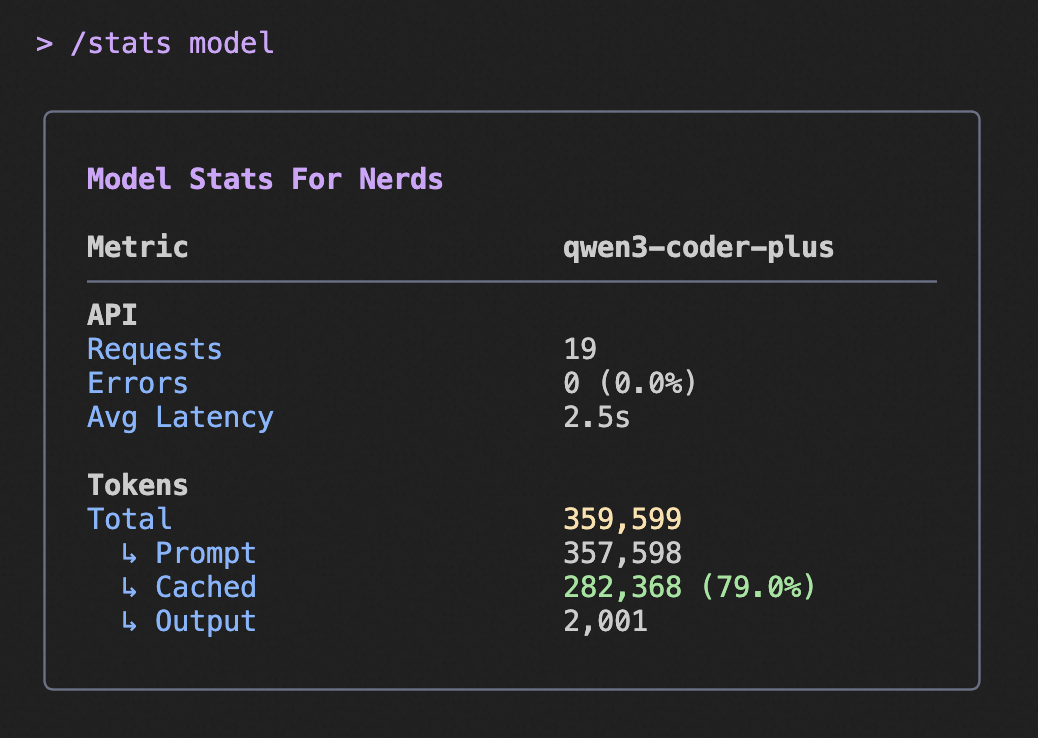
|
||||
|
||||
The above image shows an example of the `/stats` command output, highlighting the cached token savings information.
|
||||
@@ -16,16 +16,15 @@ The plugin **MUST** run a local HTTP server that implements the **Model Context
|
||||
- **Endpoint:** The server should expose a single endpoint (e.g., `/mcp`) for all MCP communication.
|
||||
- **Port:** The server **MUST** listen on a dynamically assigned port (i.e., listen on port `0`).
|
||||
|
||||
### 2. Discovery Mechanism: The Port File
|
||||
### 2. Discovery Mechanism: The Lock File
|
||||
|
||||
For Qwen Code to connect, it needs to discover which IDE instance it's running in and what port your server is using. The plugin **MUST** facilitate this by creating a "discovery file."
|
||||
For Qwen Code to connect, it needs to discover what port your server is using. The plugin **MUST** facilitate this by creating a "lock file" and setting the port environment variable.
|
||||
|
||||
- **How the CLI Finds the File:** The CLI determines the Process ID (PID) of the IDE it's running in by traversing the process tree. It then looks for a discovery file that contains this PID in its name.
|
||||
- **File Location:** The file must be created in a specific directory: `os.tmpdir()/qwen/ide/`. Your plugin must create this directory if it doesn't exist.
|
||||
- **How the CLI Finds the File:** The CLI reads the port from `QWEN_CODE_IDE_SERVER_PORT`, then reads `~/.qwen/ide/<PORT>.lock`. (Legacy fallbacks exist for older extensions; see note below.)
|
||||
- **File Location:** The file must be created in a specific directory: `~/.qwen/ide/`. Your plugin must create this directory if it doesn't exist.
|
||||
- **File Naming Convention:** The filename is critical and **MUST** follow the pattern:
|
||||
`qwen-code-ide-server-${PID}-${PORT}.json`
|
||||
- `${PID}`: The process ID of the parent IDE process. Your plugin must determine this PID and include it in the filename.
|
||||
- `${PORT}`: The port your MCP server is listening on.
|
||||
`<PORT>.lock`
|
||||
- `<PORT>`: The port your MCP server is listening on.
|
||||
- **File Content & Workspace Validation:** The file **MUST** contain a JSON object with the following structure:
|
||||
|
||||
```json
|
||||
@@ -33,21 +32,20 @@ For Qwen Code to connect, it needs to discover which IDE instance it's running i
|
||||
"port": 12345,
|
||||
"workspacePath": "/path/to/project1:/path/to/project2",
|
||||
"authToken": "a-very-secret-token",
|
||||
"ideInfo": {
|
||||
"name": "vscode",
|
||||
"displayName": "VS Code"
|
||||
}
|
||||
"ppid": 1234,
|
||||
"ideName": "VS Code"
|
||||
}
|
||||
```
|
||||
- `port` (number, required): The port of the MCP server.
|
||||
- `workspacePath` (string, required): A list of all open workspace root paths, delimited by the OS-specific path separator (`:` for Linux/macOS, `;` for Windows). The CLI uses this path to ensure it's running in the same project folder that's open in the IDE. If the CLI's current working directory is not a sub-directory of `workspacePath`, the connection will be rejected. Your plugin **MUST** provide the correct, absolute path(s) to the root of the open workspace(s).
|
||||
- `authToken` (string, required): A secret token for securing the connection. The CLI will include this token in an `Authorization: Bearer <token>` header on all requests.
|
||||
- `ideInfo` (object, required): Information about the IDE.
|
||||
- `name` (string, required): A short, lowercase identifier for the IDE (e.g., `vscode`, `jetbrains`).
|
||||
- `displayName` (string, required): A user-friendly name for the IDE (e.g., `VS Code`, `JetBrains IDE`).
|
||||
- `ppid` (number, required): The parent process ID of the IDE process.
|
||||
- `ideName` (string, required): A user-friendly name for the IDE (e.g., `VS Code`, `JetBrains IDE`).
|
||||
|
||||
- **Authentication:** To secure the connection, the plugin **MUST** generate a unique, secret token and include it in the discovery file. The CLI will then include this token in the `Authorization` header for all requests to the MCP server (e.g., `Authorization: Bearer a-very-secret-token`). Your server **MUST** validate this token on every request and reject any that are unauthorized.
|
||||
- **Tie-Breaking with Environment Variables (Recommended):** For the most reliable experience, your plugin **SHOULD** both create the discovery file and set the `QWEN_CODE_IDE_SERVER_PORT` environment variable in the integrated terminal. The file serves as the primary discovery mechanism, but the environment variable is crucial for tie-breaking. If a user has multiple IDE windows open for the same workspace, the CLI uses the `QWEN_CODE_IDE_SERVER_PORT` variable to identify and connect to the correct window's server.
|
||||
- **Environment Variables (Required):** Your plugin **MUST** set `QWEN_CODE_IDE_SERVER_PORT` in the integrated terminal so the CLI can locate the correct `<PORT>.lock` file.
|
||||
|
||||
**Legacy note:** For extensions older than v0.5.1, Qwen Code may fall back to reading JSON files in the system temp directory named `qwen-code-ide-server-<PID>.json` or `qwen-code-ide-server-<PORT>.json`. New integrations should not rely on these legacy files.
|
||||
|
||||
## II. The Context Interface
|
||||
|
||||
@@ -2,7 +2,7 @@
|
||||
|
||||
Qwen Code can integrate with your IDE to provide a more seamless and context-aware experience. This integration allows the CLI to understand your workspace better and enables powerful features like native in-editor diffing.
|
||||
|
||||
Currently, the only supported IDE is [Visual Studio Code](https://code.visualstudio.com/) and other editors that support VS Code extensions. To build support for other editors, see the [IDE Companion Extension Spec](./ide-companion-spec.md).
|
||||
Currently, the only supported IDE is [Visual Studio Code](https://code.visualstudio.com/) and other editors that support VS Code extensions. To build support for other editors, see the [IDE Companion Extension Spec](../ide-integration/ide-companion-spec).
|
||||
|
||||
## Features
|
||||
|
||||