mirror of
https://github.com/QwenLM/qwen-code.git
synced 2025-12-19 09:33:53 +00:00
 70b5aee381
- Introduced a new documentation file for Sub Agents, detailing their purpose, benefits, configuration, and usage examples.
- Updated the overview and quickstart guides to improve clarity and remove outdated information.
- Created a comprehensive command reference document for Qwen Code, detailing slash commands, at commands, and exclamation commands for better user guidance.
- Enhanced the formatting and organization of existing documentation for improved readability and usability.
3.0 KiB
3.0 KiB
Qwen Code overview
Learn about Qwen Code, Qwen's agentic coding tool that lives in your terminal and helps you turn ideas into code faster than ever before.
Get started in 30 seconds
Prerequisites:
- A Qwen Code account
- Requires Node.js 20+, you can use
node -vto check the version. If it's not installed, use the following command to install it.
curl -qL https://www.npmjs.com/install.sh | sh
Install Qwen Code:
NPM(recommended)
npm install -g @qwen-code/qwen-code@latest
Homebrew
brew install qwen-code
GitHub
# clone GitHub project
git clone https://github.com/QwenLM/qwen-code.git

# go to qwen-code folder
cd qwen-code

# install npm
npm install

# install qwen-code
npm install -g @qwen-code/qwen-code@latest
Start using Qwen Code:
cd your-project
qwen
You'll be prompted to log in on first use. That's it! Continue with Quickstart (5 mins) →
Tip
See troubleshooting if you hit issues.
Note
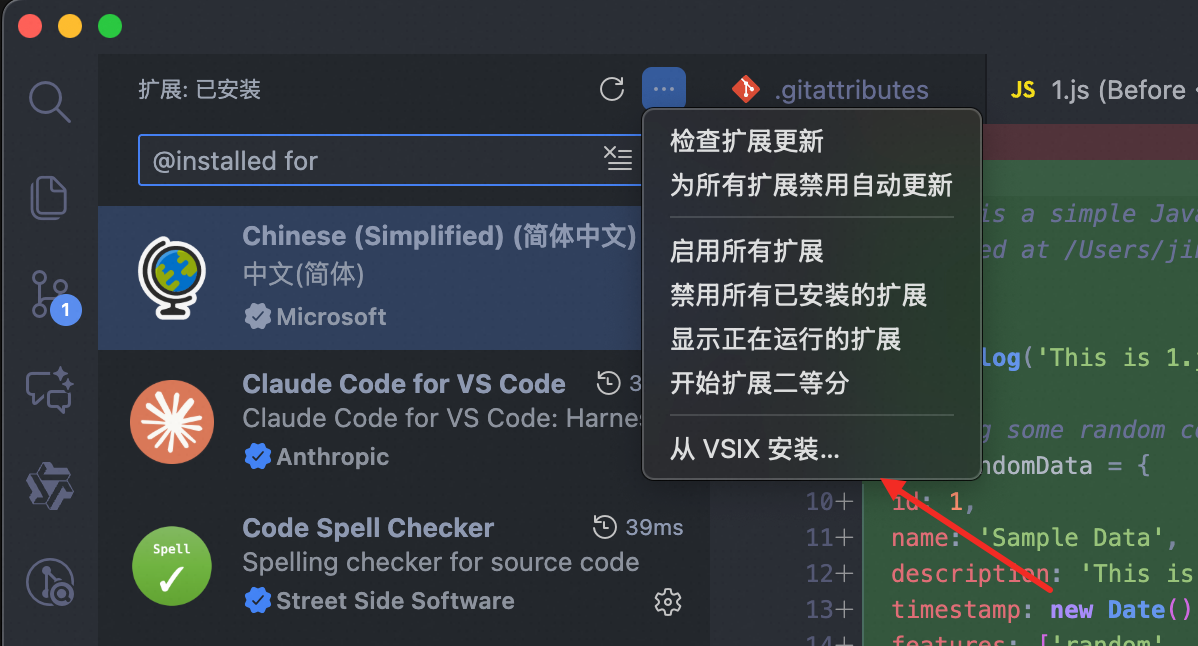
New VS Code Extension (Beta): Prefer a graphical interface? Our new VS Code extension provides an easy-to-use native IDE experience without requiring terminal familiarity. Simply install from the marketplace and start coding with Qwen Code directly in your sidebar.
What Qwen Code does for you
- Build features from descriptions: Tell Qwen Code what you want to build in plain language. It will make a plan, write the code, and ensure it works.
- Debug and fix issues: Describe a bug or paste an error message. Qwen Code will analyze your codebase, identify the problem, and implement a fix.
- Navigate any codebase: Ask anything about your team's codebase, and get a thoughtful answer back. Qwen Code maintains awareness of your entire project structure, can find up-to-date information from the web, and with MCP can pull from external datasources like Google Drive, Figma, and Slack.
- Automate tedious tasks: Fix fiddly lint issues, resolve merge conflicts, and write release notes. Do all this in a single command from your developer machines, or automatically in CI.
Why developers love Qwen Code
- Works in your terminal: Not another chat window. Not another IDE. Qwen Code meets you where you already work, with the tools you already love.
- Takes action: Qwen Code can directly edit files, run commands, and create commits. Need more? MCP lets Qwen Code read your design docs in Google Drive, update your tickets in Jira, or use your custom developer tooling.
- Unix philosophy: Qwen Code is composable and scriptable.
tail -f app.log | qwen -p "Slack me if you see any anomalies appear in this log stream"works. Your CI can runqwen -p "If there are new text strings, translate them into French and raise a PR for @lang-fr-team to review".