mirror of
https://github.com/QwenLM/qwen-code.git
synced 2025-12-19 09:33:53 +00:00
 70b5aee381
- Introduced a new documentation file for Sub Agents, detailing their purpose, benefits, configuration, and usage examples.
- Updated the overview and quickstart guides to improve clarity and remove outdated information.
- Created a comprehensive command reference document for Qwen Code, detailing slash commands, at commands, and exclamation commands for better user guidance.
- Enhanced the formatting and organization of existing documentation for improved readability and usability.
292 lines
8.4 KiB
Markdown
292 lines
8.4 KiB
Markdown
# Quickstart
|
|
|
|
> 👏 Welcome to Qwen Code!
|
|
|
|
This quickstart guide will have you using AI-powered coding assistance in just a few minutes. By the end, you'll understand how to use Qwen Code for common development tasks.
|
|
|
|
## Before you begin
|
|
|
|
Make sure you have:
|
|
|
|
- A **terminal** or command prompt open
|
|
- A code project to work with
|
|
- A [Qwen Code](https://chat.qwen.ai/auth?mode=register) account
|
|
|
|
## Step 1: Install Qwen Code
|
|
|
|
To install Qwen Code, use one of the following methods:
|
|
|
|
### NPM(recommended)
|
|
|
|
Requires [Node.js 20+](https://nodejs.org/download), you can use `node -v` check the version. If it's not installed, use the following command to install it.
|
|
|
|
```bash
|
|
curl -qL https://www.npmjs.com/install.sh | sh
|
|
```
|
|
|
|
If you have [Node.js or newer installed](https://nodejs.org/en/download/):
|
|
|
|
```sh
|
|
npm install -g @qwen-code/qwen-code@latest
|
|
```
|
|
|
|
### Homebrew (macOS, Linux)
|
|
|
|
```sh
|
|
brew install qwen-code
|
|
```
|
|
|
|
### GitHub
|
|
|
|
```sh
|
|
# clone GitHub project
|
|
git clone https://github.com/QwenLM/qwen-code.git
|
|
|
|
# go to qwen-code folder
|
|
cd qwen-code
|
|
|
|
# install npm
|
|
npm install
|
|
|
|
# install qwen-code
|
|
npm install -g @qwen-code/qwen-code@latest
|
|
```
|
|
|
|
## Step 2: Log in to your account
|
|
|
|
Qwen Code requires an account to use. When you start an interactive session with the `qwen` command, you'll need to log in:
|
|
|
|
```bash
|
|
# You'll be prompted to log in on first use
|
|
qwen
|
|
```
|
|
|
|
```bash
|
|
# Follow the prompts to log in with your account
|
|
/auth
|
|
```
|
|
|
|
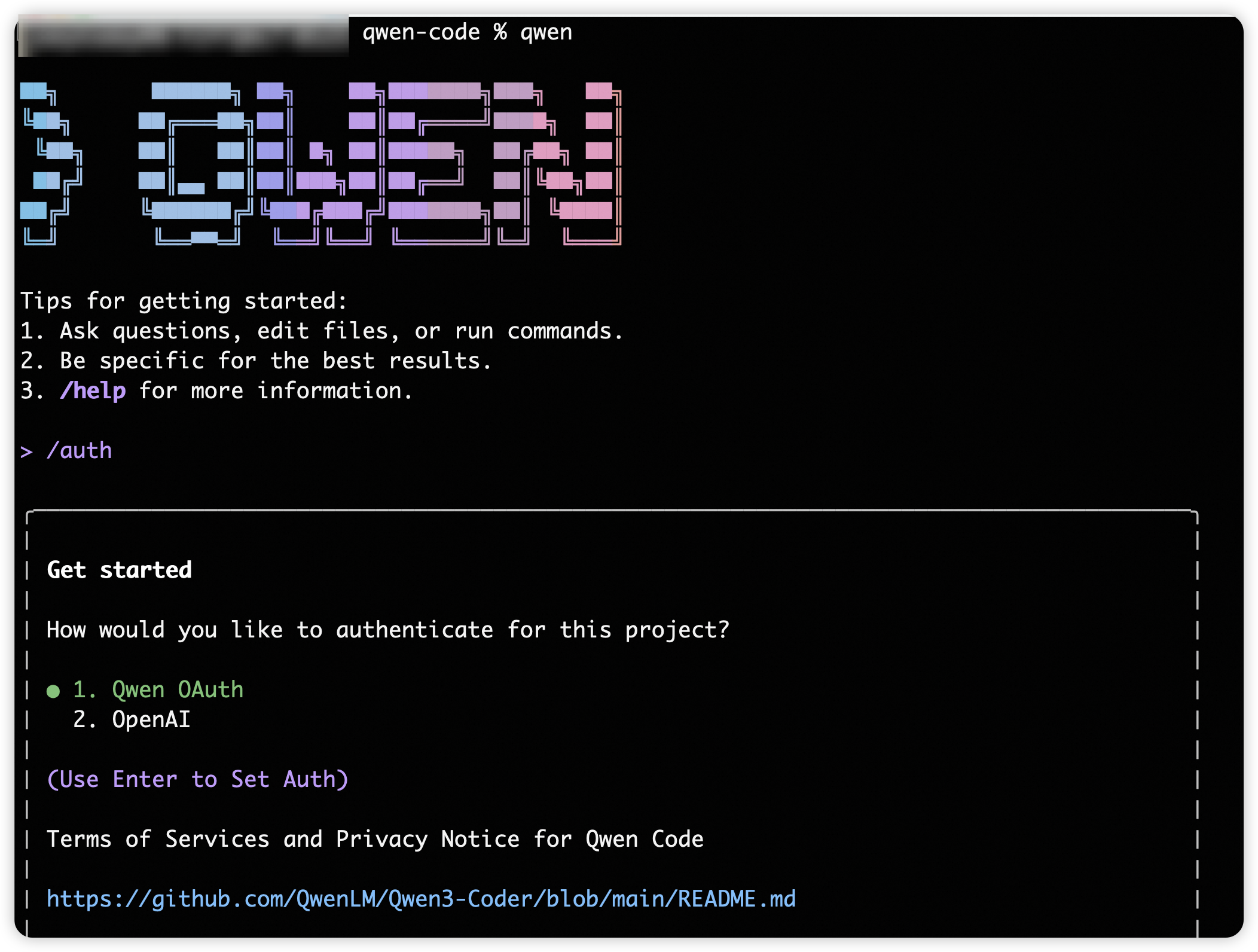
Select `Qwen OAuth`, log in to your account and follow the prompts to confirm. Once logged in, your credentials are stored and you won't need to log in again.
|
|
|
|
> [!note]
|
|
>
|
|
> When you first authenticate Qwen Code with your Qwen account, a workspace called "qwen-code" is automatically created for you. This workspace provides centralized cost tracking and management for all Qwen Code usage in your organization.
|
|
|
|
> [!tip]
|
|
>
|
|
> If you need to log in again or switch accounts, use the `/auth` command within Qwen Code.
|
|
|
|
## Step 3: Start your first session
|
|
|
|
Open your terminal in any project directory and start Qwen Code:
|
|
|
|
```bash
|
|
# optiona
|
|
cd /path/to/your/project
|
|
# start qwen
|
|
qwen
|
|
```
|
|
|
|
You'll see the Qwen Code welcome screen with your session information, recent conversations, and latest updates. Type `/help` for available commands or `/resume` to continue a previous conversation.
|
|
|
|
|
|
|
|
## Chat with Qwen Code
|
|
|
|
### Ask your first question
|
|
|
|
Let's start with understanding your codebase. Try one of these commands:
|
|
|
|
```
|
|
what does this project do?
|
|
```
|
|
|
|
Qwen Code will analyze your files and provide a summary. You can also ask more specific questions:
|
|
|
|
```
|
|
what technologies does this project use?
|
|
```
|
|
|
|
```
|
|
where is the main entry point?
|
|
```
|
|
|
|
```
|
|
explain the folder structure
|
|
```
|
|
|
|
You can also ask Qwen Code about its own capabilities:
|
|
|
|
```
|
|
what can Qwen Code do?
|
|
```
|
|
|
|
```
|
|
how do I use slash commands in Qwen Code?
|
|
```
|
|
|
|
```
|
|
can Qwen Code work with Docker?
|
|
```
|
|
|
|
> [!note]
|
|
> Qwen Code reads your files as needed - you don't have to manually add context. Qwen Code also has access to its own documentation and can answer questions about its features and capabilities.
|
|
|
|
### Make your first code change
|
|
|
|
Now let's make Qwen Code do some actual coding. Try a simple task:
|
|
|
|
```
|
|
add a hello world function to the main file
|
|
```
|
|
|
|
Qwen Code will:
|
|
|
|
1. Find the appropriate file
|
|
2. Show you the proposed changes
|
|
3. Ask for your approval
|
|
4. Make the edit
|
|
|
|
> [!note]
|
|
> Qwen Code always asks for permission before modifying files. You can approve individual changes or enable "Accept all" mode for a session.
|
|
|
|
### Use Git with Qwen Code
|
|
|
|
Qwen Code makes Git operations conversational:
|
|
|
|
```
|
|
what files have I changed?
|
|
```
|
|
|
|
```
|
|
commit my changes with a descriptive message
|
|
```
|
|
|
|
You can also prompt for more complex Git operations:
|
|
|
|
```
|
|
create a new branch called feature/quickstart
|
|
```
|
|
|
|
```
|
|
show me the last 5 commits
|
|
```
|
|
|
|
```
|
|
help me resolve merge conflicts
|
|
```
|
|
|
|
### Fix a bug or add a feature
|
|
|
|
Qwen Code is proficient at debugging and feature implementation.
|
|
|
|
Describe what you want in natural language:
|
|
|
|
```
|
|
add input validation to the user registration form
|
|
```
|
|
|
|
Or fix existing issues:
|
|
|
|
```
|
|
there's a bug where users can submit empty forms - fix it
|
|
```
|
|
|
|
Qwen Code will:
|
|
|
|
* Locate the relevant code
|
|
* Understand the context
|
|
* Implement a solution
|
|
* Run tests if available
|
|
|
|
### Test out other common workflows
|
|
|
|
There are a number of ways to work with Claude:
|
|
|
|
**Refactor code**
|
|
|
|
```
|
|
refactor the authentication module to use async/await instead of callbacks
|
|
```
|
|
|
|
**Write tests**
|
|
|
|
```
|
|
write unit tests for the calculator functions
|
|
```
|
|
|
|
**Update documentation**
|
|
|
|
```
|
|
update the README with installation instructions
|
|
```
|
|
|
|
**Code review**
|
|
|
|
```
|
|
review my changes and suggest improvements
|
|
```
|
|
|
|
> [!tip]
|
|
> **Remember**: Qwen Code is your AI pair programmer. Talk to it like you would a helpful colleague - describe what you want to achieve, and it will help you get there.
|
|
|
|
## Essential commands
|
|
|
|
Here are the most important commands for daily use:
|
|
|
|
| Command | What it does | Example |
|
|
| --------------------- | ------------------------------------------------------ | ---------------------------------- |
|
|
| `qwen` | start Qwen Code | `qwen` |
|
|
| `/chat` | Manually save and restore conversation history | Requires sub-commands |
|
|
| → `save <label>` | Save current conversation state | `/chat save Feature Ideation` |
|
|
| → `resume <label>` | Restore conversation from saved point | `/chat resume Feature Ideation` |
|
|
| → `list` | List all recoverable conversation labels | `/chat list` |
|
|
| → `delete <label>` | Delete saved conversation checkpoint | `/chat delete Feature Ideation` |
|
|
| → `share [file]` | Export conversation as Markdown or JSON | `/chat share Discussion Record.md` |
|
|
| `/summary` | Generate project summary based on conversation history | `/summary` |
|
|
| `/compress` | Replace chat history with summary to save Tokens | `/compress` |
|
|
| `/clear` | Clear terminal screen content | `/clear` (shortcut: `Ctrl+L`) |
|
|
| `/theme` | Change Qwen Code visual theme | `/theme` |
|
|
| `/language` | View or change language settings | `/language` |
|
|
| → `ui [language]` | Set UI interface language | `/language ui zh-CN` |
|
|
| → `output [language]` | Set LLM output language | `/language output Chinese` |
|
|
| `/help` | Display help information for available commands | `/help` or `/?` |
|
|
| `/auth` | Change authentication method | `/auth` |
|
|
| `/quit` | Exit Qwen Code immediately | `/quit` or `/exit` |
|
|
|
|
See the [CLI reference](/cli-reference) for a complete list of commands.
|
|
|
|
## Pro tips for beginners
|
|
|
|
- Be specific with your requests
|
|
- Instead of: "fix the bug"
|
|
- Try: "fix the login bug where users see a blank screen after entering wrong credentials"
|
|
- Use step-by-step instructions
|
|
- Break complex tasks into steps:
|
|
```
|
|
1. create a new database table for user profiles
|
|
2. create an API endpoint to get and update user profiles
|
|
3. build a webpage that allows users to see and edit their information
|
|
```
|
|
|
|
- Let Claude explore first
|
|
- Before making changes, let Claude understand your code:
|
|
```
|
|
analyze the database schema
|
|
```
|
|
|
|
```
|
|
build a dashboard showing products that are most frequently returned by our UK customers
|
|
```
|
|
|
|
- Save time with shortcuts
|
|
- Press `?` to see all available keyboard shortcuts
|
|
- Use Tab for command completion
|
|
- Press ↑ for command history
|
|
- Type `/` to see all slash commands
|
|
|
|
## Getting help
|
|
|
|
- **In Qwen Code**: Type `/help` or ask "how do I..."
|
|
- **Documentation**: You're here! Browse other guides
|
|
- **Community**: Join our [GitHub Discussion](https://github.com/QwenLM/qwen-code/discussions) for tips and support |