mirror of
https://github.com/QwenLM/qwen-code.git
synced 2025-12-19 09:33:53 +00:00
 9fd4f58c16
- Introduced a comprehensive guide on the four permission modes: Plan, Default, Auto-Edit, and YOLO, including their use cases and risk levels.
- Updated the overview and quickstart documentation for clarity and consistency.
- Removed the outdated CLI reference document and integrated relevant content into the updated documentation.
- Improved command creation examples and best practices for custom commands.
63 lines
3.0 KiB
Markdown
63 lines
3.0 KiB
Markdown
# Qwen Code overview
|
|
|
|
> Learn about Qwen Code, Qwen's agentic coding tool that lives in your terminal and helps you turn ideas into code faster than ever before.
|
|
|
|
## Get started in 30 seconds
|
|
|
|
Prerequisites:
|
|
|
|
- A [Qwen Code](https://chat.qwen.ai/auth?mode=register) account
|
|
- Requires [Node.js 20+](https://nodejs.org/zh-cn/download), you can use `node -v` to check the version. If it's not installed, use the following command to install it.
|
|
|
|
### Install Qwen Code:
|
|
|
|
**NPM**(recommended)
|
|
|
|
```bash
|
|
npm install -g @qwen-code/qwen-code@latest
|
|
```
|
|
|
|
**Homebrew**(macOS, Linux)
|
|
|
|
```bash
|
|
brew install qwen-code
|
|
```
|
|
|
|
### Start using Qwen Code:
|
|
|
|
```bash
|
|
cd your-project
|
|
qwen
|
|
```
|
|
|
|
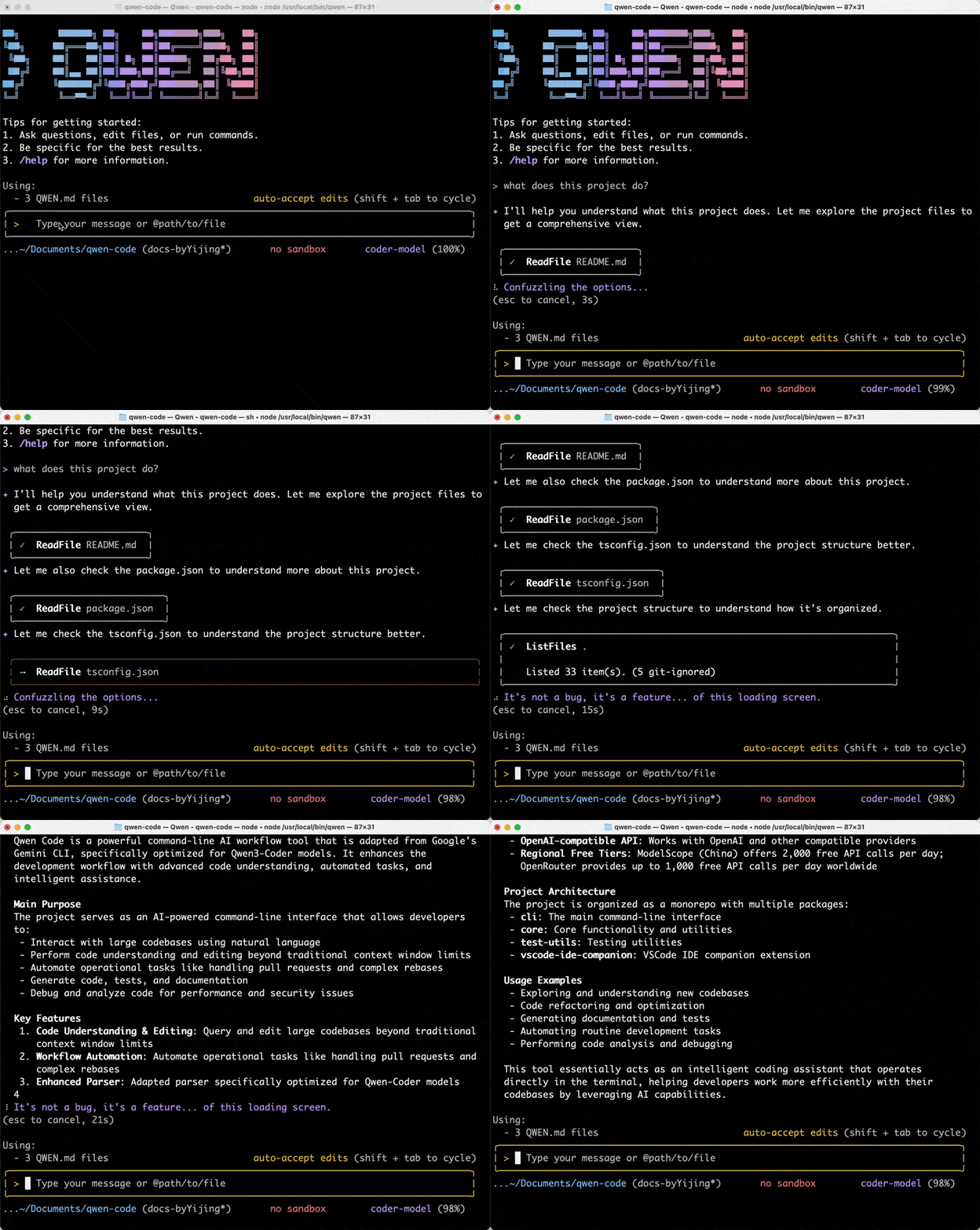
Select **Qwen OAuth (Free)** authentication and follow the prompts to log in. Then let's start with understanding your codebase. Try one of these commands:
|
|
|
|
```
|
|
what does this project do?
|
|
```
|
|
|
|
|
|
|
|
You'll be prompted to log in on first use. That's it! [Continue with Quickstart (5 mins) →](/users/quickstart)
|
|
|
|
> [!tip]
|
|
>
|
|
> See [troubleshooting](/users/support/troubleshooting) if you hit issues.
|
|
|
|
> [!note]
|
|
>
|
|
> **New VS Code Extension (Beta)**: Prefer a graphical interface? Our new **VS Code extension** provides an easy-to-use native IDE experience without requiring terminal familiarity. Simply install from the marketplace and start coding with Qwen Code directly in your sidebar. You can search for **Qwen Code** in the VS Code Marketplace and download it.
|
|
|
|
## What Qwen Code does for you
|
|
|
|
- **Build features from descriptions**: Tell Qwen Code what you want to build in plain language. It will make a plan, write the code, and ensure it works.
|
|
- **Debug and fix issues**: Describe a bug or paste an error message. Qwen Code will analyze your codebase, identify the problem, and implement a fix.
|
|
- **Navigate any codebase**: Ask anything about your team's codebase, and get a thoughtful answer back. Qwen Code maintains awareness of your entire project structure, can find up-to-date information from the web, and with [MCP](/users/features/mcp) can pull from external datasources like Google Drive, Figma, and Slack.
|
|
- **Automate tedious tasks**: Fix fiddly lint issues, resolve merge conflicts, and write release notes. Do all this in a single command from your developer machines, or automatically in CI.
|
|
|
|
## Why developers love Qwen Code
|
|
|
|
- **Works in your terminal**: Not another chat window. Not another IDE. Qwen Code meets you where you already work, with the tools you already love.
|
|
- **Takes action**: Qwen Code can directly edit files, run commands, and create commits. Need more? [MCP](/users/features/mcp) lets Qwen Code read your design docs in Google Drive, update your tickets in Jira, or use _your_ custom developer tooling.
|
|
- **Unix philosophy**: Qwen Code is composable and scriptable. `tail -f app.log | qwen -p "Slack me if you see any anomalies appear in this log stream"` _works_. Your CI can run `qwen -p "If there are new text strings, translate them into French and raise a PR for @lang-fr-team to review"`.
|